Vimar VIEW Wireless

Vimar VIEW Wireless

Download on App Store
Logo of Vimar VIEW Wireless

Vimar VIEW Wireless: The Professional Tool for Smart System Commissioning

Streamline your installations with guided programming for Vimar connected series. From mesh network configuration to seamless protocol handover, empower your projects with the ultimate installer-only interface.

Publisher

VIMAR Spa

Category

Productivity

Downloads

39K+

User Rating

2.5/5

Total Ratings

100

Locales

8

The Installer's Workbench

Discover the interface used by 39K+ users.
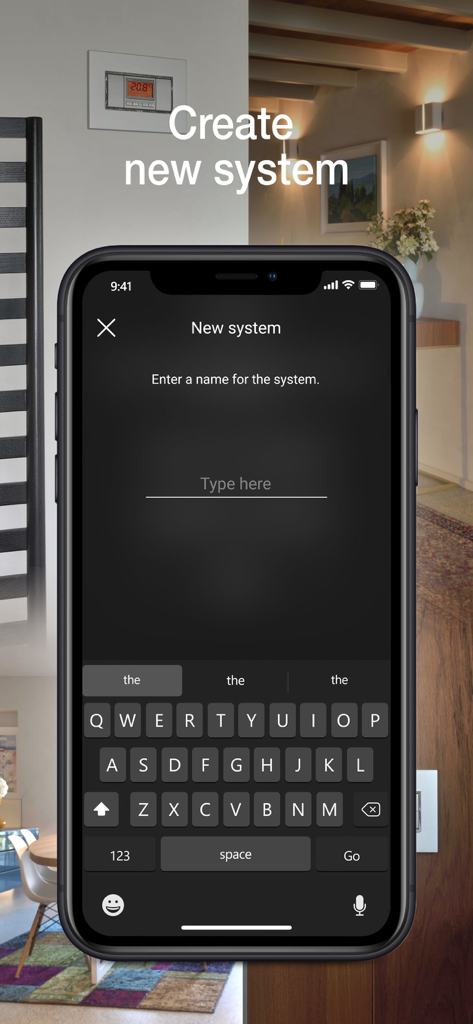
Vimar VIEW Wireless app interface showing the setup screen to create and name a new smart home system.

Vimar VIEW Wireless app interface showing the setup screen to create and name a new smart home system.

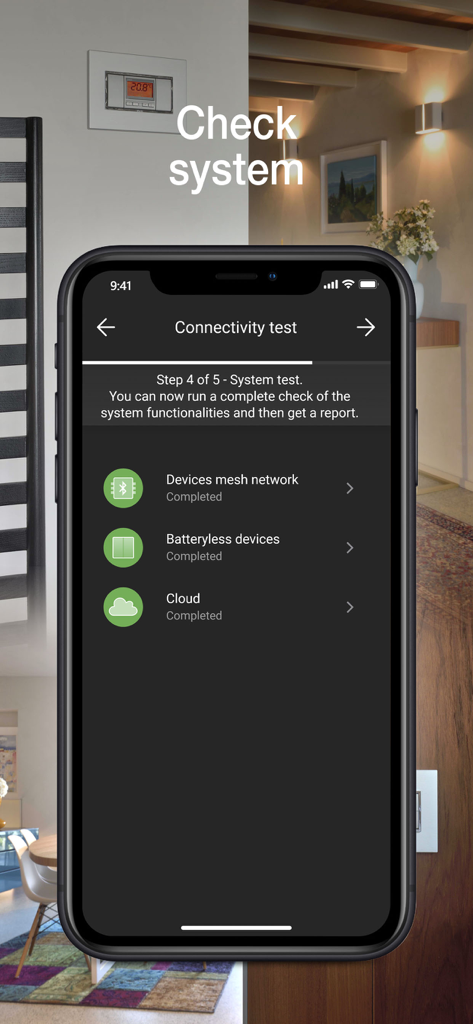
Vimar VIEW Wireless app connectivity test screen showing completed status for mesh network and cloud

Vimar VIEW Wireless app connectivity test screen showing completed status for mesh network and cloud

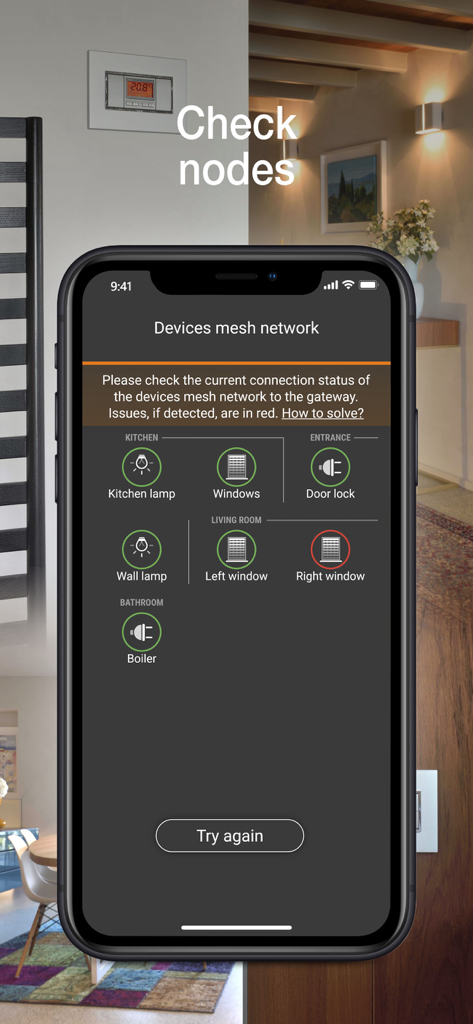
Smartphone screen of the Vimar VIEW Wireless app showing smart home device connection status in a mesh network

Smartphone screen of the Vimar VIEW Wireless app showing smart home device connection status in a mesh network

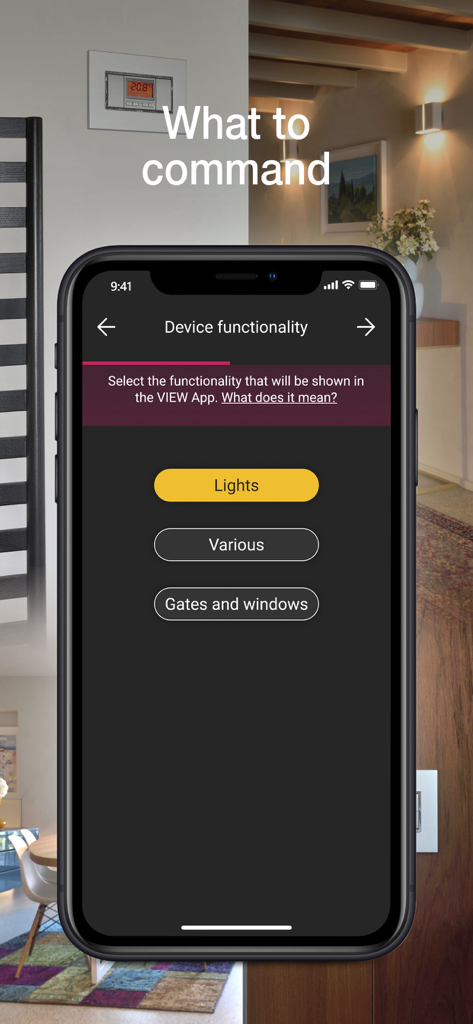
Interface of Vimar VIEW Wireless app showing device functionality configuration for lights and gates

Interface of Vimar VIEW Wireless app showing device functionality configuration for lights and gates

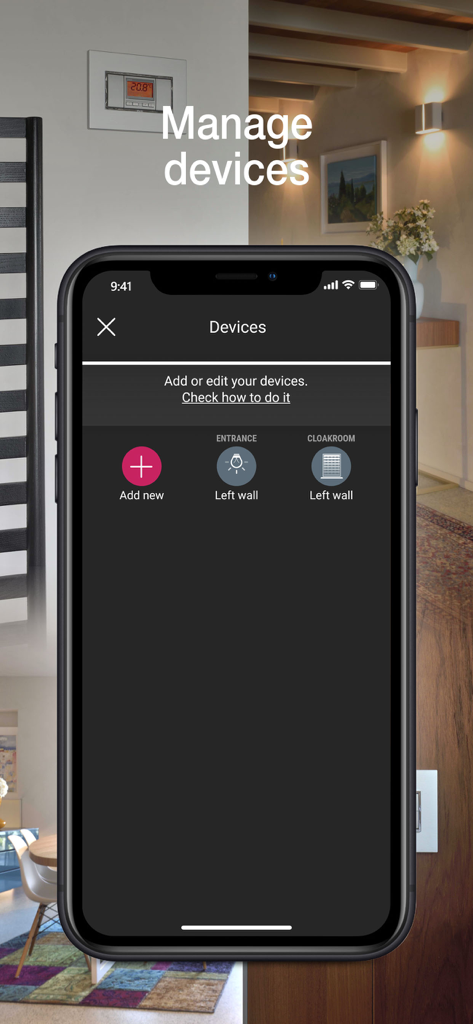
Interface of the Vimar VIEW Wireless app showing the device management screen with options to add or edit smart home components like lights and shutters

Interface of the Vimar VIEW Wireless app showing the device management screen with options to add or edit smart home components like lights and shutters

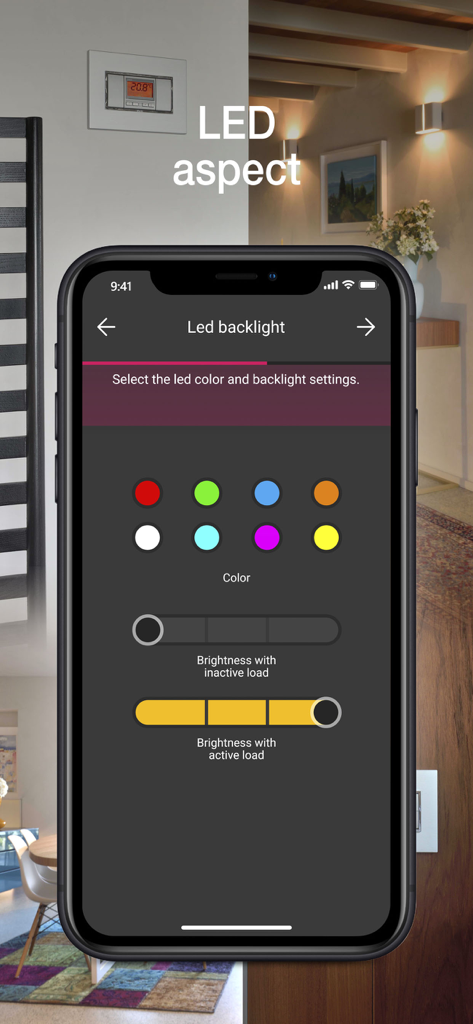
Vimar VIEW Wireless app interface showing LED backlight color selection and brightness settings for smart home installers.

Vimar VIEW Wireless app interface showing LED backlight color selection and brightness settings for smart home installers.

Streamlined Commissioning for Smart Systems

The tools that make this app stand out, trusted by 39K+ users.

Guided Setup & Configuration

Reduce time on site with an intuitive interface that simplifies environment creation and device enrollment for all Vimar connected wiring series.

🔄

Multi-Protocol Versatility

Future-proof every project with the ability to switch between Bluetooth 5.0 and Zigbee 3.0, ensuring seamless integration with top smart home hubs.

🔑

Professional System Handoff

Verify mesh network coverage and securely transfer control to the client for a polished, reliable delivery that eliminates support calls.

About the app

Everything you need to know about Vimar VIEW Wireless.

Description

The VIEW Wireless App is designed for programming Vimar connected wiring series (Eikon, Arkè, Plana and Idea) via tablet or smartphone and creating the VIEW Wireless smart system, locally, thanks to simple steps guided by an extremely user-friendly interface. The VIEW Wireless connected system allows the smart management of lights, roller shutters, electrical socket outlets, energy monitoring, temperature control, accesses and scenarios. The devices liaise with one another in a mesh network based on the Bluetooth 5.0 standard; they are installed like traditional flush mounted devices beside electro-mechanical 1-way switches, push buttons and 2-way switches or retrofit/in junction boxes to accommodate all installation situations and thanks to a Bluetooth/wi-fi gateway, they allow connectivity with the Vimar Cloud for integration with smart speakers and local and remote control via the VIEW APP. The connected devices allow the creation of smart systems both in new buildings and in renovations and, thanks to the easy installation, also in existing traditional systems in the form of a simple functional upgrade. Supervision via the VIEW APP also makes it possible to benefit from a single platform control interface with VIEW IoT Smart Systems, which VIEW Wireless is a sub-system of: you can in fact also control the By-alarm burglar alarm system, the IP and 2F+ video door entry systems and the Elvox IP cameras (after integration by a professional installer via the VIEW PRO APP). In detail, the VIEW Wireless APP allows: • the creation of environments and sub-environments; • enrolment of devices, setting their parameters and allocating them in the created environments; • association of wired or radio push buttons (battery-free, thanks to the Energy Harvesting technological motor by EnOcean), to replicate control points or call up scenarios; • association with the Bluetooth/wi-fi gateway; • checking the radio coverage of the mesh network configured; • delivery of the system to the administrator user. What’s more, the VIEW Wireless APP is designed to convert the radio standard of devices from Bluetooth 5.0 to Zigbee 3.0 (and vice-versa) ensuring configuration and direct control via the Zigbee Hub and related App. The App can only be accessed by entering installer credentials, which are generated on the MyVIMAR portal.

Latest Version

1.17.0

Size

71.5 MB

First Released

Feb 29, 2020

Ready to Upgrade Your Professional Toolkit?

Download the VIEW Wireless App to streamline your next installation. Access advanced commissioning tools with your MyVIMAR credentials and deliver professional smart systems with unmatched efficiency.

Download on App Store

App information, icons, screenshots, and descriptions displayed on this page are sourced from the Apple App Store and are the property of their respective developers. Download estimates and rankings are based on MWM's proprietary models and may not reflect actual figures. This page is provided for informational and analytical purposes only.

Believe this page infringes your intellectual property? File a dispute