Voice Recorder - Memo + Editor
Download on App Store

This page is not an official page of the app or its developer, but an independent editorial publication created for informational and commentary purposes. Unless expressly stated otherwise, neither the app nor its developer is affiliated with, endorsed by, sponsored by, authorized by, or otherwise officially connected with MWM, Apple, Google Play, the app publisher, or the app's developer, and nothing on this page implies that the app was developed using MWM's services. Any trademarks, logos, screenshots, and other content remain the property of their respective owners.

Logo of Voice Recorder - Memo + Editor
Download on App Store

Voice Recorder - Memo + Editor

Elevate your productivity with high-quality recording, noise reduction, and seamless Apple Watch integration. Transform meetings, lectures, and interviews into searchable text across all your devices.

Key Figures

Downloads

0

User Rating

4.0/5

Total Ratings

0

Publisher

妍 岳

Category

Productivity

Locales

16

Latest Version

1.9

Size

29.1 MB

First Released

Nov 27, 2019
Features

Elevate Your Professional Workflow

From instant AI transcription to seamless Apple Watch integration, transform your voice into actionable insights and professional-grade memos.

AI-Powered Transcription

Convert audio to text instantly in 30+ languages, eliminating hours of manual typing for meetings and academic lectures.

Phone-Free Mobility

Capture ideas discretely via Apple Watch and sync automatically across your devices, perfect for professionals on the move.

The following screenshots and description are sourced directly from the app's official store listing and are the property of the app developer.

App Store

Screenshots
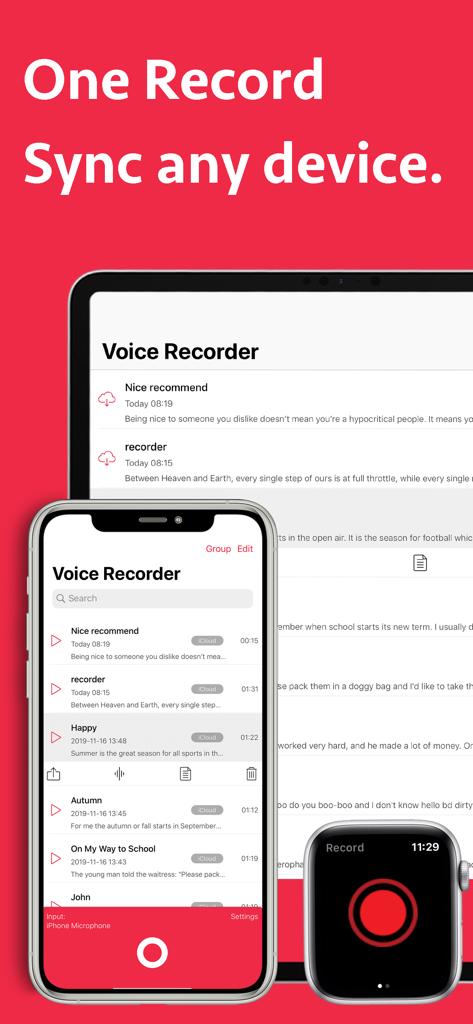
Voice Recorder - Memo + Editor - Voice Recorder app interface displayed on iPhone iPad and Apple Watch highlighting multi-device synchronization
Voice Recorder app interface displayed on iPhone iPad and Apple Watch highlighting multi-device synchronization

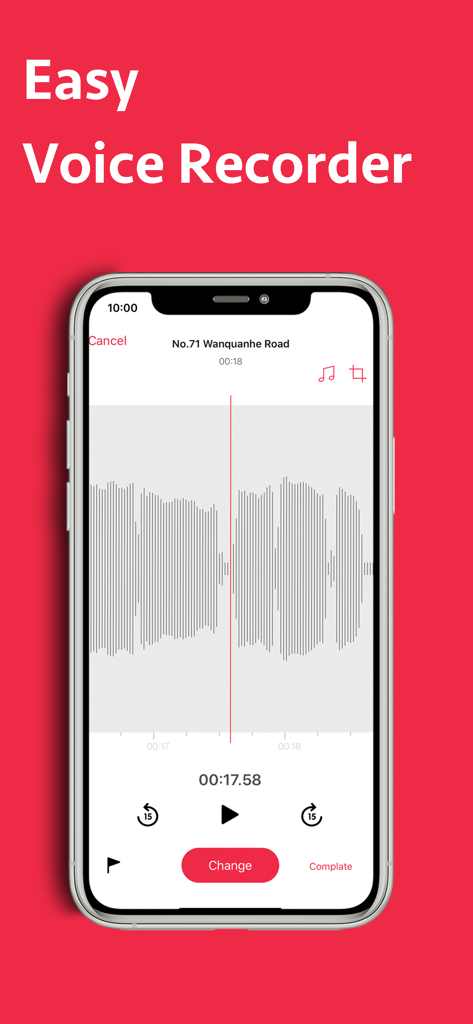
Voice Recorder - Memo + Editor - Interface of the Voice Recorder - Memo + Editor app on an iPhone showing a voice recording waveform
Interface of the Voice Recorder - Memo + Editor app on an iPhone showing a voice recording waveform

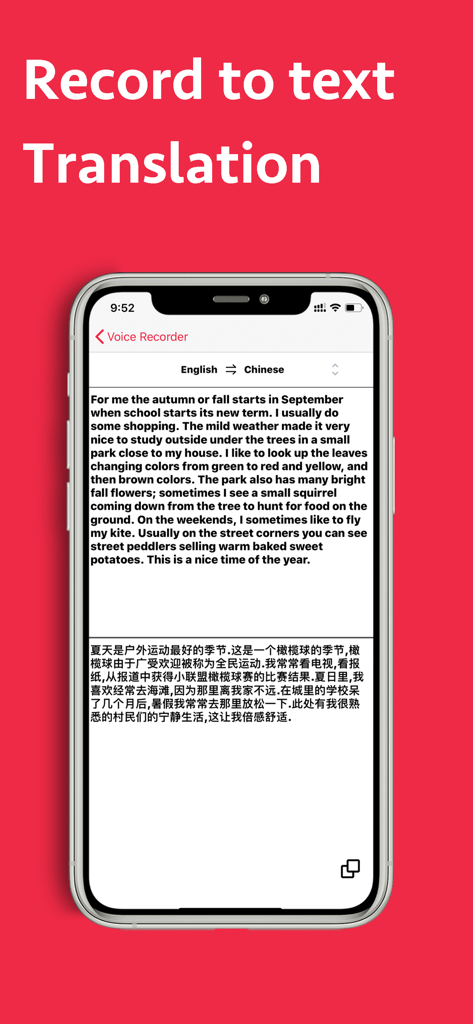
Voice Recorder - Memo + Editor - iPhone screenshot showing the voice recorder app translating an English transcription into Chinese text.
iPhone screenshot showing the voice recorder app translating an English transcription into Chinese text.

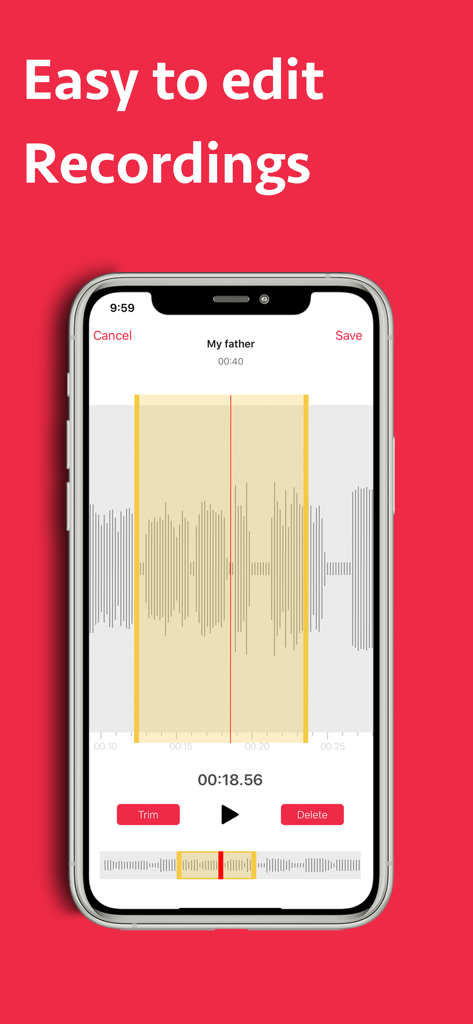
Voice Recorder - Memo + Editor - Mobile app interface showing audio waveform editing and trimming tools.
Mobile app interface showing audio waveform editing and trimming tools.

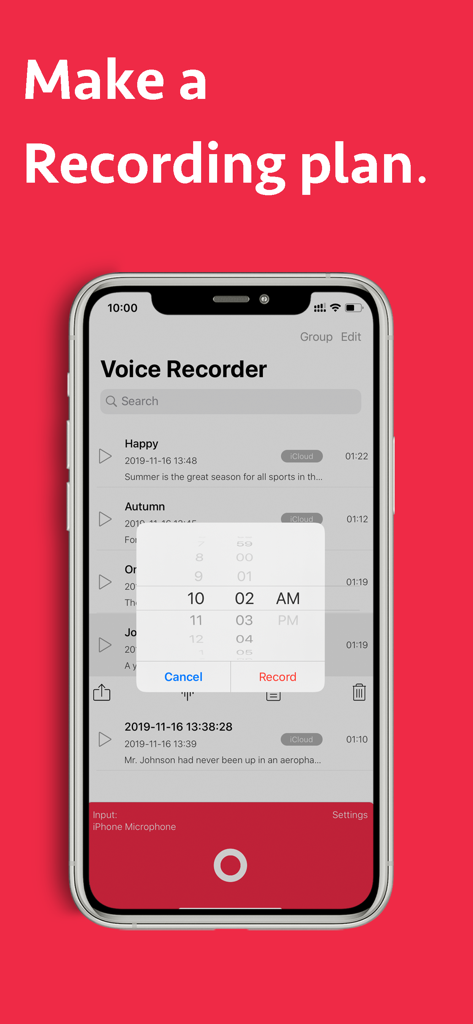
Voice Recorder - Memo + Editor - Voice Recorder app scheduled recording interface on iPhone
Voice Recorder app scheduled recording interface on iPhone

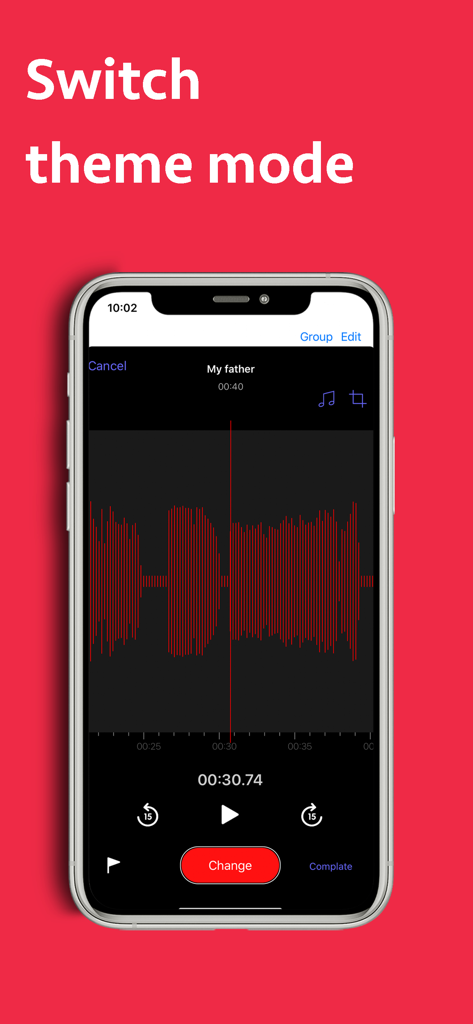
Voice Recorder - Memo + Editor - Interface of the Voice Recorder app featuring a dark theme and red audio waveform on an iPhone

Interface of the Voice Recorder app featuring a dark theme and red audio waveform on an iPhone

Description

Voice Recorder is your ultimate solution for voice recording with high-quality sound. A new, modern design makes it even easier to capture and share personal notes, family moments, classroom lectures, work meetings, speeches, interviews and more. Also, It can help you learn languages easily. Features 「Record」 - Use a Siri Shortcut to start a new recording. - One tap to start, stop, pause and resume recording. - Speech to Text, support for over 30 languages. - Scheduled recording - Recording in the background at the agreed time. - Noise Reduction - Make speech clearer. - Record with background music. Tip: Please bring headphones when recording to avoid secondary recording of background music. - Choose to record from the built-in mic, AirPods or external microphones. - Record independently on Apple Watch and sync later. - Markers - Use markers to select a specific audio position quickly. - Multiple theme styles. 「Edit」 - Trim your recordings to save just the portion you want. - Rename and tag recordings. - Pinch-to-zoom for more precision when editing. - Replace and resume to fine-tune your recordings. - Add background music. - Text - make corrections and add new text to your transcriptions. - Collaborate with “Audio Editor” apps, using multi-track editing, music effects and more. - Translate the text into the language you want. 「Storage」 - Quickly find recordings with the search feature. - Choose to store recordings in iCloud Drive or locally on-device. - Recordings stored in iCloud Drive automatically sync across all your devices. - Recordings stored locally on-device are not accessible outside the app. 「Share and Export」 - Wi-Fi file sharing let you save recordings to your PC without any cable connections. - With iCloud support, sync recordings between iPhone, iPad and MacBook. - Share recordings via AirDrop, Mail, Messages, and more. 「APPLE WATCH」 Voice Recorder includes an Apple Watch app that gives you the freedom to record anywhere, even when your iPhone is not around. - Start recording with a single tap on the Complication. - Record discretely in the background. - Unlimited recording time. - Recordings automatically transfer to iPhone for transcription and iCloud syncing. - Listen to recent recordings through the built-in speaker or AirPods. ========================== Voice Recorder Pro Unlimited Subscription ========================== - Join Voice Recorder Pro Unlimited use all features for free, Unlimited use of all features, Mute auto pause, Start recording at the scheduled time, Use Background Music, Shortcuts, no ads, no watermarks, etc.. - Voice Recorder Unlimited subscription is billed monthly or annually at the rate correspnding to the selected plan. In addition, a one-time payment will be offered if needed, which is not one of the subscription plan. - Payment will be charged to Itunes Account at confirmation of purchase. - Subscriptions automatically renews unless auto-renew is turned off at least 24 hours before the end of the current period. - Account will be charged for renewal within 24-hours prior to the end of the current period, and identify the cost of the renewal. - Subscriptions may be managed by the user and auto-renewal may be turned off by going to the user's Account Settings after purchase. - Any unused portion of a free trial period, if offered, will be forfeited when the user purchases a subscription to that publication, where applicable. - Terms of use : https://vl2d7p74tu.feishu.cn/docx/Ma7xdszymo8gpDxBJbGcV0YCnab - Privacy policy: https://vl2d7p74tu.feishu.cn/docx/HcHHdXlnvoV6sOxKl4ccErZYnr4 Feel free to contact us: globalfadeback@163.com Your problems or suggestions are important to us!

Download

Download on App Store

This page is not an official page of the app or its developer, but an independent editorial publication created for informational and commentary purposes. Unless expressly stated otherwise, neither the app nor its developer is affiliated with, endorsed by, sponsored by, authorized by, or otherwise officially connected with MWM, Apple, Google Play, the app publisher, or the app's developer, and nothing on this page implies that the app was developed using MWM's services. Any trademarks, logos, screenshots, and other content remain the property of their respective owners.