Vuforia Creator

Vuforia Creator

Download on App Store
Logo of Vuforia Creator

Vuforia Creator: Streamline Your Enterprise AR Workflow

The essential companion for XR developers to scan environments, test Model Targets, and record 6DOF sessions for seamless off-site development.

Publisher

PTC Inc.

Category

Developer Tools

Downloads

51K+

User Rating

1.0/5

Total Ratings

0

Locales

1

Precision in Every Scan

Discover the interface used by 51K+ users.
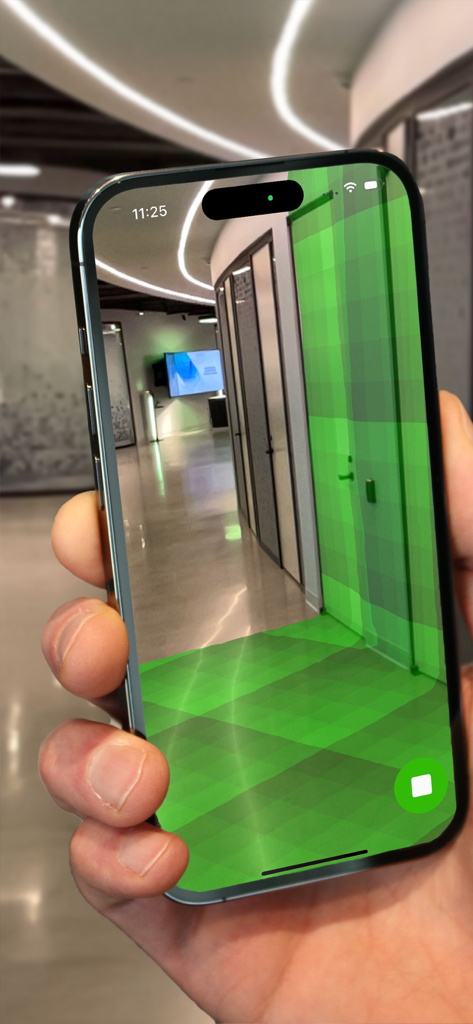
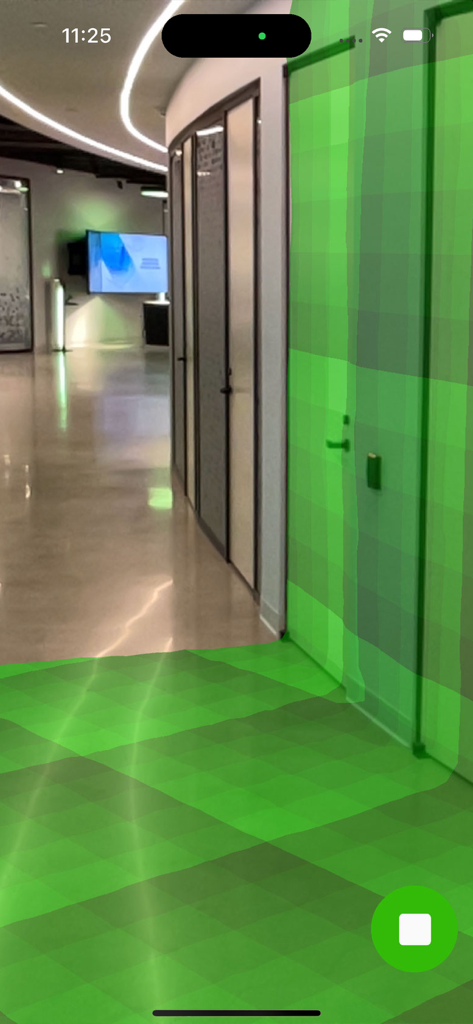
iPhone screen showing an augmented reality green mesh scanning an office corridor

iPhone screen showing an augmented reality green mesh scanning an office corridor

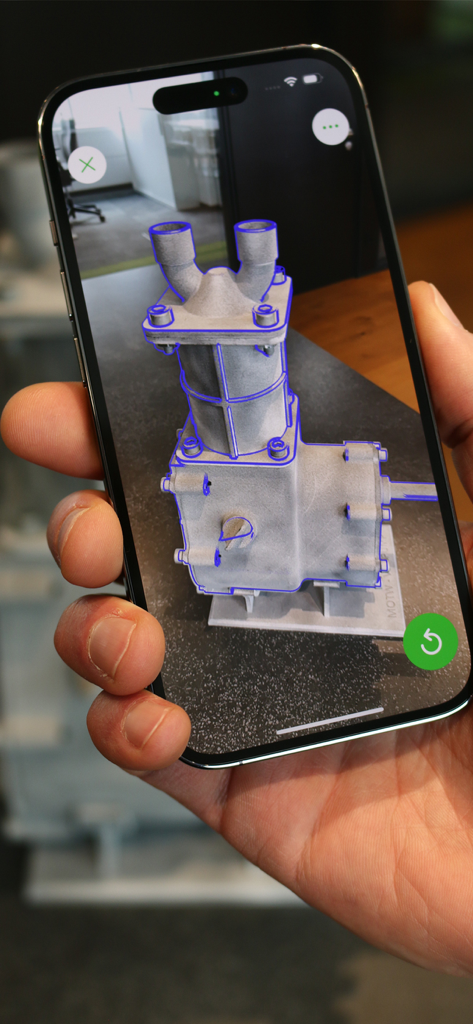
A person holding a smartphone running Vuforia Creator to test an augmented reality model target overlay on a physical industrial part

A person holding a smartphone running Vuforia Creator to test an augmented reality model target overlay on a physical industrial part

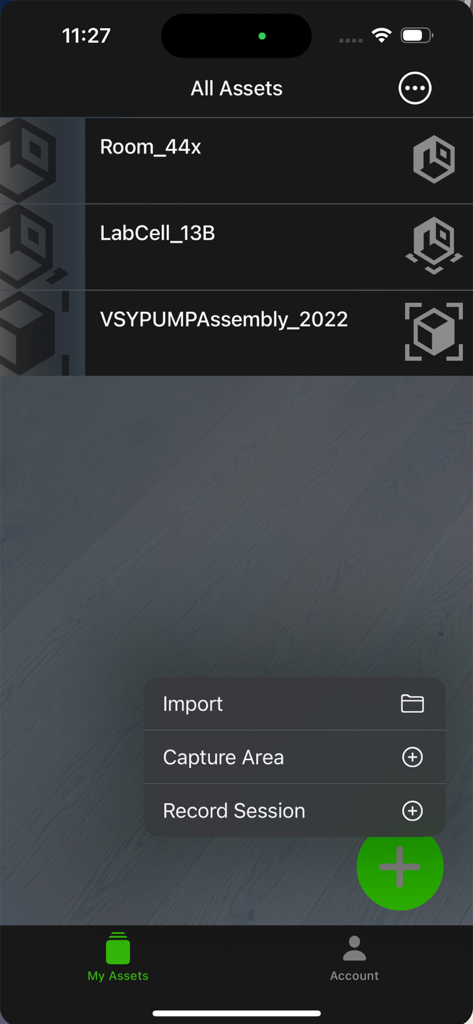
Vuforia Creator app displaying AR assets and a menu to capture areas or record sessions

Vuforia Creator app displaying AR assets and a menu to capture areas or record sessions

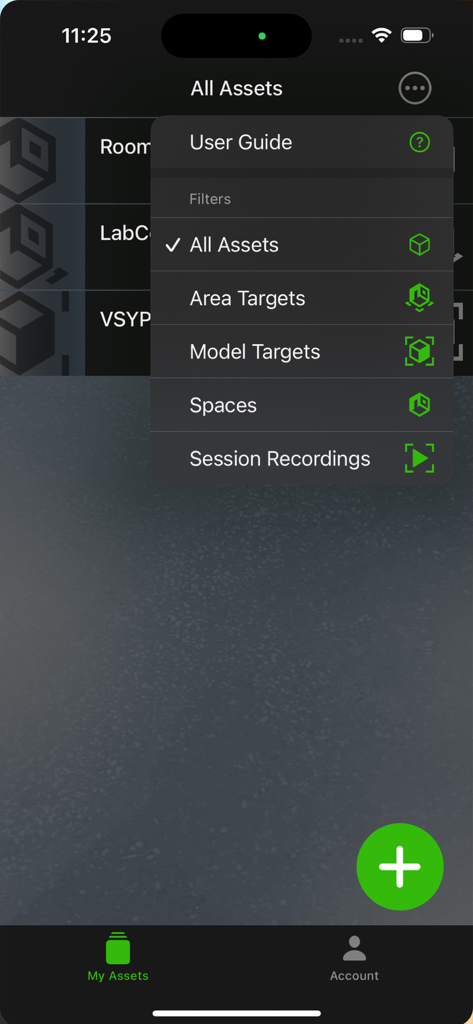
Vuforia Creator app interface showing the All Assets filter menu with options for Area Targets and Model Targets

Vuforia Creator app interface showing the All Assets filter menu with options for Area Targets and Model Targets

Mobile app interface showing an augmented reality mesh scanning an office hallway for environment mapping.

Mobile app interface showing an augmented reality mesh scanning an office hallway for environment mapping.

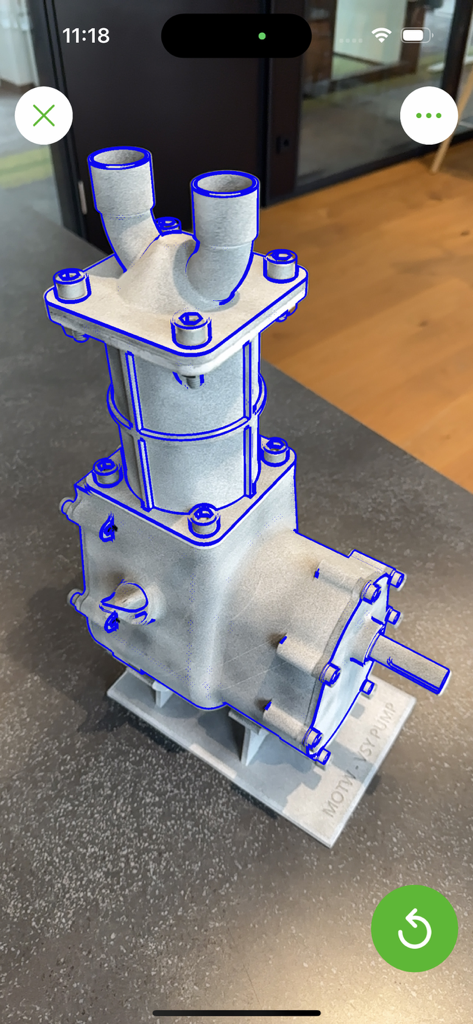
An industrial pump being tracked in augmented reality with blue outlines in the Vuforia Creator app

An industrial pump being tracked in augmented reality with blue outlines in the Vuforia Creator app

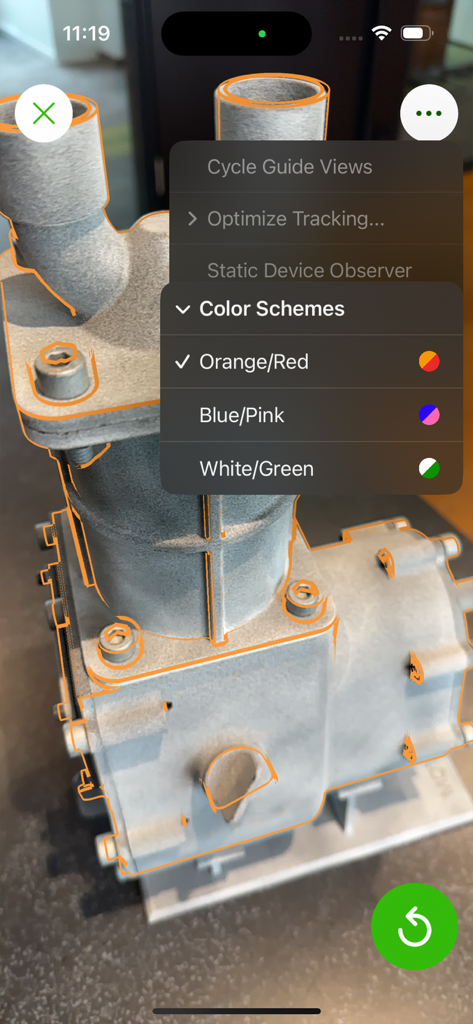
Vuforia Creator mobile app demonstrating AR model tracking on a mechanical part with customizable color scheme settings

Vuforia Creator mobile app demonstrating AR model tracking on a mechanical part with customizable color scheme settings

Master Your Industrial AR Workflow

The tools that make this app stand out, trusted by 51K+ users.

📡

Instant Area Target Generation

Leverage LiDAR sensors to transform physical spaces into AR canvases in minutes, creating ready-to-use targets even while offline.

✅

Real-World Tracking Validation

Ensure enterprise-grade stability by testing Model and Area Targets directly against physical assets to verify performance before deployment.

🎥

Remote Session Playback

Capture site walkthroughs with 6DOF pose data, allowing you to simulate and refine your AR experiences from the comfort of your office.

About the app

Everything you need to know about Vuforia Creator.

Description

The Vuforia® Creator™ application is an essential companion for anyone developing Augmented Reality (AR) applications using Vuforia Engine™. It enables users to scan and test Area Targets, test Model Targets, and record sessions that can be played back during development for testing. Area Targets turn a physical space into a canvas for augmented reality, enabling developers to create applications that feature dynamic AR navigation, clear service and maintenance guidance, or factory monitoring of live IoT data from the floor. The Vuforia Creator application makes scanning and generating Area Targets a breeze. Using a LiDAR-enabled mobile device, users can easily scan a space and create an Area Target instantly. Even when used offline, the captured data can be saved and later converted into an Area Target using the desktop Area Target Generator application. Additionally, for existing Area Targets, this application allows developers to test the stability and tracking in the corresponding environment. Model Targets enable the tracking and augmenting of real-world objects like industrial machines and vehicles. This technology can be used to create detailed AR user manuals, precise service instructions, or product demonstrations. After creating a Model Target with the Vuforia Model Target Generator, it can be loaded into the Vuforia Creator application to test the target. Session Recordings are a helpful tool during development, as they allow the developer to play back a recorded walkthrough complete with video and six degrees of freedom (6DOF) pose data. If you cannot take multiple trips to the location you’re developing an experience for, record a session, and then use the recording to test your augmentation of Area or Model Targets. Session recordings are an efficient way for the developers creating an experience to collaborate with the future users in the field. Key Functionality: • Scan an environment and instantly generate Area Targets with a depth-enabled mobile device • Test the detection and tracking quality of Area Targets and Model Targets • Import, share, or delete datasets in the new Asset Browser • Record sessions/walkthroughs to aid in off-site development, complete with video and six degrees of freedom (6DOF) pose data

Latest Version

11.4.0

Size

359.6 MB

First Released

Nov 21, 2022

Streamline Your Enterprise AR Workflow Today

Download the essential companion for Vuforia Engine and start scanning, testing, and recording high-precision targets directly from your LiDAR-enabled device.

Download on App Store

App information, icons, screenshots, and descriptions displayed on this page are sourced from the Apple App Store and are the property of their respective developers. Download estimates and rankings are based on MWM's proprietary models and may not reflect actual figures. This page is provided for informational and analytical purposes only.

Believe this page infringes your intellectual property? File a dispute