
This page is not an official page of the app or its developer, but an independent editorial publication created for informational and commentary purposes. Unless expressly stated otherwise, neither the app nor its developer is affiliated with, endorsed by, sponsored by, authorized by, or otherwise officially connected with MWM, Apple, Google Play, the app publisher, or the app's developer, and nothing on this page implies that the app was developed using MWM's services. Any trademarks, logos, screenshots, and other content remain the property of their respective owners.


玉山Wallet
Seamlessly manage your E.SUN cards, earn rewards, and pay with ease across Taiwan and Japan. From instant Apple Pay setup to total transaction control, your financial world is now in one secure app.
Downloads
2M+User Rating
Total Ratings
228K+Publisher
Category
FinanceLocales
1Latest Version
2.3.9Size
104.9 MBFirst Released
Apr 6, 2017Your Financial Bridge to Asia
Designed for the global professional, E.SUN Wallet simplifies your cross-border life with seamless international payments and advanced reward management.
Pay Like a Local in Japan & Taiwan
Skip the currency exchange. Use QR payments via PayPay in Japan and TWQR in Taiwan, or instantly link to Apple Pay for a frictionless shopping experience.
Maximize Your Reward Strategy
Take full control of your E.SUN e points. Effortlessly redeem points for airline miles, electronic vouchers, or offset your credit card bills directly within the app.
Frequently Asked Questions
Everything you need to know about 玉山Wallet
How can I bind a card to 玉山Wallet before receiving the physical card?
Yes, 玉山Wallet allows instant card binding even before physical card arrival. You can use this feature for barcode/QR code payments and to add cards to Apple Pay, enabling immediate consumption.
What payment methods does 玉山Wallet support?
玉山Wallet supports credit cards, debit cards, and electronic payments. Its electronic payment system integrates with "台灣Pay", "TWQR", and "日本PayPay" partner merchants for diverse payment options.
Can I manage my card's transaction limits using 玉山Wallet?
Yes, 玉山Wallet enables users to control card transaction settings. You can freely enable/disable transaction channels and set single transaction limits for both domestic and international physical or online purchases.
Does 玉山Wallet provide push notifications for card transactions?
Yes, 玉山Wallet sends push notifications. Activating this feature ensures you receive real-time alerts for card transactions exceeding 1 TWD, along with important account messages and activity news directly on your device.
How can I redeem 玉山e point in 玉山Wallet?
玉山e point can be redeemed directly within 玉山Wallet. Each point equals one TWD, usable for offsetting consumption, exchanging for e-vouchers, miles, or making charitable donations easily through the app.
Can I pay my bills and taxes through 玉山Wallet?
Yes, 玉山Wallet simplifies bill and tax payments. Users can easily purchase tickets, pay various taxes (e.g., vehicle license, income, house, land value), and manage insurance payments directly within the app.
Does 玉山Wallet offer an accessible financial services version?
Yes, 玉山Wallet provides a financial accessibility version. This offers user-friendly services, including clear access to bill statements, unbilled details, available credit limits, and simplified online payment functions for all users.
Can I view my past billing statements in 玉山Wallet?
Yes, 玉山Wallet allows users to view their most recent 12 billing statements and check unbilled transaction details. The app also facilitates immediate payment directly after reviewing your financial records.
Does 玉山Wallet support online transaction verification?
Yes, 玉山Wallet supports secure online transaction verification, including 3D Secure. The app displays essential transaction details, like amount and merchant, allowing users to confirm and authorize payments securely.
Can I track my carbon footprint with 玉山Wallet?
Yes, 玉山Wallet features a "Payment Carbon Account." This functionality allows users to monitor their carbon reduction efforts, displaying metrics related to public transportation use and other environmentally friendly activities.
The following screenshots and description are sourced directly from the app's official store listing and are the property of the app developer.
App Store
Screenshots
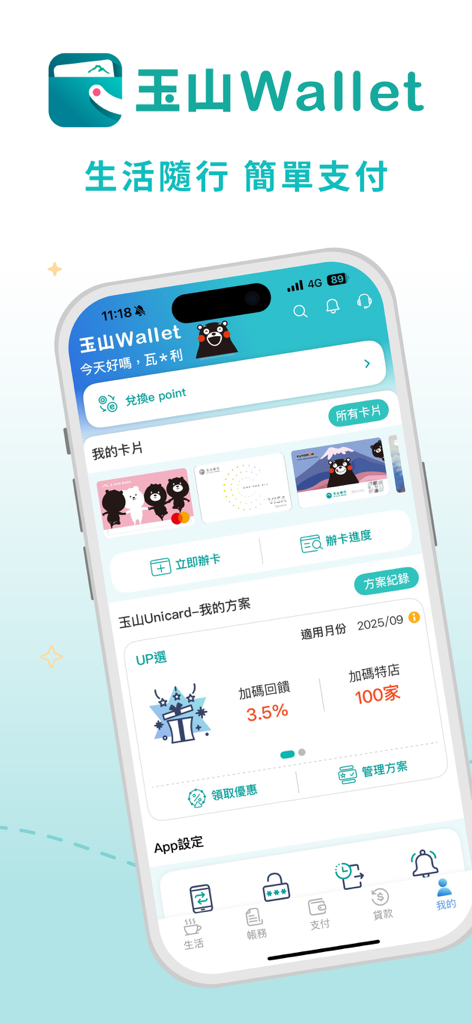
E.SUN Wallet mobile app home screen showing credit cards and reward point options
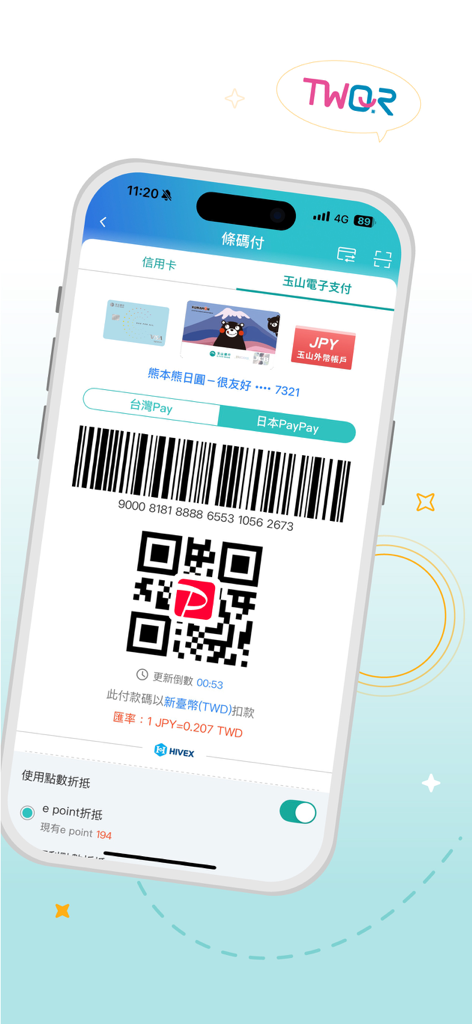
E.SUN Wallet app interface showing a QR code for Japan PayPay and TWQR transactions
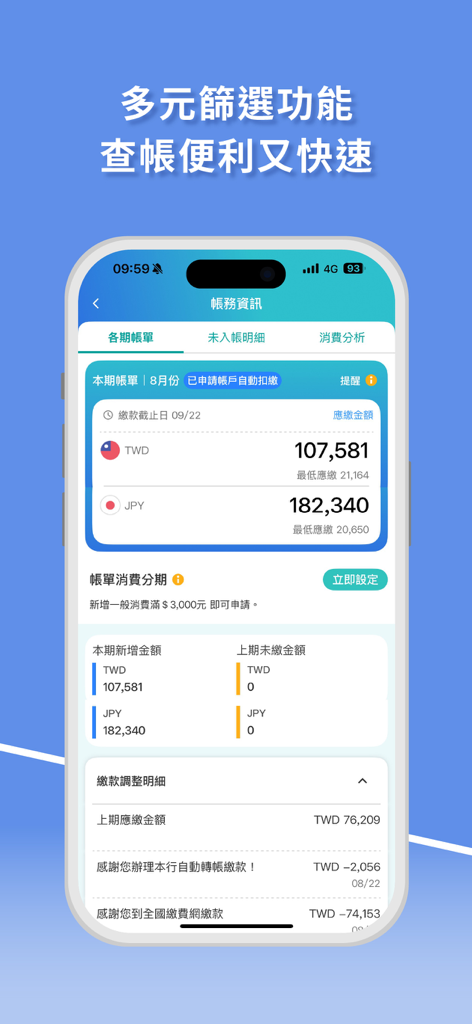
ESUN Wallet app interface showing billing information and multi currency credit card statements in TWD and JPY
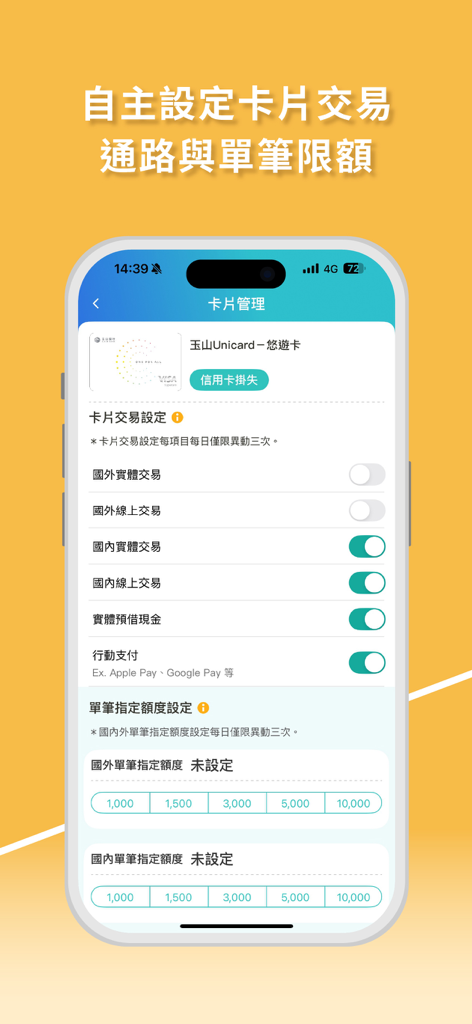
Card management interface in E.SUN Wallet for setting transaction channels and spending limits.
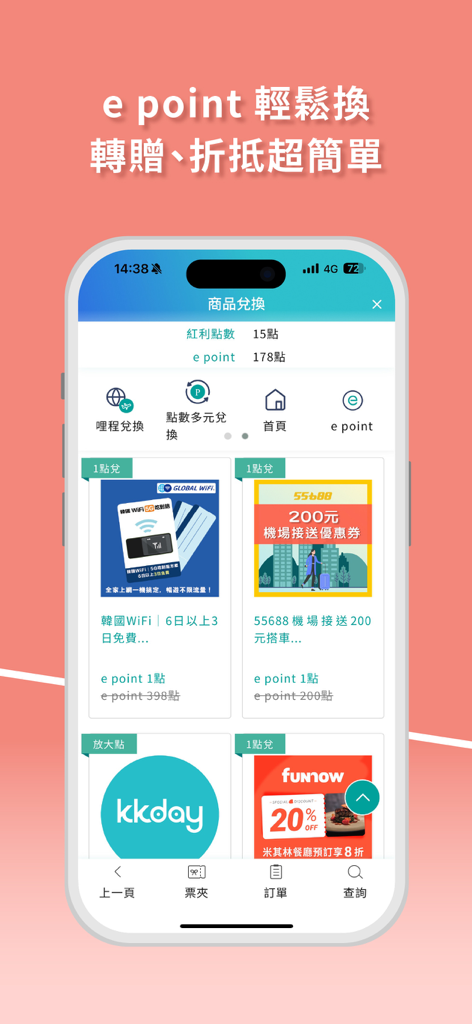
E.SUN Wallet mobile app interface showing the e point redemption page with vouchers for travel and lifestyle services.
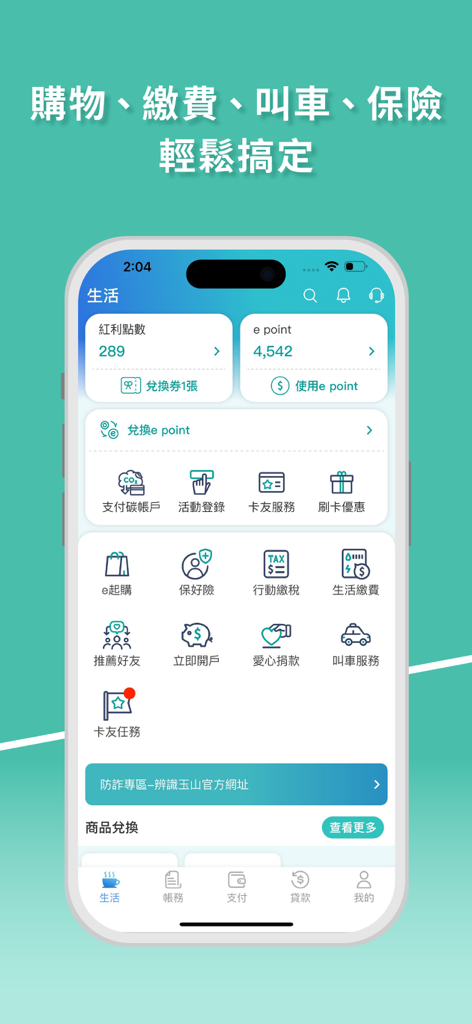
E.SUN Wallet app interface displaying a menu of lifestyle and financial services including points tracking and bill payments
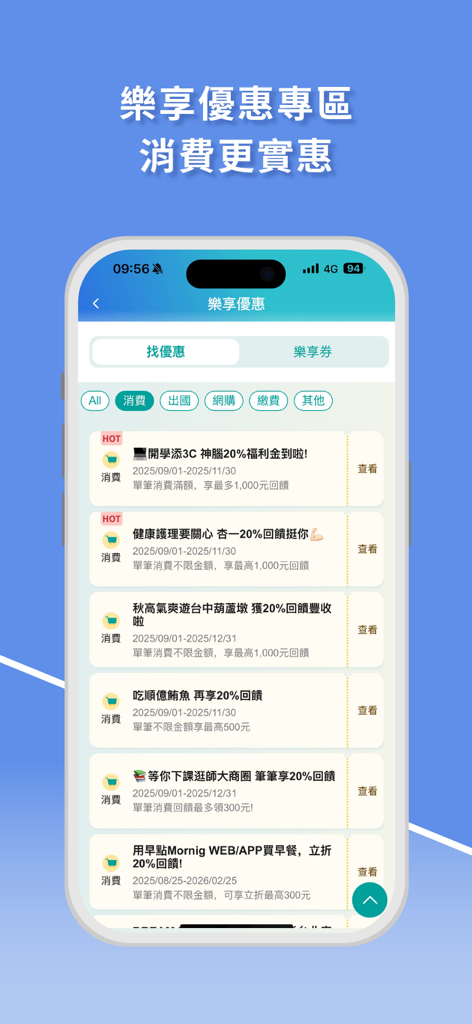
E.SUN Wallet mobile app interface showing promotional cashback rewards and shopping offers
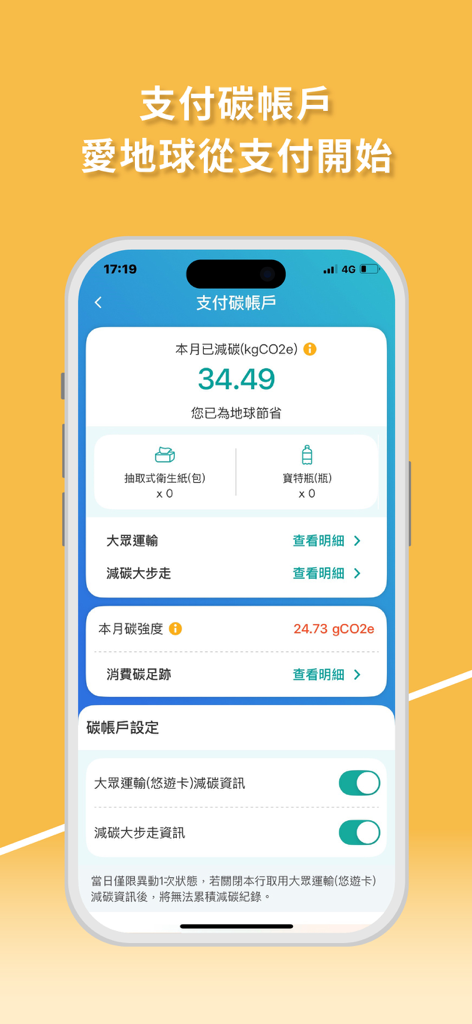
ESUN Wallet app interface showing carbon reduction statistics and environmental impact tracking
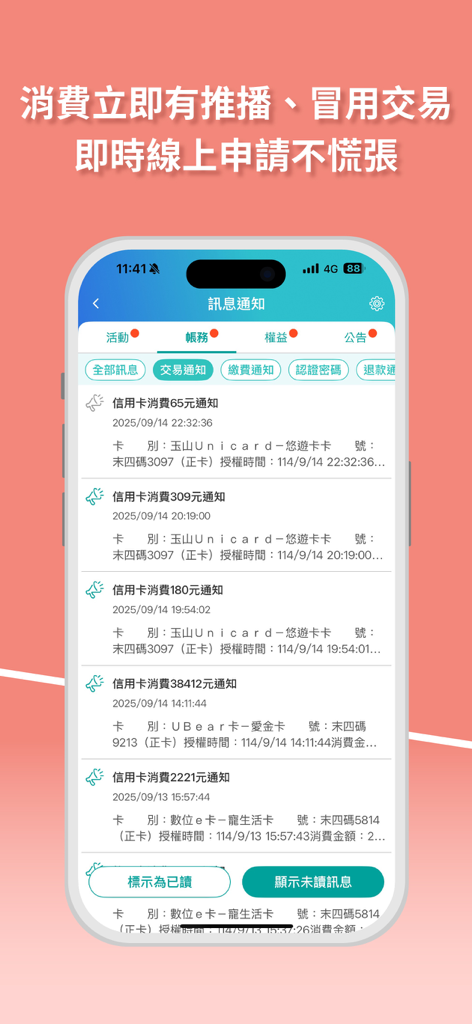
Smartphone screen of E.SUN Wallet showing a list of real time credit card transaction push notifications for account security.
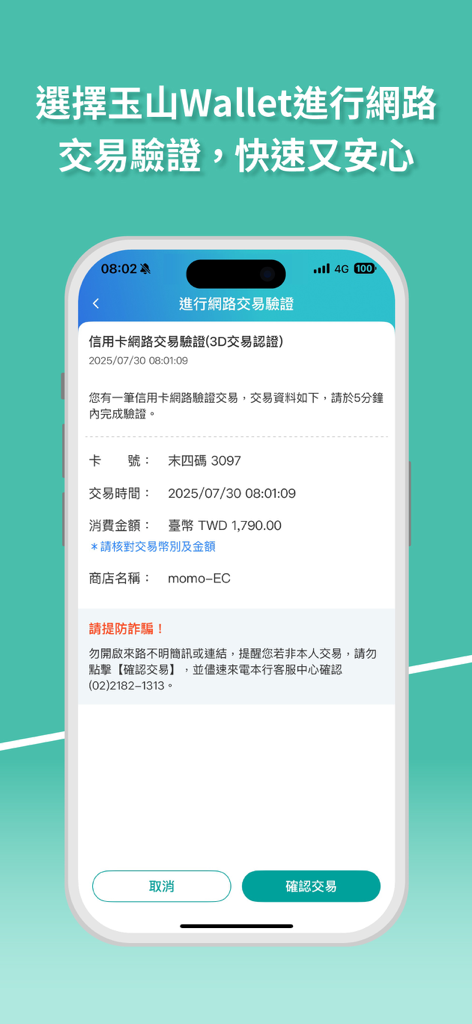
E.SUN Wallet secure online transaction verification screen showing payment details and confirm button
Description
Download
More Like This
Apps with similar features and user experience

掌上生活-招商银行信用卡
CHINA MERCHANTS BANK CO.,LTD.
平安口袋银行-更懂您的智能银行
PingAn Bank
Credit One Bank Mobile
Credit One Bank, National Association

MySynchrony
Synchrony Financial
买单吧-交通银行信用卡
Bank of Communications
浦大喜奔-浦发银行信用卡
Shanghai Pudong Development Bank Co.Ltd

Bread Financial
Bread Financial Holdings, Inc.

丰收互联
Zhejiang Rural Commercial United Bank

CareCredit Mobile
Synchrony Financial
This page is not an official page of the app or its developer, but an independent editorial publication created for informational and commentary purposes. Unless expressly stated otherwise, neither the app nor its developer is affiliated with, endorsed by, sponsored by, authorized by, or otherwise officially connected with MWM, Apple, Google Play, the app publisher, or the app's developer, and nothing on this page implies that the app was developed using MWM's services. Any trademarks, logos, screenshots, and other content remain the property of their respective owners.