
This page is not an official page of the app or its developer, but an independent editorial publication created for informational and commentary purposes. Unless expressly stated otherwise, neither the app nor its developer is affiliated with, endorsed by, sponsored by, authorized by, or otherwise officially connected with MWM, Apple, Google Play, the app publisher, or the app's developer, and nothing on this page implies that the app was developed using MWM's services. Any trademarks, logos, screenshots, and other content remain the property of their respective owners.


WebRewind - Web Archiver
Stop losing content to 404 errors. Instantly uncover deleted posts, bypass broken links, and track website evolution with a powerful, privacy-first Safari extension built for iPhone, iPad, and Mac.
Downloads
0User Rating
Total Ratings
0Publisher
Category
ReferenceLocales
33Latest Version
1.3.3Size
5.3 MBFirst Released
Jul 25, 2023Your Professional Internet Time Machine
Empower your research with instant access to the web's history. WebRewind transforms Safari into a powerful tool for digital archaeology, fact-checking, and competitive analysis.
Seamless Safari Extension
Optimize your professional workflow. Access historical snapshots instantly from your browser without ever copying or pasting a URL.
Digital Forensic Tools
Bypass 404 errors to recover deleted content, verify headlines, and track the evolution of any website over decades of data.
The following screenshots and description are sourced directly from the app's official store listing and are the property of the app developer.
App Store
Screenshots

iPhone screen displaying an archived NPR article with a text overlay saying One tap and you are reading without ads

WebRewind app displaying an archived news article on iPhone

A five star user review for the WebRewind web archiver app praising its ability to view original articles.

Screenshot of WebRewind app showing a five star user review stating it works well on all major sites with an iPhone displaying an archived Wirecutter article.
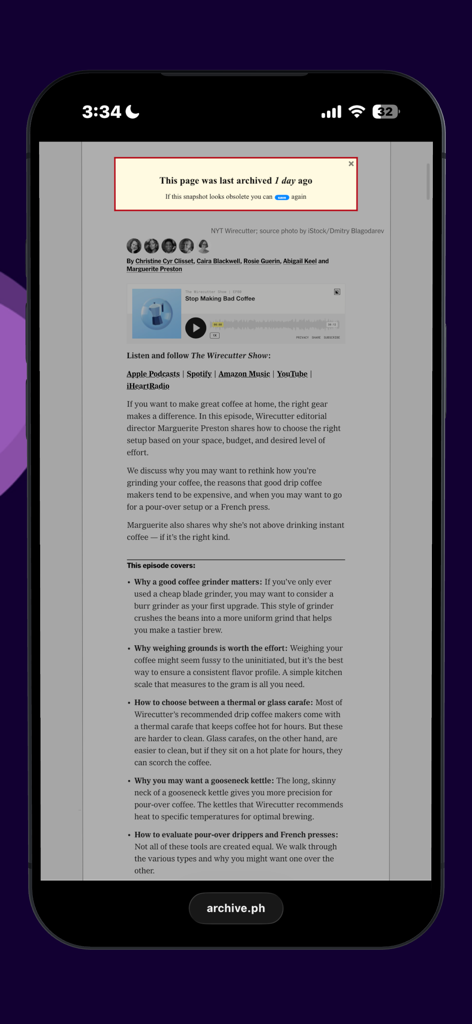
iPhone screen showing an archived article via WebRewind Safari extension with a notification that the page was archived one day ago
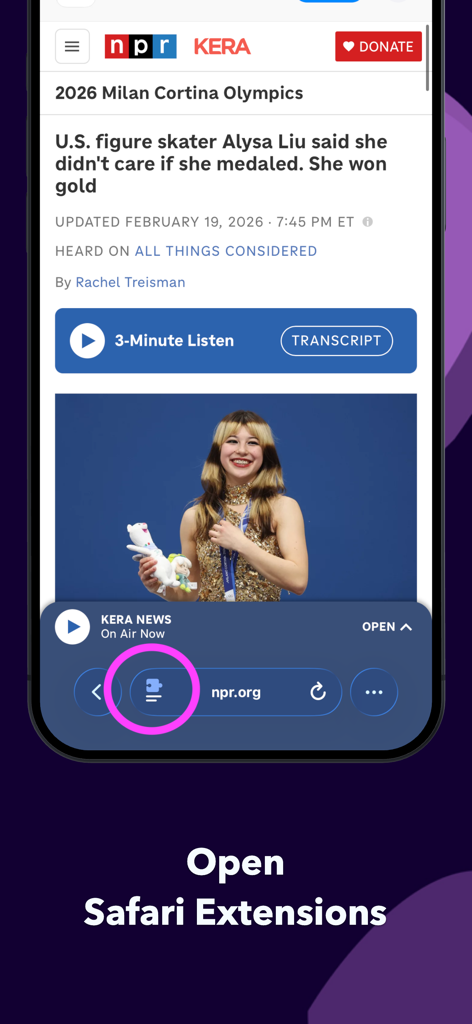
An iPhone screen highlighting the puzzle icon to open Safari extensions for WebRewind.
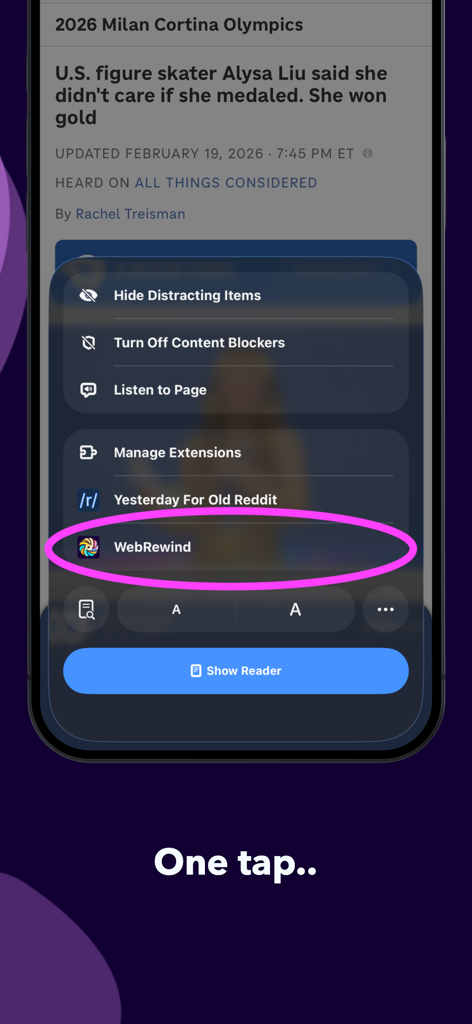
WebRewind extension highlighted in the Safari browser menu

WebRewind app displaying an archived web page on an iPhone screen

An iPhone screen displaying a historical news article archived through the WebRewind application.
Description
Download
More Like This
Top-ranked apps in the same category

Google Translate
Google LLC

火箭沙盒
P2E CO., LTD.

Bible
Life.Church

Youdao Dictionary
Beijing NetEase Youdao Computer System Co.,Ltd

Naver Papago - AI Translator
NAVER Corp.

Bible Widgets: Verses & Prayer
MOTIVATION APPS SOCIEDAD LIMITADA.

Lok l0k: Watch Drama TV,Movies
Olivia Harris

Bible Chat: Daily Devotional
Book Vitals Inc.

Translate Now - AI Translator
AIR APPS SYSTEMS, UNIPESSOAL, LDA
This page is not an official page of the app or its developer, but an independent editorial publication created for informational and commentary purposes. Unless expressly stated otherwise, neither the app nor its developer is affiliated with, endorsed by, sponsored by, authorized by, or otherwise officially connected with MWM, Apple, Google Play, the app publisher, or the app's developer, and nothing on this page implies that the app was developed using MWM's services. Any trademarks, logos, screenshots, and other content remain the property of their respective owners.