WhatsAgain for WhatsApp
Download on App Store

This page is not an official page of the app or its developer, but an independent editorial publication created for informational and commentary purposes. Unless expressly stated otherwise, neither the app nor its developer is affiliated with, endorsed by, sponsored by, authorized by, or otherwise officially connected with MWM, Apple, Google Play, the app publisher, or the app's developer, and nothing on this page implies that the app was developed using MWM's services. Any trademarks, logos, screenshots, and other content remain the property of their respective owners.


Logo of WhatsAgain for WhatsApp
Download on App Store

WhatsAgain for WhatsApp

Seamlessly sync multiple accounts on your iPhone and enjoy the full-screen experience your iPad has been missing. The ultimate tool for professionals and multi-taskers to bridge the gap between work and life.

Key Figures

Downloads

228K+

User Rating

4.3/5

Total Ratings

1K+

Publisher

PGD Mobile Development, S.L.

Category

Social Networking

Locales

1

Latest Version

1.21

Size

10.9 MB

First Released

Feb 3, 2019
Features

Power Your Productivity

Manage multiple WhatsApp accounts effortlessly on your iPhone and iPad with a professional interface designed for your busy lifestyle.

Dual-Account Freedom

Eliminate the need for two phones. Run your personal and work accounts simultaneously on one single device.

Native iPad Experience

No more browser tabs. Enjoy a dedicated, full-screen WhatsApp interface designed specifically for your iPad workflow.

The following screenshots and description are sourced directly from the app's official store listing and are the property of the app developer.

App Store

Screenshots
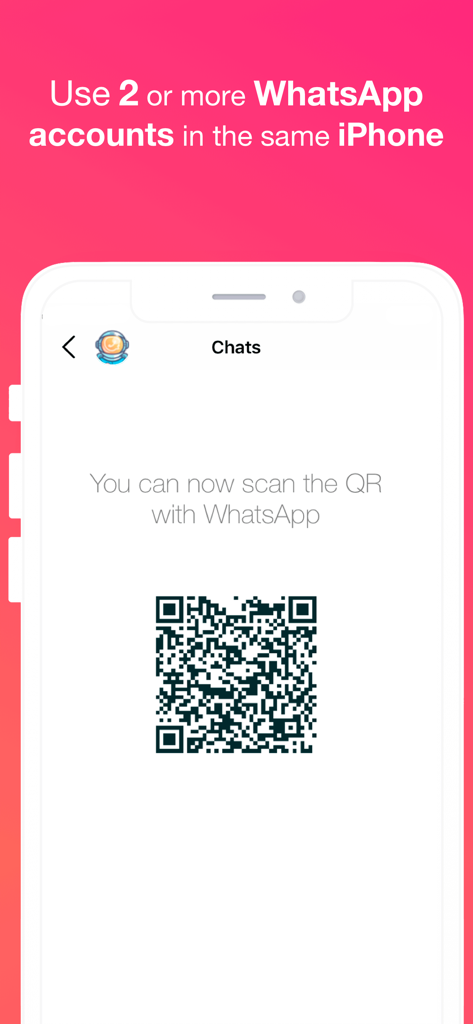
WhatsAgain for WhatsApp - WhatsAgain app showing a QR code to sync multiple WhatsApp accounts on a single iPhone.
WhatsAgain app showing a QR code to sync multiple WhatsApp accounts on a single iPhone.

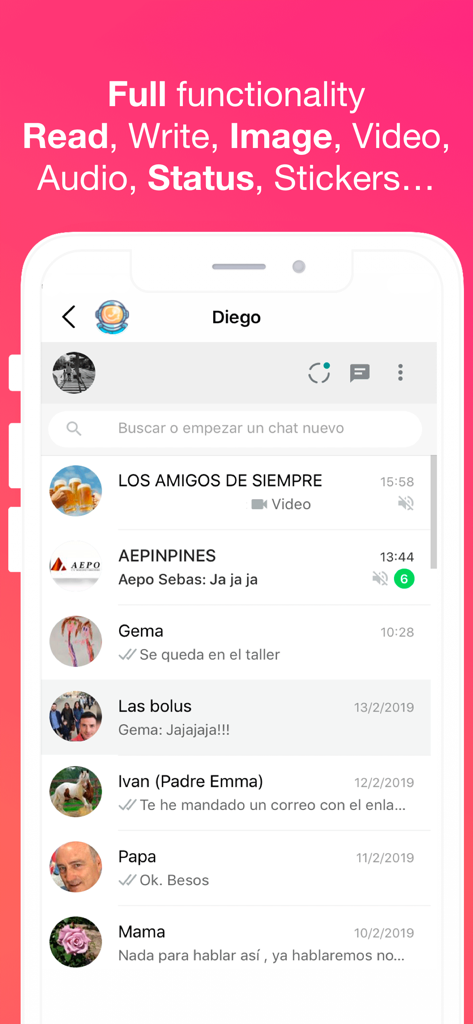
WhatsAgain for WhatsApp - WhatsAgain app interface showing multiple WhatsApp chat conversations and supported features
WhatsAgain app interface showing multiple WhatsApp chat conversations and supported features

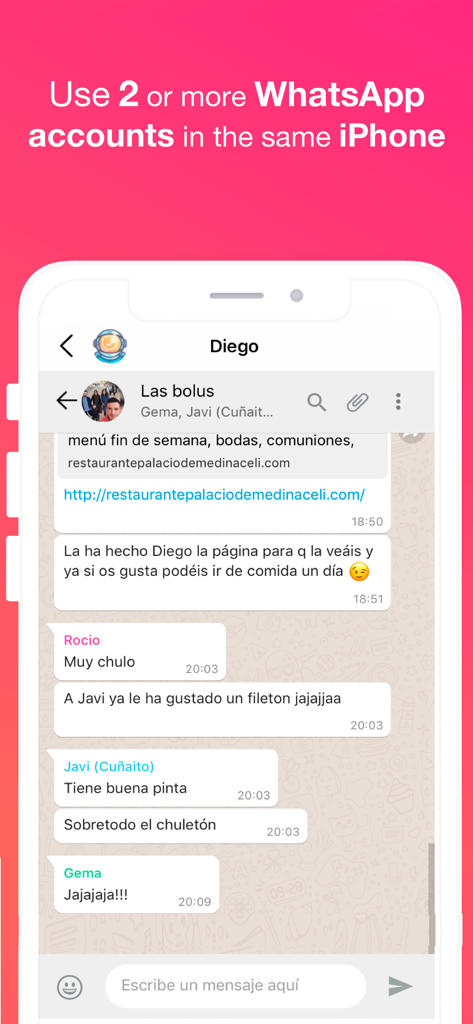
WhatsAgain for WhatsApp - Screenshot of WhatsAgain app showing a WhatsApp group chat on an iPhone with text about using multiple accounts
Screenshot of WhatsAgain app showing a WhatsApp group chat on an iPhone with text about using multiple accounts

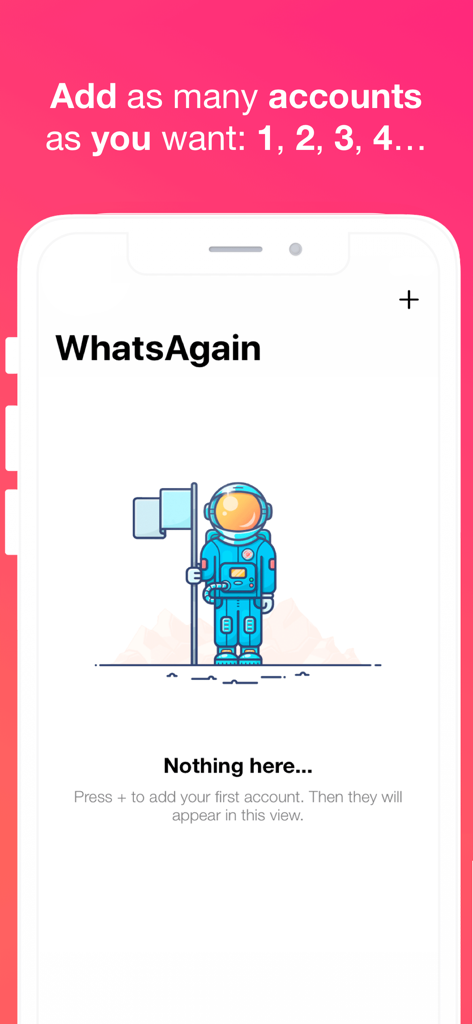
WhatsAgain for WhatsApp - WhatsAgain app interface showing an empty state with an astronaut illustration and instructions to add multiple WhatsApp accounts

WhatsAgain app interface showing an empty state with an astronaut illustration and instructions to add multiple WhatsApp accounts

Description

Welcome to WhatsAgain, the application that synchronizes your WhatsApp Web accounts. Yes, you have read well, YOUR ACCOUNTS, in plural, double accounts or multi accounts. And full screen! Read more to learn how to have more than one WhatsApp account on your iPhone, or WhatsApp on iPad, like Whatscan but working xD WhatsAgain allows you to access, through WhatsWeb, all the accounts that you have or need to manage. And also, with all the features you already have, like Whatscan but working xD And, why am I going to need something like that? Well, it's easy. We present to you several scenarios that we use now WhatsAgain. · I have two or more phones with WhatsApp: In this case, WhatsAgain, allows you to have all the WhatsApp accounts on the same device. For example, if you have a personal account, a professional account, and another technical support account. With WhatsAgain, you can access them from a single device. Great, right? How does WhatsAgain work? WhatsAgain works by pairing the official WhatsApp accounts through the WhatsWeb platform. How to match a WhatsApp account with WhatsAgain? · Open WhatsAgain and follow the steps until you see a QR code on the screen. · On the mobile with the WhatsApp account, navigate to 'Settings' -> 'WhatsApp Web / Desktop' -> 'Scan QR code'. · Scan the QR code of the mobile screen with WhatsAgain and wait for the account to load. AND READY!!! Can I stop using my official WhatsApp account on WhatsAgain? Yes of course. You simply have to close the session or the WhatsWeb sessions that you want from your WhatsApp app. SUBSCRIPTION PRICING AND TERMS You can find all related information in these links: PGDMobile / iWazowski.com Terms of Service: https://pgdmobile.com/legal/pdf/Terms_of_Service.pdf PGDMobile / iWazowski.com Privacy Policy: http://pgdmobile.com/legal/pdf/Privacy_Policy.pdf 1) About Subscription: WhatsAgain offers you the following subscription: Monthly Membership offers a monthly subscription for $0.99 after a 3-day free trial. After buying this subscription, you will unlock the following features: Send audio messages, you will be able to signin the app with your Google account, you will be able to save your WhatsApp Web session in the cloud, you will be able to open your stored sessions in other device signing in with your Google account. 2) About end of trial and subscription renewal: This price is for United States customers. Pricing in other countries may vary, and actual charges may be converted to your local currency depending on the country of residence. Your subscription will be charged to your iTunes Account at confirmation of purchase. Subscription automatically renews unless auto-renew is turned off at least 24-hours before the end of the current period. Account will be charged for renewal within 24-hours prior to the end of the current period, and identify the cost of the renewal. Subscriptions may be managed by the user and auto-renewal may be turned off by going to the user's Account Settings after purchase. Any unused portion of a free trial period, if offered, will be forfeited when the user purchases a subscription to that publication, where applicable. 3) About canceling trial or subscription: You can turn off the auto-renew for the subscription whenever you want to through iTunes. Check https://support.apple.com/HT202039. When your current trial/subscription period expires, you will be unsubscribed. The current active subscription period can not be canceled. After your subscription expires, you will no longer have access to premium features. If you have any questions or comments, feel free to contact us at support@iwazowski.com Disclaimer: WhatsAgain is a third-party app for WhatsApp. It does not have, nor does it exist, any commercial relationship, nor is it endorsed or endorsed by WhatsApp, Facebook Inc. or any of its affiliates. The application connects to your official WhatsApp Web account and complies with the terms of use of WhatsApp.

Download

Download on App Store

This page is not an official page of the app or its developer, but an independent editorial publication created for informational and commentary purposes. Unless expressly stated otherwise, neither the app nor its developer is affiliated with, endorsed by, sponsored by, authorized by, or otherwise officially connected with MWM, Apple, Google Play, the app publisher, or the app's developer, and nothing on this page implies that the app was developed using MWM's services. Any trademarks, logos, screenshots, and other content remain the property of their respective owners.