
This page is not an official page of the app or its developer, but an independent editorial publication created for informational and commentary purposes. Unless expressly stated otherwise, neither the app nor its developer is affiliated with, endorsed by, sponsored by, authorized by, or otherwise officially connected with MWM, Apple, Google Play, the app publisher, or the app's developer, and nothing on this page implies that the app was developed using MWM's services. Any trademarks, logos, screenshots, and other content remain the property of their respective owners.

WiFi UAV
Take flight and capture epic aerial content with real-time FPV, gesture-controlled photos, and immersive 3D VR modes.
Downloads
2M+User Rating
Total Ratings
1K+Publisher
Category
EntertainmentLocales
9Latest Version
2025.08.30Size
156.3 MBFirst Released
Jul 10, 2019Master the Skies from Your Phone
Transform your smartphone into a high-tech cockpit with intuitive controls and smart features designed for the next generation of creators and hobbyists.
Gaming-Inspired Control
Ditch the bulky remote. Use the built-in gravity sensor and rocker controls to fly your drone with the same precision and ease as your favorite mobile games.
Smart Gesture Capture
Take the perfect aerial selfie or start recording videos with just a hand sign. It is the ultimate hands-free way to create viral content for TikTok and Instagram.
Frequently Asked Questions
Everything you need to know about WiFi UAV
What is the WiFi UAV app?
The WiFi UAV app connects to and controls UAVs via WiFi. It enables functions such as capturing photographs and videos, alongside real-time image transmission from the drone.
Can the WiFi UAV app take photos and videos?
Yes, the WiFi UAV app captures photos and records videos. Users utilize the app to remotely trigger image and video capture directly from the connected UAV.
Does the WiFi UAV app offer real-time image transmission?
Yes, the WiFi UAV app provides real-time image transmission. This function sends live video feeds from the UAV directly to the connected mobile device during operation.
How does the WiFi UAV app control the drone?
The WiFi UAV app controls the drone through rocker manipulation, trajectory control, and gravity sensor input. It also allows users to select between left-handed and right-handed manipulation modes.
Is it possible to change the language in the WiFi UAV app?
Yes, users change the language within the WiFi UAV app's settings. The app offers multiple language options, including English and Chinese, accessible through the main settings menu.
Does the WiFi UAV app support gesture control for recording?
Yes, the WiFi UAV app supports gesture capture and video recording. This feature enables users to start or stop video recording on the UAV using specific hand gestures.
Can I update the firmware for my UAV using the WiFi UAV app?
Yes, the WiFi UAV app facilitates firmware updates for the UAV. Users access the "Upgrade" section in the app's settings to ensure the drone's software is current.
What visual features are included in the WiFi UAV app?
The WiFi UAV app includes advanced visual features. These capabilities comprise a "3D Scattering Screen" and "Mirror Reversal" for enhanced viewing and control options.
The following screenshots and description are sourced directly from the app's official store listing and are the property of the app developer.
App Store
Screenshots
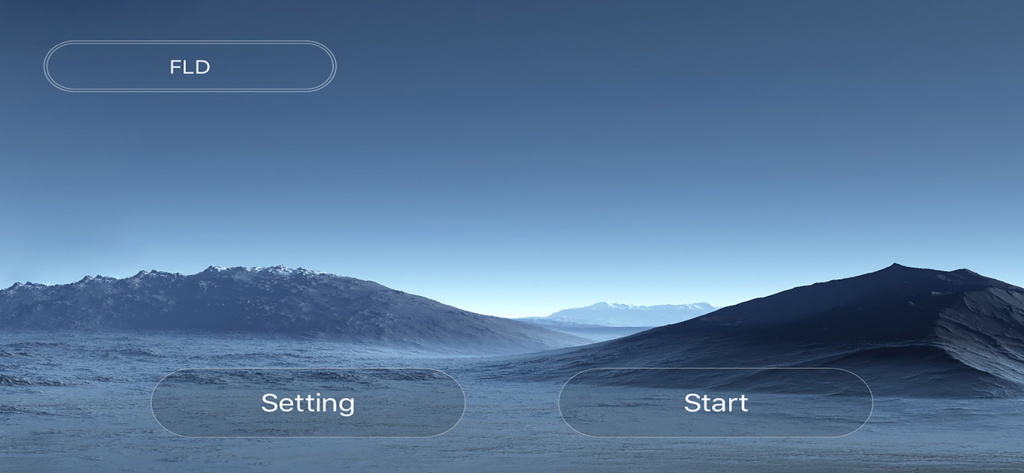
WiFi UAV drone controller app home screen with start and setting buttons
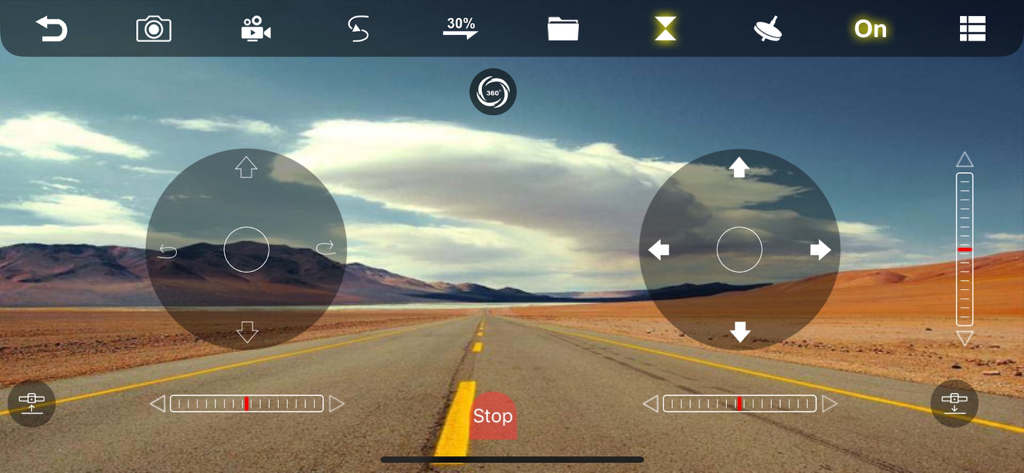
WiFi UAV app flight control interface with digital joysticks and a first person view of a road in a desert landscape
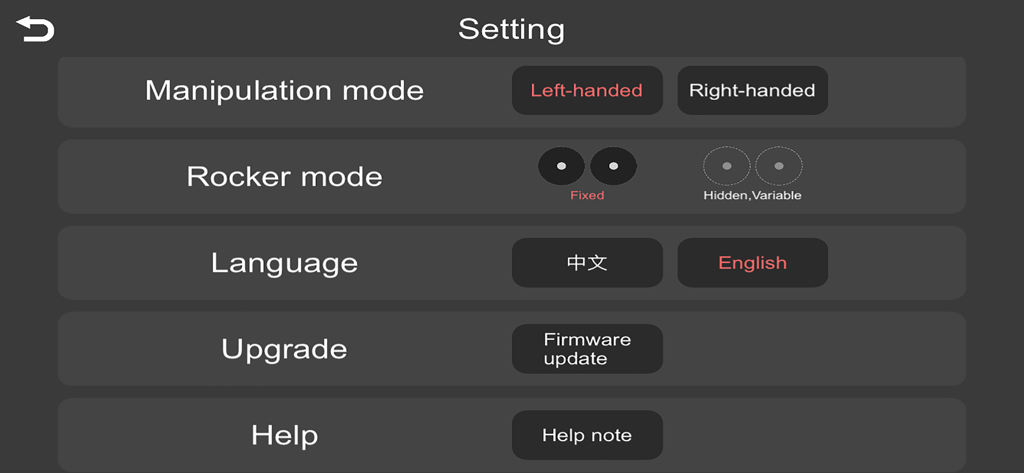
Settings menu of the WiFi UAV app showing manipulation mode, rocker mode, language, and firmware update options
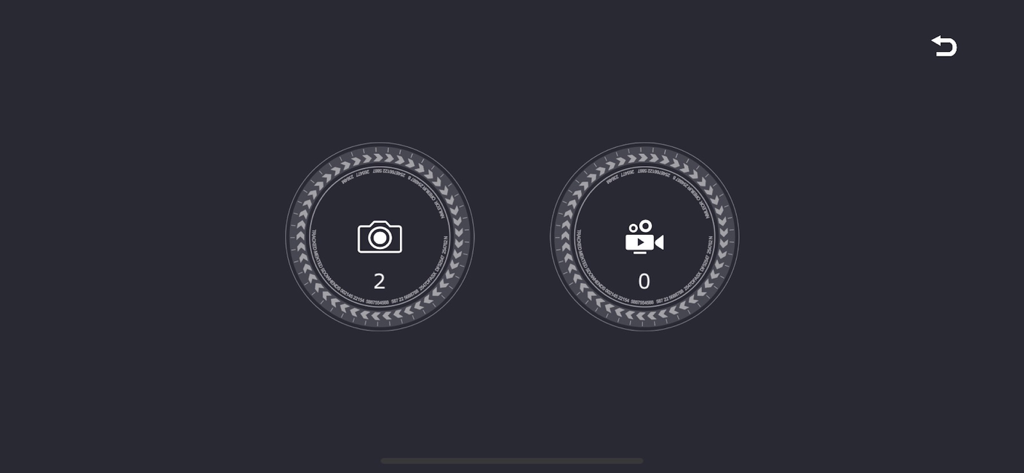
WiFi UAV app media gallery screen showing icons for photos and videos with counts
Description
Download
More Like This
Apps with similar features and user experience

Dronelink Flight
Dronelink LLC

Litchi for DJI Drones
VC TECHNOLOGY LTD
Go Fly for DJI Drones
SMART WIDGET LABS COMPANY LIMITED

Rx Drone
Robert Ronash

DJI Fly
SZ DJI TECHNOLOGY CO., LTD

HF UFO
Robert Ronash

FreeFlight Pro.
Parrot

WiFi_CAM
SHENZHEN TZH ELECTRONICS TECHNOLOGY CO., LTD

DJI GO 4
SZ DJI TECHNOLOGY CO., LTD
This page is not an official page of the app or its developer, but an independent editorial publication created for informational and commentary purposes. Unless expressly stated otherwise, neither the app nor its developer is affiliated with, endorsed by, sponsored by, authorized by, or otherwise officially connected with MWM, Apple, Google Play, the app publisher, or the app's developer, and nothing on this page implies that the app was developed using MWM's services. Any trademarks, logos, screenshots, and other content remain the property of their respective owners.