WilhelmSK
WilhelmSK
Download on App Store

This page is not an official page of the app or its developer, but an independent editorial publication created for informational and commentary purposes. Unless expressly stated otherwise, neither the app nor its developer is affiliated with, endorsed by, sponsored by, authorized by, or otherwise officially connected with MWM, Apple, Google Play, the app publisher, or the app's developer, and nothing on this page implies that the app was developed using MWM's services. Any trademarks, logos, screenshots, and other content remain the property of their respective owners.

Logo of WilhelmSK
Download on App Store

WilhelmSK

Transform your iPad and iPhone into a professional-grade marine display. Seamlessly integrate Signal K, NMEA 2000, and Victron systems for total control and peace of mind on the water.

Key Figures

Downloads

97K+

User Rating

4.6/5

Total Ratings

0

Publisher

Scott Bender

Category

Navigation

Locales

1

Latest Version

1.17.0

Size

118.1 MB

First Released

Oct 4, 2016
Features

Command Your Vessel Like Never Before

Transform your iPad, iPhone, or Apple Watch into a professional-grade, fully customizable marine dashboard that unifies all your boat's systems into one powerful command center.

Bespoke Glass Cockpit

Design the exact dashboard you need with fully customizable analog and digital gauges. Create unique layouts for sailing, steaming, or remote monitoring.

Universal System Integration

Bridge the gap between brands. Seamlessly monitor Victron power systems, control Fusion audio, and manage Raymarine autopilots from a single interface.

The following screenshots and description are sourced directly from the app's official store listing and are the property of the app developer.

App Store

Screenshots
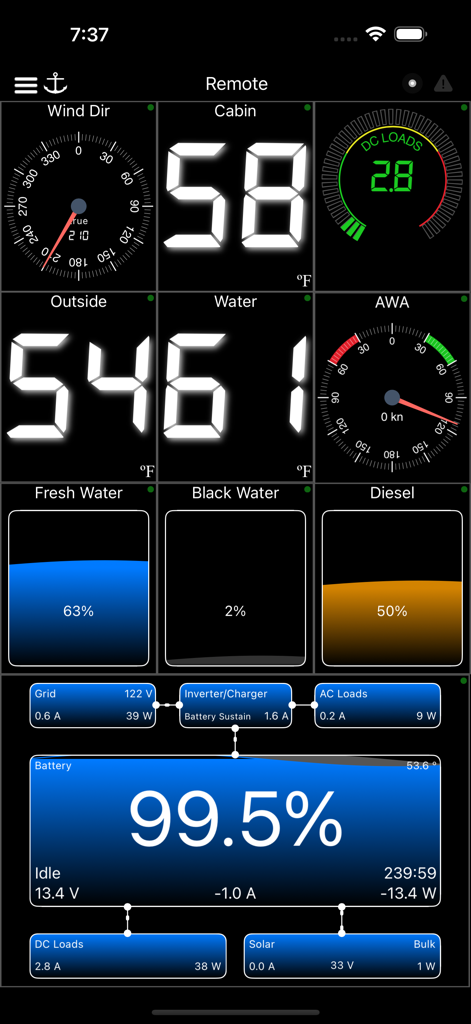
WilhelmSK - WilhelmSK marine dashboard showing wind direction, cabin temperature, water levels, and battery power management.
WilhelmSK marine dashboard showing wind direction, cabin temperature, water levels, and battery power management.

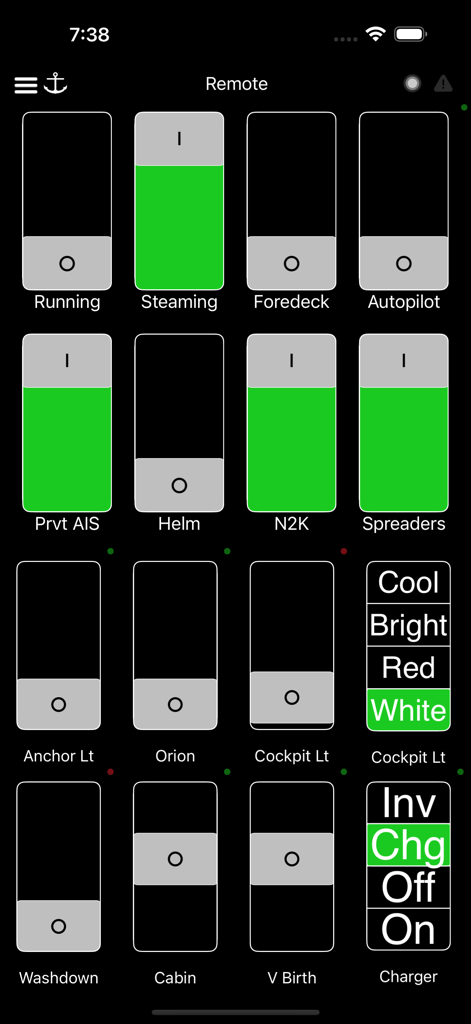
WilhelmSK - WilhelmSK marine app remote dashboard showing control switches for boat systems like lights and autopilot
WilhelmSK marine app remote dashboard showing control switches for boat systems like lights and autopilot

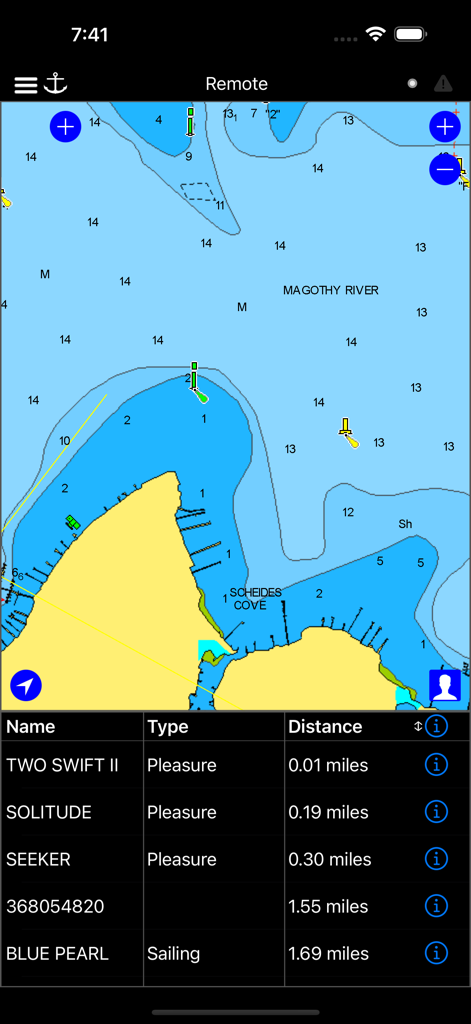
WilhelmSK - A nautical map in the WilhelmSK app showing boat locations and an AIS vessel list.
A nautical map in the WilhelmSK app showing boat locations and an AIS vessel list.

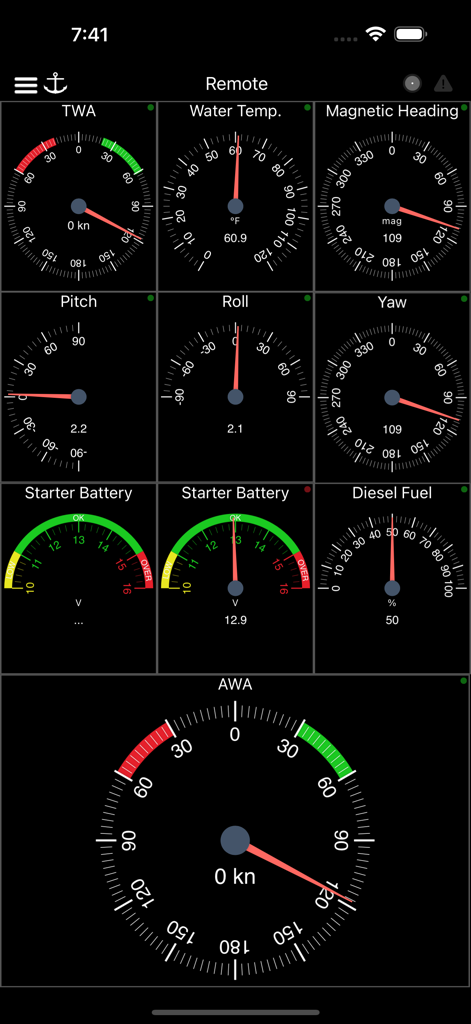
WilhelmSK - Marine navigation dashboard displaying gauges for wind temperature heading and fuel levels
Marine navigation dashboard displaying gauges for wind temperature heading and fuel levels

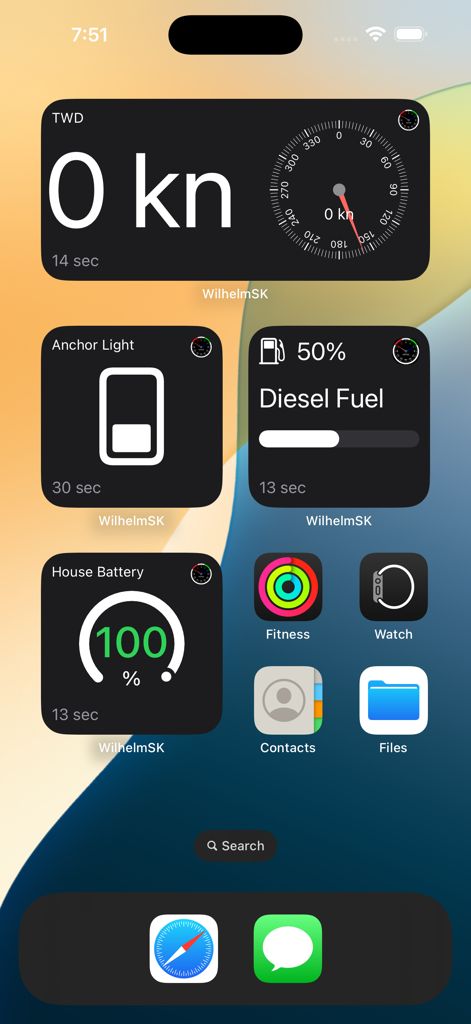
WilhelmSK - IPhone home screen displaying WilhelmSK maritime widgets for wind fuel and battery data
IPhone home screen displaying WilhelmSK maritime widgets for wind fuel and battery data

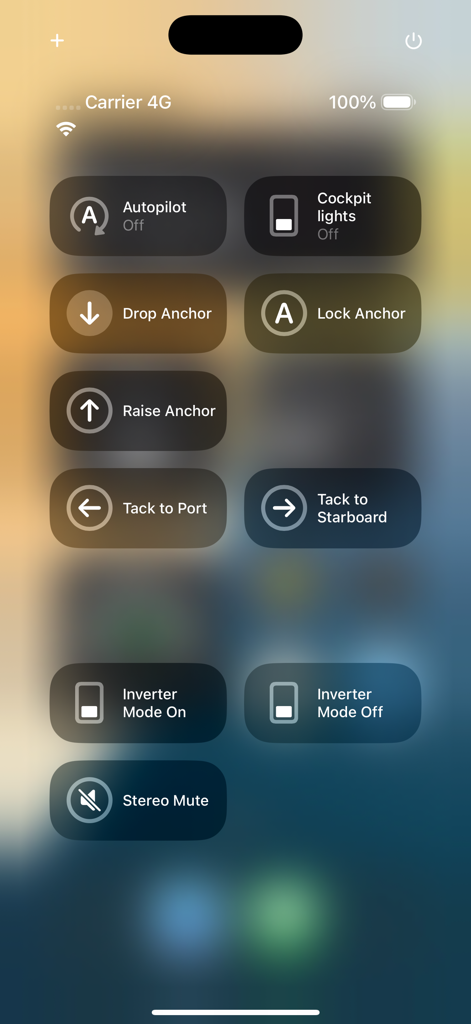
WilhelmSK - A mobile interface for boat management featuring controls for autopilot, anchoring, lighting, and inverter modes.
A mobile interface for boat management featuring controls for autopilot, anchoring, lighting, and inverter modes.

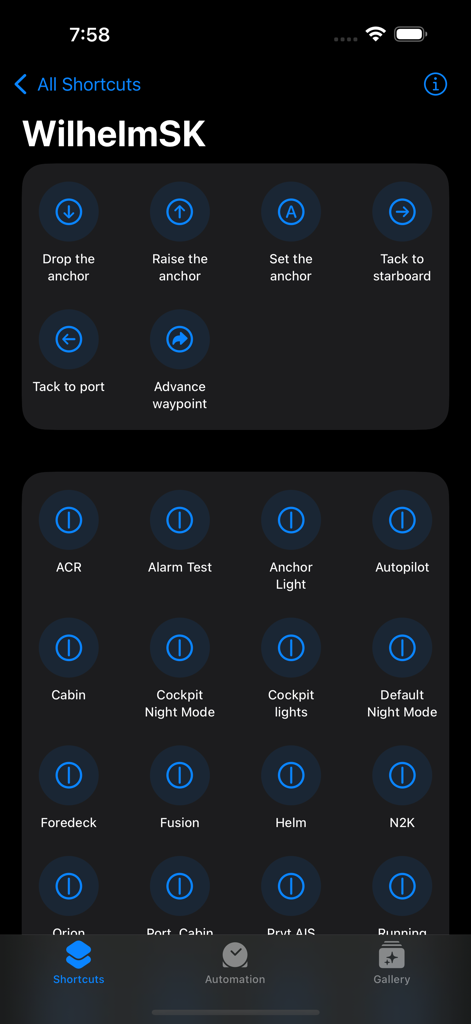
WilhelmSK - WilhelmSK iOS shortcuts screen showing anchor navigation and boat lighting controls

WilhelmSK iOS shortcuts screen showing anchor navigation and boat lighting controls

Description

WilhelmSK is a highly customizable display, monitoring and control dashboard for your boat. WilhelmSK works best wth Signal K Server . It can also connect directly to some devices: º NMEA 0183 over TCP or UDP. (from for example, Digital Yacht's Smart WLN10) º Any modern Navico (Lowrance, Simnet or B&G) GoFree MFDs º NMEA 2000 via Yacht Device's YDWG-02 º NMEA 2000 via Actisense W2k-1 º Victron Venus GX or CCGX º Victron VRM º Chetco SeaSmart Devices º Chetco HelmSmart RayMarine Auto Pilot Support (via node-server or the YDWG only) º View or change current mode (Standby, Auto, Wind, Track) º View current target heading or Wind direction º Change target heading or Wind direction º Acknowledge "Turn To Waypoint' Active Captain: º You can view Active Captain Points of Interest and review or comment on them. º Go to Settings->Appearance to show Active Captain Points of Interest on the maps. Alarms and Notifications º View list of current current alarms º Acknowledge RayMarine "Turn To Waypoint' * º Push notification support * º Setup server side alarms * º Set an anchor alarm with the push of a button * Navionics Maps If you already have the Navionics Boating application with an active subscription, you can now use the same Navionics charts in WilhelmSK. Ensure you are a registered user with Navionics and have a Username and Password. If you have not registered, go to the Navionics Boating App’s Main Menu, click on the top “Me” option and then click Login. In WilhelmSK click the login button on the bottom right of the map and enter your Navionics login information. Features: - Raymarine MFD: display and interact with a RayMarine MFD (discovered via Bonjour) - Fusion stereo (control zone volumes, source input, play, pause etc.) - Create a gauge for any value available via SignalK - Sophisticated anchor alarm (requires node server and signalk-anchoralarm-plugin) - Customize gauge display using SignalK meta.zones - Customize gauge range, min/max, etc. - Save custom gauges to node server or the cloud for use on other devices - Wind Angle gauges can optionaly be rotated so that they always point ot the bow of the boat, regaurless of device positioning - Place gauges by long pressing on a gauge and choosing a differnt one - Make a gauge full screen by double tapping - Multiple layout support. Create a differnt layout for Steaming, Sailing, Home Monitoring, etc. - Customize the nuber of pages and their layout - Manuall connection configuration synced accross devices via iCloud - Automatic connection selection based on current ip (usefull when Bonjour is not available and you have multiple boats) - Two themes, dark and light - Animated gauge needles - iPad Slideover and Split View support (Your gauge configuration can be customized for these views) - Connections can be configured to be refreshed manually or at a specific time interval - Design your own custom gauge templates - Share your custom templates via Air Drop, eMail, Text, etc. - Edit ApplyTV or other device layouts and templates remotely using your iPhone or iPad - Most gauges can be configured to be digital or analog - Enter the SignalK path and title for any gauge to show data not supported by default - Displays AIS targets in the Map views - Configure node server plugins inside of the app - IP and RTSP camera display * Some advanced features require signalk-server-node and special plugins installed. Setup Instructions at https://github.com/sbender9/wilhelmsk-node-server-setup

Download

Download on App Store

This page is not an official page of the app or its developer, but an independent editorial publication created for informational and commentary purposes. Unless expressly stated otherwise, neither the app nor its developer is affiliated with, endorsed by, sponsored by, authorized by, or otherwise officially connected with MWM, Apple, Google Play, the app publisher, or the app's developer, and nothing on this page implies that the app was developed using MWM's services. Any trademarks, logos, screenshots, and other content remain the property of their respective owners.








