
This page is not an official page of the app or its developer, but an independent editorial publication created for informational and commentary purposes. Unless expressly stated otherwise, neither the app nor its developer is affiliated with, endorsed by, sponsored by, authorized by, or otherwise officially connected with MWM, Apple, Google Play, the app publisher, or the app's developer, and nothing on this page implies that the app was developed using MWM's services. Any trademarks, logos, screenshots, and other content remain the property of their respective owners.


Wordapp
Elevate your vocabulary in five languages with zero effort. The minimalist micro-learning tool designed for your Apple Watch, widgets, and daily routine.
Downloads
2K+User Rating
Total Ratings
0Publisher
Category
EducationLocales
38Latest Version
1.3Size
2.0 MBFirst Released
Feb 21, 2016Elevate Your Vocabulary Every Day
Transform your idle moments into powerful learning. Wordapp delivers bite-sized daily knowledge across five languages, perfectly integrated into the Apple devices you use most.
Glanceable Micro-Learning
No need to open an app. Get your daily word via Apple Watch, home screen widgets, or smart notifications designed for your busy schedule.
The Polyglot's Edge
Keep your skills sharp across English, French, German, Italian, and Spanish. It is the perfect tool for maintaining your language fluency with zero friction.
Frequently Asked Questions
Everything you need to know about Wordapp
What is Wordapp?
Wordapp helps users learn a new word daily in English, French, German, Italian, and Spanish. It provides daily notifications, a widget, and an in-app list of words for vocabulary expansion.
Which languages does Wordapp support?
Wordapp supports learning new words in English, French, German, Italian, and Spanish. Users select their preferred language from the app's interface to begin expanding their vocabulary.
How does Wordapp help users learn new words?
Wordapp assists learning through daily notifications with a new word and its definition. Users can also utilize a widget, browse a complete in-app list, or save difficult words to a favorites list.
Does Wordapp have an Apple Watch app?
Yes, Wordapp includes an app for Apple Watch. This feature allows users to access their daily words and expand their vocabulary directly from their wrist.
Can I save words I find difficult in Wordapp?
Yes, Wordapp allows users to save words they find difficult or want to remember to a dedicated favorites list. These saved words are also integrated into iOS Spotlight for easy access.
Does Wordapp integrate with iOS Spotlight?
Yes, Wordapp automatically integrates saved words into iOS Spotlight. This ensures that users can quickly find and review their important vocabulary directly from their device's search.
The following screenshots and description are sourced directly from the app's official store listing and are the property of the app developer.
App Store
Screenshots
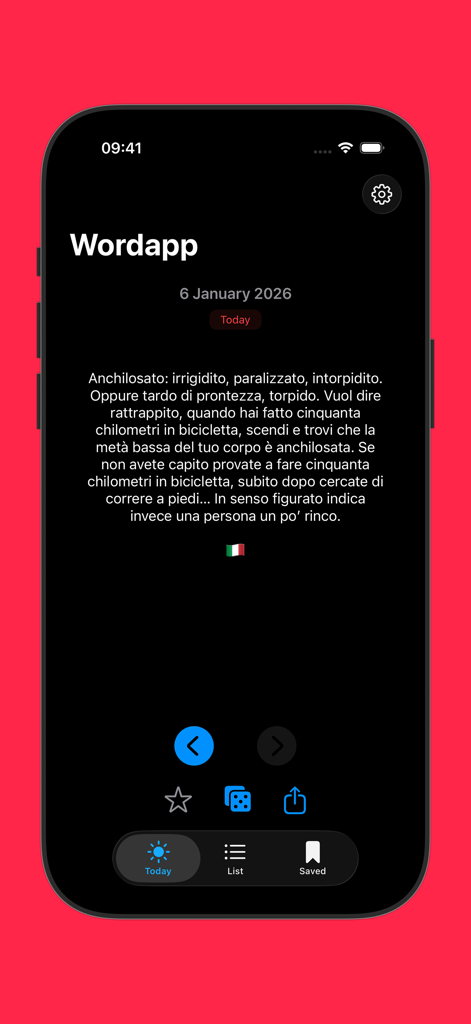
Wordapp mobile interface displaying a daily word definition in Italian
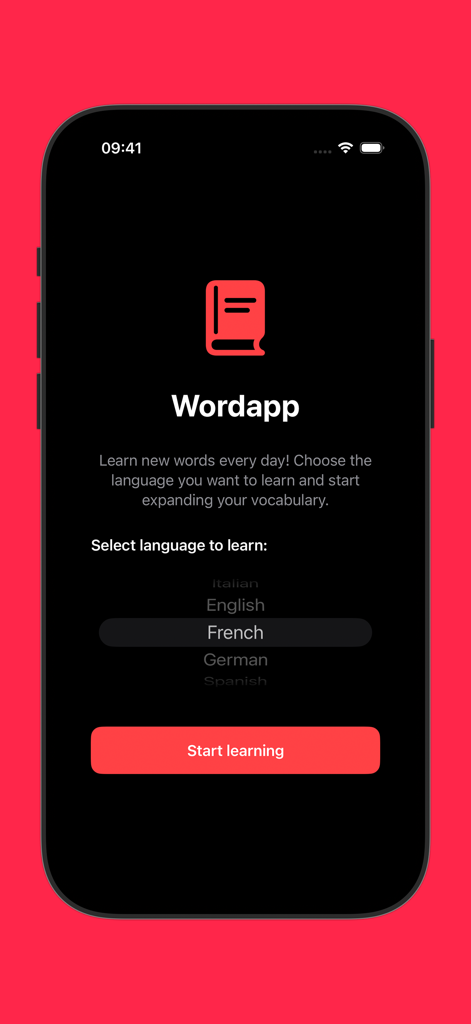
Wordapp onboarding screen displaying a language picker with French selected
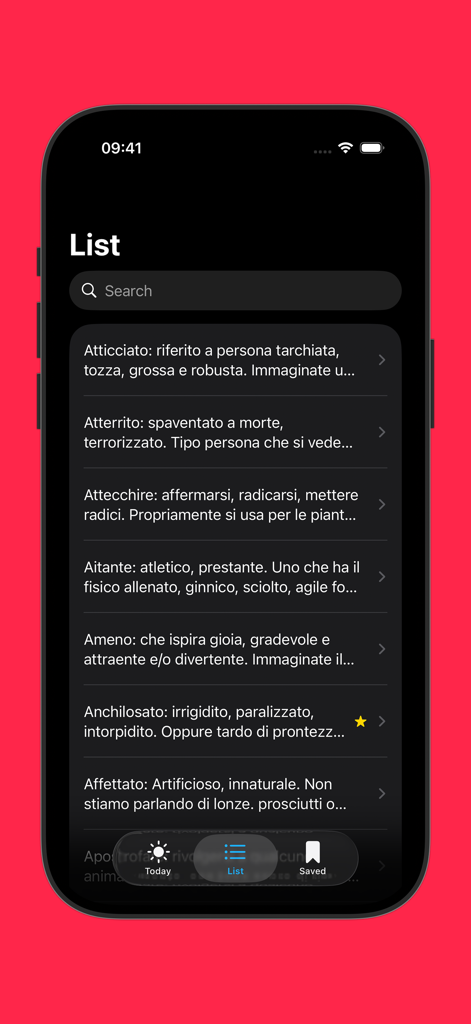
Wordapp vocabulary list on iPhone showing word definitions in Italian
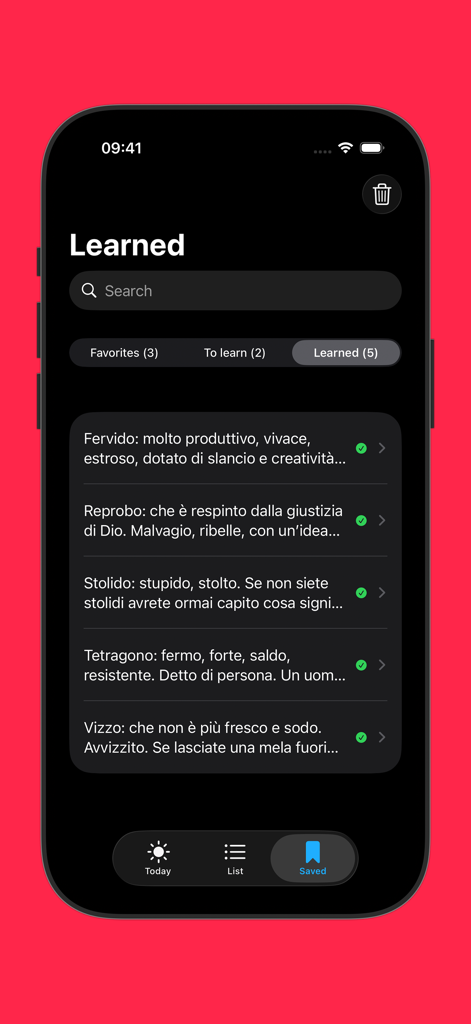
A mobile app interface displaying a list of learned vocabulary words and their definitions in dark mode
Description
Download
More Like This
Top-ranked apps in the same category

Duolingo - Language Lessons
Duolingo, Inc

Speak & Learn English: Learna
DEEP FLOW SOFTWARE SERVICES - FZCO

驾考宝典-科一科四驾驶证考试驾考通
Wuhan Jiakaobaodian Information Service Co., Ltd.

Toca Boca World
Toca Boca AB

Google Classroom
Google LLC

作业帮-中小学家长作业检查和辅导工具
Guangzhou Polar Future Culture Technology Co., Ltd

学信网
Student Information Consultation Service Co., Ltd.

Gauth: AI Study Companion
GAUTHTECH PTE. LTD.

ArtWorkout: Learn How to Draw
Aleksandr Ulitin
This page is not an official page of the app or its developer, but an independent editorial publication created for informational and commentary purposes. Unless expressly stated otherwise, neither the app nor its developer is affiliated with, endorsed by, sponsored by, authorized by, or otherwise officially connected with MWM, Apple, Google Play, the app publisher, or the app's developer, and nothing on this page implies that the app was developed using MWM's services. Any trademarks, logos, screenshots, and other content remain the property of their respective owners.