
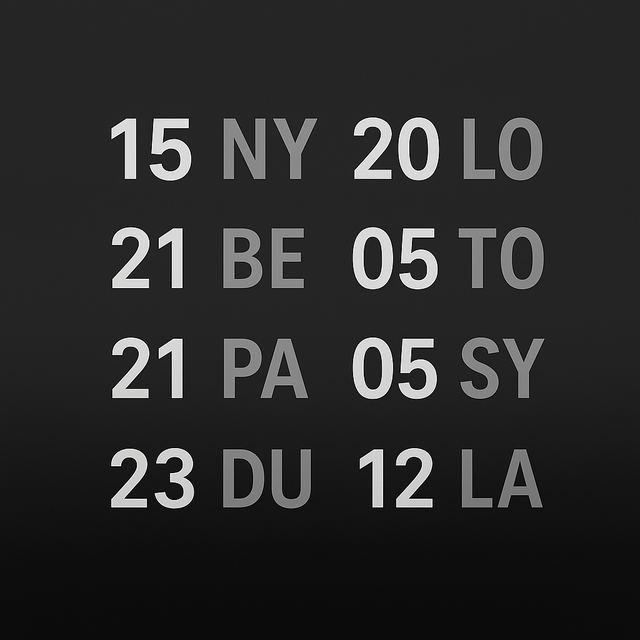
Efficiency at a glance. Display up to 12 world clocks on your watch face and monitor 20+ time zones simultaneously with high-density complications designed for professionals and global traders.
Publisher
Category
UtilitiesDownloads
100+User Rating
Total Ratings
0Locales
1Discover the interface used by 100+ users.
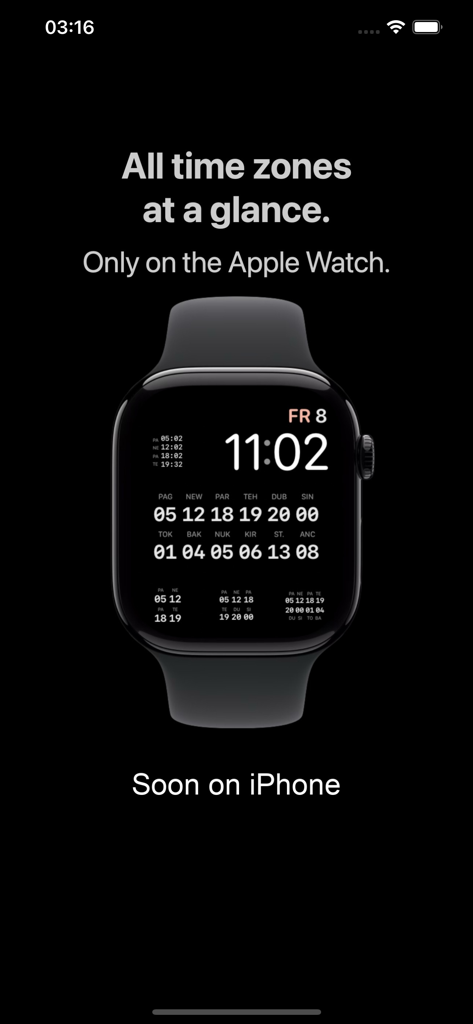
The tools that make this app stand out, trusted by 100+ users.
Display up to 12 time zones in one complication. Stop scrolling and see the exact time across your entire global network in a single glance.
Utilize the compact hour-only view to track 20+ zones simultaneously without clutter. Optimized for the Apple Watch Ultra and power-user setups.
Engineered for high-pressure environments like Forex and global logistics. Keep a 'God view' of market hours directly on your wrist.
Everything you need to know about WorldTimeMulti.
Description
Latest Version
1.1
Size
4.9 MB
First Released
Oct 24, 2025
Join the elite professionals and traders who demand more from their Apple Watch. Download WorldTimeMulti to transform your wrist into a high-density world clock command center.
Top-ranked apps in the same category

Google LLC

Google LLC

China Mobile Online Services Co., Ltd.

Google LLC

Servicos e Informacoes do Brasil

Frederic Hennes Sprl

Servicos e Informacoes do Brasil

CHINA TELECOM Corporation Ltd.

Microsoft Corporation
App information, icons, screenshots, and descriptions displayed on this page are sourced from the Apple App Store and are the property of their respective developers. Download estimates and rankings are based on MWM's proprietary models and may not reflect actual figures. This page is provided for informational and analytical purposes only.
Believe this page infringes your intellectual property? File a dispute