WPS Reader - for MS Works

WPS Reader - for MS Works


Download on App Store
Logo of WPS Reader - for MS Works

WPS Reader - for MS Works: Unlock and Convert Your Legacy Documents

Easily open, read, and convert .wps, .wks, and .xlr files on your iPhone or iPad. Bring your old records and memories back to life by exporting them securely to modern Word, Excel, and PDF formats.

Download on App Store

Publisher

RootRise Technologies Private Limited

Category

Productivity

Downloads

0

User Rating

4.6/5

Total Ratings

0

Locales

1

Unlock Your Digital Archives

Discover the interface used by 0 users.
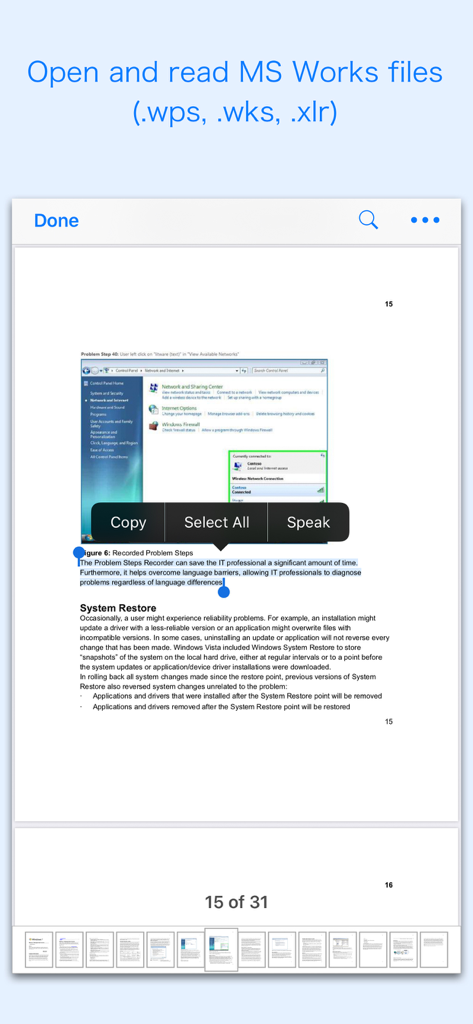
Interface of WPS Reader showing an open MS Works document with text selection and copy options

Interface of WPS Reader showing an open MS Works document with text selection and copy options

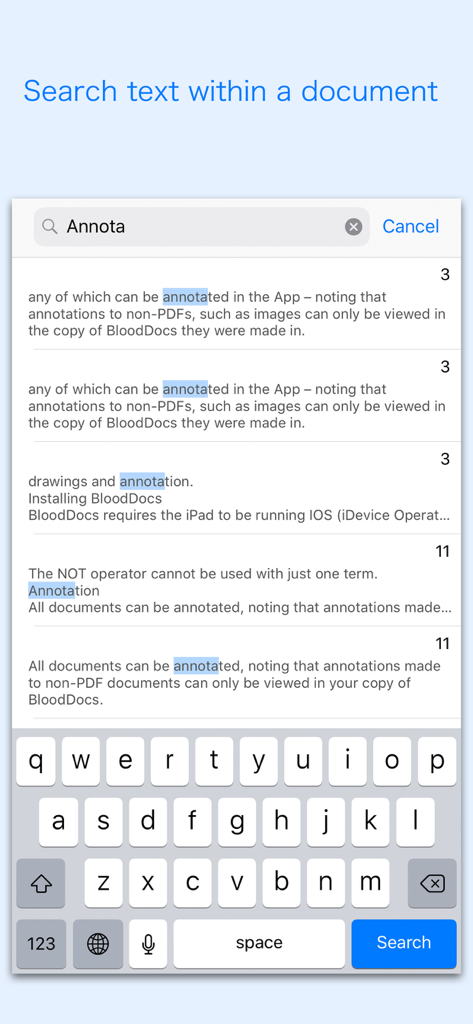
Screenshot of the search text feature in the WPS Reader app displaying highlighted results for a specific word within a legacy document.

Screenshot of the search text feature in the WPS Reader app displaying highlighted results for a specific word within a legacy document.

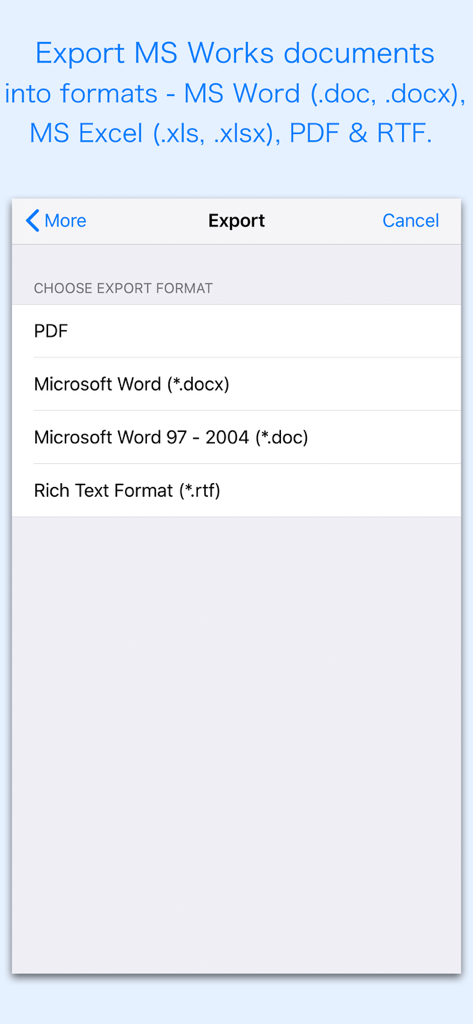
Screenshot of the WPS Reader app showing the export menu with options to convert MS Works files to PDF Word and RTF formats

Screenshot of the WPS Reader app showing the export menu with options to convert MS Works files to PDF Word and RTF formats

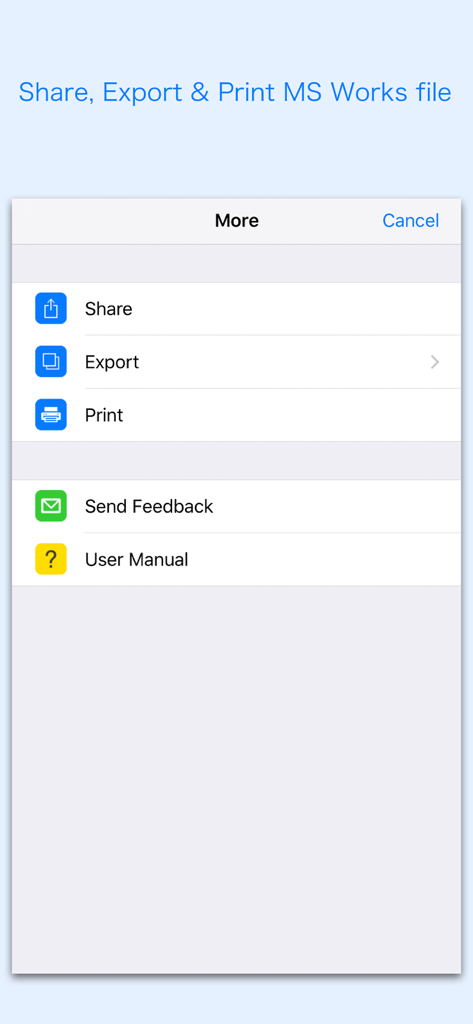
Screenshot of the WPS Reader app menu showing options to share export and print Microsoft Works files

Screenshot of the WPS Reader app menu showing options to share export and print Microsoft Works files

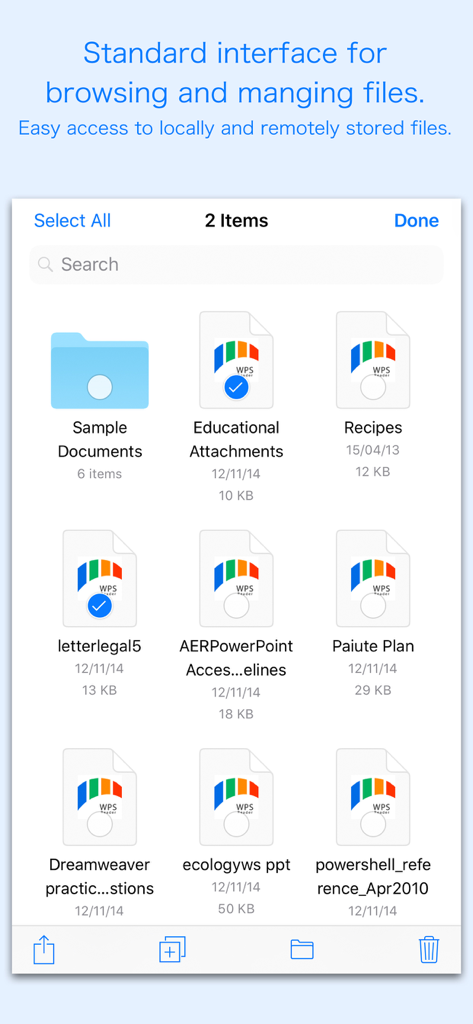
File management interface of WPS Reader app displaying Microsoft Works documents and folders

File management interface of WPS Reader app displaying Microsoft Works documents and folders

Bring Your Legacy Documents Back to Life

The tools that make this app stand out, trusted by 0 users.

📖

Instant Viewing & Search

Easily open .wps, .wks, and .xlr files from your email or iCloud. Read, zoom, and search text just like a modern document.

🔄

Convert to Modern Formats

Transform outdated files into high-quality Word (.docx) or PDF documents while keeping your original layouts and tables intact.

🛡️

100% Private & Secure

Process your files locally on your device without ever uploading them to the web. Your personal data and family archives stay private.

About the app

Everything you need to know about WPS Reader - for MS Works.

Description

Are you having plenty of Microsoft® Works files that no decent viewer available to open on your iPhone and iPad? Do you receive Microsoft® Works documents (.wps, .wks, .xlr) as email attachments on your iPhone and iPad? The easiest way to circumvent these problems is "WPS Reader". “WPS Reader” allows you to open and read Microsoft Works documents on iOS device. It offers you fantastic reading experience using document outlines, page thumbnails and text search features. In addition, "WPS Reader" allows you to export Microsoft Works Word processor documents (.wps) into Microsoft Word documents (.docx and .doc), PDF and RTF. Converts Microsoft Works Spreadsheet documents (.wks & .xlr) into Microsoft Excel documents (.xlsx and .xls) and PDF. Converts every Works page into an equivalent page in the resulting Microsoft Office, PDF and rich text conversion into RTF. Converts the text, text characteristics, paragraphs, text frames linking, text frame columns, tables, graphics and other document objects and properties to the matching Microsoft Office format objects and properties by preserving layout. - Standard document interaction interface to share, send and save exported documents. READING FEATURES: - Fully selectable and searchable text contents. Select and copy text to clipboard for further use. - Pinch out and Pinch in to ZoomIn and ZoomOut view. - Navigate through topics by document outlines, if exist. - Search text feature to find a character, word or sentence any where in a document. - Scroll through your document by Page Thumbnails or Go to page feature. DOCUMENT MANAGEMENT - The inbuilt document browse view automatically gives you the option to share documents using the Share button or a drag-and-drop action. It also provides a standard interface for browsing and managing documents. - Automatically handles access to iCloud for you within the app. It also provides access to documents managed by third-party storage service extensions installed on your device. - Browse, find and sort documents to help you locate the document you want. Tap the file that you want to open. - You can move, delete, duplicate and rename a document with document manager in browser view. - In the document manager, you can group related documents into folders so they’re easy to find. Note: “WPS Reader” is standalone application running natively to open and convert Microsoft Works document securely right on your iOS device. You can refer User Manual for any assistance Or Contact Support. Microsoft® is a registered trademark of Microsoft Corporation, registered in the U.S. and other countries.

Latest Version

3.0

Size

162.9 MB

First Released

Aug 13, 2018

Bring Your Legacy Documents Back to Life

Stop letting old file formats hold you back. Download WPS Reader today to securely open and convert your Microsoft Works files directly on your iPhone or iPad.

Download on App Store

App information, icons, screenshots, and descriptions displayed on this page are sourced from the Apple App Store and are the property of their respective developers. Download estimates and rankings are based on MWM's proprietary models and may not reflect actual figures. This page is provided for informational and analytical purposes only.

Believe this page infringes your intellectual property? File a dispute