
This page is not an official page of the app or its developer, but an independent editorial publication created for informational and commentary purposes. Unless expressly stated otherwise, neither the app nor its developer is affiliated with, endorsed by, sponsored by, authorized by, or otherwise officially connected with MWM, Apple, Google Play, the app publisher, or the app's developer, and nothing on this page implies that the app was developed using MWM's services. Any trademarks, logos, screenshots, and other content remain the property of their respective owners.

xlsx表格手机版 -移动端表格编辑
Master your spreadsheets, documents, and presentations on the go. Seamlessly edit Excel, Word, and PPT files directly from your iPhone with cloud-ready storage and instant sharing.
Downloads
101K+User Rating
Total Ratings
200Publisher
Category
ReferenceLocales
1Latest Version
1.3Size
18.2 MBFirst Released
Oct 25, 2024Unleash Your Mobile Productivity
The ultimate all-in-one document solution for the modern professional. Edit, manage, and share your office files seamlessly without ever needing a laptop.
All-In-One Office Suite
Stop switching between apps. Effortlessly view and edit Word, Excel, and PPT files with professional-grade tools designed specifically for your iPhone.
Cloud Sync & Instant Sharing
Maximize your phone's storage with integrated cloud backup. Share updated documents instantly via WeChat, WhatsApp, or email with a single tap.
Frequently Asked Questions
Everything you need to know about xlsx表格手机版 -移动端表格编辑
What is xlsx表格手机版?
xlsx表格手机版 is a mobile application that allows users to perform various office document tasks, including editing spreadsheets, Word, and PPT files, directly on their phone without a computer.
Which document types can xlsx表格手机版 edit?
xlsx表格手机版 supports editing multiple document formats, including Word, Excel, and PPT. Users can perform text formatting, insert images, and create tables.
Does xlsx表格手机版 offer file sharing features?
Yes, xlsx表格手机版 supports one-click import and sharing of files. This feature facilitates fast file transfer and enhances user efficiency.
Does xlsx表格手机版 provide cloud storage?
Yes, xlsx表格手机版 offers file storage, enabling users to upload and download documents anytime, anywhere. This feature helps in saving local device space.
How do subscriptions work for xlsx表格手机版 VIP services?
xlsx表格手机版 offers VIP auto-renewal services through weekly, monthly, or quarterly subscriptions. Subscribers receive unlimited member services during their VIP validity period.
How can I cancel or manage my xlsx表格手机版 subscription?
Users can manage or cancel their xlsx表格手机版 subscription by accessing the 'Subscriptions' section within their phone's settings.
What spreadsheet editing tools are available in xlsx表格手机版?
xlsx表格手机版 provides spreadsheet editing tools such as color filling, font size adjustment, and text styles including bold, italic, underline, and strikethrough.
Where can I find the Privacy Policy for the xlsx表格手机版 app?
The Privacy Policy for xlsx表格手机版 is located at the following URL: https://docs.qq.com/doc/p/5e831641157903fef1c3084a864203b827f37ddc.
The following screenshots and description are sourced directly from the app's official store listing and are the property of the app developer.
App Store
Screenshots
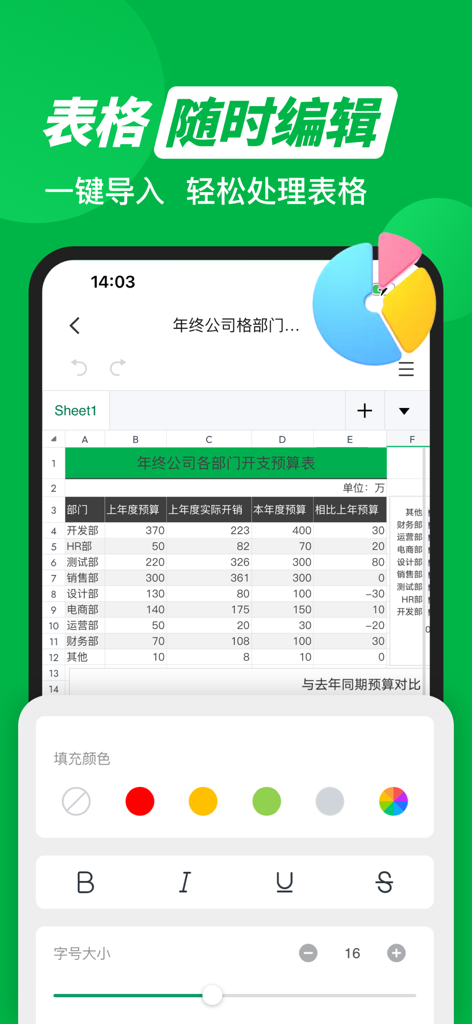
Mobile spreadsheet editor interface with a table and formatting tools in Chinese.
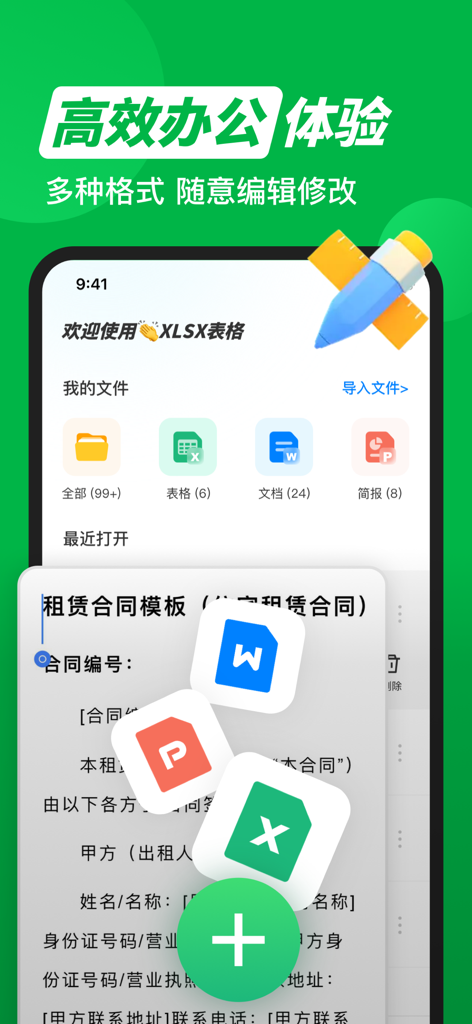
Interface of a mobile office app showing file management for Excel Word and PowerPoint in Chinese
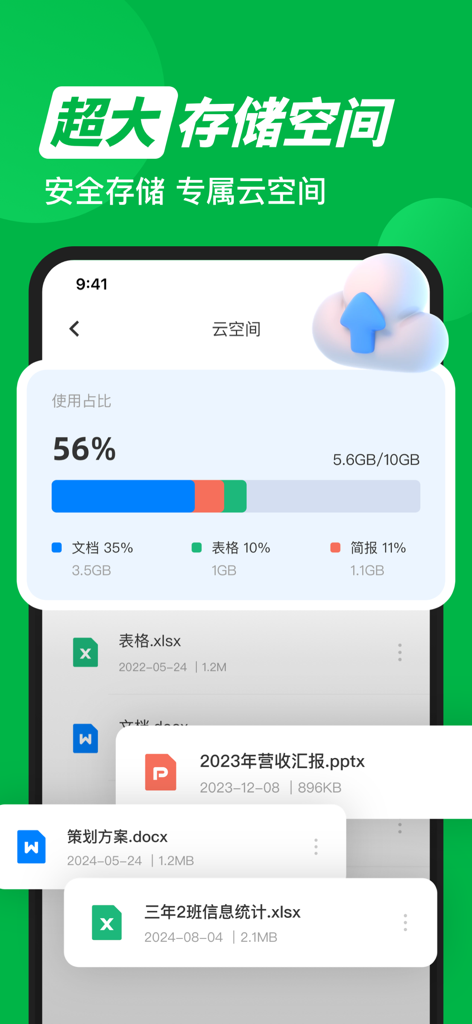
A mobile interface displaying cloud storage usage with a file list containing Excel, Word, and PowerPoint documents
Description
Download
More Like This
Apps with similar features and user experience

石墨文档 - 在线文档协作编辑和表格制作
ChuXin Tec Co., Ltd.

Documents - Create & Edit
Normal Vector Limited

全能办公文档-在线word文档手机版、在线文档编辑
亚敏 陈

表格手机版 -手机编辑表格文档
晶晶 姜

word文档手机版-在线文档编辑办公软件
根根 黄

OpenDocument Reader - view ODT
Stefl und Taschauer OG

文档手机版-手机办公软件
卓臻 李

AO Office
Akikazu Yoshikawa

手机表格- xlsx表格编辑,表格手机版
孟达 李
This page is not an official page of the app or its developer, but an independent editorial publication created for informational and commentary purposes. Unless expressly stated otherwise, neither the app nor its developer is affiliated with, endorsed by, sponsored by, authorized by, or otherwise officially connected with MWM, Apple, Google Play, the app publisher, or the app's developer, and nothing on this page implies that the app was developed using MWM's services. Any trademarks, logos, screenshots, and other content remain the property of their respective owners.