
This page is not an official page of the app or its developer, but an independent editorial publication created for informational and commentary purposes. Unless expressly stated otherwise, neither the app nor its developer is affiliated with, endorsed by, sponsored by, authorized by, or otherwise officially connected with MWM, Apple, Google Play, the app publisher, or the app's developer, and nothing on this page implies that the app was developed using MWM's services. Any trademarks, logos, screenshots, and other content remain the property of their respective owners.

全能办公文档-在线word文档手机版、在线文档编辑
Edit Word and Excel files, sign contracts on the fly, and manage your workflow without a laptop. Get 500GB of cloud storage and all the tools you need to stay productive from anywhere.
Downloads
32K+User Rating
Total Ratings
700Publisher
Category
LifestyleLocales
1Latest Version
1.0.7Size
59.8 MBFirst Released
Dec 11, 2024Work Without Limits, Anywhere
The all-in-one productivity toolkit designed for mobile-first professionals. Edit, sign, and manage your files without ever needing a desktop.
PC-Level Mobile Editing
Full support for Word, Excel, and PowerPoint. Edit documents with desktop-grade precision while you're on the move.
Massive 500GB Cloud Space
Forget storage limits. Securely store and sync your entire professional library in our high-capacity cloud environment.
Frequently Asked Questions
Everything you need to know about 全能办公文档-在线word文档手机版、在线文档编辑
What is 全能办公文档-在线word文档手机版、在线文档编辑?
全能办公文档 is a mobile office app designed for editing Word documents, XLSX spreadsheets, and presentations. It enables users to quickly edit files on mobile devices, enhancing work efficiency without needing a PC.
Can I edit Word documents and Excel spreadsheets with 全能办公文档?
Yes, 全能办公文档 offers comprehensive editing features for Word documents, Excel spreadsheets, and presentation files. Users can edit text, insert charts, use table formulas, and manage rows and columns, similar to PC functions.
Does 全能办公文档-在线word文档手机版、在线文档编辑 offer cloud storage?
Yes, 全能办公文档 provides a large 500G cloud storage space. This feature supports online office efficiency by allowing users to store and access their documents remotely from the cloud.
How do I import files into 全能办公文档-在线word文档手机版、在线文档编辑?
Users can import files into 全能办公文档 directly from local storage on their device or from third-party software. This functionality allows for seamless access and editing of existing documents.
Does 全能办公文档-在线word文档手机版、在线文档编辑 offer a free trial?
Yes, 全能办公文档 provides a free 3-day trial period. Users can utilize the app's features during this time to ensure satisfaction before committing to a purchase.
How do I cancel my subscription for 全能办公文档-在线word文档手机版、在线文档编辑?
To cancel your subscription for 全能办公文档, you must manually go to your AppleID settings and select "Cancel Subscription" at least 24 hours before the current subscription cycle concludes.
What unique small tools does 全能办公文档-在线word文档手机版、在线文档编辑 offer?
全能办公文档 includes specialized small tools such as "Go Identify" for file extraction, "Go Sign" for secure handwritten signatures, and "Go Unzip" for quick folder decompression, enhancing document management.
Where can I find the Privacy Policy for 全能办公文档-在线word文档手机版、在线文档编辑?
The Privacy Policy for 全能办公文档-在线word文档手机版、在线文档编辑 is accessible via the following URL: https://docs.qq.com/doc/p/3f7661d550501004e197ad971f00b59176e91ead. This link provides detailed information on user data handling.
Can I create new documents, spreadsheets, or presentations in 全能办公文档?
Yes, 全能办公文档 enables users to create new Word documents, Excel spreadsheets, and PowerPoint presentations directly within the app. It also provides various ready-to-use templates for efficient document creation.
The following screenshots and description are sourced directly from the app's official store listing and are the property of the app developer.
App Store
Screenshots
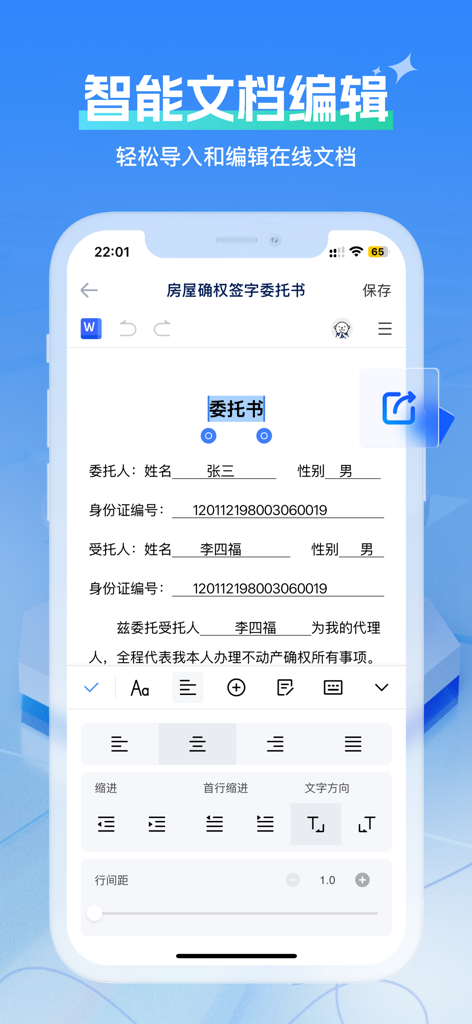
Mobile smartphone interface showing an online word document being edited with text formatting tools and a signature form
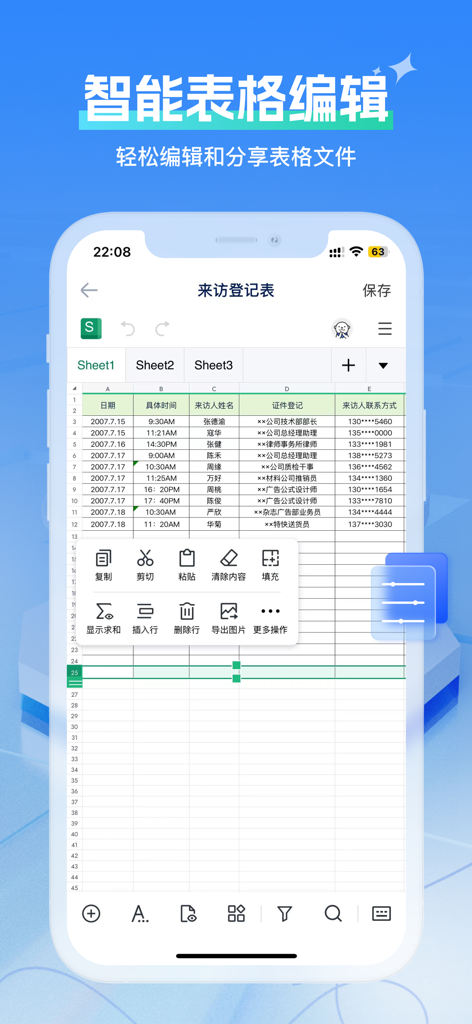
Mobile spreadsheet editor interface within the All-in-One Office Documents app showing a data entry table and professional editing tools

A mobile app interface showing options to create new Word, Excel, and PowerPoint documents or import files from local and third party storage.
Description
Download
More Like This
Apps with similar features and user experience

石墨文档 - 在线文档协作编辑和表格制作
ChuXin Tec Co., Ltd.

Documents - Create & Edit
Normal Vector Limited

表格手机版 -手机编辑表格文档
晶晶 姜

word文档手机版-在线文档编辑办公软件
根根 黄

OpenDocument Reader - view ODT
Stefl und Taschauer OG

xlsx表格手机版 -移动端表格编辑
华 杨

文档手机版-手机办公软件
卓臻 李

AO Office
Akikazu Yoshikawa

手机表格- xlsx表格编辑,表格手机版
孟达 李
This page is not an official page of the app or its developer, but an independent editorial publication created for informational and commentary purposes. Unless expressly stated otherwise, neither the app nor its developer is affiliated with, endorsed by, sponsored by, authorized by, or otherwise officially connected with MWM, Apple, Google Play, the app publisher, or the app's developer, and nothing on this page implies that the app was developed using MWM's services. Any trademarks, logos, screenshots, and other content remain the property of their respective owners.