
This page is not an official page of the app or its developer, but an independent editorial publication created for informational and commentary purposes. Unless expressly stated otherwise, neither the app nor its developer is affiliated with, endorsed by, sponsored by, authorized by, or otherwise officially connected with MWM, Apple, Google Play, the app publisher, or the app's developer, and nothing on this page implies that the app was developed using MWM's services. Any trademarks, logos, screenshots, and other content remain the property of their respective owners.


Zoho Webinar - Online Webinars
Stay productive and connected to your industry from anywhere. Join live events with one tap, participate in interactive polls, and collaborate through high-quality video and screen sharing—no sign-in required.
Downloads
93K+User Rating
Total Ratings
100Publisher
Category
BusinessLocales
38Latest Version
1.1.2Size
93.9 MBFirst Released
Oct 23, 2022Professional Webinars, Anywhere You Go
Maximize your productivity with a seamless mobile experience designed for the modern professional. Join, engage, and lead from your iPhone or iPad without missing a beat.
Frictionless Instant Access
Jump into sessions in seconds with no sign-in required. Simply tap your join link and start learning immediately, removing all barriers to entry.
Interactive Engagement Tools
Go beyond passive viewing. Participate in live polls, raise your hand to speak, and use the Q&A section to connect directly with industry leaders.
Frequently Asked Questions
Everything you need to know about Zoho Webinar - Online Webinars
How do I join a webinar using the Zoho Webinar mobile app?
Yes, you can join a webinar using the Zoho Webinar mobile app. Attendees can join easily by tapping the join link or entering the session ID directly in the app. No sign-in is required to join a session.
Is the Zoho Webinar mobile app compatible with all mobile devices?
The Zoho Webinar mobile app is compatible with iPad and iPhone devices. This allows users to connect to and participate in online events while on the go.
What interactive features are available for attendees in the Zoho Webinar app?
Attendees can participate in polls, interact via the Q&A section, view public questions, and raise their hand to ask speakers a question. They can also join with audio and video if permitted.
Can co-organizers manage webinars using the Zoho Webinar app?
Yes, co-organizers can join webinars on the go and engage attendees through audio and video. They can also view questions in the Q&A, launch polls, and interact with other organizers before the broadcast.
Is there a specific license required to use the Zoho Webinar mobile app?
No, the Zoho Webinar mobile app is accessible to users with any free, trial, or paid edition of Zoho Webinar. It does not require a separate license for mobile use.
Can attendees ask questions anonymously in the Zoho Webinar mobile app?
Yes, attendees can ask questions anonymously within the Zoho Webinar mobile app's Q&A section. This option allows users to submit inquiries without revealing their identity.
What types of materials can attendees view during a webinar in the Zoho Webinar app?
Attendees can view screen shares and shared materials such as PDF, PPT, and video directly within the Zoho Webinar app. This ensures comprehensive content access during the event.
How do attendees communicate with organizers during a Zoho Webinar session?
Attendees can interact with organizers through the Q&A section, by raising their hand, or by asking verbal questions if allowed. Co-organizers communicate via audio and video.
The following screenshots and description are sourced directly from the app's official store listing and are the property of the app developer.
App Store
Screenshots
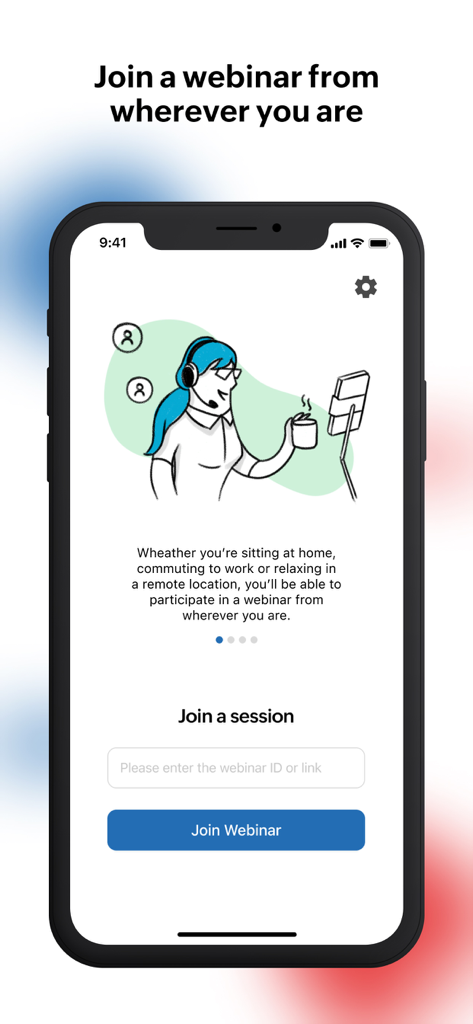
Zoho Webinar mobile app interface for joining a session by entering a webinar ID or link
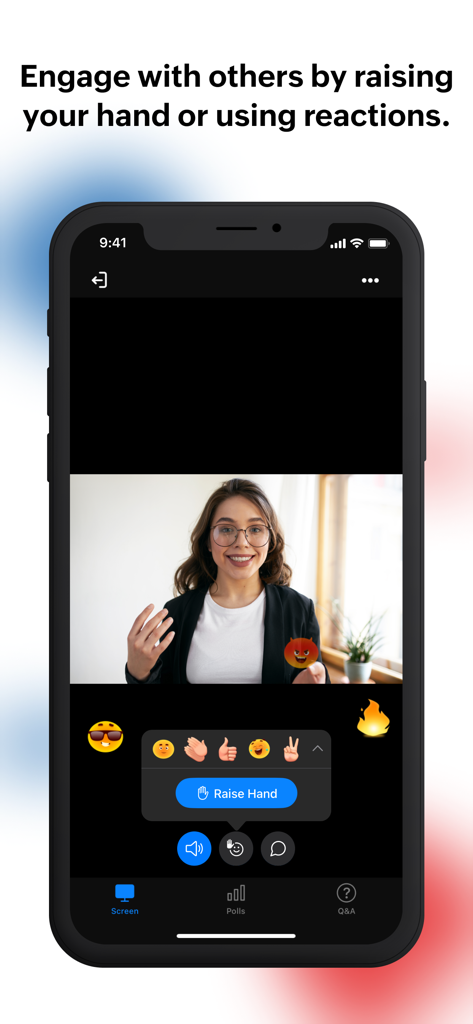
A mobile screen showing a live Zoho Webinar with interactive emoji reactions and a Raise Hand button.
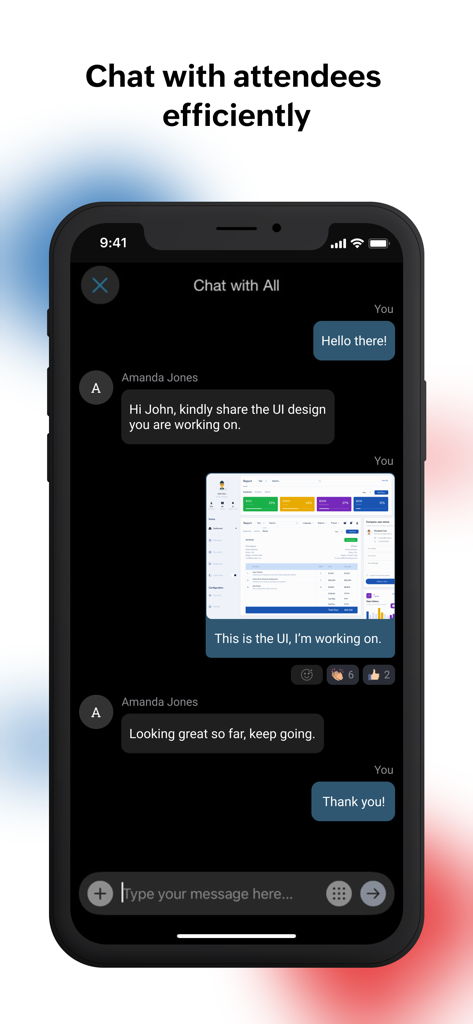
Zoho Webinar mobile app interface displaying a real-time chat between attendees and organizers.
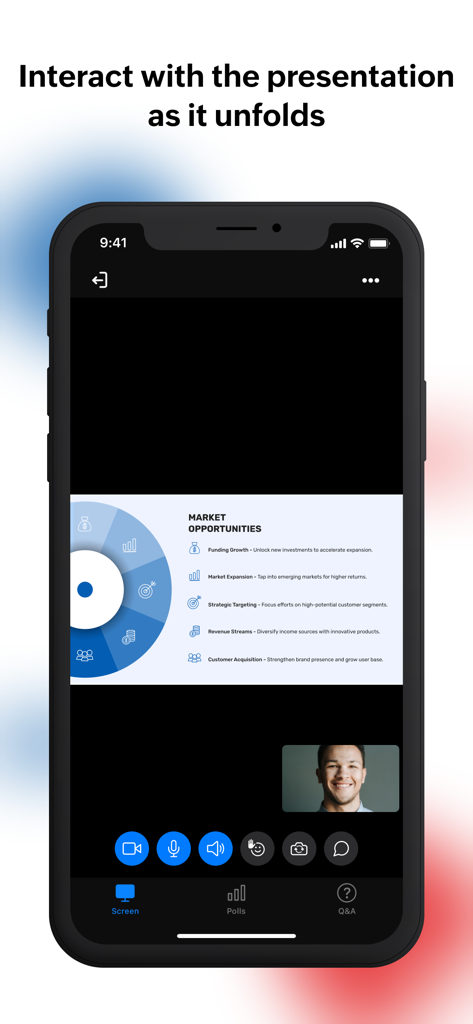
Zoho Webinar mobile app interface showing a business presentation slide and attendee interaction tools
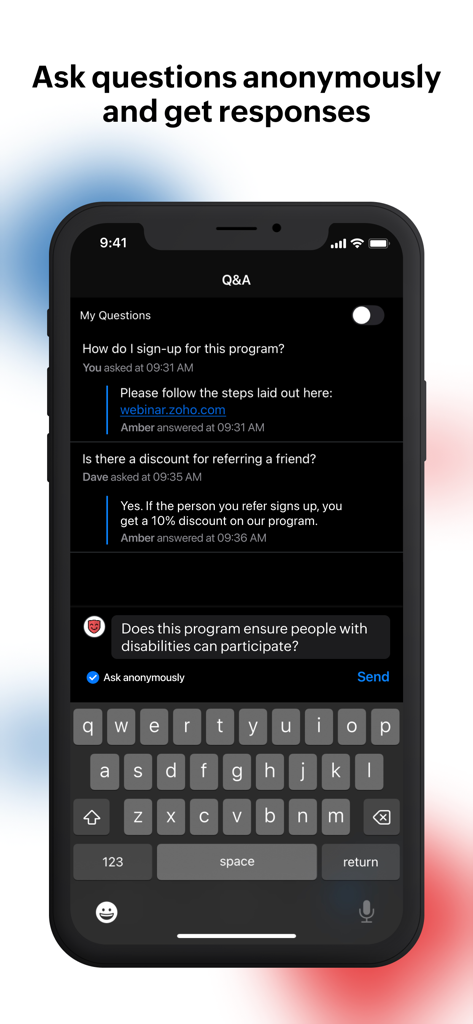
Zoho Webinar mobile app interface showing a Q and A section where users can ask questions anonymously during a session.
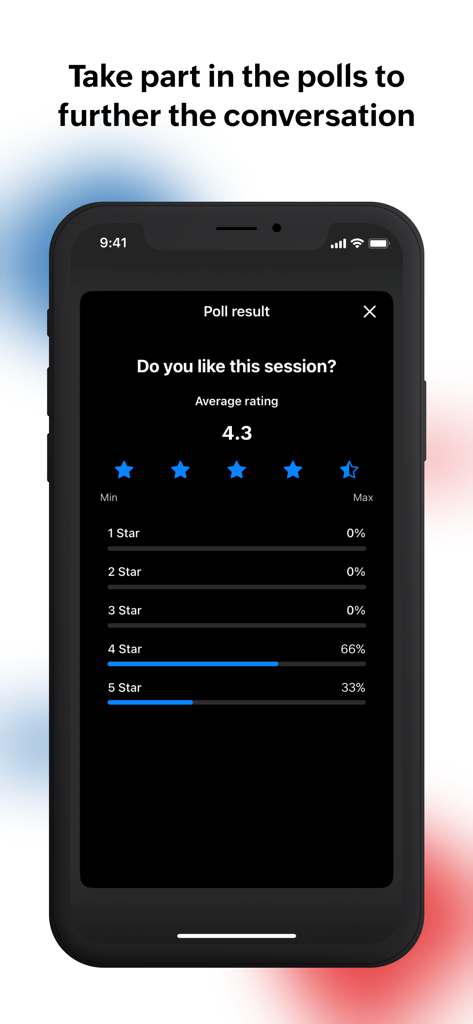
A mobile screen showing live poll results and user ratings in the Zoho Webinar app.
Description
Download
More Like This
Apps with similar features and user experience
新东方云教室
Beijing New Oriental Education & Technology (Group) Co., Ltd

ClickMeeting Webinars Meetings
ClickMeeting Sp. z o.o.

VK Calls
VK LLC

join.me - Simple Meetings
GoTo Group, Inc.

Flow IM: Video Conferencing
Portable Ltd

微赞-企业直播视频营销平台
Guangzhou Appreciate Information Technology Co., Ltd.

爱问云
Yixing Aiwen Technology Co., Ltd.

G-Net MeetNow
G-Net Cloud Service Co., Ltd.

京ME会议
Jingdong Technology Information Technology Co., Ltd.
This page is not an official page of the app or its developer, but an independent editorial publication created for informational and commentary purposes. Unless expressly stated otherwise, neither the app nor its developer is affiliated with, endorsed by, sponsored by, authorized by, or otherwise officially connected with MWM, Apple, Google Play, the app publisher, or the app's developer, and nothing on this page implies that the app was developed using MWM's services. Any trademarks, logos, screenshots, and other content remain the property of their respective owners.