Add Music to Video Editor
ダウンロード: App Store

このページはアプリまたはその開発者の公式ページではなく、情報提供および論評を目的として作成された独立した編集出版物です。明示的に別段の記載がない限り、アプリおよびその開発者は、MWM、Apple、Google Play、アプリのパブリッシャー、またはアプリの開発者と提携、承認、後援、認可、またはその他の公式的な関係はなく、このページのいかなる内容も、アプリがMWMのサービスを使用して開発されたことを意味するものではありません。すべての商標、ロゴ、スクリーンショット、その他のコンテンツはそれぞれの所有者の財産です。


ロゴ: Add Music to Video Editor
ダウンロード: App Store

Add Music to Video Editor

クリエイターのためのオールインワンオーディオスタジオ。複数のトラックを重ねたり、プロ仕様のボイスオーバーを録音したり、サウンドトラックを精密に編集して、TikTokやReelsを他と差をつけましょう。

主要数値

ダウンロード

7M+

ユーザー評価

4.6/5

評価数

97K+

開発元

Add Music to Video Maker & Editor LLC

カテゴリ

Photo & Video

対応言語

1

最新バージョン

9.0

サイズ

103.6 MB

リリース日

2014年12月12日
機能

プロオーディオでコンテンツをレベルアップ

クリエイターが数分でサウンドトラックを重ね、ボイスオーバーを録音し、動画の雰囲気をマスターするための究極のツールキット。

声と音楽を重ねる

プロ仕様のボイスオーバーを録音し、無制限のBGMトラックとブレンドして、映画のようなオーディオ体験を実現します。

フレーム単位のオーディオ同期

オーディオトラックを精密にトリミングおよび配置して、あらゆるトランジションとビートをプロレベルのタイミングで合わせます。

以下のスクリーンショットと説明は、アプリの公式ストアリスティングから直接取得されたものであり、アプリ開発者の所有物です。

アプリストア

スクリーンショット
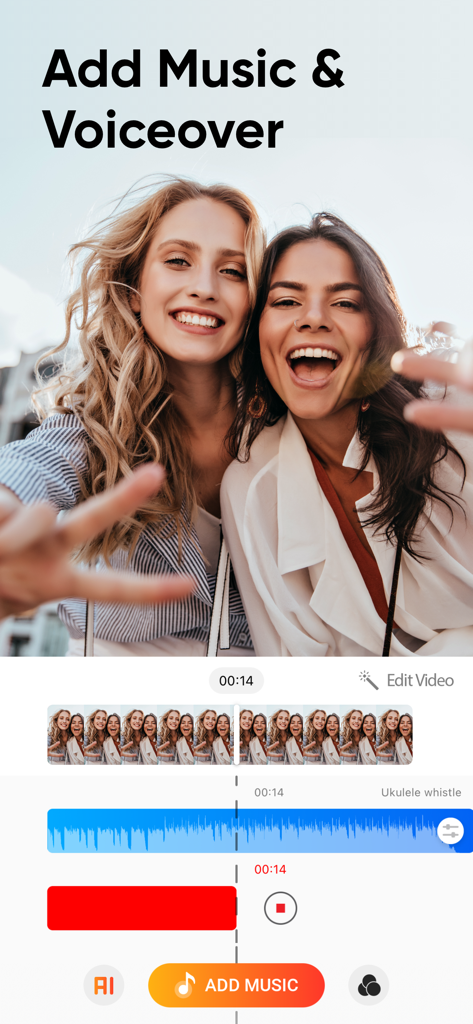
Add Music to Video Editor - SNS動画向けに音楽とボイスオーバーのマルチトラックオーディオレイヤーを示す動画編集アプリ「Add Music to Video Editor」のインターフェース。
SNS動画向けに音楽とボイスオーバーのマルチトラックオーディオレイヤーを示す動画編集アプリ「Add Music to Video Editor」のインターフェース。

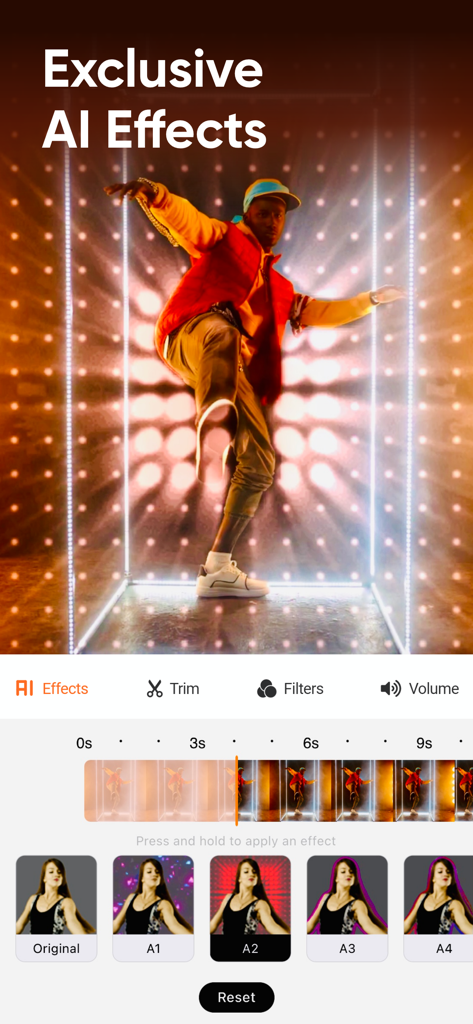
Add Music to Video Editor - SNSクリエイター向けのAIエフェクトと動画編集タイムラインを特集したモバイル動画エディターのインターフェース。
SNSクリエイター向けのAIエフェクトと動画編集タイムラインを特集したモバイル動画エディターのインターフェース。

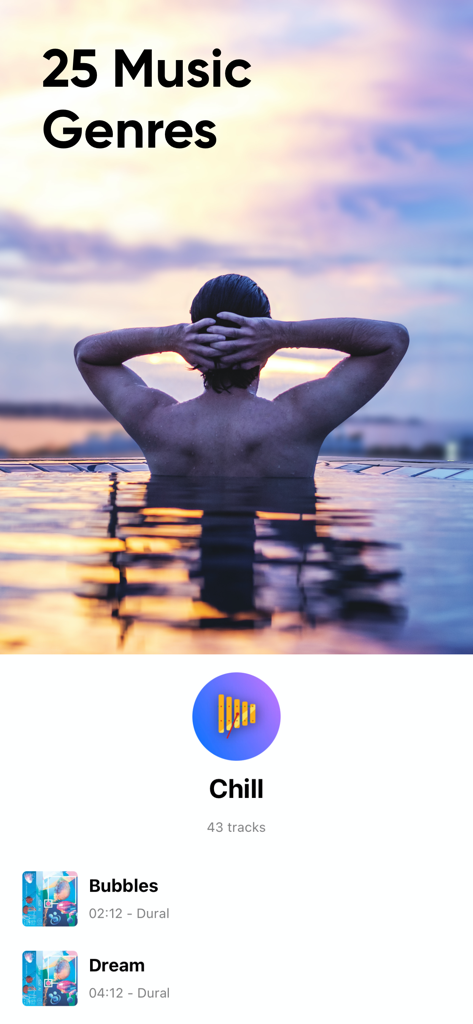
Add Music to Video Editor - 25の音楽ジャンルとチルなBGMトラックのセレクションを表示する動画編集アプリ「Add Music to Video Editor」のインターフェース。
25の音楽ジャンルとチルなBGMトラックのセレクションを表示する動画編集アプリ「Add Music to Video Editor」のインターフェース。

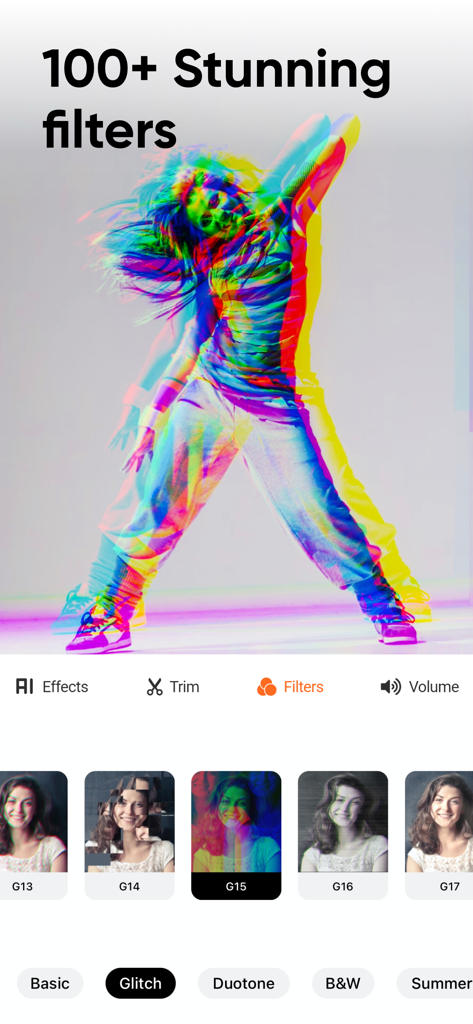
Add Music to Video Editor - SNSクリエイター向けの100以上の素晴らしい動画フィルターとグリッチエフェクトを表示するモバイルアプリのインターフェース。

SNSクリエイター向けの100以上の素晴らしい動画フィルターとグリッチエフェクトを表示するモバイルアプリのインターフェース。

Add Music to Video Editor - 海岸でビーチボールで遊ぶ子供たちと、「みんなと共有」というテキストオーバーレイ。

海岸でビーチボールで遊ぶ子供たちと、「みんなと共有」というテキストオーバーレイ。

説明

Add background music and sound effects to your short-form videos to make the videos more engaging! Edit videos sound just like a pro. A must-have app for the content creator. FEATURES 1. Voice-overs: Record your voice over the video. 2. Multiple Music Tracks: Add unlimited background audio tracks, music & voice to your video. 3. Trim Audio: Cut out any unwanted moments from the audio. 4. Trim Video: Cut out any unwanted moments from the videos. 5. Positioning Tracks: Position your music tracks for perfect editing! 6. Share Videos: Share your content on Tiktok, Vine, Snapchat, Instagram & Facebook.
 DISCLAIMER: You might be required to sign up for an auto-renewable In-App Purchase to access all features and functionalities of the app.
 SUBSCRIPTION INFO:
 Subscribe to take advantage of the features described above. • Subscription Length: Weekly, Monthly, and Yearly. • Your payment will be charged to your iTunes Account as soon as you confirm your purchase. • You can manage your subscriptions and turn off auto-renewal from your Account Settings after the purchase. • Your subscription will renew automatically unless you turn off auto-renew at least 24 hours before the end of the current period. • The cost of renewal will be charged to your account 24 hours before the end of the current period. • When canceling a subscription, your subscription will stay active until the end of the period. Auto-renewal will be disabled, but the current subscription will not be refunded. • Any unused portion of a free trial period, if offered, will be forfeited when purchasing a subscription.
 Terms of service: http://www.addmusictovideo.com/terms.html Privacy policy: http://www.addmusictovideo.com/privacy.html
 CONTACT US We believe your feedback, ideas, or complaints will help us to make the app better. Do not hesitate to contact us about anything. Mail: info.addmusic@gmail.com Website: http://www.addmusictovideo.com/support.html

Download

ダウンロード: App Store

このページはアプリまたはその開発者の公式ページではなく、情報提供および論評を目的として作成された独立した編集出版物です。明示的に別段の記載がない限り、アプリおよびその開発者は、MWM、Apple、Google Play、アプリのパブリッシャー、またはアプリの開発者と提携、承認、後援、認可、またはその他の公式的な関係はなく、このページのいかなる内容も、アプリがMWMのサービスを使用して開発されたことを意味するものではありません。すべての商標、ロゴ、スクリーンショット、その他のコンテンツはそれぞれの所有者の財産です。