Clips - Video Editor
ダウンロード: App Store

このページはアプリまたはその開発者の公式ページではなく、情報提供および論評を目的として作成された独立した編集出版物です。明示的に別段の記載がない限り、アプリおよびその開発者は、MWM、Apple、Google Play、アプリのパブリッシャー、またはアプリの開発者と提携、承認、後援、認可、またはその他の公式的な関係はなく、このページのいかなる内容も、アプリがMWMのサービスを使用して開発されたことを意味するものではありません。すべての商標、ロゴ、スクリーンショット、その他のコンテンツはそれぞれの所有者の財産です。


ロゴ: Clips - Video Editor
ダウンロード: App Store

Clips - Video Editor

無制限の音楽、ナレーション、プロレベルのツールを使って、素晴らしいリールやTikTokを作成しましょう。 viralになる準備ができた、クリスタルクリアで透かしのない動画をエクスポートできます。

主要数値

ダウンロード

204K+

ユーザー評価

4.7/5

評価数

4K+

開発元

Video Bakery Ltd.

カテゴリ

Photo & Video

対応言語

1

最新バージョン

1.9.6

サイズ

66.8 MB

リリース日

2020年6月7日
機能

ソーシャルプレゼンスをレベルアップ

トレンドのリールやTikTokを、プロレベルのオーディオとクリスタルクリアな品質で作成するために必要なすべて。

オーディオをマスターしよう

無制限の音楽トラックとナレーションを精密にレイヤー化し、最新のソーシャルトレンドのあらゆるビートに合わせましょう。

プロ品質、透かしなし

フィードをプロフェッショナルで美しく保つために、迷惑なロゴや圧縮なしで高解像度動画をエクスポートしましょう。

以下のスクリーンショットと説明は、アプリの公式ストアリスティングから直接取得されたものであり、アプリ開発者の所有物です。

アプリストア

スクリーンショット
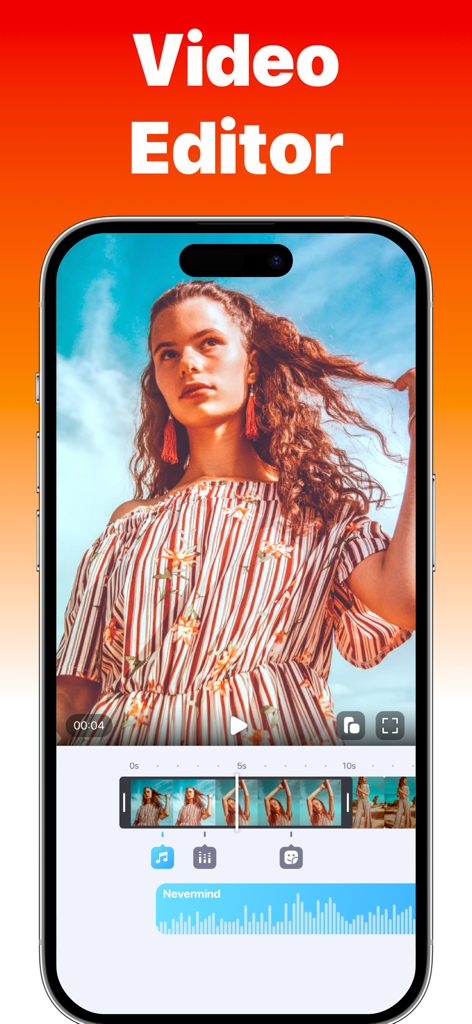
Clips - Video Editor - ソーシャルメディアコンテンツ作成のために、動画タイムラインと音楽波形を表示するClips Video Editorアプリのインターフェースを示すスマートフォン画面
ソーシャルメディアコンテンツ作成のために、動画タイムラインと音楽波形を表示するClips Video Editorアプリのインターフェースを示すスマートフォン画面

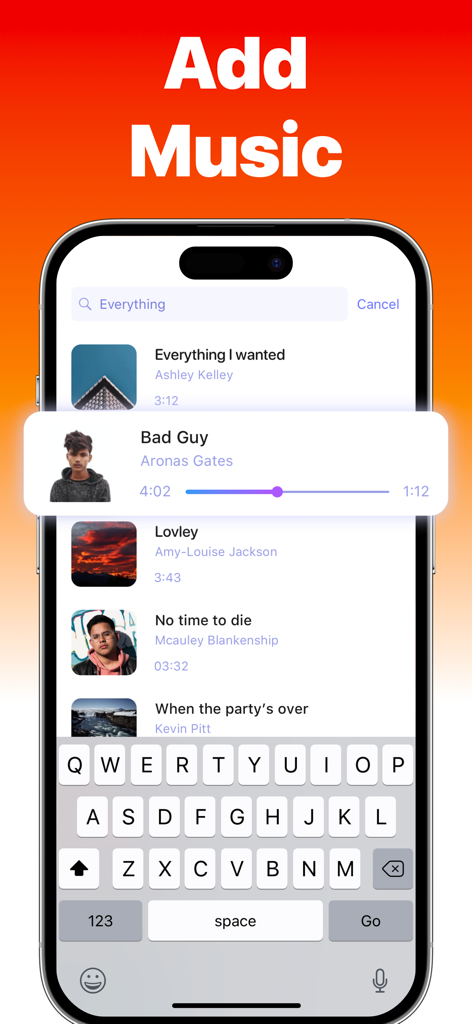
Clips - Video Editor - 検索可能な楽曲ライブラリを備えた、Clipsアプリでの動画への音楽追加インターフェース。
検索可能な楽曲ライブラリを備えた、Clipsアプリでの動画への音楽追加インターフェース。

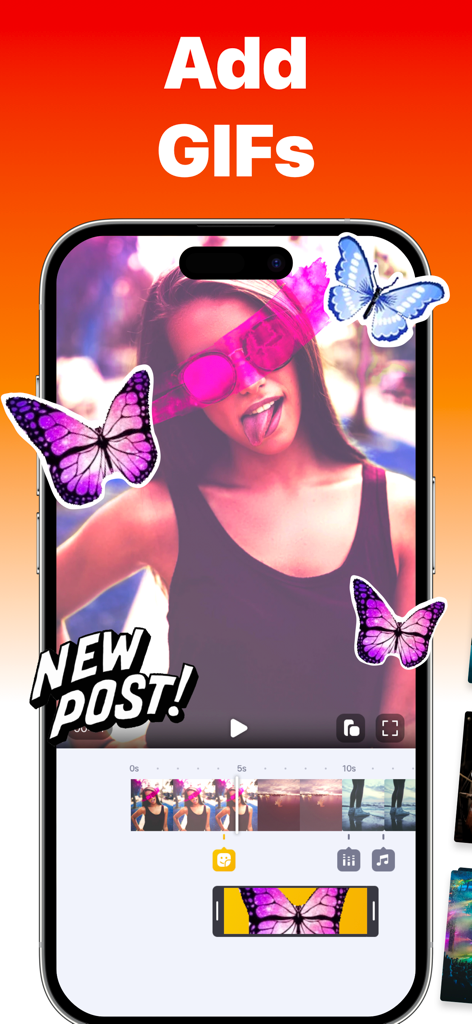
Clips - Video Editor - Clipsアプリの画面に、蝶のステッカーとアニメーションGIFで編集中の動画が表示されています
Clipsアプリの画面に、蝶のステッカーとアニメーションGIFで編集中の動画が表示されています

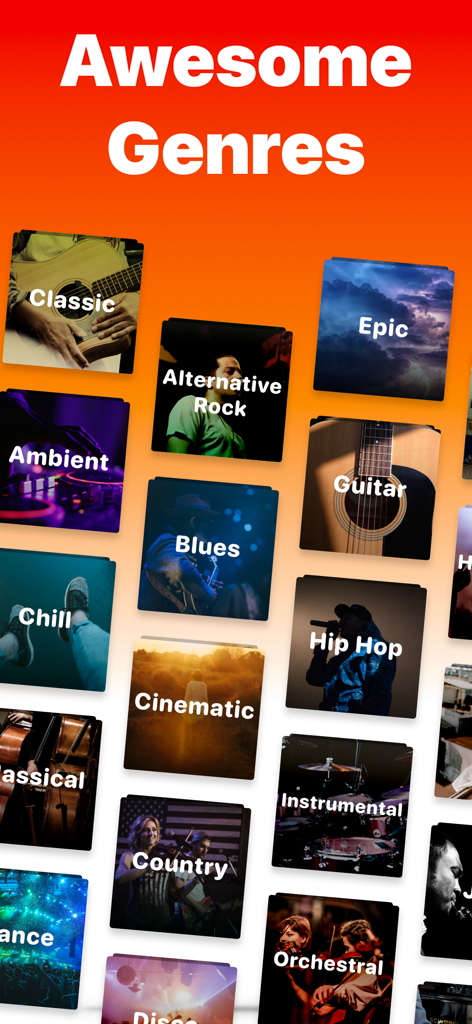
Clips - Video Editor - Clipsアプリでの動画編集用の、ヒップホップ、シネマティック、カントリーなどの音楽ジャンルの選択肢。

Clipsアプリでの動画編集用の、ヒップホップ、シネマティック、カントリーなどの音楽ジャンルの選択肢。

説明

Clips is an easy-to-use yet powerful video editor. Useful when you want to add any song for video/reel/story to social media. Clips helps you choose different soundtracks to spice up your video in seconds. Features: ▶ Add Unlimited Photos and Videos to your Project ▶ Multiple Music Tracks: Add unlimited background audio tracks, music & voice to your video. ▶ Voiceover & Sound effects ▶ Trim Audio & Video ▶ Positioning Tracks ▶ 50+ Music Genres ▶ Control the Speed of your Videos ▶ Add Text, Stickers & Picture-in-Picture ▶ No Watermark ▶ Dark mode Support ▶ Videos are exported without compression ▶ No distorted videos on social networks ▶ Share Videos: Share your content on TikTok, Instagram & Facebook, and more. Enjoy Editing Videos :) ◆ Customer Support You can reach us at hello@videobakery.co and we'll do our best to satisfy you and solve all of your problems and wishes related to Add Music to Video. ◆ Subscriptions & Terms The usage of the Add Music app requires a valid subscription plan. Our plan is starting with 3 days of the free trial, without any charge during the trial period. Cancel anytime. After the free trial ends, you'll be charged $4.99/month. Good to know: • No charge during the Free Trial period. • Free trial automatically converts to a paid subscription unless canceled at least 24 hours before the end of the trial period. From that point onwards, the subscription automatically renews unless canceled at least 24 hours before the end of the current period. • The payment will be charged to your iTunes Account when you confirm the purchase. • The subscription automatically renews for the same price and duration period depending on the selected plan (monthly, half-annual or annual) unless canceled at least 24 hours before the end of the current period. • You can disable the automatic renewal function anytime by adjusting your account settings. • Any unused portion of a free trial period will be forfeited when the user purchases a subscription. Privacy Policy: https://videobakery.co/pp.pdf Terms of Use: https://videobakery.co/tos.pdf We would love to hear from you. Please let us know by sending an email to hello@videobakery.co

Download

ダウンロード: App Store

このページはアプリまたはその開発者の公式ページではなく、情報提供および論評を目的として作成された独立した編集出版物です。明示的に別段の記載がない限り、アプリおよびその開発者は、MWM、Apple、Google Play、アプリのパブリッシャー、またはアプリの開発者と提携、承認、後援、認可、またはその他の公式的な関係はなく、このページのいかなる内容も、アプリがMWMのサービスを使用して開発されたことを意味するものではありません。すべての商標、ロゴ、スクリーンショット、その他のコンテンツはそれぞれの所有者の財産です。