
このページはアプリまたはその開発者の公式ページではなく、情報提供および論評を目的として作成された独立した編集出版物です。明示的に別段の記載がない限り、アプリおよびその開発者は、MWM、Apple、Google Play、アプリのパブリッシャー、またはアプリの開発者と提携、承認、後援、認可、またはその他の公式的な関係はなく、このページのいかなる内容も、アプリがMWMのサービスを使用して開発されたことを意味するものではありません。すべての商標、ロゴ、スクリーンショット、その他のコンテンツはそれぞれの所有者の財産です。


Video Music Add Background
クリエイターや思い出作りに最適なツール。カスタムサウンドトラックを追加したり、プロフェッショナルなボイスオーバーを録音したり、映画のようなエフェクトを適用して、TikTok、Reelsなどで動画を目立たせましょう。
ダウンロード
6K+ユーザー評価
評価数
0開発元
カテゴリ
Photo & Video対応言語
11最新バージョン
2.0.1サイズ
69.8 MBリリース日
2021年8月7日サウンドでストーリーをレベルアップ
クリエイターや現代のストーリーテラー向けの究極のツールキット。プロフェッショナルなオーディオ、映画のようなエフェクト、そして個性的なスタイルを、あらゆるクリップに数秒で追加できます。
プロフェッショナルなボイスオーバーとオーディオ
独自の音楽をレイヤーしたり、高品質なボイスオーバーを録音して、チュートリアルやブログに最適な、思い通りのストーリーを語りましょう。
映画のようなモーションコントロール
スローモーション、早送り、逆再生エフェクトで動画のタイミングをマスターし、タップひとつでバイラル級のコンテンツを作成しましょう。
よくある質問
について知っておくべきこと Video Music Add Background
Video Music Add Backgroundアプリで動画にBGMを追加するにはどうすればいいですか?
ユーザーは、自分のライブラリから自分の音楽を選択するか、Video Music Add Backgroundアプリのデフォルトの音楽リストから選択することで、BGMを追加できます。このアプリは様々な音声ファイルをサポートしています。
Video Music Add Backgroundアプリで動画のナレーションを録音できますか?
はい、Video Music Add Backgroundアプリでは、自分の音声を直接録音して、任意の動画にナレーションを追加し、コンテンツを強化することができます。
Video Music Add Backgroundアプリは、スローモーションおよびファストモーション動画編集をサポートしていますか?
はい、Video Music Add Backgroundアプリは、速度調整のための動画編集オプションを提供しており、ユーザーはスローモーションとファストモーションのエフェクトを簡単に作成できます。
Video Music Add Sound Clipsアプリの月額サブスクリプション料金はいくらですか?
Video Music Add Sound Clipsアプリの月額自動更新サブスクリプションは、米国の顧客の場合、5.99ドルです。他の国では価格が異なる場合があります。
Video Music Add Backgroundアプリで動画にテキストやステッカーを追加できますか?
はい、Video Music Add Backgroundアプリでは、色やフォントをカスタマイズして動画にテキストを追加できます。また、様々なステッカーの追加もサポートしています。
Video Music Add Backgroundアプリは、編集用の動画エフェクトを提供していますか?
はい、Video Music Add Backgroundアプリは、動画を強化するための様々なエフェクトを提供しており、ユーザーが作成したものをより魅力的で視覚的に訴えるものにするのに役立ちます。
Video Music Add Backgroundアプリで動画の再生を逆再生することは可能ですか?
はい、Video Music Add Backgroundアプリには、動画を逆再生するエフェクト機能が含まれています。これにより、ユーザーは動画を逆方向に再生できます。
以下のスクリーンショットと説明は、アプリの公式ストアリスティングから直接取得されたものであり、アプリ開発者の所有物です。
アプリストア
スクリーンショット
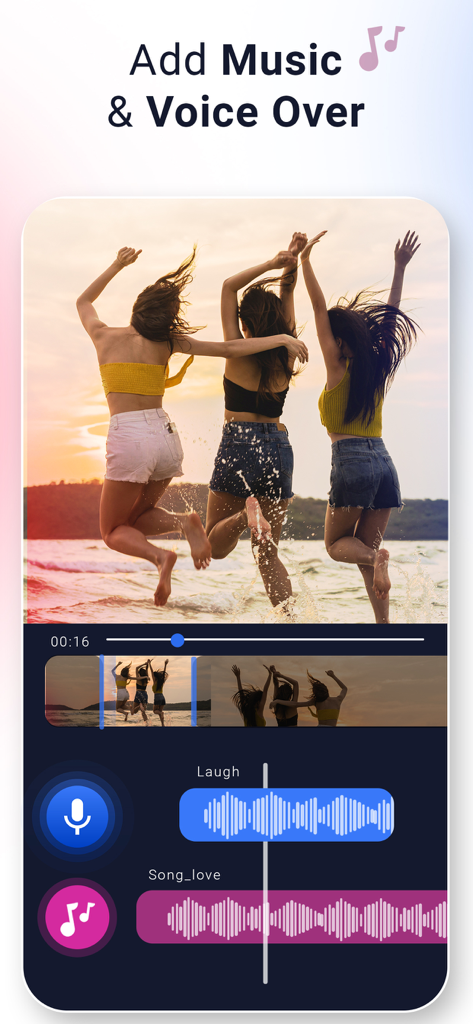
Video Music Add Backgroundアプリのインターフェース。友人たちがビーチにいる動画に、音楽とボイスオーバーのレイヤー化されたオーディオトラックが表示されています。
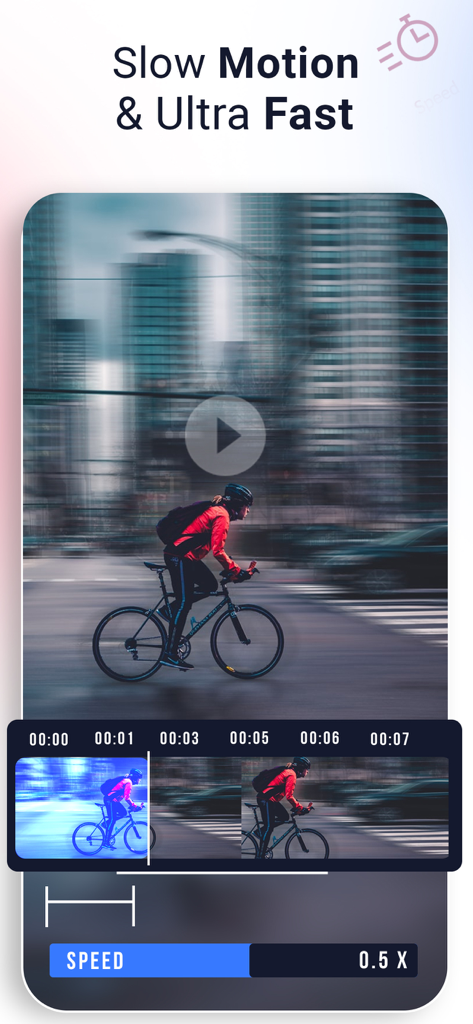
スライダー付きのスローモーションおよび超高速エフェクトのビデオ速度編集を示すアプリのインターフェース。
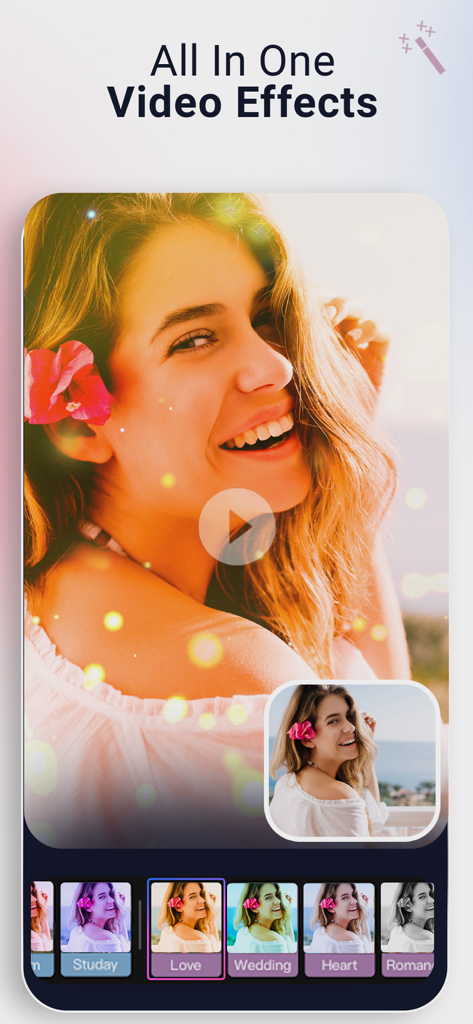
ビデオ編集用のオールインワンビデオエフェクトとフィルターを示すモバイルアプリのインターフェース。
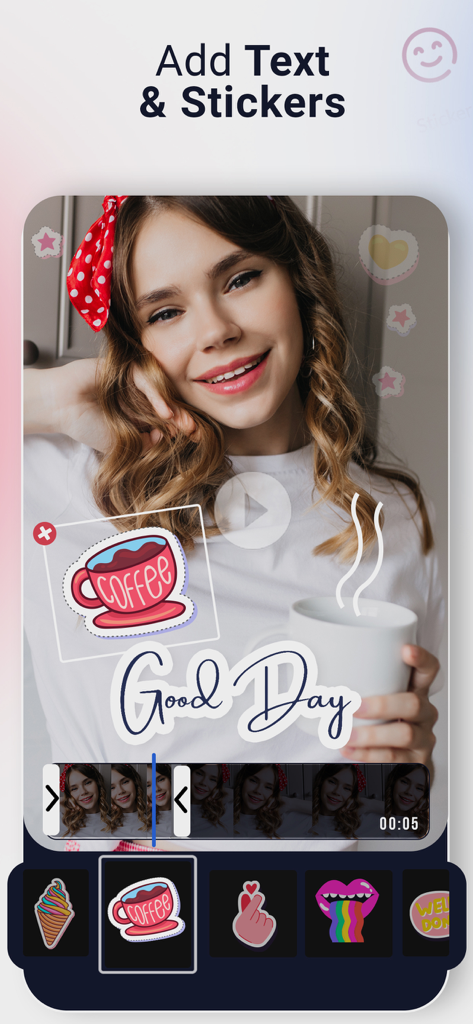
コーヒーのステッカーと「Good Day」というテキストオーバーレイが表示された動画プレビューを示すモバイルアプリのインターフェース。
説明
Download
類似アプリ
似た機能とユーザー体験を持つアプリ

Dolby On: Record Audio & Video
Dolby Laboratories, Inc.

Add Music to Video, Maker
Honk Honk Punch Pty Ltd

Clips - Video Editor
Video Bakery Ltd.

Add Music to Video Editor
Add Music to Video Maker & Editor LLC

Add Music into Video Editor
Saturday Technologies Incorporated

Add Background Music To Video
Mosaic S.r.l.

Add Music to Video Voice Over
Brain Craft Ltd

Add Music to Video
Md Jasim Uddin
Video Maker with Music Editor
Mosaic S.r.l.
このページはアプリまたはその開発者の公式ページではなく、情報提供および論評を目的として作成された独立した編集出版物です。明示的に別段の記載がない限り、アプリおよびその開発者は、MWM、Apple、Google Play、アプリのパブリッシャー、またはアプリの開発者と提携、承認、後援、認可、またはその他の公式的な関係はなく、このページのいかなる内容も、アプリがMWMのサービスを使用して開発されたことを意味するものではありません。すべての商標、ロゴ、スクリーンショット、その他のコンテンツはそれぞれの所有者の財産です。