Air Navigation Pro
Air Navigation Pro
ダウンロード: App Store

このページはアプリまたはその開発者の公式ページではなく、情報提供および論評を目的として作成された独立した編集出版物です。明示的に別段の記載がない限り、アプリおよびその開発者は、MWM、Apple、Google Play、アプリのパブリッシャー、またはアプリの開発者と提携、承認、後援、認可、またはその他の公式的な関係はなく、このページのいかなる内容も、アプリがMWMのサービスを使用して開発されたことを意味するものではありません。すべての商標、ロゴ、スクリーンショット、その他のコンテンツはそれぞれの所有者の財産です。


ロゴ: Air Navigation Pro
ダウンロード: App Store

Air Navigation Pro

プロフェッショナルグレードの航空図、リアルタイムの航空機アラート、高度な気象レイヤーで空をマスターしましょう。離陸から着陸まで完全な状況認識を求める安全意識の高いパイロットのために設計されています。

主要数値

ダウンロード

523K+

ユーザー評価

4.7/5

評価数

200

開発元

Air Navigation SA

カテゴリ

Navigation

対応言語

10

最新バージョン

8.4.150

サイズ

213.4 MB

リリース日

2009年1月6日
機能

現代のパイロットのための精密フライトツール

リアルタイムの状況認識と世界中の航空データを使用して、iPadをプロフェッショナルグレードの電子フライトバッグに変えましょう。

3D合成ビジョンとTAWS

究極の状況安全のために、高解像度の3Dビューと地形認識警告システムを使用して、あらゆる地形で自信を持って飛行しましょう。

統合ライブトラフィック

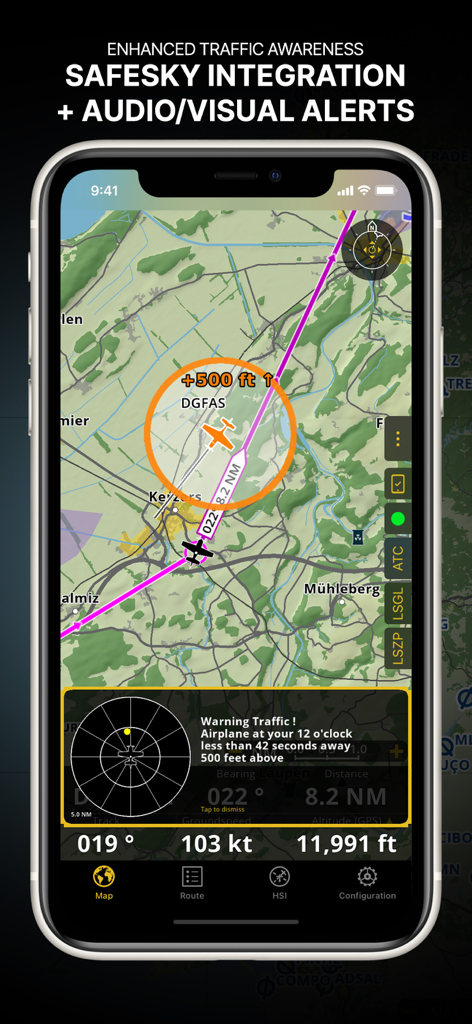
ネイティブSafeSky統合を通じてリアルタイムの視覚および音声アラートを取得し、常に近くの航空機を認識できるようにします。

以下のスクリーンショットと説明は、アプリの公式ストアリスティングから直接取得されたものであり、アプリ開発者の所有物です。

アプリストア

スクリーンショット
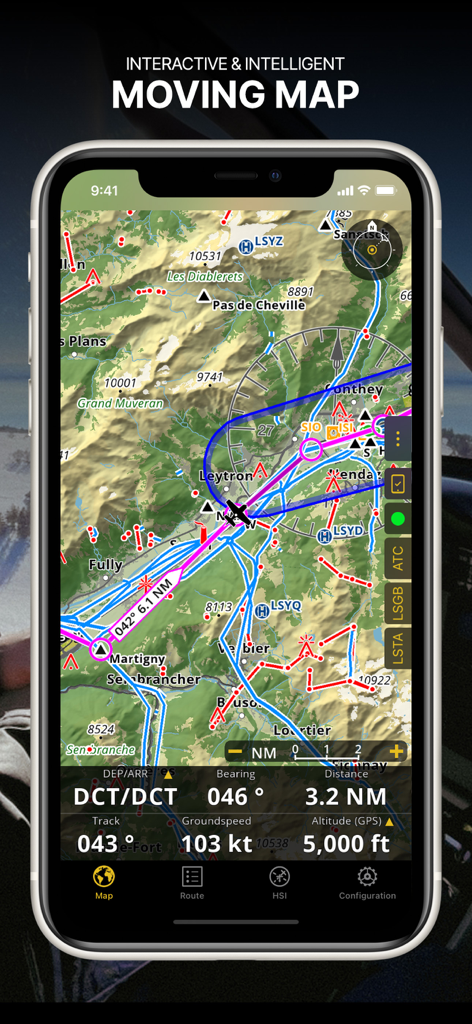
Air Navigation Pro - Air Navigation Proアプリのスクリーンショット、航空図とリアルタイムのフライトデータが表示されたインタラクティブな移動マップ
Air Navigation Proアプリのスクリーンショット、航空図とリアルタイムのフライトデータが表示されたインタラクティブな移動マップ

Air Navigation Pro - Safesky統合と視覚アラートによる航空機認識の強化を示すAir Navigation Proインターフェイス
Safesky統合と視覚アラートによる航空機認識の強化を示すAir Navigation Proインターフェイス

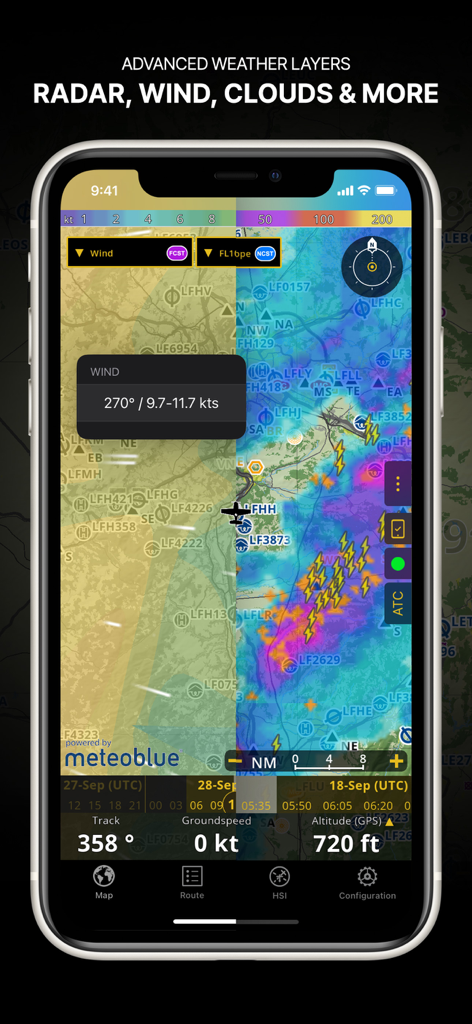
Air Navigation Pro - ナビゲーションマップ上のレーダー風と雲量を含む高度な気象レイヤーを示すAir Navigation Proアプリのスクリーンショット
ナビゲーションマップ上のレーダー風と雲量を含む高度な気象レイヤーを示すAir Navigation Proアプリのスクリーンショット

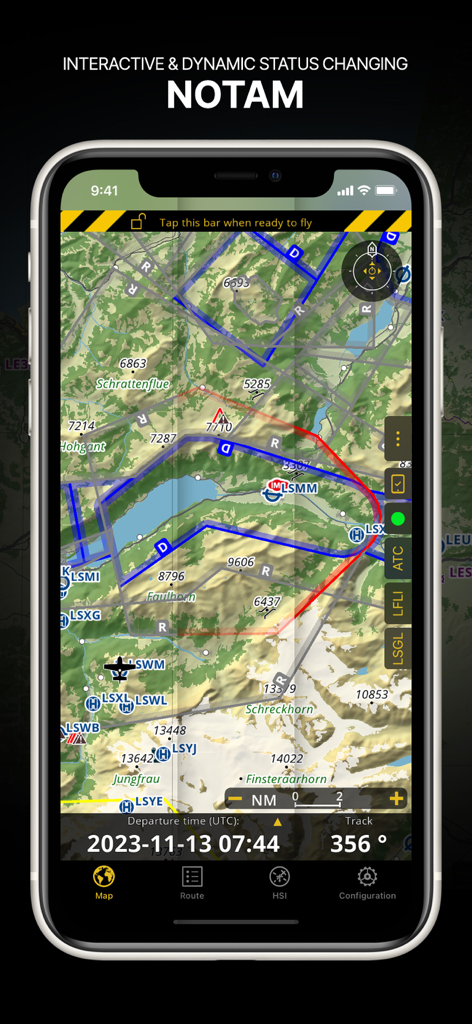
Air Navigation Pro - 地形図上の動的なNOTAM情報が表示されたAir Navigation Proインターフェイス
地形図上の動的なNOTAM情報が表示されたAir Navigation Proインターフェイス

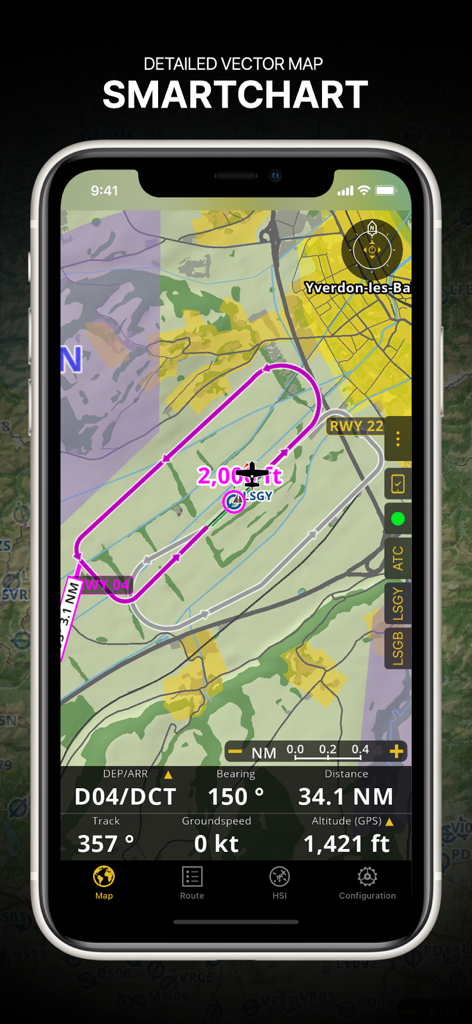
Air Navigation Pro - フライトルートとリアルタイムナビゲーションデータが表示された詳細なベクトルSmartChartを示すAir Navigation Proインターフェイス

フライトルートとリアルタイムナビゲーションデータが表示された詳細なベクトルSmartChartを示すAir Navigation Proインターフェイス
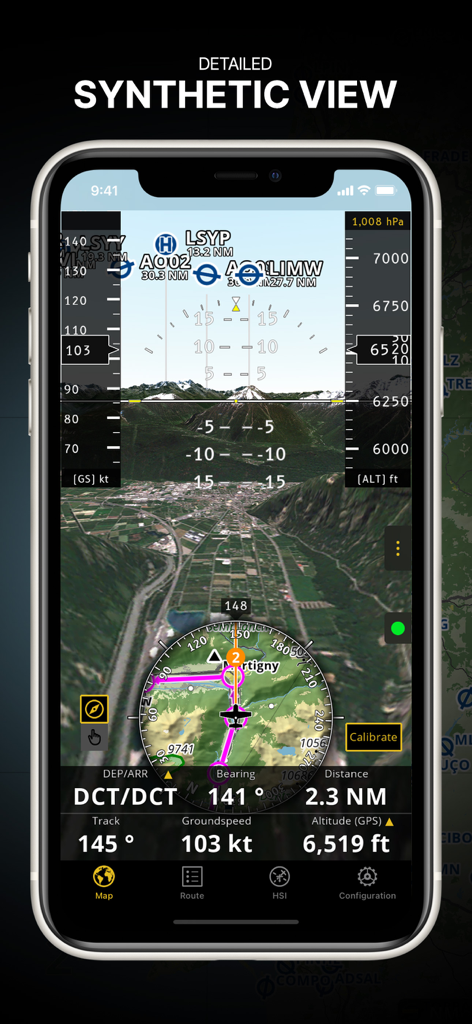
Air Navigation Pro - 3D地形と統合されたフライト計器を備えた詳細な合成ビュー機能を表示するAir Navigation Proアプリ
3D地形と統合されたフライト計器を備えた詳細な合成ビュー機能を表示するAir Navigation Proアプリ

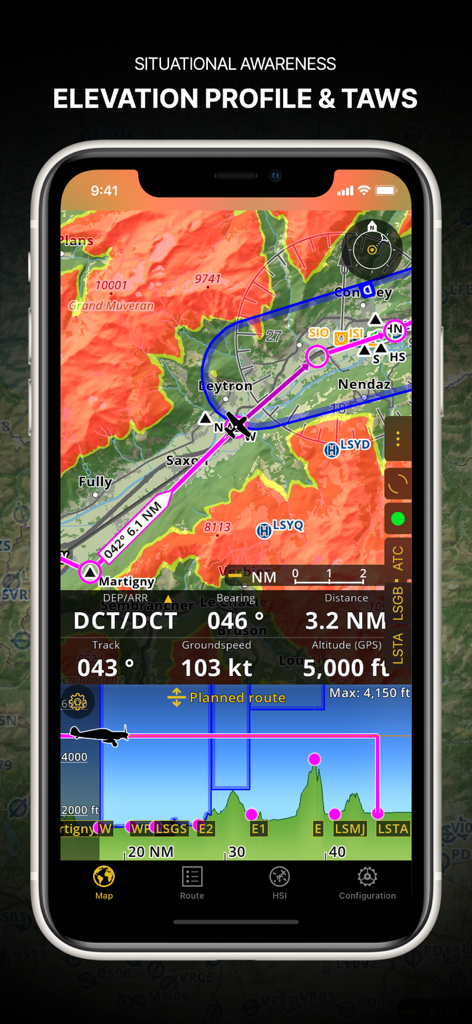
Air Navigation Pro - 標高プロファイルと地形認識警告システムを示すAir Navigation Proのスクリーンショット
標高プロファイルと地形認識警告システムを示すAir Navigation Proのスクリーンショット

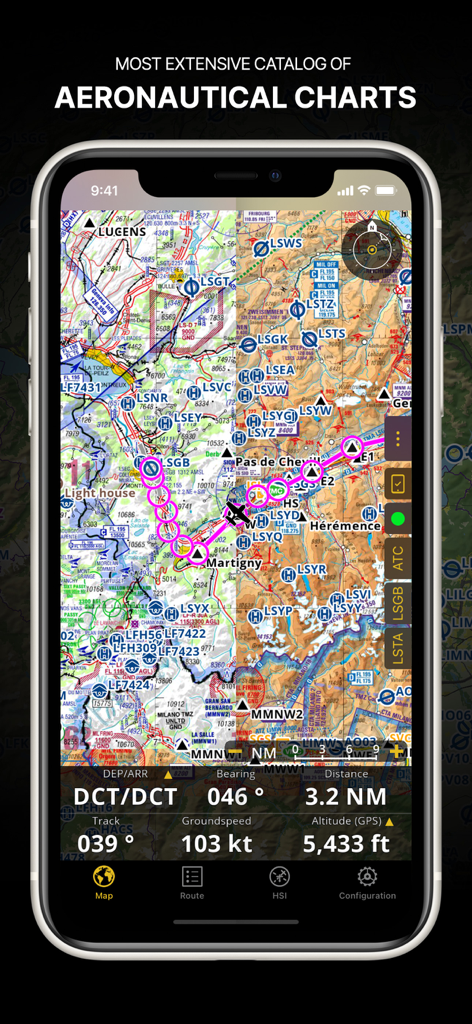
Air Navigation Pro - スマートフォン画面上のフライトパスとナビゲーションデータが表示された詳細な航空図を示すAir Navigation Proアプリ
スマートフォン画面上のフライトパスとナビゲーションデータが表示された詳細な航空図を示すAir Navigation Proアプリ

Air Navigation Pro - パイロット向けのブリーフィングカテゴリを備えたフライト準備メニューを示すAir Navigation Proアプリ
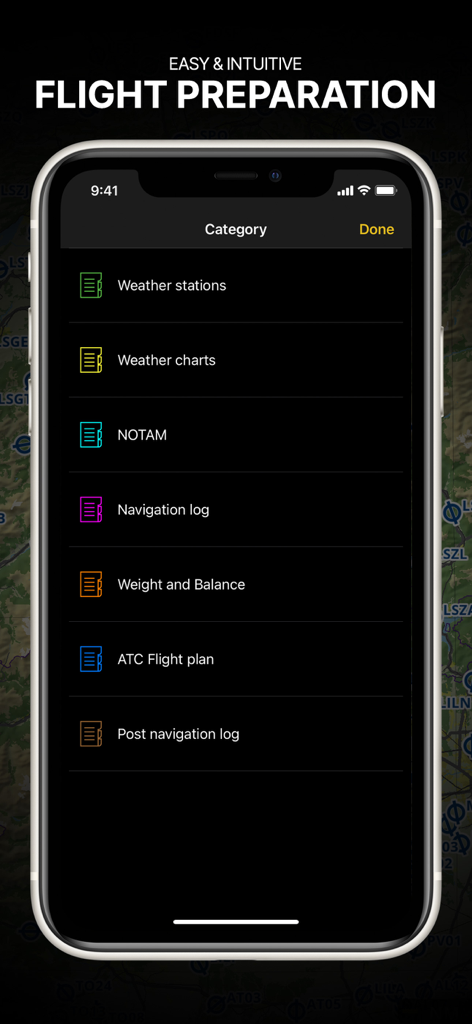
パイロット向けのブリーフィングカテゴリを備えたフライト準備メニューを示すAir Navigation Proアプリ

Air Navigation Pro - フライトデータオーバーレイを備えたエッフェル塔の高解像度衛星画像を示すAir Navigation Proアプリのスクリーンショット

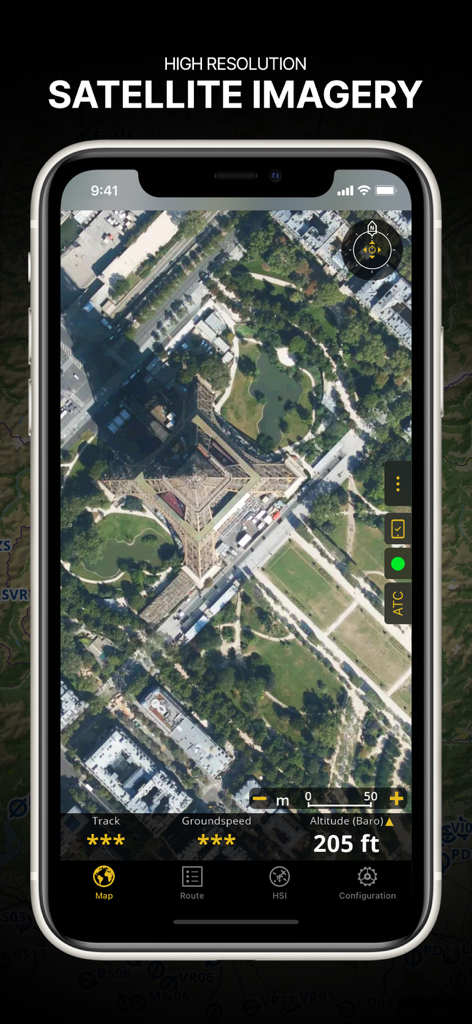
フライトデータオーバーレイを備えたエッフェル塔の高解像度衛星画像を示すAir Navigation Proアプリのスクリーンショット

説明

Discover our flight planning & real-time navigation app for free for 28 days! - Everything you need to fly around the world - Plan your flight in a few minutes - Fly relaxed with up-to-date information Air Navigation Pro is a high-quality flight assistant app for pilots worldwide. Benefit from the following main features: MOVING MAP Plan and navigate using our interactive moving map. Choose between aeronautical charts, satellite or our vector map as a background. On top of that, the moving map displays waypoints, NOTAM, obstacles and airspaces from our comprehensive, always up-to-date worldwide aeronautical database. Tap on any waypoint directly on the map to easily create a route. Personalize the values shown on the navbar to have exactly the information you need: altitude, vertical speed, bearing, distance to the next waypoint, ETA calculations, etc. Choose the airport departure and arrival procedures for your route to have them also displayed on top of the moving map. ENHANCED TRAFFIC AWARENESS Get visual and audio alerts in all languages for nearby conflicting traffic. Choose your preferred traffic icon between generic, aircraft or TCAS symbols. Your safety is important to us, which is why we partnered with SafeSky to ensure our users have live traffic data during their flight. Benefit from the native integration with SafeSky included in our new Smart Lite, Smart Classic and Smart Advanced subscriptions—a two-in-one package! ADVANCED WEATHER LAYERS In addition to the basic weather reports & forecast of winds, TAF and METAR for your flight, subscribers of the Smart Advanced plan can activate see-through weather layers on top of the moving map. Available layers include rain radar, wind, pressure, clouds and rain, visibility, gust and for Germany, Switzerland, Austria and the Balkans, we also have GAFOR. Tap on any point on the map to see the weather information for that area. Review the weather forecast for up to three days ahead. NOTAM After creating your route, set the departure time in the future to have the moving map display the NOTAM active for that specific time. NOTAM on the map change color dynamically based on their status. SMARTCHART Our cutting-edge SmartChart is a highly detailed and intelligent vector-based map that adapts to your needs, providing you with adequate information at any zoom level. The SmartChart optimizes the display of shadows to easily distinguish between valleys and mountains, and the text remains perfectly aligned, guaranteeing optimal readability. Including the latest significant improvements with forests and detailed airport information. ELEVATION PROFILE & SYNTHETIC VIEW Enable the profile view below the navbar for enhanced situational awareness of the elevation ahead of you or along your route. Choose the corridor width between 0 to 5 NM and overlay options: airspaces, NOTAM, obstacles, wind components, populated places, etc. Switch to the synthetic view for additional terrain information, plus an artificial horizon with altitude and vertical speed indicators. This function can also be used to pan around while preparing for your flight. Activate TAWS on the moving map as well as on the synthetic view. AERONAUTICAL CHARTS & APPROACH CHARTS We offer the most extensive worldwide catalog of aeronautical charts, including the ICAO charts. Have the georeferenced approach charts displayed on top of the moving map or the 3D view. BRIEFING Prepare your flight with our briefing section by creating documents with NOTAM and weather charts & stations relevant to your planned route. Optimize time by creating an aircraft profile which will be used in the Briefing section to pre-fill for you the ATC Flight Plan and calculate the W&B. AND SO MUCH MORE! Please note that WiFi-only devices do not include an internal GPS receptor, an external sensor is required. Refer to our user manual on our website: www.airnavigation.aero Terms of use: https://www.airnavigation.aero/en/terms-of-use.html

Download

ダウンロード: App Store

このページはアプリまたはその開発者の公式ページではなく、情報提供および論評を目的として作成された独立した編集出版物です。明示的に別段の記載がない限り、アプリおよびその開発者は、MWM、Apple、Google Play、アプリのパブリッシャー、またはアプリの開発者と提携、承認、後援、認可、またはその他の公式的な関係はなく、このページのいかなる内容も、アプリがMWMのサービスを使用して開発されたことを意味するものではありません。すべての商標、ロゴ、スクリーンショット、その他のコンテンツはそれぞれの所有者の財産です。