Amplenote
Amplenote
ダウンロード: App Store

このページはアプリまたはその開発者の公式ページではなく、情報提供および論評を目的として作成された独立した編集出版物です。明示的に別段の記載がない限り、アプリおよびその開発者は、MWM、Apple、Google Play、アプリのパブリッシャー、またはアプリの開発者と提携、承認、後援、認可、またはその他の公式的な関係はなく、このページのいかなる内容も、アプリがMWMのサービスを使用して開発されたことを意味するものではありません。すべての商標、ロゴ、スクリーンショット、その他のコンテンツはそれぞれの所有者の財産です。


ロゴ: Amplenote
ダウンロード: App Store

Amplenote

アプリを切り替えるのはやめましょう。Vaultグレードの暗号化、双方向リンク、究極の生産性向上を求める人のための高性能タスクシステムで、あなたのセカンドブレインを構築しましょう。

主要数値

ダウンロード

6K+

ユーザー評価

4.6/5

評価数

700

開発元

Alloy.dev, Inc.

カテゴリ

Productivity

対応言語

1

最新バージョン

3.154

サイズ

48.9 MB

リリース日

2019年8月31日
機能

パワーユーザーのための統合システム

思考、タスク、カレンダーを1つの安全なフローに同期するように設計された高性能ワークスペースで、シンプルなノート作成を超えましょう。

統合されたノートとタスク

ToDoリストとノートをマージして、アプリの疲労を解消しましょう。柔軟な繰り返しと優先度スコアリングで、アイデアをアクション可能なタスクに変換します。

双方向思考

双方向リンクとネストされたタグを使用して、アイデアをセカンドブレインのようにナビゲートできる、あなただけの知識管理システムを構築しましょう。

以下のスクリーンショットと説明は、アプリの公式ストアリスティングから直接取得されたものであり、アプリ開発者の所有物です。

アプリストア

スクリーンショット
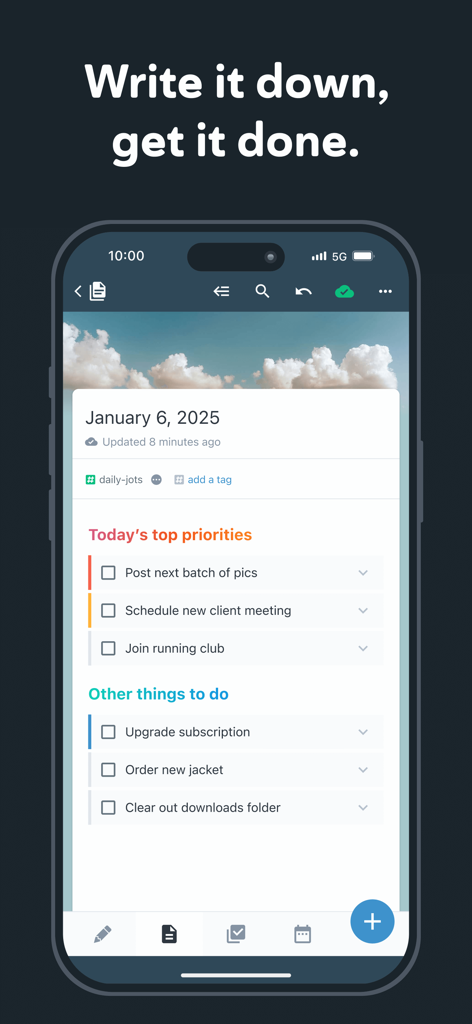
Amplenote - Amplenoteモバイルアプリケーションインターフェース。毎日の優先順位付けされたタスクとToDoリストを表示。
Amplenoteモバイルアプリケーションインターフェース。毎日の優先順位付けされたタスクとToDoリストを表示。

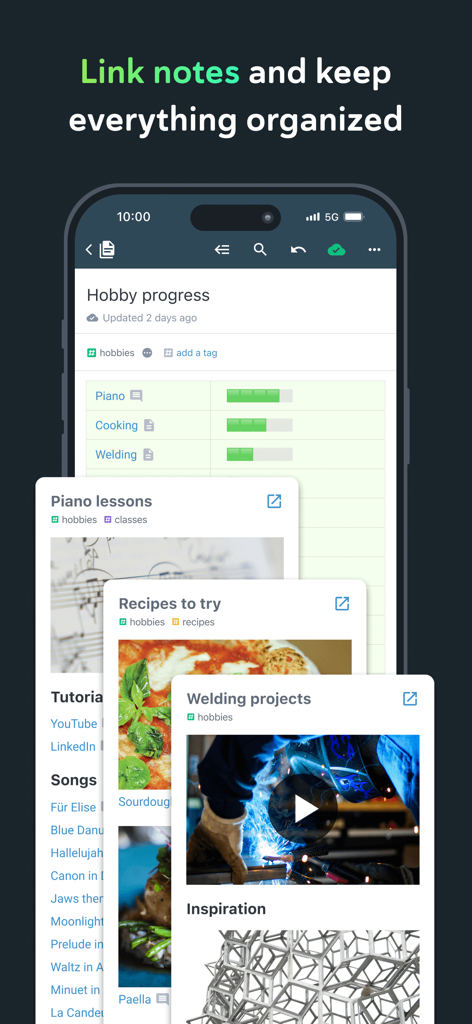
Amplenote - Amplenoteアプリ。整理された趣味のノートと双方向リンクおよびタグを表示。
Amplenoteアプリ。整理された趣味のノートと双方向リンクおよびタグを表示。

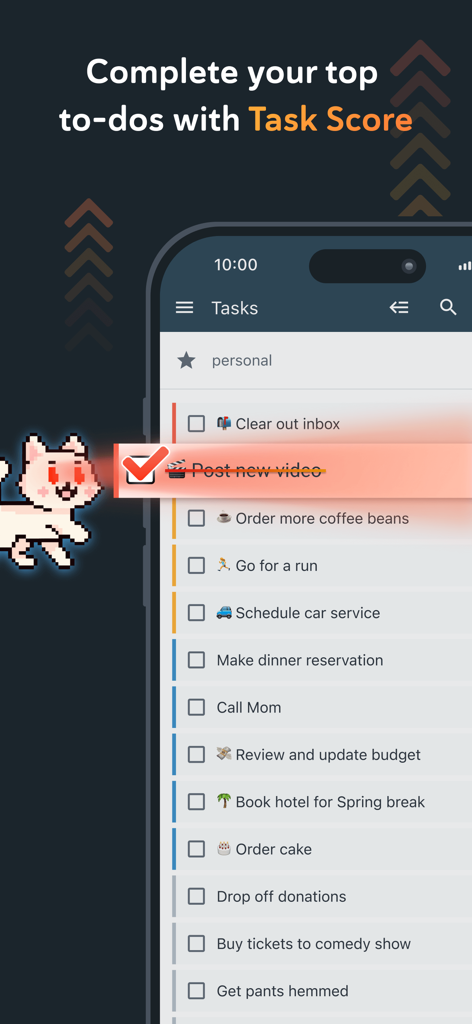
Amplenote - Amplenoteモバイルアプリ。完了したアイテムと今後の個人ToDoタスクを含むタスクリストを表示。
Amplenoteモバイルアプリ。完了したアイテムと今後の個人ToDoタスクを含むタスクリストを表示。

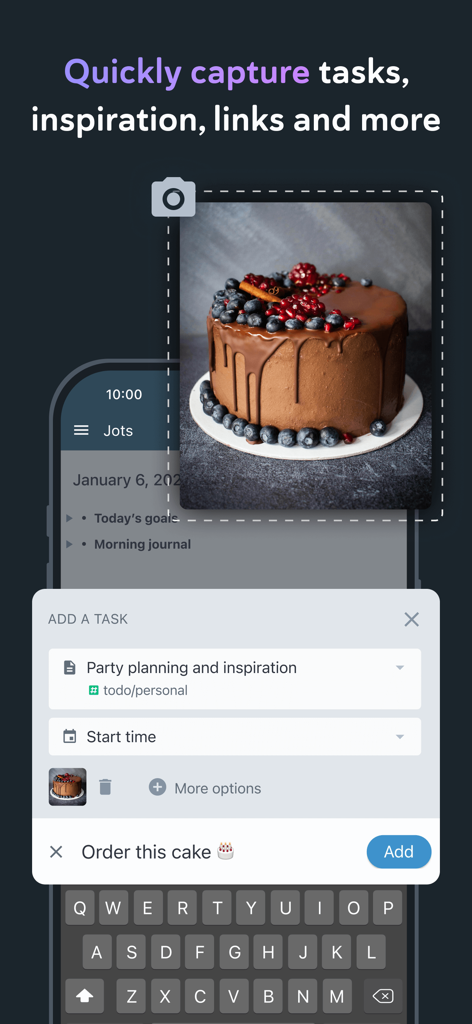
Amplenote - 写真からタスクやインスピレーションをキャプチャするためのAmplenoteのモバイルアプリインターフェース。
写真からタスクやインスピレーションをキャプチャするためのAmplenoteのモバイルアプリインターフェース。

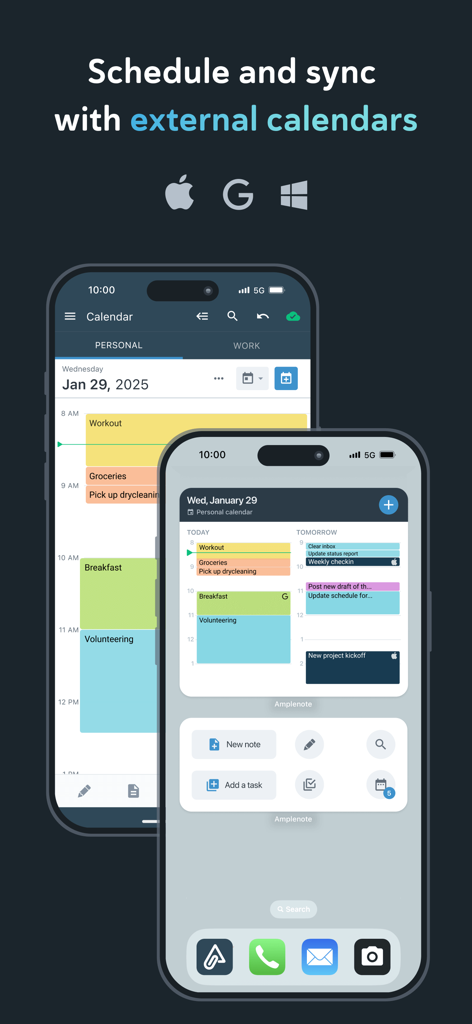
Amplenote - 2台のiPhone。Amplenoteカレンダーインターフェースと、Apple、Google、Outlookカレンダーと同期する機能を表示。
2台のiPhone。Amplenoteカレンダーインターフェースと、Apple、Google、Outlookカレンダーと同期する機能を表示。

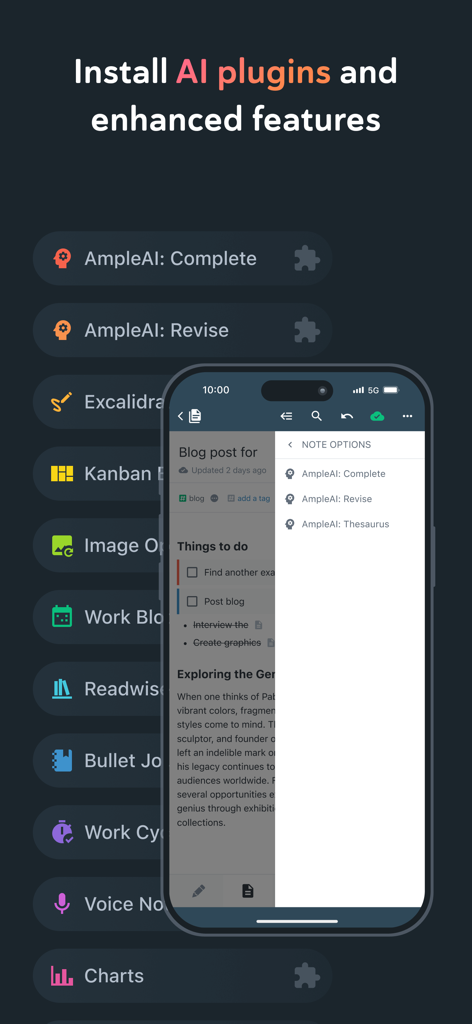
Amplenote - Amplenoteインターフェース。モバイルでのAIプラグインと強化されたノート作成機能のリストを表示。
Amplenoteインターフェース。モバイルでのAIプラグインと強化されたノート作成機能のリストを表示。

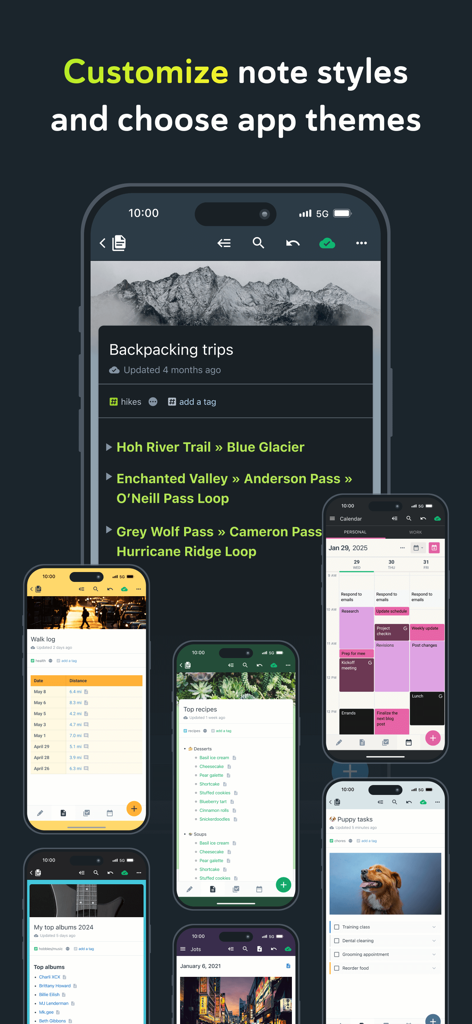
Amplenote - 複数のモバイル画面にわたるAmplenoteノートスタイルとアプリテーマのショーケース。

複数のモバイル画面にわたるAmplenoteノートスタイルとアプリテーマのショーケース。

Amplenote - スマートフォン、タブレット、ラップトップ上のAmplenoteアプリインターフェース。セキュリティシールドアイコン付き。
スマートフォン、タブレット、ラップトップ上のAmplenoteアプリインターフェース。セキュリティシールドアイコン付き。

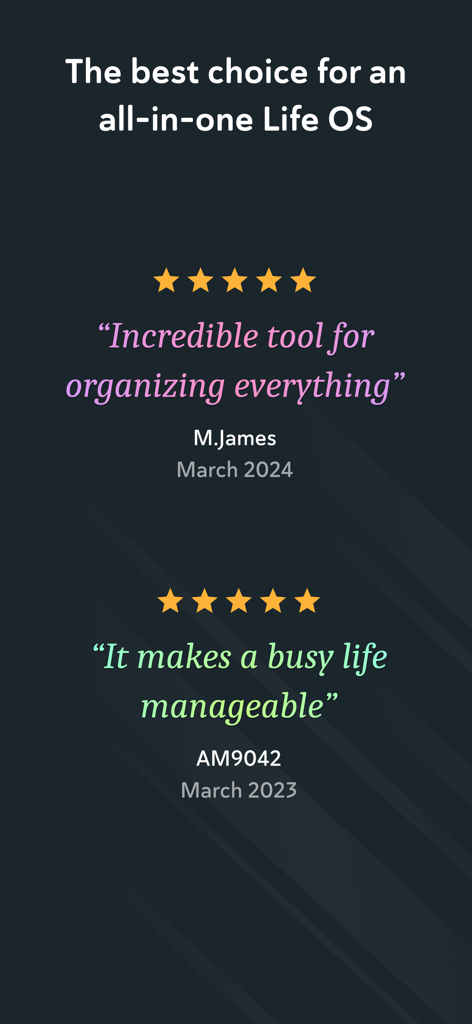
Amplenote - Amplenote生産性アプリの肯定的なユーザーレビューと5つ星評価のスクリーンショット。

Amplenote生産性アプリの肯定的なユーザーレビューと5つ星評価のスクリーンショット。

説明

*** Your security is our priority *** - Data security differentiates us from popular to-do list apps - All note contents are encrypted at rest on our servers - Notes can be Vault Encrypted with a password that's never sent to our servers - Your note content is available for download at any time *** Built on seamless syncing *** - Along with data security, accurate syncing is at our core - Designed for heavy users who often switch between the same notes on mobile and desktop - Our sync is fully compatible with Vault Notes (even though we can't decrypt their content) ***Expression is our cornerstone *** - Rich Footnotes that hold text, code, images, or all the above is our flagship feature - Easily insert images into notes, or even into text within notes - A range of the finest markdown stylings at your disposal *** Notes and tasks: better together *** - Text, code, to-do tasks, and images all live inside the same note - Tasks can be customized to recur at flexible intervals or hidden until later - Tasks are automatically removed from your to-do list when completed *** As organized as you are *** - Connect notes with bi-directional linking - Note tags allow multi-level taxonomy to organize notes - Browse these taxonomies like directories - Recreate OneNote browsing hierarchies seamlessly *** Flair for sharing *** - Any note can be instantly shared and edited by multiple parties - Publish notes (including their Rich Footnotes!) to the web with one tap - Shared to-do lists can help a team stay on top of shared responsibilities *** Built for personal productivity *** - Set up any task to repeat relative to when you last got it done - Track how much you're getting done over time with our automatic task graph - Designate tasks as "Urgent" or "Important" to use proven priority techniques *** More than ample enough for power users *** - Simplified, clean UI is efficiently functional - Contextual keyboard toolbar puts the relevant actions at your fingertips - Quick opener allows opening any recently used note in ~3 taps - *** No internet? No problem *** - Continue working offline within new or cached notes - All work will automatically sync once back online *** Ample: no more, no less *** - We won't settle for becoming bloated with non-essential features - We work across mobile and web. *** Get started instantly *** - Use our Evernote Importer to bring your notes from the olden times *** Account required *** - An active Amplenote account is required to use Amplenote. - New accounts automatically receive a 14-day free trial of the Pro plan. - At the end of the trial period, you may choose between the free plan (Personal) or one of the paid plans. - You may purchase an auto-renewing subscription through an In-App Purchase. - 1 month and 1 year durations are available for Basic, Pro, and Founder subscription levels. - Your subscription will be charged to your iTunes account at confirmation of purchase and will automatically renew (at the duration selected) unless auto-renew is turned off at least 24 hours before the end of the current period. - Current subscriptions may not be cancelled during the active subscription period; however, you can manage your subscription and/or turn off auto-renewal by visiting your iTunes Account Settings after purchase - Privacy policy: https://www.amplenote.com/privacy_policy - Terms of use: https://www.amplenote.com/terms_of_service

Download

ダウンロード: App Store

このページはアプリまたはその開発者の公式ページではなく、情報提供および論評を目的として作成された独立した編集出版物です。明示的に別段の記載がない限り、アプリおよびその開発者は、MWM、Apple、Google Play、アプリのパブリッシャー、またはアプリの開発者と提携、承認、後援、認可、またはその他の公式的な関係はなく、このページのいかなる内容も、アプリがMWMのサービスを使用して開発されたことを意味するものではありません。すべての商標、ロゴ、スクリーンショット、その他のコンテンツはそれぞれの所有者の財産です。








