
このページはアプリまたはその開発者の公式ページではなく、情報提供および論評を目的として作成された独立した編集出版物です。明示的に別段の記載がない限り、アプリおよびその開発者は、MWM、Apple、Google Play、アプリのパブリッシャー、またはアプリの開発者と提携、承認、後援、認可、またはその他の公式的な関係はなく、このページのいかなる内容も、アプリがMWMのサービスを使用して開発されたことを意味するものではありません。すべての商標、ロゴ、スクリーンショット、その他のコンテンツはそれぞれの所有者の財産です。
ダウンロード
3M+ユーザー評価
評価数
1K+開発元
カテゴリ
Utilities対応言語
1最新バージョン
3.6サイズ
151.0 MBリリース日
2023年12月11日あなたの芸術的ポテンシャルを解き放つ
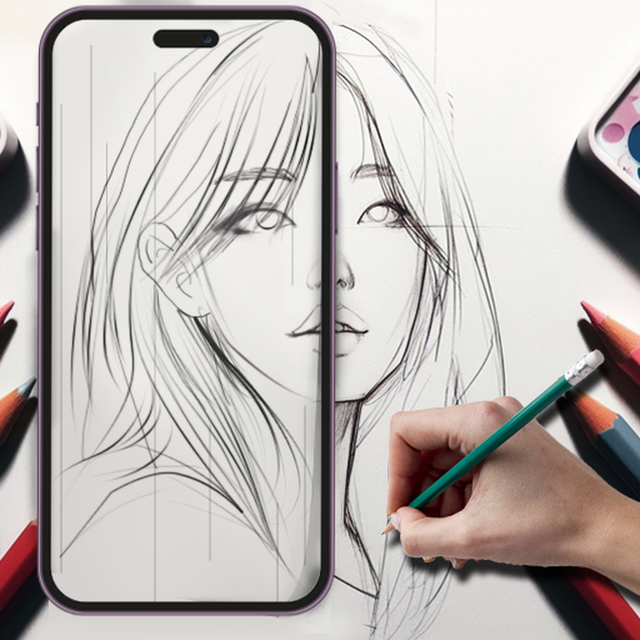
スマートフォンのカメラを使用して、すべてのストロークを正確にガイドしながら、描画、スケッチ、ペイントを行う最も簡単な方法を体験してください。
精密ARトレース
レンズを通して任意の画像を紙やキャンバスに投影し、苦労することなく常に完璧な比率を保証します。
バイラル対応タイムラプス
あなたの創造の旅を自動的に録画し、フォロワーとあなたの作品の満足のいく「ArtTok」スタイルのビデオを共有しましょう。
よくある質問
について知っておくべきこと AR Sketch Studio
AR Sketch Studioとは何ですか?
AR Sketch Studioは、拡張現実(AR)技術を活用した革新的なモバイルアプリで、あらゆる表面に投影された絵をなぞって描画、スケッチ、ペイントするのに役立ちます。アートの創造方法を変革します。
AR Sketch Studioは描画に拡張現実(AR)をどのように使用しますか?
AR Sketch Studioは、スマートフォンのカメラを通して画像を紙に投影し、その輪郭をなぞることができるようにARを使用します。スマートフォンを安定した物体に置き、投影されたスケッチをなぞるだけです。
ユーザーはAR Sketch Studioで自分の写真に線画を写して描くことはできますか?
はい、AR Sketch Studioでは、自分の写真をインポートして線画に変換し、なぞることができます。この機能にはAI変換ツールが搭載されており、パーソナライズされた描画を簡単に行えます。
AR Sketch Studioはユーザー向けに描画テンプレートを提供していますか?
はい、AR Sketch Studioは1000以上の無料のサンプルペインティングおよびトレーシングテンプレートを提供しています。これらは、動物、自然、食べ物、アニメなどのさまざまなジャンルをカバーしており、豊富な創造的なオプションを提供します。
AR Sketch Studioで描画のタイムラプス動画を録画できますか?
はい、AR Sketch Studioには、描画のタイムラプス動画を録画する機能が含まれています。これにより、クリエイティブなワークフローをキャプチャ、分析、改善し、芸術的なプロセスを記録できます。
ユーザーはAR Sketch Studioでスケッチをどのように改善できますか?
AR Sketch Studioは、エッジレベルや不透明度の調整可能なコントロールなど、スケッチを改善するためのさまざまなオプションを提供します。これらのツールは、完全な写真のような描画を作成し、視覚的な詳細を洗練するのに役立ちます。
AR Sketch Studioのサブスクリプションオプションは何ですか?
AR Sketch Studioは、広告なしでアプリのすべての機能を利用できるプレミアムアカウントを提供しています。このサブスクリプションの支払いは、購入の確認時にiTunesアカウントに請求されます。
AR Sketch Studioのサブスクリプションの自動更新はどのように機能しますか?
AR Sketch Studioのサブスクリプションは、現在の期間が終了する少なくとも24時間前に自動更新をオフにしない限り、自動的に更新されます。アカウントには、期間終了前の24時間以内に更新料金が請求されます。
ユーザーはAR Sketch Studioのサブスクリプション設定を管理できますか?
はい、ユーザーは購入後にiTunesアカウント設定にアクセスすることで、AR Sketch Studioのサブスクリプションを管理し、自動更新をオフにすることができます。これにより、請求を管理できます。
AR Sketch Studioの利用規約とプライバシーポリシーはどこで見られますか?
AR Sketch Studioの利用規約とプライバシーポリシーは、提供されたURL:https://friday1game.com/ からアクセスできます。このリンクは、アプリの公式説明内にあります。
以下のスクリーンショットと説明は、アプリの公式ストアリスティングから直接取得されたものであり、アプリ開発者の所有物です。
アプリストア
スクリーンショット
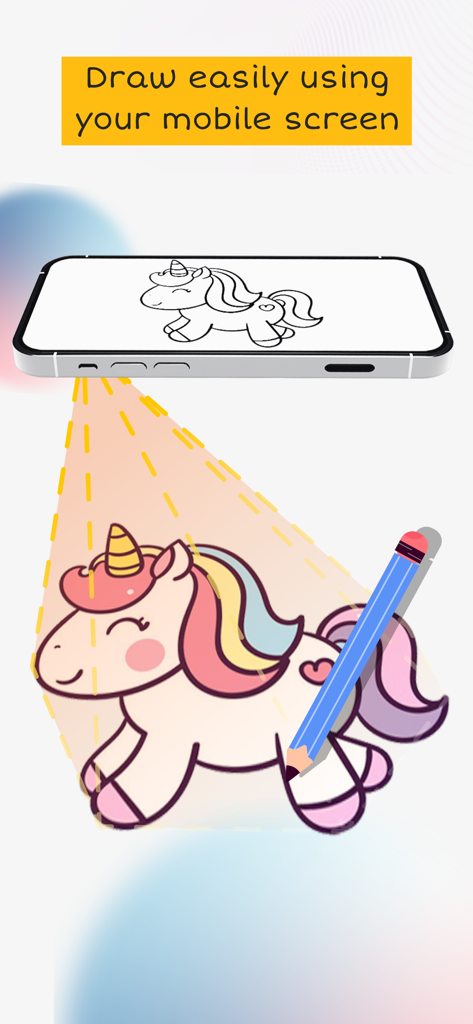
ARテクノロジーを使用した簡単な描画を実証するために、ユニコーンのスケッチを表面に投影しているiPhone
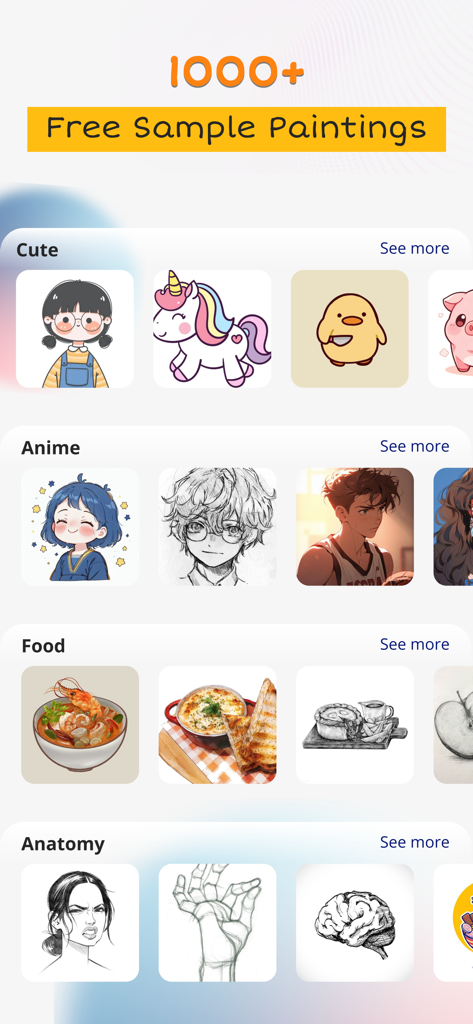
ARスケッチスタジオアプリのインターフェースには、アニメ、かわいい、食べ物、解剖学などのさまざまな描画テンプレートカテゴリが表示されています
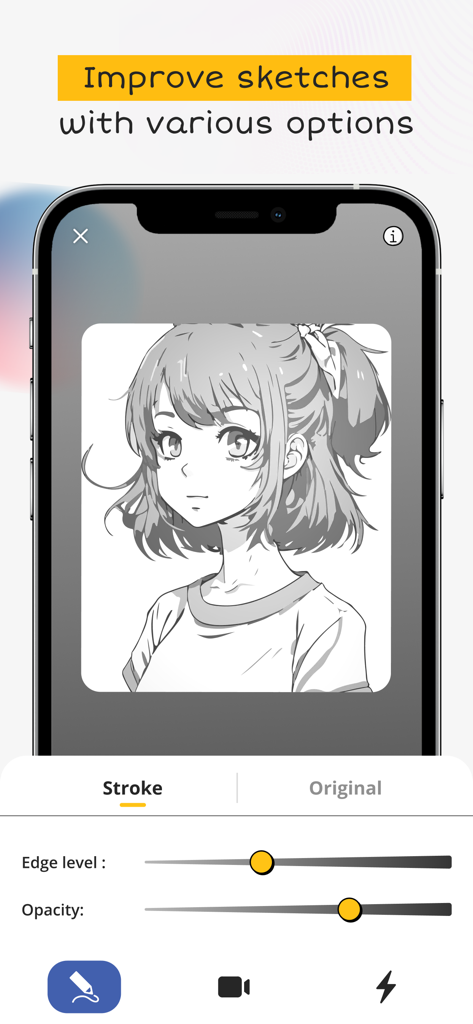
ARスケッチスタジオアプリのインターフェースには、透明度とエッジレベルのスライダーが表示されたアニメの女の子のスケッチが表示されています
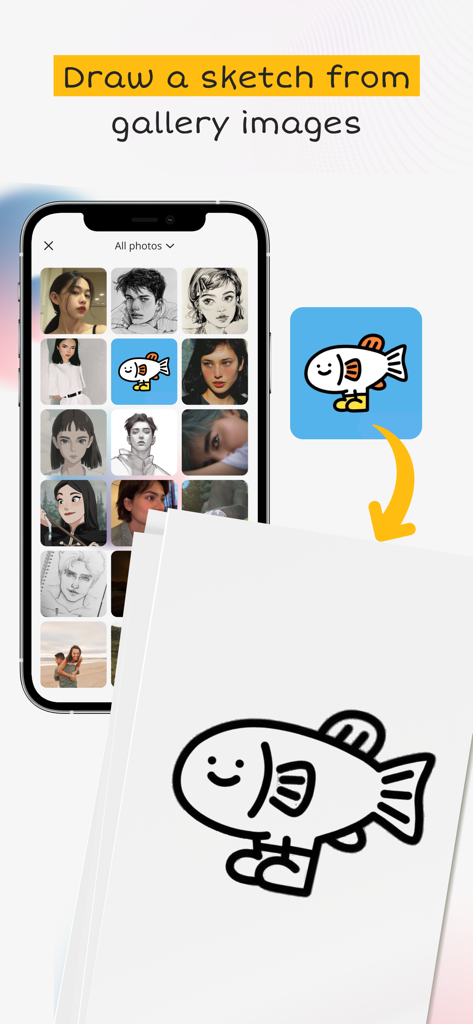
携帯電話にはフォトギャラリーと、ARスケッチスタジオアプリを使用して選択した魚の画像を紙にスケッチするプロセスが表示されています。
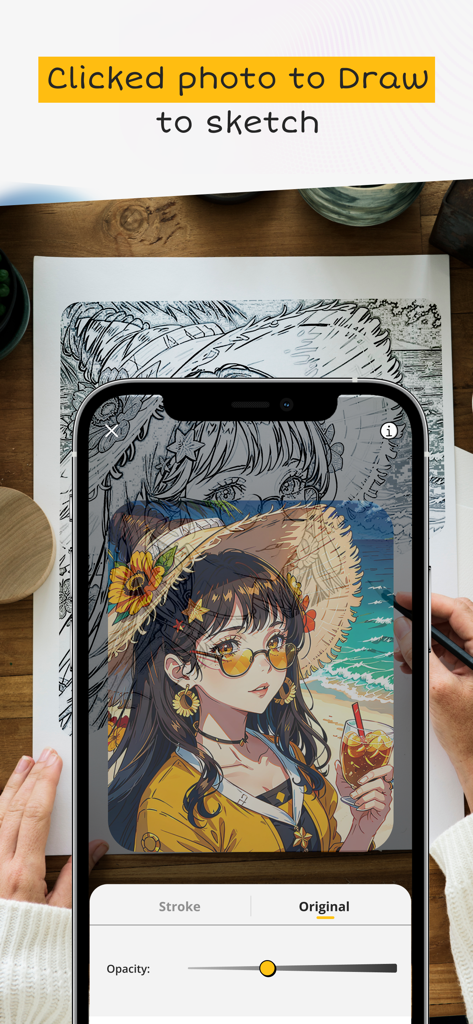
ARスケッチスタジオアプリを使用して、携帯電話の画面から紙にアニメキャラクターをトレースしている人
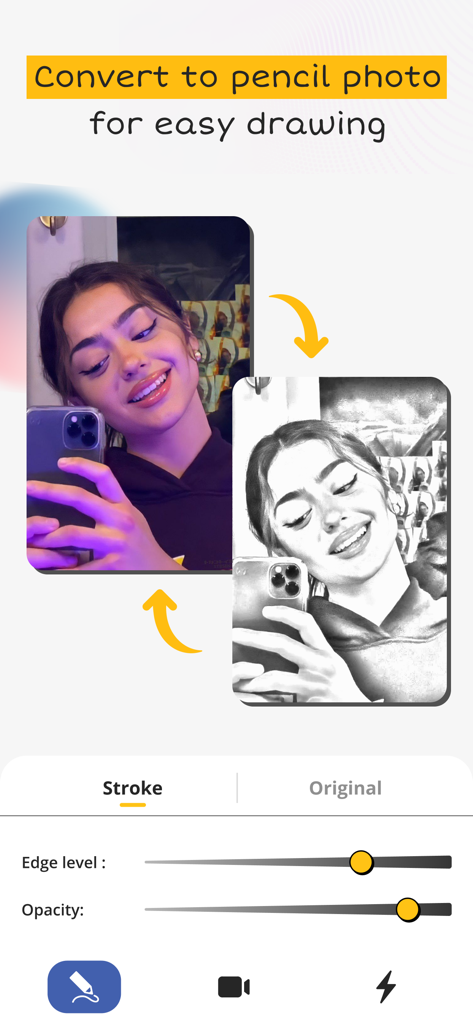
簡単な描画とトレースのために、自撮り写真を鉛筆スケッチに変換する方法を示すインターフェース
説明
Download

類似アプリ
似た機能とユーザー体験を持つアプリ

AR Drawing Paint Sketch Trace
DROIDFUN LIMITED

Camera Lucida™: AR Drawing
Big Idea Design LLC

AR Drawing Sketch App: ArtEasy
SMDA GROUP SP Z O O SP KOMANDYTOWA

PicTrace: AR Drawing & Sketch
ANDROID VIETNAM TECHNOLOGY CORPORATION

AR Draw: Sketching & Painting
EIGEN SOFTWARE LIMITED

AR Drawing How to Draw Sketch
Magomed Dzhamalov

Da Vinci Eye: AR Trace & Draw
Da Vinci Eye LLC

AR Drawing - AR Sketch
Ketanbhai Khokhani

HEY CLAY®
HEY CLAY LTD
このページはアプリまたはその開発者の公式ページではなく、情報提供および論評を目的として作成された独立した編集出版物です。明示的に別段の記載がない限り、アプリおよびその開発者は、MWM、Apple、Google Play、アプリのパブリッシャー、またはアプリの開発者と提携、承認、後援、認可、またはその他の公式的な関係はなく、このページのいかなる内容も、アプリがMWMのサービスを使用して開発されたことを意味するものではありません。すべての商標、ロゴ、スクリーンショット、その他のコンテンツはそれぞれの所有者の財産です。