
このページはアプリまたはその開発者の公式ページではなく、情報提供および論評を目的として作成された独立した編集出版物です。明示的に別段の記載がない限り、アプリおよびその開発者は、MWM、Apple、Google Play、アプリのパブリッシャー、またはアプリの開発者と提携、承認、後援、認可、またはその他の公式的な関係はなく、このページのいかなる内容も、アプリがMWMのサービスを使用して開発されたことを意味するものではありません。すべての商標、ロゴ、スクリーンショット、その他のコンテンツはそれぞれの所有者の財産です。

Area & Distance - Map Measure
プログレードの精度で、面積、敷地の境界線、カスタムルートを簡単に計算できます。直感的なピン配置マッピングをプロジェクトや冒険に信頼している50万人以上のユーザーに加わりましょう。
ダウンロード
579K+ユーザー評価
評価数
4K+開発元
カテゴリ
Navigation対応言語
17最新バージョン
3.12.4サイズ
60.5 MBリリース日
2011年12月9日プロフェッショナルな土地と経路の測定
住宅所有者、不動産専門家、アウトドア愛好家が面積と距離を簡単に計算できるように設計された、信頼性の高い高精度ツールです。
ピンポイントの精度
高解像度マップ上にピンを配置して正確な面積と距離を計算し、地球の曲率を考慮して最大限の信頼性を確保します。
プロジェクト管理
測定結果を保存して後で読み込むことができます。複数の現場、物件リスト、または複雑なハイキングコースの管理に最適です。
よくある質問
について知っておくべきこと Area & Distance - Map Measure
"Area & Distance - Map Measure"は無料アプリですか?
"Area & Distance - Map Measure"は完全に無料で利用でき、すべての機能を無料で提供しています。広告を削除するためのサブスクライブが可能です。
"Area & Distance - Map Measure"アプリで距離を測定するにはどうすればよいですか?
"Area & Distance - Map Measure"で距離を測定するには、"+"ボタンを押すか、画面を長押ししてピンをドロップします。アプリはこれらのポイント間の距離を自動的に計算します。
"Area & Distance - Map Measure"で面積を測定するにはどうすればよいですか?
"Area & Distance - Map Measure"で面積を測定するには、地図上に3つ以上のピンを配置します。アプリはこれらのピンで囲まれた面積を計算します。既存のピンは「編集」メニューから調整または削除できます。
"Area & Distance - Map Measure"は測定に複数の単位をサポートしていますか?
はい、"Area & Distance - Map Measure"はキロメートル、メートル、マイル、フィート、ヤード、海里など、さまざまな単位をサポートしています。ユーザーは好みの測定単位を選択できます。
"Area & Distance - Map Measure"のサブスクリプション料金はいくらですか?
"Area & Distance - Map Measure"のサブスクリプションは、米国ストアでは月額1.99ドル、6ヶ月で9.99ドル、年間17.99ドルです。他の地域では価格が異なります。
"Area & Distance - Map Measure"で測定結果を保存できますか?
はい、"Area & Distance - Map Measure"では、測定結果を保存して後で読み込むことができます。この機能は、アプリ内の「編集」メニューからアクセスできます。
"Area & Distance - Map Measure"の直線は距離の正確な表現ですか?
いいえ、"Area & Distance - Map Measure"の直線は視覚的な補助としてのみ機能します。アプリは、直線ではなく地球の曲率に基づいてポイント間の距離を正確に計算します。
"Area & Distance - Map Measure"サブスクリプションの自動更新をオフにするにはどうすればよいですか?
"Area & Distance - Map Measure"の自動更新をオフにするには、購入後にAppleアカウント設定に移動してください。自動更新は、現在の期間が終了する少なくとも24時間前までに無効にする必要があります。
"Area & Distance - Map Measure"のプライバシーポリシーはどこにありますか?
"Area & Distance - Map Measure"の公式プライバシーポリシーは、https://mapnitude.com/privacy-policy にあります。このドキュメントには、アプリのデータ処理方法が記載されています。
以下のスクリーンショットと説明は、アプリの公式ストアリスティングから直接取得されたものであり、アプリ開発者の所有物です。
アプリストア
スクリーンショット
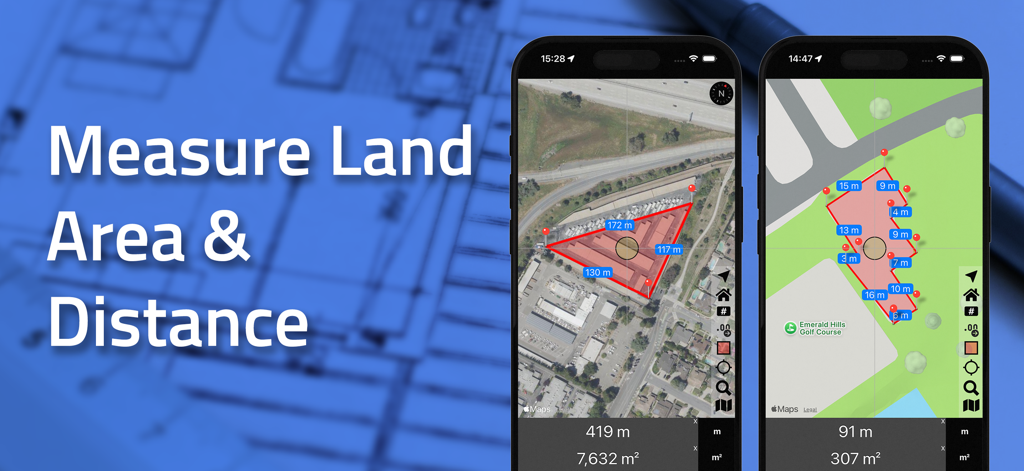
土地の面積と距離の測定を衛星ビューとマップビューで表示するエリアと距離アプリのインターフェース
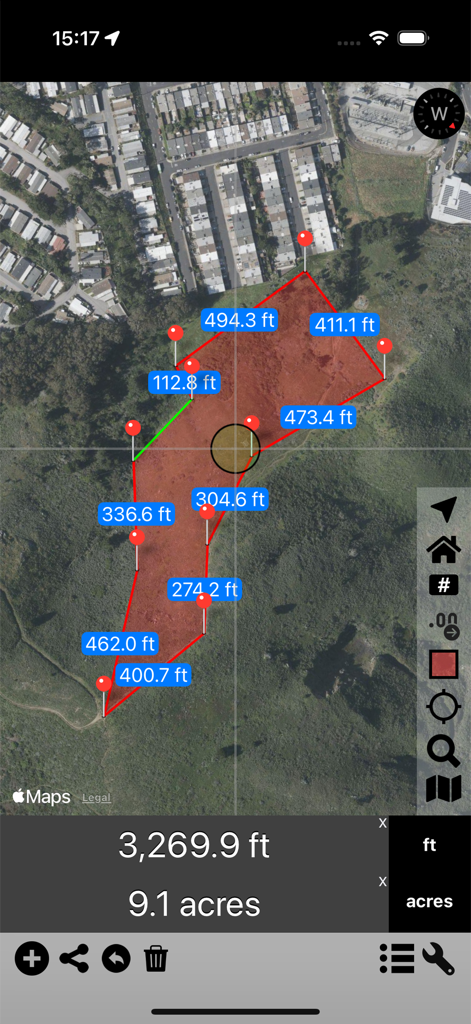
9.1エーカーの土地区画を計算するエリアと距離アプリの衛星マップビュー
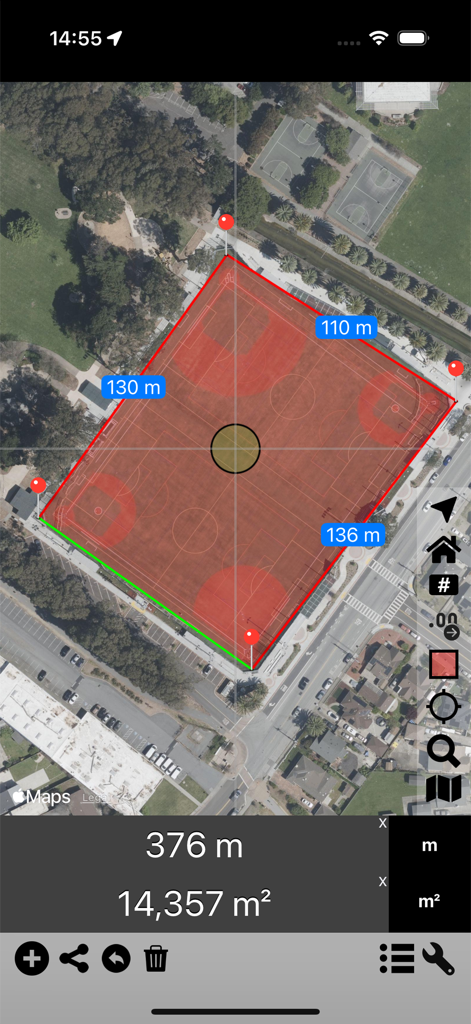
スポーツ施設の測定された面積と距離を表示する衛星マップ
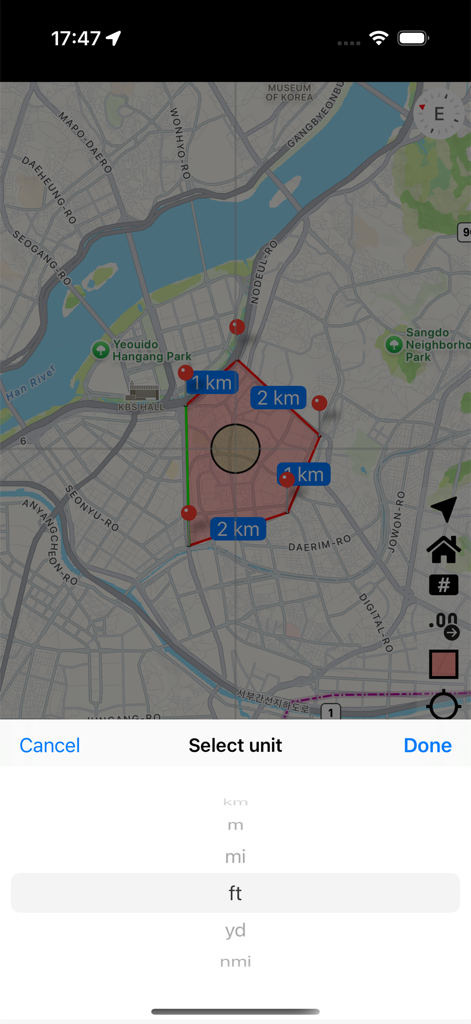
測定されたマップエリアと下部にある単位選択メニューを示すエリアと距離アプリのインターフェース
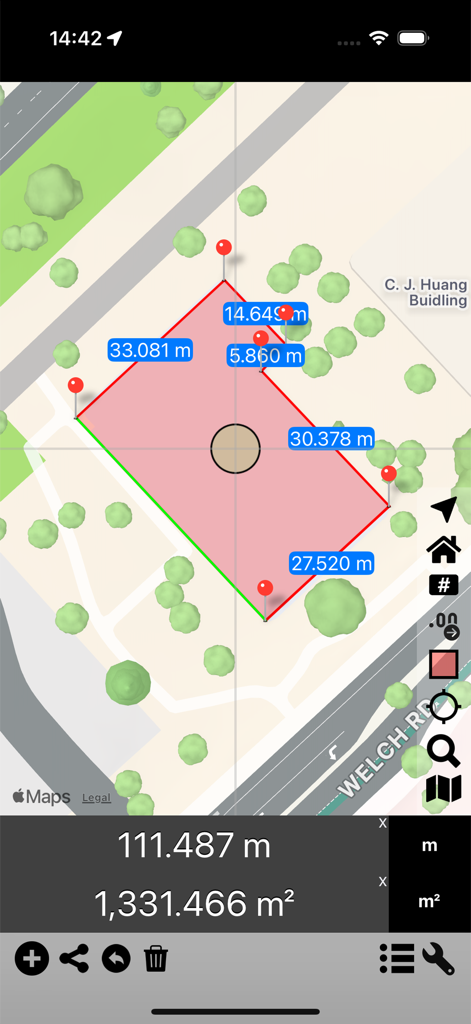
ピンを使ってマップ上で土地の面積と距離を測定するアプリのインターフェース
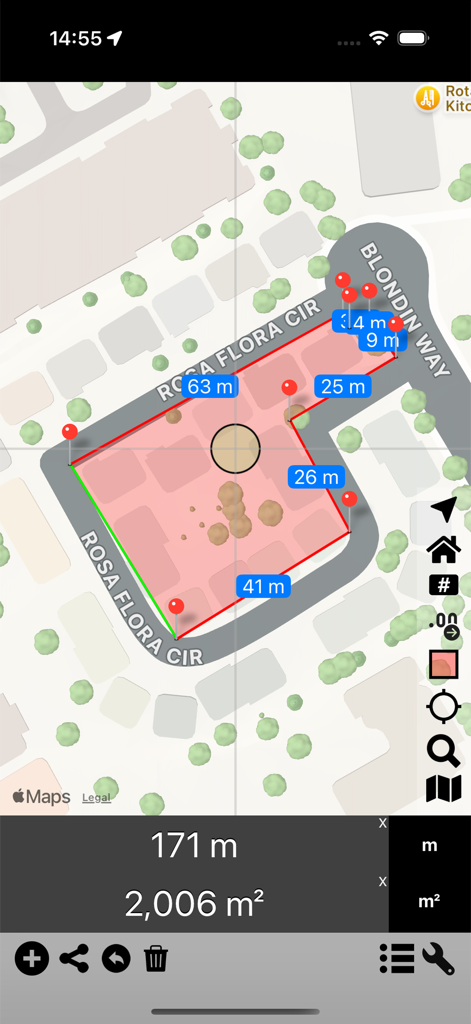
ピンを使って土地の面積と距離の計算を示すマップ測定アプリのインターフェース
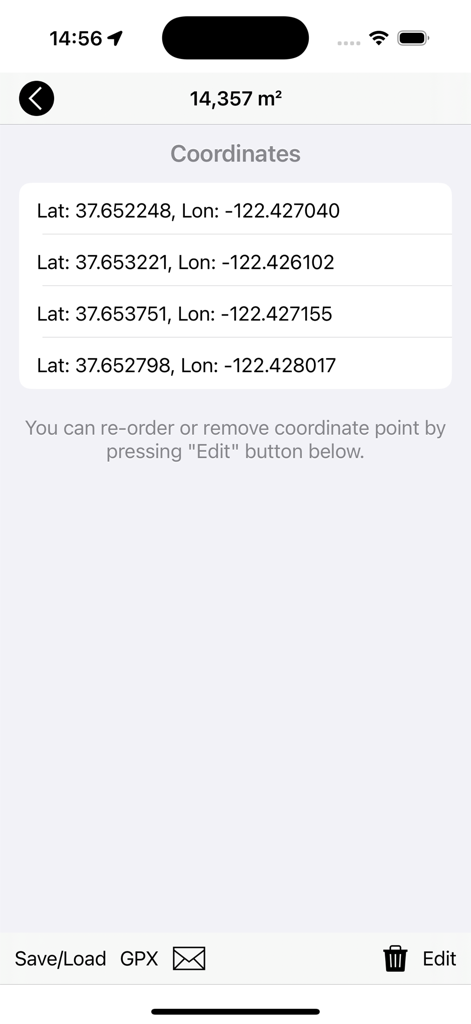
計算された総面積とともに緯度と経度の座標のリスト
説明
Download
類似アプリ
似た機能とユーザー体験を持つアプリ

Field MapS - Measure Land GPS
Aleksei Metelkin

Field Area MeasureーLand Parcel
Irina Metelkina
FieldCalc - GPS Area Measure
Pravin Gondaliya

GPS Fields Area Measure Map
Rento UAB
Geo Field Area - GPS Measure
STOMBERG s.r.o
GLand: GPS Field Area Measure
Authai Yaprasat

Distance - Find My Distance
Mapnitude Company Limited
Measure Map
Xuan Luong Do

Field Area Measure
Yaroslav Babenko
このページはアプリまたはその開発者の公式ページではなく、情報提供および論評を目的として作成された独立した編集出版物です。明示的に別段の記載がない限り、アプリおよびその開発者は、MWM、Apple、Google Play、アプリのパブリッシャー、またはアプリの開発者と提携、承認、後援、認可、またはその他の公式的な関係はなく、このページのいかなる内容も、アプリがMWMのサービスを使用して開発されたことを意味するものではありません。すべての商標、ロゴ、スクリーンショット、その他のコンテンツはそれぞれの所有者の財産です。