
このページはアプリまたはその開発者の公式ページではなく、情報提供および論評を目的として作成された独立した編集出版物です。明示的に別段の記載がない限り、アプリおよびその開発者は、MWM、Apple、Google Play、アプリのパブリッシャー、またはアプリの開発者と提携、承認、後援、認可、またはその他の公式的な関係はなく、このページのいかなる内容も、アプリがMWMのサービスを使用して開発されたことを意味するものではありません。すべての商標、ロゴ、スクリーンショット、その他のコンテンツはそれぞれの所有者の財産です。

ダウンロード
1M+ユーザー評価
評価数
6K+開発元
カテゴリ
Navigation対応言語
12最新バージョン
5.13.4サイズ
62.7 MBリリース日
2011年12月2日あらゆるプロジェクトのための精密測定
土地、ビジネス、またはフィットネスのために、距離を測定し、面積を計算し、データを実行可能な結果に変換するためのプログレードのツールで、単純なマッピングを超えましょう。
ピンポイント地図描画
拡大鏡ツールを使用して、手術精度でルートをトレースし、地球の曲率を考慮しながら、すべてのフィートとエーカーを数えます。
スマートカスタム係数
測定値を実世界の価値に翻訳します。特定の距離または面積に基づいて、必要な燃料、殺虫剤、または資材の量を正確に計算します。
よくある質問
について知っておくべきこと Distance - Find My Distance
"Distance - Find My Distance" は地図上でどのように距離を測定しますか?
「Distance - Find My Distance」アプリは、ユーザーが画面をタッチして地図上にルートを描くことで距離を測定します。マグニファイヤー(虫眼鏡)ツールを使用して正確に描画し、即座に長さを計算します。
「Distance - Find My Distance」アプリで面積を測定できますか?
はい、「Distance - Find My Distance」アプリには面積測定機能が含まれています。ユーザーは面積と距離の計算を切り替えて、地図上に図形を描くことで面積を測定できます。
「Distance - Find My Distance」は正確な測定のために地球の曲率を考慮していますか?
はい、「Distance - Find My Distance」は距離と面積の計算の両方で地球の曲率を考慮しています。これにより、すべての測定において最大限の精度が保証されます。
「Distance - Find My Distance」アプリにおけるカスタム係数とは何ですか?
「Distance - Find My Distance」のカスタム係数は、ユーザーが独自の単位を設定できるようにするものです。これにより、距離から消費カロリーを推定したり、面積に必要な殺虫剤の量を計算したりするなどの高度な計算が可能になります。
「Distance - Find My Distance」で測定結果を共有するにはどうすればよいですか?
ユーザーは「共有」ボタンをタップすることで、「Distance - Find My Distance」の測定結果を共有できます。これにより、Twitter、カメラロール、メールなどのプラットフォームにスクリーンショットがエクスポートされます。
「Distance - Find My Distance」のサブスクリプション料金はいくらですか?
「Distance - Find My Distance」のサブスクリプションは、米国では月額1.99ドル、6ヶ月で9.99ドル、年間17.99ドルです。料金はストアの場所によって異なります。
「Distance - Find My Distance」のサブスクリプションを管理またはキャンセルするにはどうすればよいですか?
ユーザーは購入後、iTunesアカウント設定を通じて「Distance - Find My Distance」のサブスクリプションを管理できます。自動更新はそこでオフにできますが、アクティブな期間中にサブスクリプションをキャンセルすることはできません。
「Distance - Find My Distance」は特定のアドレスや座標を特定できますか?
はい、「Distance - Find My Distance」には「検索」ボタンがあります。ユーザーは座標、場所名、都市、州、国を入力して、地図上の特定の場所を見つけることができます。
「Distance - Find My Distance」の無料バージョンではカスタム係数は完全に利用できますか?
いいえ、「Distance - Find My Distance」のカスタム係数は無料バージョンでは制限があります。無料バージョンでは最大2つのカスタム単位が許可されますが、サブスクリプションを有効にするとすべての機能が利用可能になります。
Distance - Find My Distance アプリはどのような高度な検索オプションを提供していますか?
Distance - Find My Distance アプリは、高度な位置検索オプションを提供しています。ユーザーは場所名で検索したり、さまざまな座標形式(Lat Lon Auto、DD、DMS)、Geohash/MGRS/QTH、またはNACSを入力したりできます。
以下のスクリーンショットと説明は、アプリの公式ストアリスティングから直接取得されたものであり、アプリ開発者の所有物です。
アプリストア
スクリーンショット
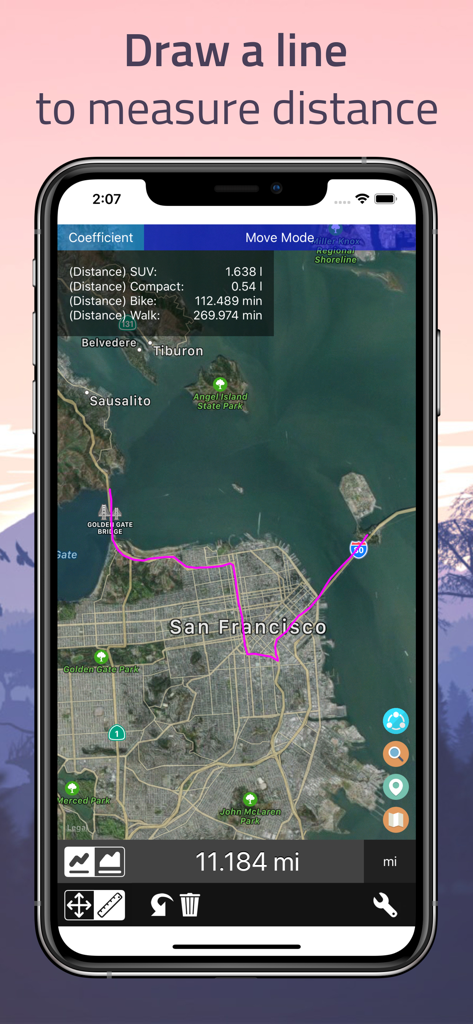
サンフランシスコの地図上に描かれたピンクのルートを示し、距離を測定するスマートフォンの画面
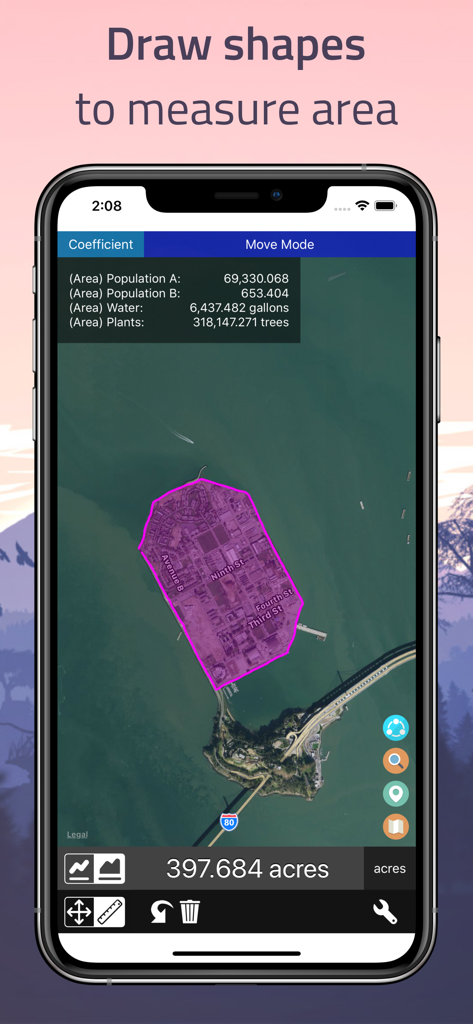
397エーカーの面積測定が手描きされた地図の衛星画像を示す、Distanceアプリのスクリーンショット
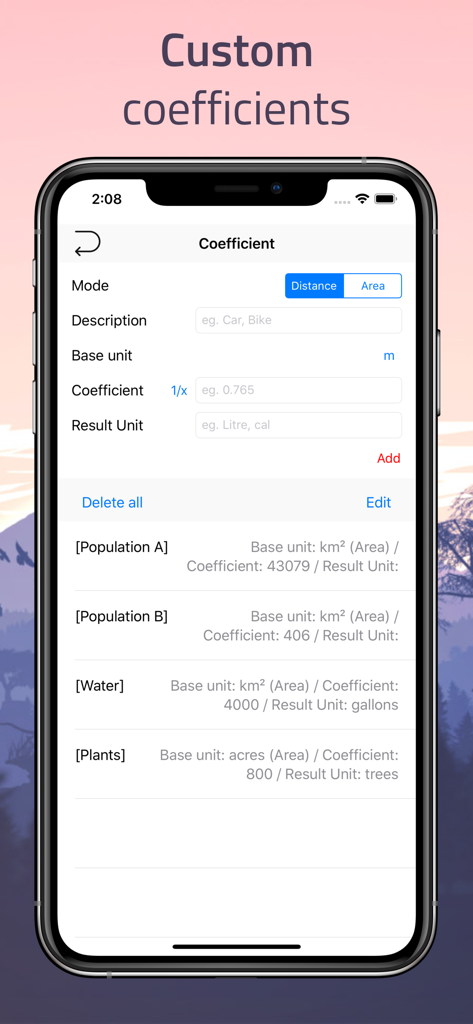
地図測定から水のガロン数や植物の数などの値を計算するためのカスタム係数設定画面を示す、Distanceアプリのスクリーンショット
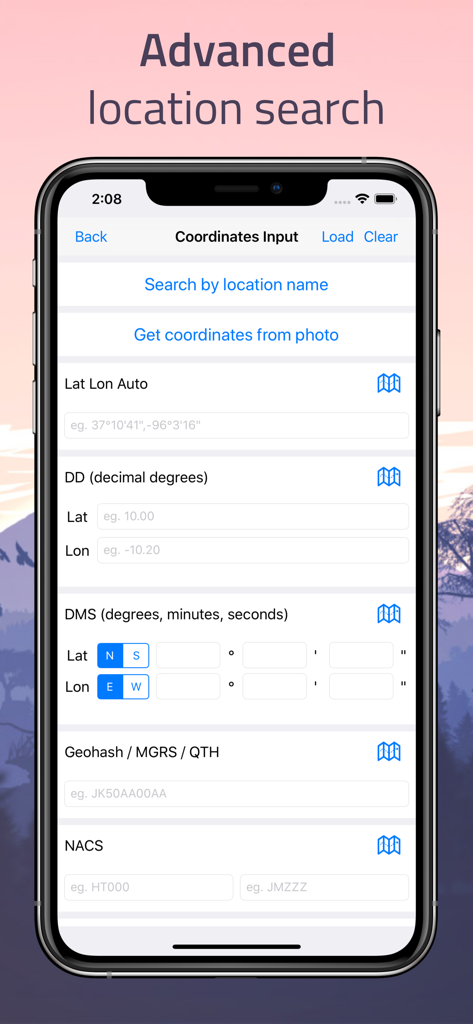
10進数度やDMSなどのさまざまな座標入力形式を示す高度な場所検索画面
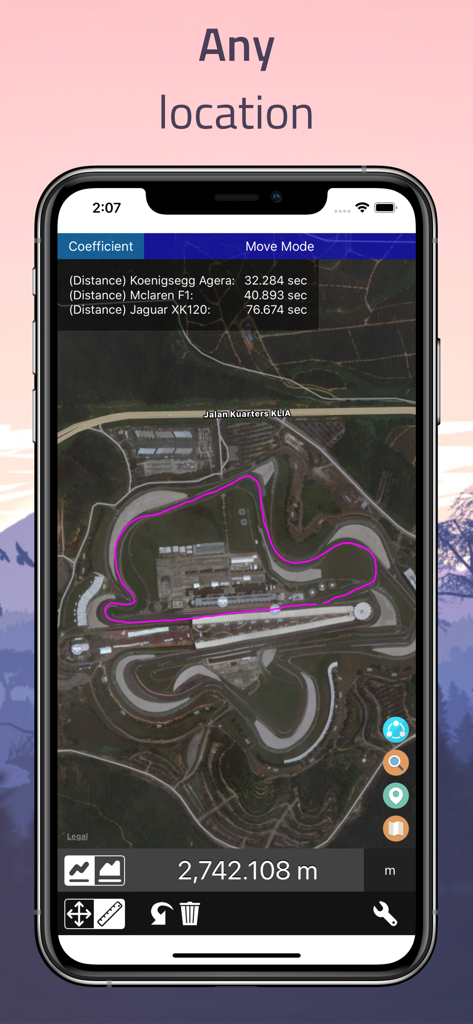
車のパフォーマンス計算とともに、地図上の衛星画像で測定されたルートを示すDistanceアプリのiPhoneスクリーンショット
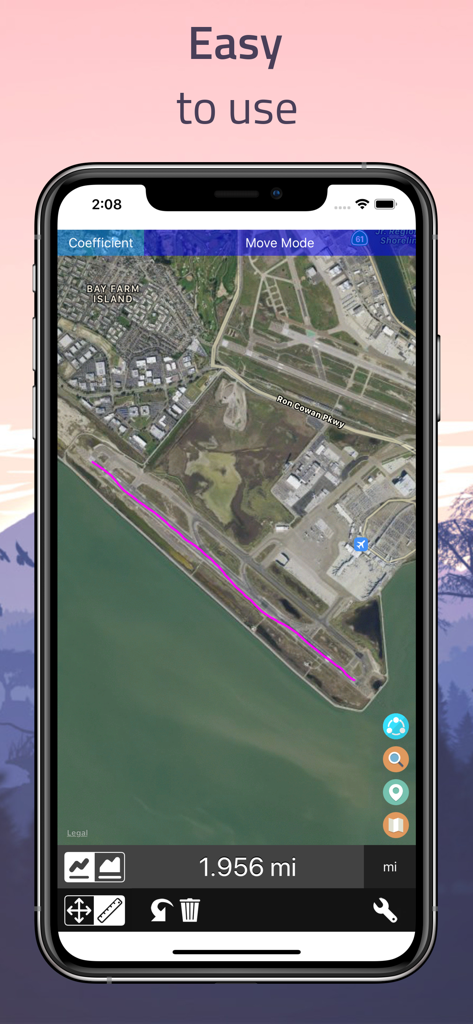
Find My Distanceアプリで測定された1.956マイルのルートの衛星地図ビュー
説明
Download
類似アプリ
似た機能とユーザー体験を持つアプリ

Field MapS - Measure Land GPS
Aleksei Metelkin

Field Area MeasureーLand Parcel
Irina Metelkina
FieldCalc - GPS Area Measure
Pravin Gondaliya

GPS Fields Area Measure Map
Rento UAB
Geo Field Area - GPS Measure
STOMBERG s.r.o
GLand: GPS Field Area Measure
Authai Yaprasat

Area & Distance - Map Measure
Mapnitude Company Limited

Measure Map
Xuan Luong Do

Field Area Measure
Yaroslav Babenko
このページはアプリまたはその開発者の公式ページではなく、情報提供および論評を目的として作成された独立した編集出版物です。明示的に別段の記載がない限り、アプリおよびその開発者は、MWM、Apple、Google Play、アプリのパブリッシャー、またはアプリの開発者と提携、承認、後援、認可、またはその他の公式的な関係はなく、このページのいかなる内容も、アプリがMWMのサービスを使用して開発されたことを意味するものではありません。すべての商標、ロゴ、スクリーンショット、その他のコンテンツはそれぞれの所有者の財産です。