Audio Editor:Music Editor
ダウンロード: App Store

このページはアプリまたはその開発者の公式ページではなく、情報提供および論評を目的として作成された独立した編集出版物です。明示的に別段の記載がない限り、アプリおよびその開発者は、MWM、Apple、Google Play、アプリのパブリッシャー、またはアプリの開発者と提携、承認、後援、認可、またはその他の公式的な関係はなく、このページのいかなる内容も、アプリがMWMのサービスを使用して開発されたことを意味するものではありません。すべての商標、ロゴ、スクリーンショット、その他のコンテンツはそれぞれの所有者の財産です。


ロゴ: Audio Editor:Music Editor
ダウンロード: App Store

Audio Editor:Music Editor

マルチトラック編集、リアルタイムプレビュー、高品質エクスポートで創造性を解き放ちましょう。外出先でプロフェッショナルなサウンドを求めるポッドキャスター、クリエイター、ミュージシャンに最適です。

主要数値

ダウンロード

347K+

ユーザー評価

4.5/5

評価数

2K+

開発元

燕倩 费

カテゴリ

Utilities

対応言語

27

最新バージョン

1.0.9

サイズ

42.3 MB

リリース日

2024年5月12日
機能

プロフェッショナルなサウンド、モバイルでシンプルに

現代のクリエイター向けに設計された直感的なマルチトラック編集と強力な変換ツールで、生の録音をスタジオ品質の傑作に変えましょう。

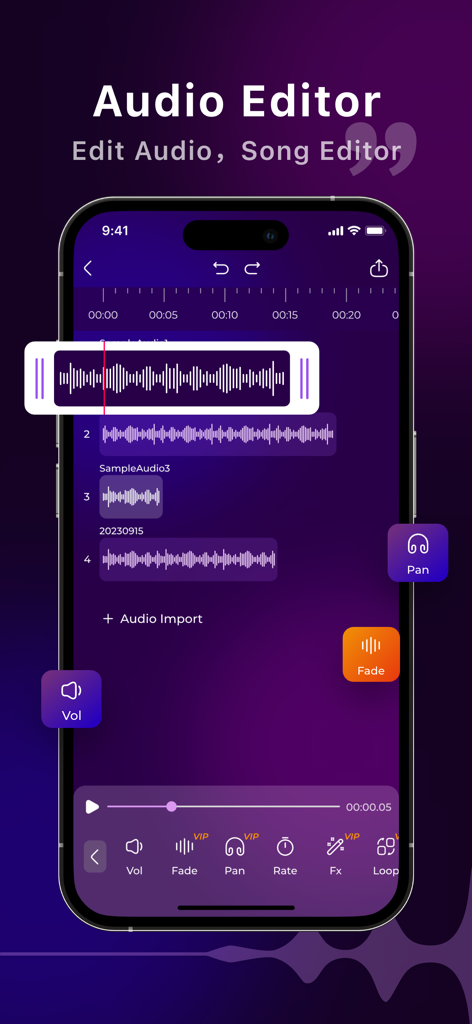
マルチトラックレイヤリング

ボーカル、音楽、効果音をシームレスにブレンドし、iPhone上で直接プロフェッショナルなミックスやポッドキャストエピソードを作成します。

精密スタジオツール

フレーム単位の正確なコントロールとリアルタイムプレビューでトリミング、カット、結合を行い、オーディオが洗練され、間違いがないことを確認します。

以下のスクリーンショットと説明は、アプリの公式ストアリスティングから直接取得されたものであり、アプリ開発者の所有物です。

アプリストア

スクリーンショット
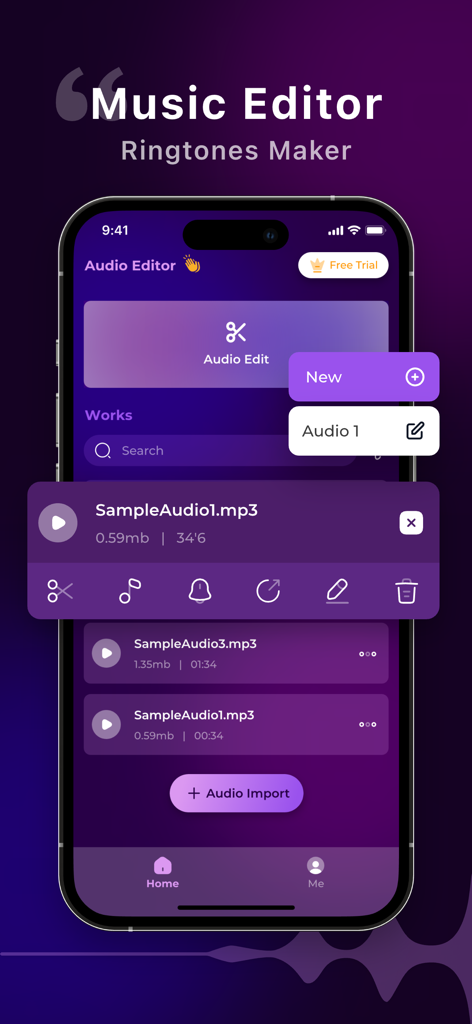
Audio Editor:Music Editor - ミュージックエディタアプリのインターフェースがiPhone画面に表示され、オーディオファイル管理と編集ツールが表示されている
ミュージックエディタアプリのインターフェースがiPhone画面に表示され、オーディオファイル管理と編集ツールが表示されている

Audio Editor:Music Editor - スマートフォンの画面にAudio Editorアプリのマルチトラックオーディオ編集インターフェースが表示されている
スマートフォンの画面にAudio Editorアプリのマルチトラックオーディオ編集インターフェースが表示されている

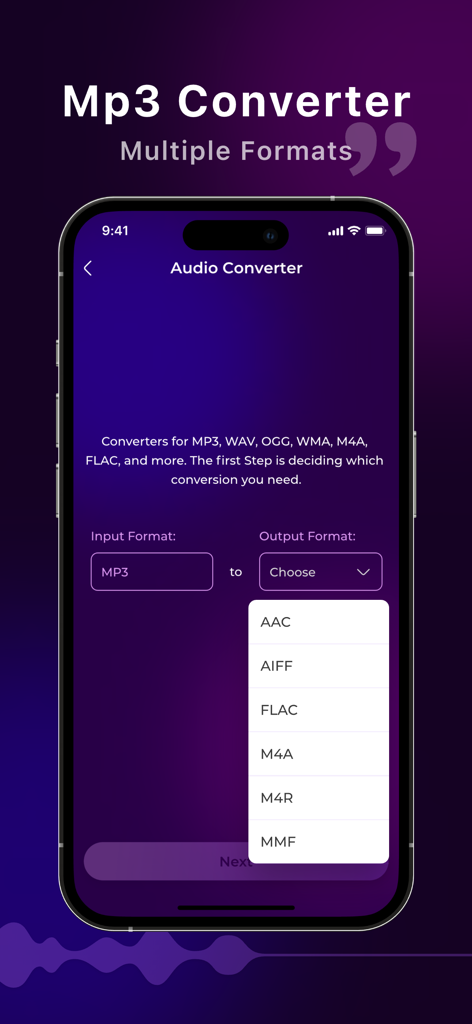
Audio Editor:Music Editor - オーディオコンバーターのインターフェースに、AACやFLACなどの複数の出力フォーマットオプションが表示されている
オーディオコンバーターのインターフェースに、AACやFLACなどの複数の出力フォーマットオプションが表示されている

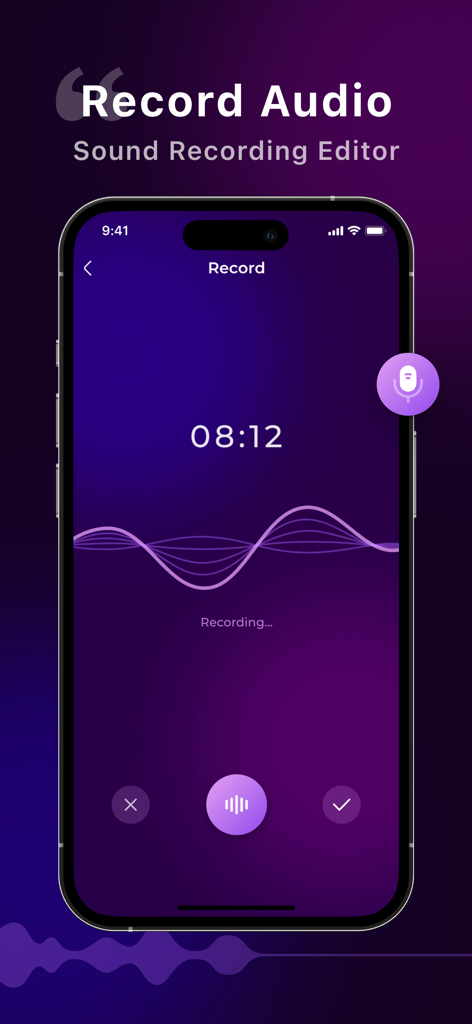
Audio Editor:Music Editor - Audio Editorアプリのインターフェースに、サウンド波形とタイマーが表示されたライブボイスレコーディングが表示されている
Audio Editorアプリのインターフェースに、サウンド波形とタイマーが表示されたライブボイスレコーディングが表示されている

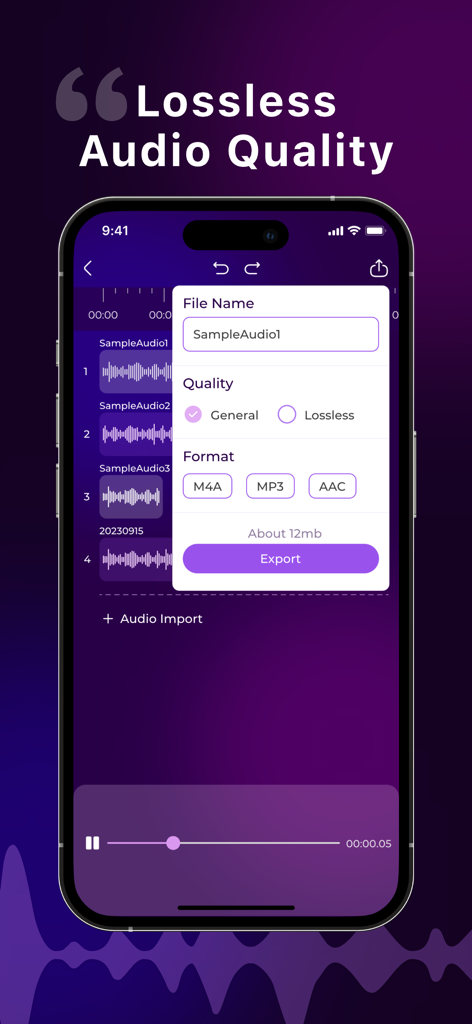
Audio Editor:Music Editor - モバイル画面に、ミュージックエディタアプリ内でさまざまなフォーマットのロスレスオーディオ品質のエクスポートオプションが表示されている
モバイル画面に、ミュージックエディタアプリ内でさまざまなフォーマットのロスレスオーディオ品質のエクスポートオプションが表示されている

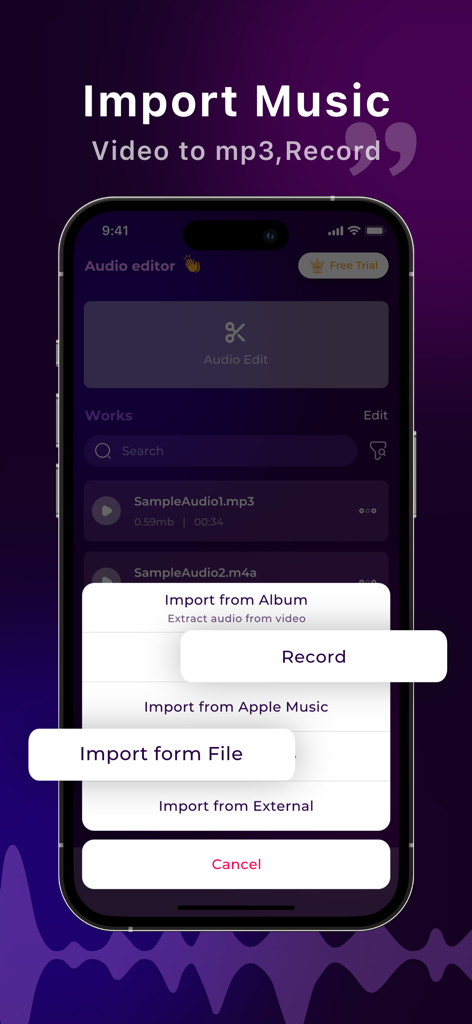
Audio Editor:Music Editor - モバイルアプリの画面に、ビデオ抽出や録音を含むさまざまな音楽インポートオプションが表示されている

モバイルアプリの画面に、ビデオ抽出や録音を含むさまざまな音楽インポートオプションが表示されている

説明

Welcome to Audio Editor, A professional music editing tool. With powerful features and an intuitive interface, Audio Editor empowers you to unleash your creativity and take your audio projects to the next level. Whether you're a musician, podcaster, or audio enthusiast, Audio Editor offers a comprehensive suite of tools to convert audio formats, edit recordings, and apply professional-grade editing techniques with ease. Key Features: Versatile Audio Format Conversion: Seamlessly convert audio files between various formats, ensuring compatibility and flexibility for your projects. Robust Recording Editing: Edit recordings with precision using advanced tools such as trimming, cutting, merging, and adjusting audio levels. Professional-grade editing tools: Access a variety of editing features, including fade in/out, audio speed shifting, and more to enhance and perfect your audio projects.refine your audio projects. Intuitive User Interface: Navigate seamlessly through Audio Editor's user-friendly interface, designed to streamline your workflow and make audio editing effortless. Real-time Preview and Feedback: Preview edits in real-time and receive instant feedback on adjustments, allowing you to fine-tune your sound with precision and confidence. Multi-track Editing: Effortlessly edit multiple audio tracks simultaneously, enabling sophisticated layering and blending for professional-quality mixes. Flexible export options: Export your creations in a variety of formats, including M4A, MP3, AAC, and the high-quality lossless audio format WAV, ensuring compatibility with all your favorite platforms and devices. 【Subscription function service】 1. Subscription service: weekly subscription, lifetime subscription 2. Subscription price: subject to IAP application information 【Terms of Service】 1. User terms of service: https://docs.qq.com/doc/p/7c9539d4c99068ba086afeb04aaa157cca792322?u=ce33b6609320401eb8d466655dbd5bf1 2. Privacy Policy: https://docs.qq.com/doc/p/2ca3b4a8263e47a0d265f80d590b1ec50c3453e9?u=ce33b6609320401eb8d466655dbd5bf1 【Contact us】 liming20220808@163.com

Download

ダウンロード: App Store

このページはアプリまたはその開発者の公式ページではなく、情報提供および論評を目的として作成された独立した編集出版物です。明示的に別段の記載がない限り、アプリおよびその開発者は、MWM、Apple、Google Play、アプリのパブリッシャー、またはアプリの開発者と提携、承認、後援、認可、またはその他の公式的な関係はなく、このページのいかなる内容も、アプリがMWMのサービスを使用して開発されたことを意味するものではありません。すべての商標、ロゴ、スクリーンショット、その他のコンテンツはそれぞれの所有者の財産です。








