Audio Memos SE: Record Voice
ダウンロード: App Store

このページはアプリまたはその開発者の公式ページではなく、情報提供および論評を目的として作成された独立した編集出版物です。明示的に別段の記載がない限り、アプリおよびその開発者は、MWM、Apple、Google Play、アプリのパブリッシャー、またはアプリの開発者と提携、承認、後援、認可、またはその他の公式的な関係はなく、このページのいかなる内容も、アプリがMWMのサービスを使用して開発されたことを意味するものではありません。すべての商標、ロゴ、スクリーンショット、その他のコンテンツはそれぞれの所有者の財産です。

ロゴ: Audio Memos SE: Record Voice
ダウンロード: App Store

Audio Memos SE: Record Voice

スタジオ品質のフィルター、自動文字起こし、シームレスなクラウド連携で、すべての言葉を捉えます。すべての録音に信頼性と精度を求めるプロフェッショナル向けに設計されています。

主要数値

ダウンロード

653K+

ユーザー評価

3.1/5

評価数

23K+

開発元

Imesart S.a.r.l.

カテゴリ

Business

対応言語

10

最新バージョン

6.0.0

サイズ

47.7 MB

リリース日

2009年2月6日
機能

プロフェッショナルなワークフローを強化

高忠実度のボイスレコーディングと高度な生産性ツールが融合。Audio Memos SEは、技術的な精度、信頼性、シームレスなクラウド連携を求めるユーザーのために設計されています。

プロフェッショナルグレードの忠実度

ノーマライゼーションフィルターとボリュームブースト技術で、こもった音を排除し、平均音量を一定に保ち、完璧なクリアさで細部まで聞き取れます。

自動クラウド連携

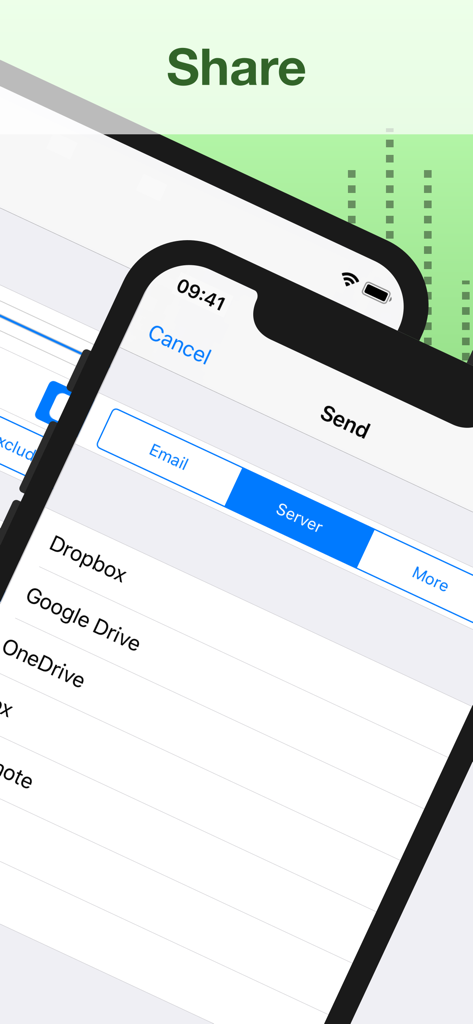
録音をDropbox、Google Drive、Evernoteに簡単に同期し、証言、講義、インタビューを安全かつ整理された状態に保ちます。

以下のスクリーンショットと説明は、アプリの公式ストアリスティングから直接取得されたものであり、アプリ開発者の所有物です。

アプリストア

スクリーンショット
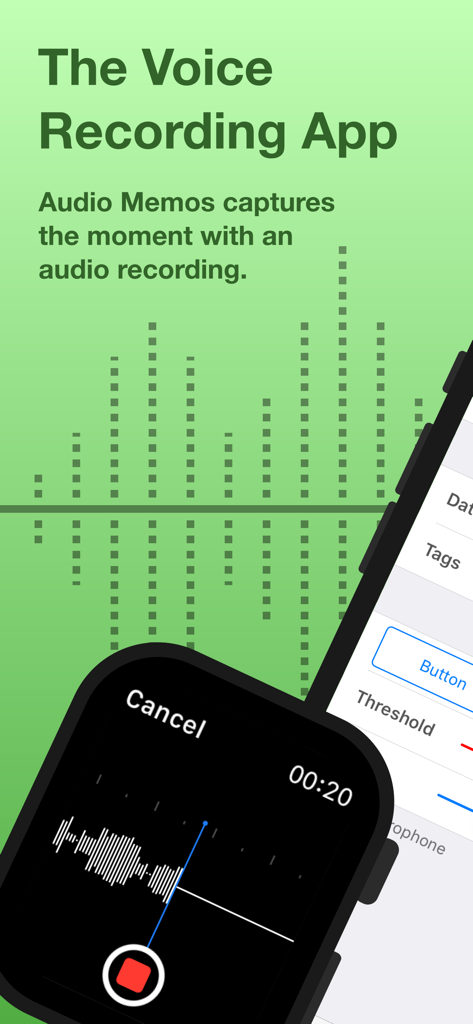
Audio Memos SE: Record Voice - Audio Memos SE ボイスレコーディングアプリのインターフェイス (Apple WatchおよびiPhone)
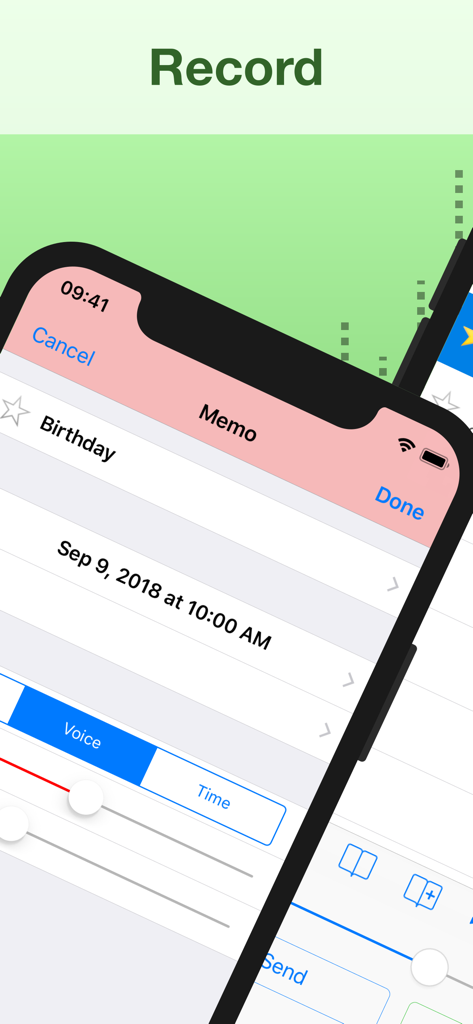
Audio Memos SE ボイスレコーディングアプリのインターフェイス (Apple WatchおよびiPhone)

Audio Memos SE: Record Voice - Audio Memos SEのインターフェイス、ボイスレコーディングメモ画面を表示
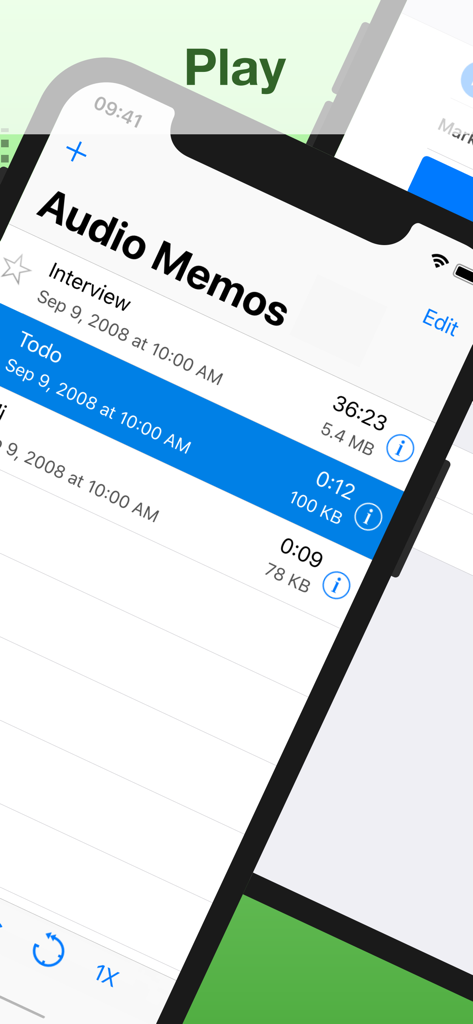
Audio Memos SEのインターフェイス、ボイスレコーディングメモ画面を表示

Audio Memos SE: Record Voice - Audio Memos SEアプリのボイスレコーディングリスト。期間やファイルサイズなどの詳細を表示
Audio Memos SEアプリのボイスレコーディングリスト。期間やファイルサイズなどの詳細を表示

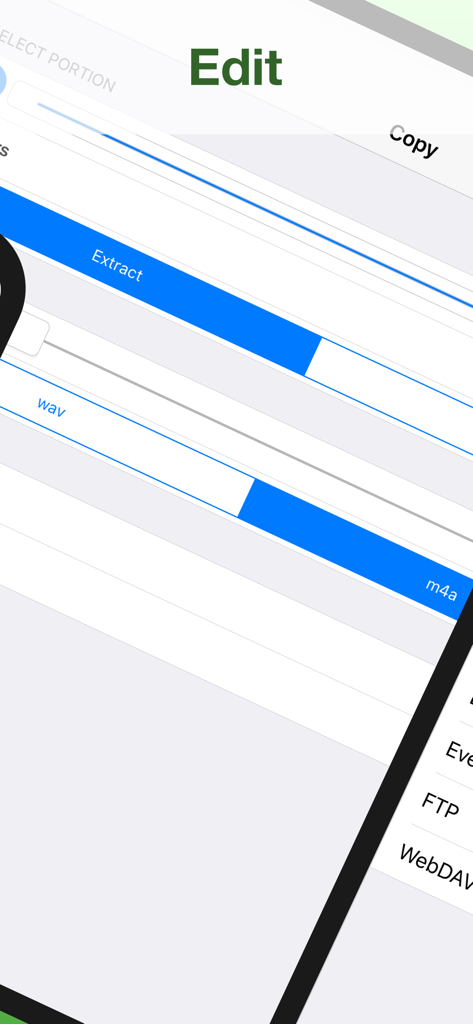
Audio Memos SE: Record Voice - Audio Memos SEアプリのインターフェイス、wavおよびm4a形式ラベル付きのオーディオ編集および抽出ツールを表示
Audio Memos SEアプリのインターフェイス、wavおよびm4a形式ラベル付きのオーディオ編集および抽出ツールを表示

Audio Memos SE: Record Voice - Audio Memos SEアプリのDropboxおよびGoogle Driveを含むクラウドストレージエクスポートオプションを表示するインターフェイス
Audio Memos SEアプリのDropboxおよびGoogle Driveを含むクラウドストレージエクスポートオプションを表示するインターフェイス

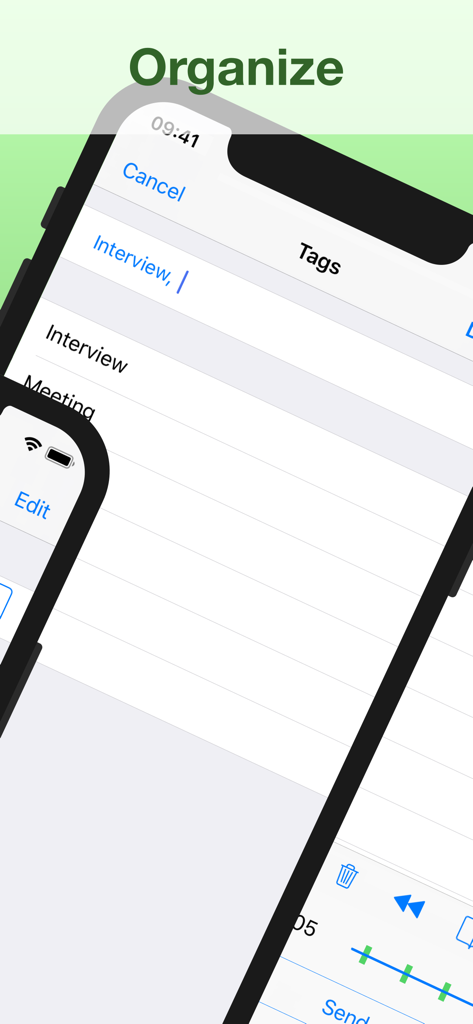
Audio Memos SE: Record Voice - Audio Memos SEアプリのインターフェイス、InterviewやMeetingなどのタグによる録音整理を表示
Audio Memos SEアプリのインターフェイス、InterviewやMeetingなどのタグによる録音整理を表示

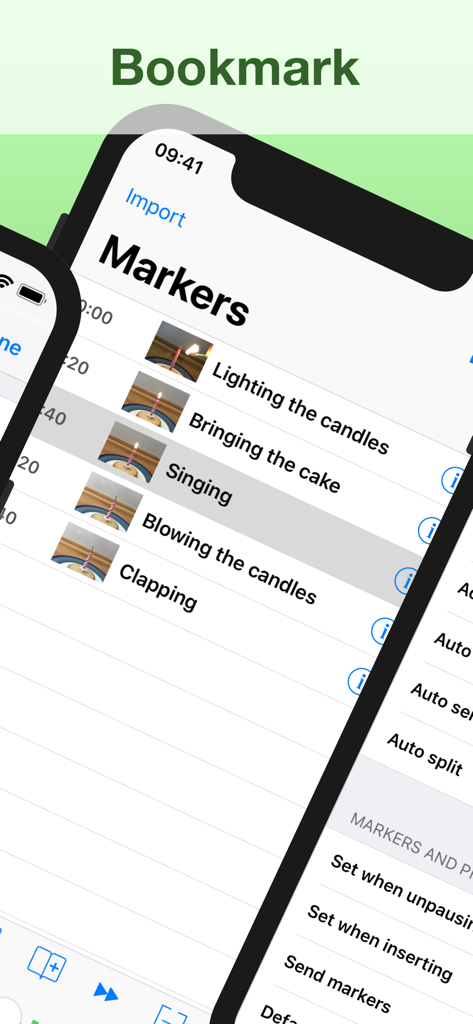
Audio Memos SE: Record Voice - Audio Memos SEアプリのインターフェイス、録音内のナビゲーションを容易にするための写真サムネイル付きのタイムスタンプ付きマーカーとブックマークのリストを表示
Audio Memos SEアプリのインターフェイス、録音内のナビゲーションを容易にするための写真サムネイル付きのタイムスタンプ付きマーカーとブックマークのリストを表示

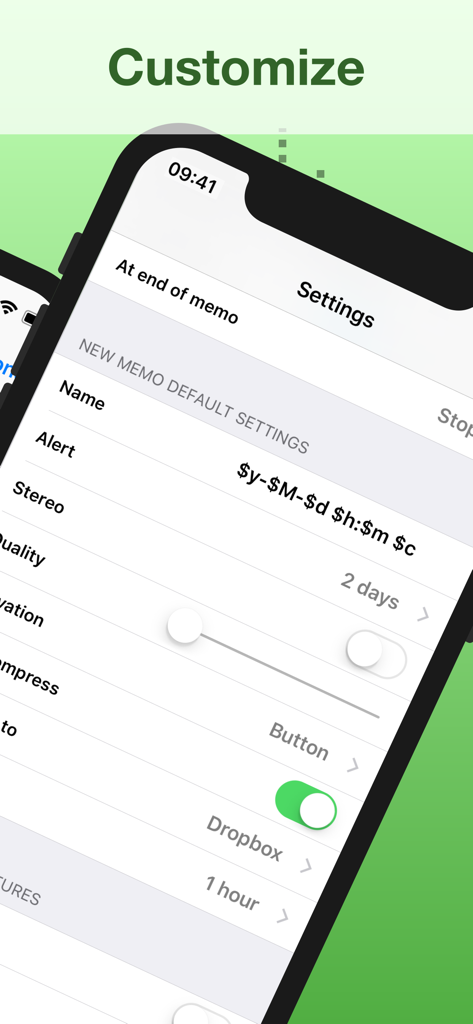
Audio Memos SE: Record Voice - Audio Memos SEの設定メニュー、ボイスレコーディングのカスタマイズとクラウド同期を表示

Audio Memos SEの設定メニュー、ボイスレコーディングのカスタマイズとクラウド同期を表示

説明

Audio Memos is a voice recorder for the iPhone and iPad. What you'll really like about Audio Memos, is that you can actually HEAR your recordings (try it and compare, you'll hear what we mean). It's also easy to use, with a simple and intuitive interface. Yet with many advanced features as volume boost, volume normalizing, editing of recordings and more. Most of these features are exclusive to this program, which makes it one of the most advanced recorder. This is a great recorder, don't just take our word for it: Audio Memos Free has been featured by Apple in the "What's hot" section. Your recordings are stored on your device but can be backed up to your computer using a simple web browser (or by email). See our website for more details. FEATURES • Send recordings by email. • High quality recordings up to 44100 Hz. Three levels of quality are available: 11025 Hz, 22050 Hz and 44100 Hz. • Professionally engineered audio normalizing filter, which enables you to have a constant average volume on all your recordings. This feature does not modify your recordings, so you can turn it on even if you intend to post process your audio files on a computer. • Wide range volume control using a volume boost. While listening to a recording, volume can be increased using your device's volume keys. If you find this insufficiently loud, you can adjust the volume boost in the application's settings. • Normalizing and boosting filters use dynamic compression with a non linear function to prevent clipping and minimize distortions. Note however that eventual clipping and distortion created by the microphone are not suppressed. If you care about quality, use the headset's microphone instead of the built in one. • Records even when your device is in sleep mode; and pauses automatically in the event of an incoming phone call. • Advanced listing of your recordings, which displays name, date, length and size information. A detailed view is also available for each recording. This view gives extra information such as quality and download status of a recording. • Must have controls as pause record, pause play, slider, quality control. • Uses widespread wav format to store recordings, so you can transfer and read them on any device. SUBSCRIPTION All features listed above can be used without an in app purchase. Some advanced features require an active subscription. These include: • Voice activated rec. - stop recording silence. • Upload to Dropbox, Google Drive, Box, Evernote, FTP or WebDAV. • Insert audio - insert comments easily. • Position markers - easy navigation. • Audio compression - email hours of recordings. • Memo alert dates / reminders. • Adjustable reading speed. • Add pictures to a memo. • Send or delete multiple recordings at a time. • Edit your recordings (trim, overwrite, merge). • Transcription - transform your memos into text. • Stereo recording using the builtin microphones (requires a compatible device and a «Pro +» subscription). Duration and price of each subscription are displayed in our storefront. All subscription costs will be charged to your Apple ID account, starting at the confirmation of purchase. Subscription automatically renews unless it is canceled at least 24 hours before the end of the subscription period. Your account will be charged for renewal within 24 hours prior to the end of the subscription period. It is not possible to cancel a subscription period once you have been charged for it. Any unused portion of a free trial period is forfeited as soon as a subscription is purchased. You can manage subscriptions and disable auto renewal by going to your account settings on the App Store after purchase. Terms of Service: https://imesart.com/legal/terms-of-service.php

Download

ダウンロード: App Store

このページはアプリまたはその開発者の公式ページではなく、情報提供および論評を目的として作成された独立した編集出版物です。明示的に別段の記載がない限り、アプリおよびその開発者は、MWM、Apple、Google Play、アプリのパブリッシャー、またはアプリの開発者と提携、承認、後援、認可、またはその他の公式的な関係はなく、このページのいかなる内容も、アプリがMWMのサービスを使用して開発されたことを意味するものではありません。すべての商標、ロゴ、スクリーンショット、その他のコンテンツはそれぞれの所有者の財産です。







