AudioLab Audio Editor Recorder

AudioLab Audio Editor Recorder

ダウンロード: App Store
ロゴ: AudioLab Audio Editor Recorder

AudioLab Audio Editor Recorder: プロフェッショナルなモバイルサウンドスタジオ

プロのように録音、編集、マスタリング。デスクトップの複雑さなしにスタジオ品質の結果を求めるクリエイターのためのオールインワンマルチトラックエディタ。

開発元

Sanjaykumar Khunt

カテゴリ

Music

ダウンロード

152K+

ユーザー評価

4.2/5

評価数

200

対応言語

1

あなたのモバイルスタジオを視覚化

このインターフェースを利用する 152K+ 人のユーザー.

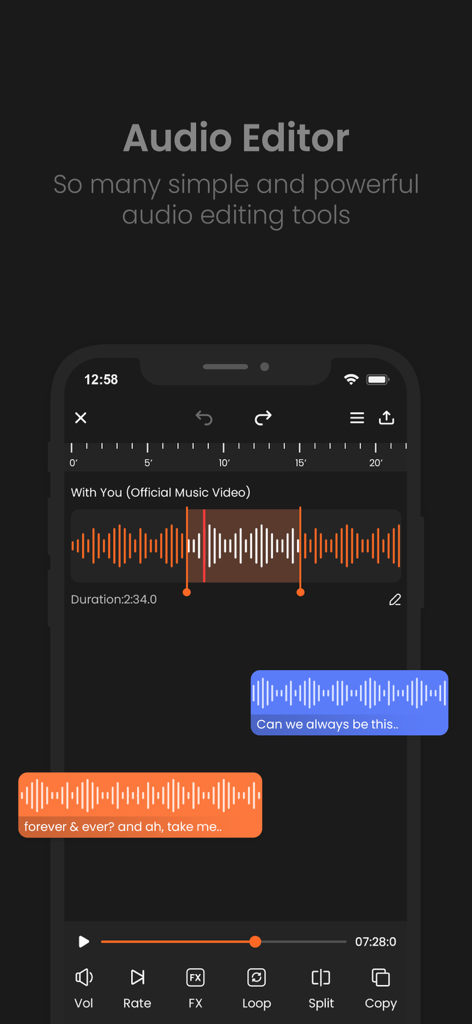
オーディオ波形編集ツールとトラックを示すAudioLabのモバイルインターフェイス
オーディオ波形編集ツールとトラックを示すAudioLabのモバイルインターフェイス

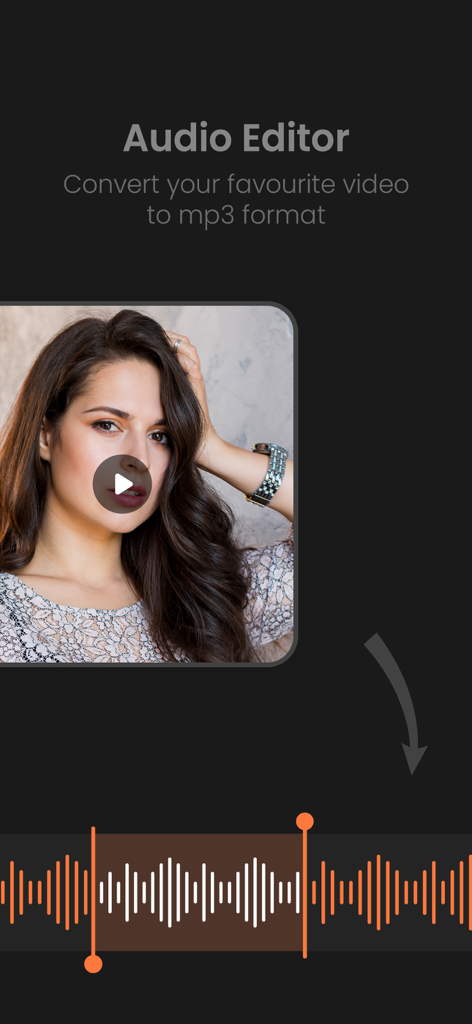
ビデオからMP3への変換とオーディオ波形編集ツールを示すAudioLabアプリインターフェイス。
ビデオからMP3への変換とオーディオ波形編集ツールを示すAudioLabアプリインターフェイス。

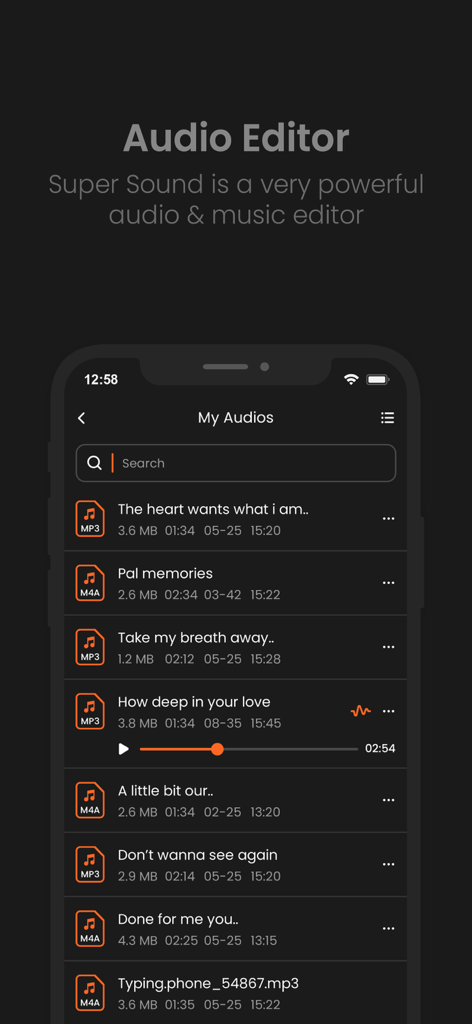
再生コントロールとファイル詳細が表示された保存済みオーディオファイルリストを示すAudioLabアプリのインターフェイス
再生コントロールとファイル詳細が表示された保存済みオーディオファイルリストを示すAudioLabアプリのインターフェイス

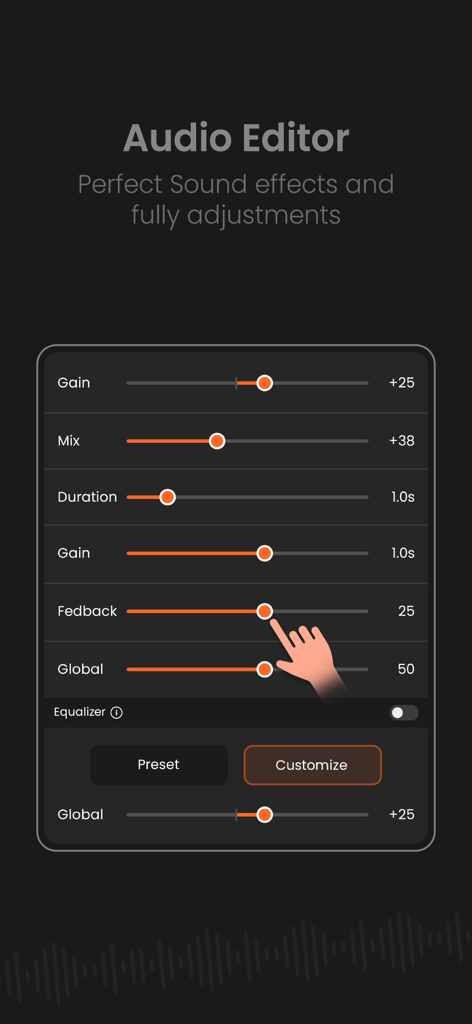
ゲインとサウンドエフェクトのオーディオ編集スライダーを示すモバイル画面。
ゲインとサウンドエフェクトのオーディオ編集スライダーを示すモバイル画面。

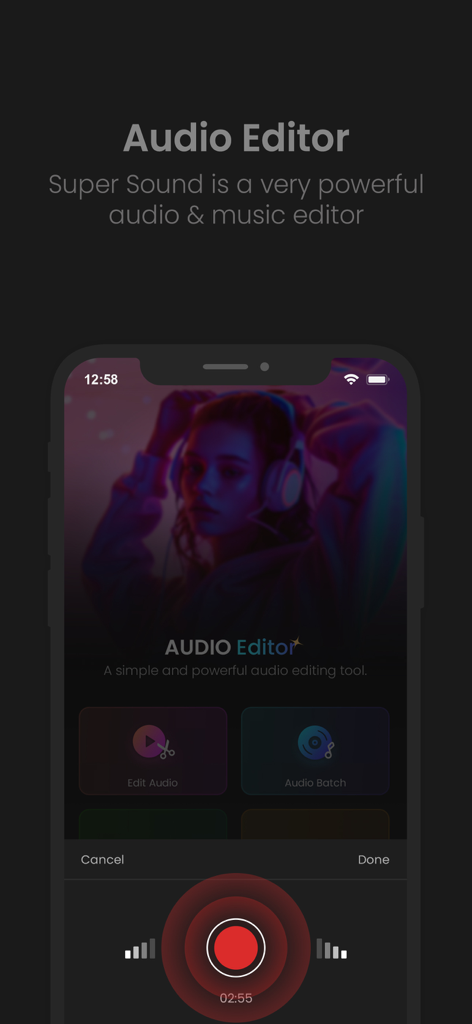
オーディオ編集機能とプロフェッショナルな録音インターフェイスを示すAudioLabモバイルアプリのホーム画面
オーディオ編集機能とプロフェッショナルな録音インターフェイスを示すAudioLabモバイルアプリのホーム画面

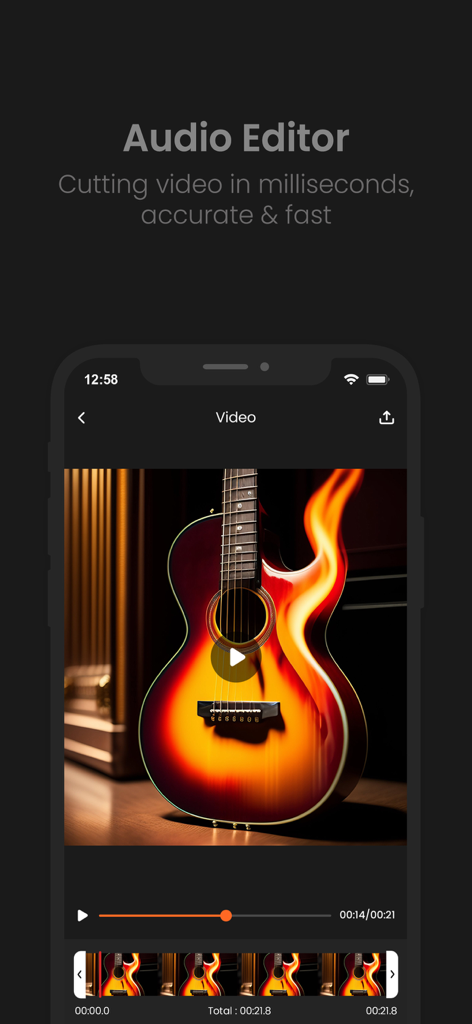
ビジュアルタイムラインを備えた、高速で正確なオーディオおよびビデオトリミング用のAudioLabモバイルアプリインターフェイス。

ビジュアルタイムラインを備えた、高速で正確なオーディオおよびビデオトリミング用のAudioLabモバイルアプリインターフェイス。

現代のクリエイターのためのスタジオグレードツール

このアプリを際立たせるツール、 152K+ 人のユーザーが選択.

プロレベルのオーディオクリーニング

邪魔なバックグラウンドノイズやハムを瞬時に除去。外出先での録音でも、TikTokやReelsをクリアにサウンドさせるのに最適です。

🎚️

高度なマルチトラックミキシング

ボーカル、音楽、効果音を簡単にレイヤー化。ボリュームを個別に調整し、トランジションを適用して、プロフェッショナルなサウンドのポッドキャストやトラックを作成します。

🎙️

クリスタルクリアな録音

デバイスまたは外部マイクを使用して、高忠実度のオーディオをキャプチャします。ピッチシフトとタイムストレッチツールを使用して、エクスポート前にパフォーマンスを微調整します。

レビュー分析

ユーザーレビューの分析.

感情スコア

0%
ネガティブ

概要

User feedback for this app is overwhelmingly negative, primarily due to an excessive number of intrusive advertisements that severely hinder usability. Many long-time users express strong disappointment with recent updates, stating that the app has become complicated, difficult to navigate, and has removed key features that were present in older versions. Several users also complain about previously free functionalities now requiring payment or being entirely absent. Additionally, there are reports of the app being less functional or having fewer features compared to its Android counterpart.

主なテーマ

Excessive Ads(13)
Ease of Use(9)
Recent Updates(8)
Missing Features(7)
Performance Issues(4)
Platform Discrepancy(4)
Paid Features(3)

アプリについて

について知っておくべきこと AudioLab Audio Editor Recorder.

説明

Audio Maker is an intuitive and powerful app designed for audio editing, mixing, and recording. Whether you're a podcaster, musician, content creator, or audio enthusiast, Audio Maker provides the tools you need to craft professional-quality soundtracks on the go. Its sleek interface and advanced features make it perfect for both beginners and seasoned audio editors. • Key Features 1. Audio Editing Made Easy: - Cut, trim, splice, and merge audio clips effortlessly. - Apply fades, crossfades, and transitions with precision. 2. Multi-Track Editing: - Work with multiple audio tracks for complex compositions. - Adjust track volumes, panning, and effects independently. 3. High-Quality Recording: - Record in crystal-clear quality using your device's microphone or an external input. - Support for stereo and mono recordings with real-time monitoring. 4. Professional Audio Effects: - Add reverb, echo, distortion, equalization, and more. - Use built-in presets or fine-tune effects to suit your project. 5. Sound Library Integration: - Access a royalty-free library of music, sound effects, and loops. - Import files directly from your device, iCloud, or other cloud services. 6. Export and Sharing Options: - Export your work in multiple formats (MP3, WAV, AAC, M4A, and many more). - Share directly to social media platforms, email, or cloud storage. 7. Advanced Tools for Pros: - Visual waveform editor for precise adjustments. - Pitch shifting, time-stretching, and tempo adjustments. - Noise reduction and audio clean-up tools for polished results. 8. User-Friendly Interface: - Drag-and-drop functionality for quick editing. - Customizable workspace for a personalized editing experience. • Who It’s For: Audio Maker is ideal for anyone who wants to edit or create audio on their device. Whether you're producing a podcast, creating music, editing voiceovers, or crafting soundtracks for videos, Audio Maker has everything you need in one compact app. Get unlimited Audio Editing and Audio Making Subscribe Monthly Audio Maker Pro at $1.99 and Yearly Monthly Audio Pro at $9.99 to use ads free versions of the premium app which can cancel anytime. • Privacy Policy: https://sites.google.com/view/postart-policy • Terms of Service: https://sites.google.com/view/postart-termsofuse Why Choose Audio Maker? With its powerful suite of tools, seamless integration with iOS, and a user-friendly interface, Audio Maker is your ultimate companion for all things audio. Create, edit, and share your soundtracks like a pro – anytime, anywhere.

最新バージョン

1.4

サイズ

54.7 MB

リリース日

2024年12月3日

どこでもプロのようなサウンドにしませんか?

15万人のクリエイターに加わり、iPhoneをパワフルなマルチトラックスタジオに変えましょう。年間わずか9.99ドルでプロレベルのオーディオ制作を開始しましょう。

ダウンロード: App Store
FAQ

よくある質問

について知っておくべきこと AudioLab Audio Editor Recorder

AudioLab Audio Editor Recorderとは何ですか?

AudioLab Audio Editor Recorderは、オーディオ編集、ミキシング、録音のために設計された直感的で強力なアプリです。プロフェッショナル品質のサウンドトラックを作成するためのツールを提供します。

AudioLab Audio Editor Recorderは誰が使えますか?

AudioLab Audio Editor Recorderは、ポッドキャスター、ミュージシャン、コンテンツクリエイター、オーディオ愛好家向けです。誰でもデバイス上でオーディオを編集したり作成したりするのに役立ちます。

AudioLab Audio Editor Recorderでオーディオクリップを編集できますか?

はい、AudioLab Audio Editor Recorderでは、オーディオクリップのカット、トリミング、スプライス、結合、フェード、クロスフェード、トランジションを精密に適用できます。

AudioLab Audio Editor Recorderはマルチトラック編集をサポートしていますか?

はい、AudioLab Audio Editor Recorderはマルチトラック編集をサポートしています。ユーザーは複数のオーディオトラックで作業し、ボリューム、パン、エフェクトを個別に調整できます。

AudioLab Audio Editor Recorderでオーディオを録音できますか?

はい、AudioLab Audio Editor Recorderは、クリアな品質でオーディオを録音します。デバイスのマイクまたは外部入力を利用し、ステレオおよびモノラル録音とリアルタイムモニタリングをサポートします。

AudioLab Audio Editor Recorderはどのようなエクスポート形式をサポートしていますか?

AudioLab Audio Editor Recorderは、MP3、WAV、AAC、M4Aを含む複数の形式での作業のエクスポートをサポートしています。ユーザーはさまざまなプラットフォームに直接共有することもできます。

AudioLab Audio Editor Recorder Proの料金はいくらですか?

AudioLab Audio Editor Recorder Proは、月額1.99ドルのサブスクリプションと、年額9.99ドルのサブスクリプションを提供しています。これにより、広告なしのプレミアムアプリ体験が得られます。

AudioLab Audio Editor Recorderは動画をMP3に変換できますか?

はい、AudioLab Audio Editor Recorderはお気に入りの動画をMP3形式に変換できます。この機能により、ユーザーはビデオファイルからオーディオを抽出できます。

AudioLab Audio Editor Recorderは動画をカットできますか?

はい、AudioLab Audio Editor Recorderは動画を正確かつ高速にカットできます。この機能により、アプリ内で直接ビデオセグメントを精密にトリミングできます。

AudioLab Audio Editor Recorderには高度なオーディオツールがありますか?

はい、AudioLab Audio Editor Recorderには、ビジュアル波形エディター、ピッチシフト、タイムストレッチ、テンポ調整、ノイズリダクション、オーディオクリーンアップなどの高度なツールが含まれています。

App information, icons, screenshots, and descriptions displayed on this page are sourced from the Apple App Store and are the property of their respective developers. Download estimates and rankings are based on MWM's proprietary models and may not reflect actual figures. This page is provided for informational and analytical purposes only.

Believe this page infringes your intellectual property? File a dispute