Barcode Maker - Generator

Barcode Maker - Generator

Download on App Store
Logo of Barcode Maker - Generator

Barcode Maker - Generator: Create Professional Barcodes in Seconds

The ultimate mobile toolkit for entrepreneurs and retailers to generate, save, and share industrial-grade barcodes—from UPC to PDF417—anytime, anywhere.

Download on App Store

Publisher

Andy Sutanto

Category

Utilities

Downloads

0

User Rating

4.8/5

Total Ratings

0

Locales

1

Professional Precision

Discover the interface used by 0 users.
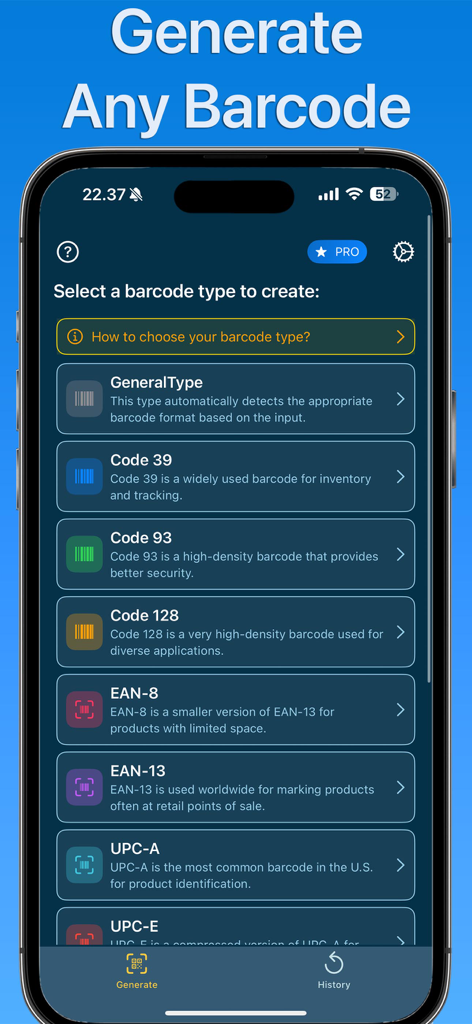
Smartphone screen displaying the Barcode Maker app with a list of different barcode types to create.

Smartphone screen displaying the Barcode Maker app with a list of different barcode types to create.

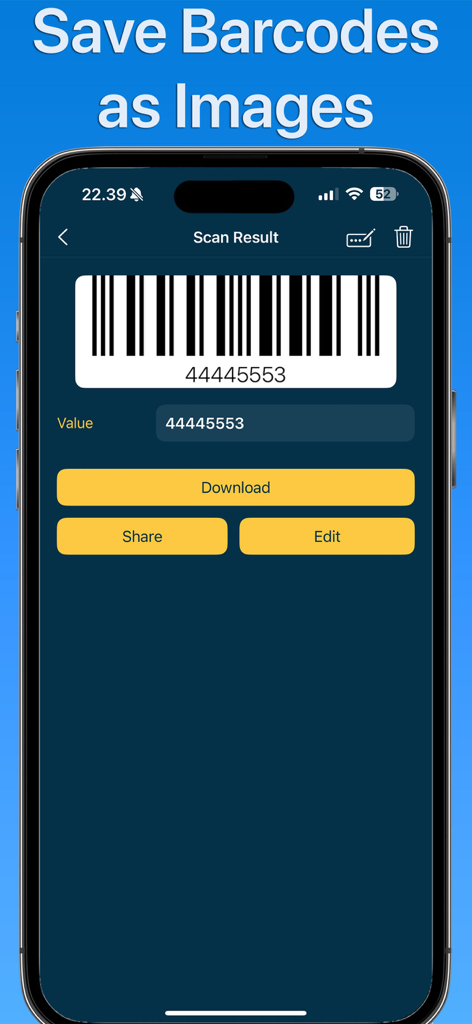
Smartphone screen showing a generated barcode with options to download and share as an image.

Smartphone screen showing a generated barcode with options to download and share as an image.

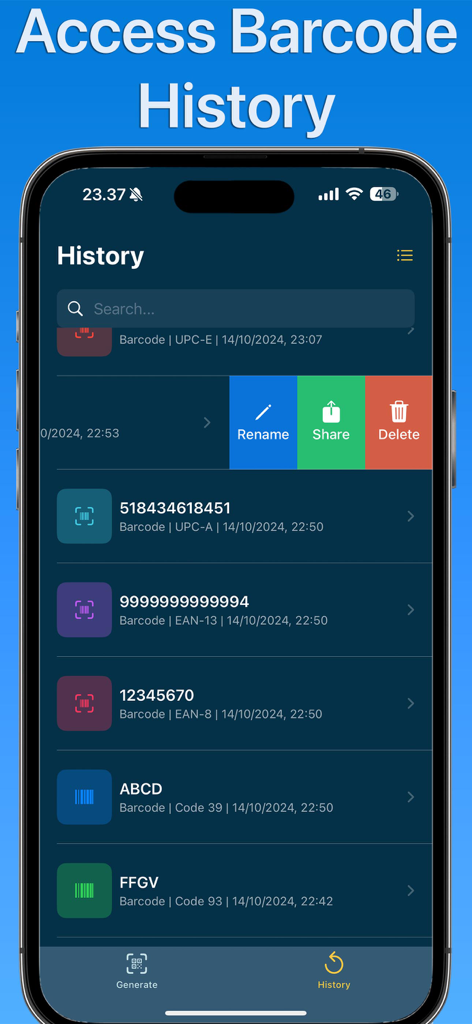
A screenshot of the history screen in the Barcode Maker app showing a list of saved barcodes with options to rename share and delete

A screenshot of the history screen in the Barcode Maker app showing a list of saved barcodes with options to rename share and delete

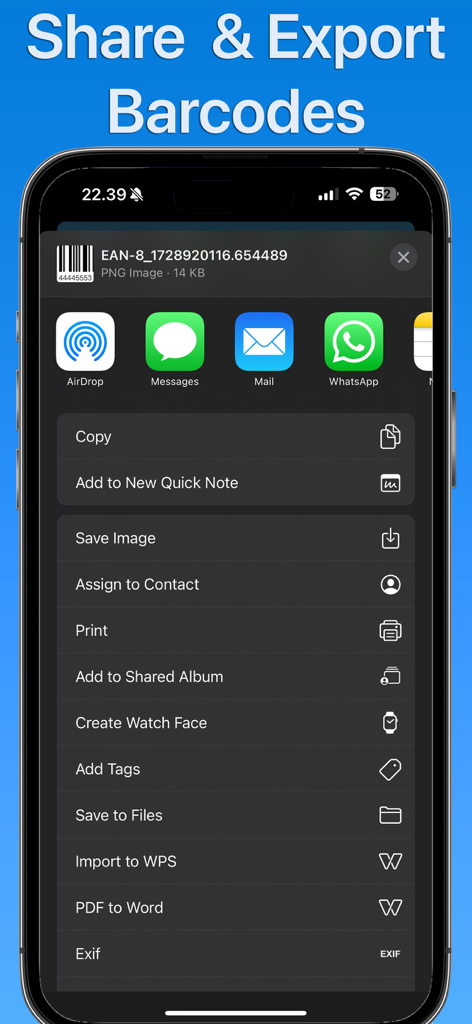
Screenshot of the share and export menu in the Barcode Maker app on an iPhone

Screenshot of the share and export menu in the Barcode Maker app on an iPhone

Professional Barcode Tools for Modern Businesses

The tools that make this app stand out, trusted by 0 users.

📋

12+ Industry Formats

Create everything from standard UPC and EAN codes to advanced PDF417 and Aztec formats for specialized professional use.

🚀

Seamless Mobile Workflow

Generate, save to your library, and share via email or messaging apps instantly to keep your business moving.

📂

Smart History Tracking

Automatically save every barcode you generate to revisit and reuse them anytime, eliminating repetitive data entry.

About the app

Everything you need to know about Barcode Maker - Generator.

Description

Barcode Maker is an app for creating barcodes in a wide variety of formats. Whether you need a simple Code 39 or something more advanced like PDF417 or Aztec, Barcode Maker can generate all types of barcodes. With support for popular formats like Code 128, EAN-8, EAN-13, UPC-A, and more, this app has all your barcode needs covered. Key Features: Multiple Barcode Types: Create barcodes in many formats, including GeneralType, Code 39, Code 93, Code 128, EAN-8, EAN-13, UPC-A, UPC-E, ITF-14, PDF417, Aztec, Data Matrix, and Interleaved 2 of 5 (ITF). Save Barcodes as Images: Once you've created your barcode, you can save it as an image to your device with just a tap. Export and Share: Easily export your barcodes to your photos or share them with others through messaging apps, email, or any other sharing platform. Barcode History: Keep track of all the barcodes you've created. Your barcode history allows you to quickly revisit and reuse your previous barcodes. With an intuitive interface, Barcode Maker is designed for both personal and professional use. Whether you're organizing products, managing assets, or simply need to generate a barcode for a personal project, Barcode Maker makes it simple and fast. Supported Barcode Formats: Code 39 Code 93 Code 128 EAN-8 EAN-13 UPC-A UPC-E ITF-14 PDF417 Aztec Data Matrix Interleaved 2 of 5 (ITF) Barcode Maker is free to use, forever. You can enjoy all its basic features without paying a cent. However, if you want to unlock additional premium features, an upgrade option is available. Barcode Maker app is free. You can use it forever, at no cost. However, Barcode Maker does offer premium features for its subscribers. If you decide to purchase an upgrade, you will unlock additional features. Terms of Use: https://kociapp.github.io/Barcode-Generator/term-of-use Privacy Policy: https://kociapp.github.io/Barcode-Generator/privacy-policy

Latest Version

1.0

Size

11.5 MB

First Released

Oct 15, 2024

Professional Barcode Generation, Right in Your Pocket

Join thousands of entrepreneurs streamlining their inventory and logistics. Download Barcode Maker today and start creating industry-standard barcodes for free on your iPhone or iPad.

Download on App Store

App information, icons, screenshots, and descriptions displayed on this page are sourced from the Apple App Store and are the property of their respective developers. Download estimates and rankings are based on MWM's proprietary models and may not reflect actual figures. This page is provided for informational and analytical purposes only.

Believe this page infringes your intellectual property? File a dispute