Calendar,Schedule & to do list
ダウンロード: App Store

このページはアプリまたはその開発者の公式ページではなく、情報提供および論評を目的として作成された独立した編集出版物です。明示的に別段の記載がない限り、アプリおよびその開発者は、MWM、Apple、Google Play、アプリのパブリッシャー、またはアプリの開発者と提携、承認、後援、認可、またはその他の公式的な関係はなく、このページのいかなる内容も、アプリがMWMのサービスを使用して開発されたことを意味するものではありません。すべての商標、ロゴ、スクリーンショット、その他のコンテンツはそれぞれの所有者の財産です。


ロゴ: Calendar,Schedule & to do list
ダウンロード: App Store

Calendar,Schedule & to do list

美しいカラーコーディング、統合された天気、見事なホーム画面ウィジェットで毎日のルーティンをマスターしましょう。仕事、家族、プライベートを1つのシームレスで美しい体験に統合しましょう。

主要数値

ダウンロード

51K+

ユーザー評価

4.7/5

評価数

1K+

開発元

陈 彭

カテゴリ

Productivity

対応言語

20

最新バージョン

3.0.0

サイズ

52.7 MB

リリース日

2024年10月25日
機能

あなたの時間を、美しくマスターしましょう

アプリを切り替えるのはやめましょう。カレンダー、タスク、日々の必需品を、あなたの忙しいライフスタイルに合わせて設計された1つのパーソナライズされたハブに統合しましょう。

あなたの人生すべてを1つのビューに

ToDoリスト、スケジュール、さらには天気まで、1つの調整されたプランナーにシームレスに統合しましょう。

あなたのスタイルにパーソナライズ

カラーコーディングされたカテゴリとカスタムビューで自己表現し、整理整頓を楽にしましょう。

以下のスクリーンショットと説明は、アプリの公式ストアリスティングから直接取得されたものであり、アプリ開発者の所有物です。

アプリストア

スクリーンショット
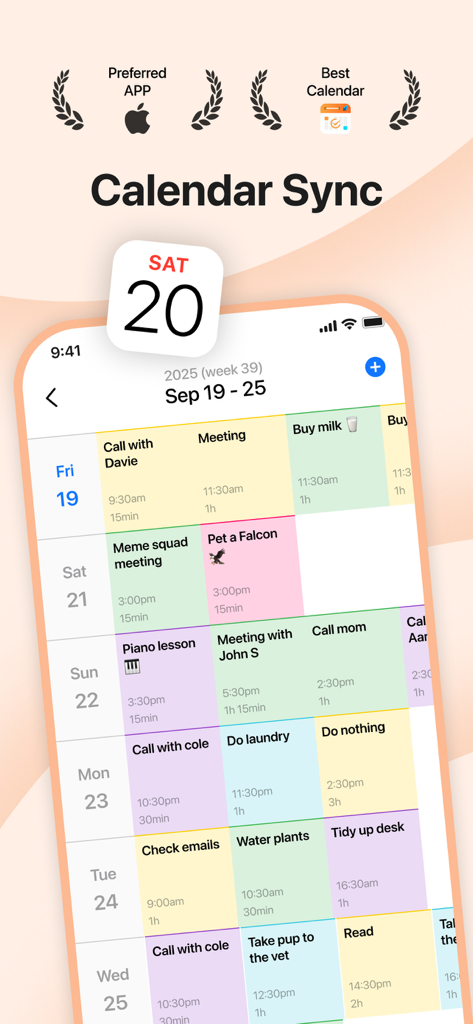
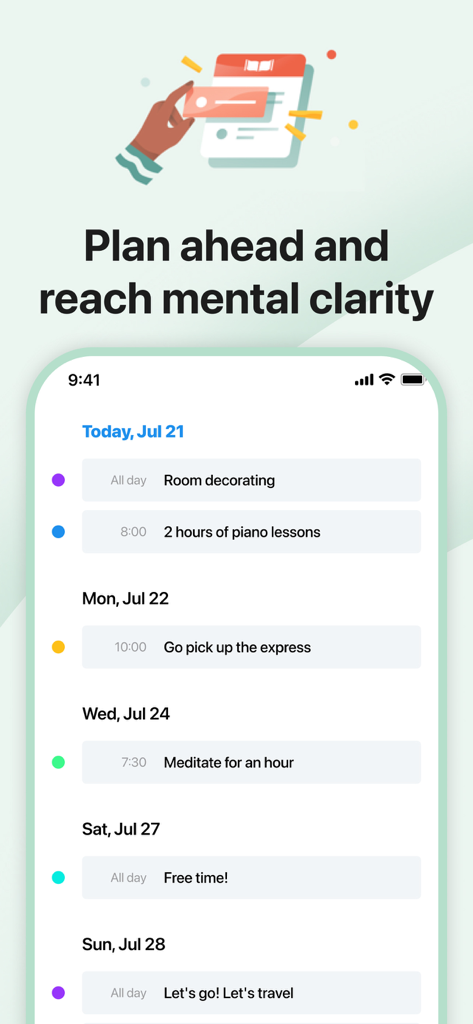
Calendar,Schedule & to do list - カラーコードされたスケジュールとタスクを示す週次カレンダービュー

カラーコードされたスケジュールとタスクを示す週次カレンダービュー

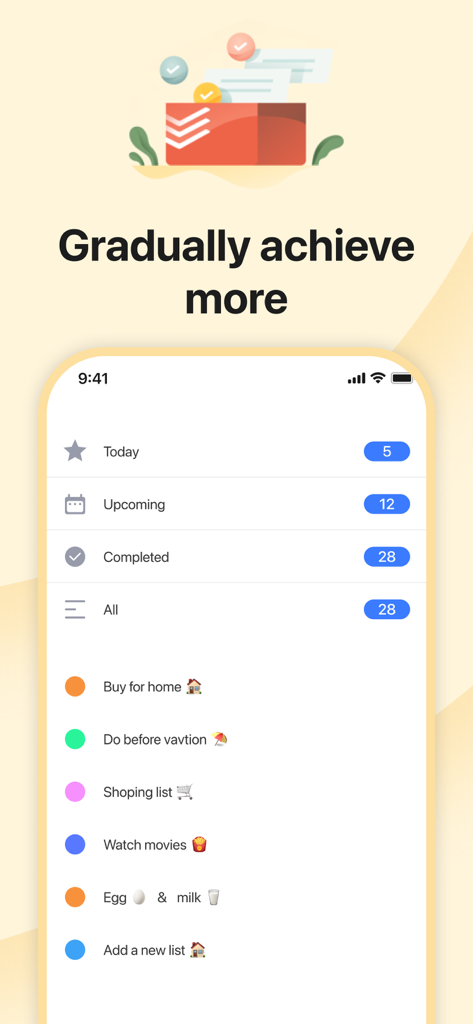
Calendar,Schedule & to do list - 今日、今後の予定、カスタムカラーコードのリストに分類されたタスクを表示する、オールインワンプランナーアプリのモバイルインターフェース
今日、今後の予定、カスタムカラーコードのリストに分類されたタスクを表示する、オールインワンプランナーアプリのモバイルインターフェース

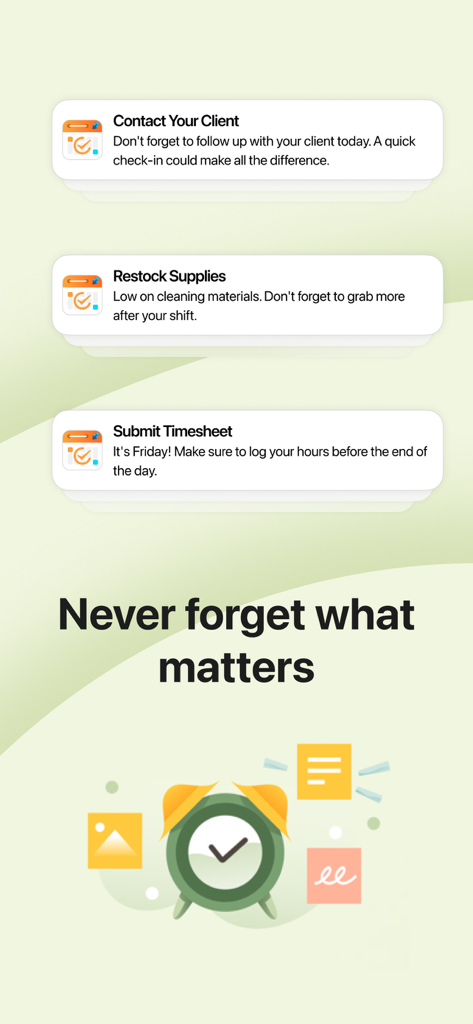
Calendar,Schedule & to do list - 「大切なことを決して忘れない」というテキストとともに、タスク通知とリマインダーを表示する生産性アプリの画面
「大切なことを決して忘れない」というテキストとともに、タスク通知とリマインダーを表示する生産性アプリの画面

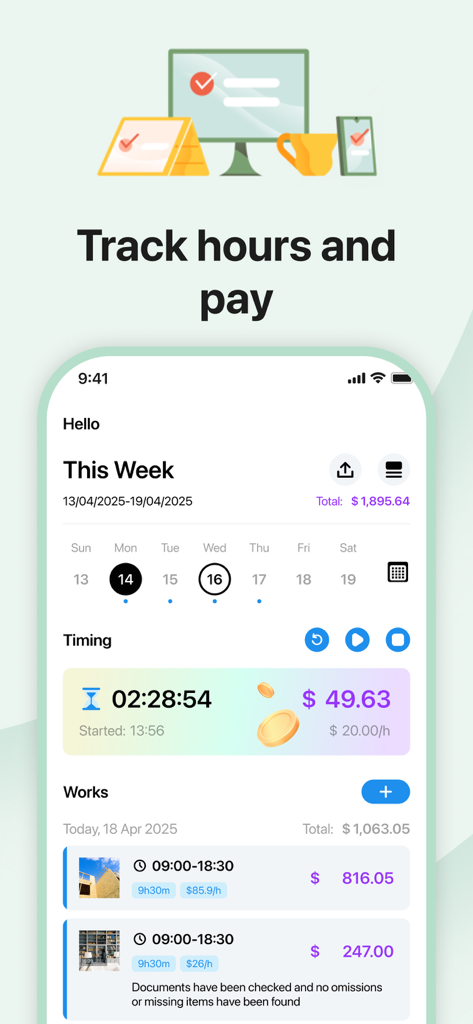
Calendar,Schedule & to do list - 収益計算と作業エントリのリストを備えた週次時間追跡機能を示すモバイルアプリインターフェース
収益計算と作業エントリのリストを備えた週次時間追跡機能を示すモバイルアプリインターフェース

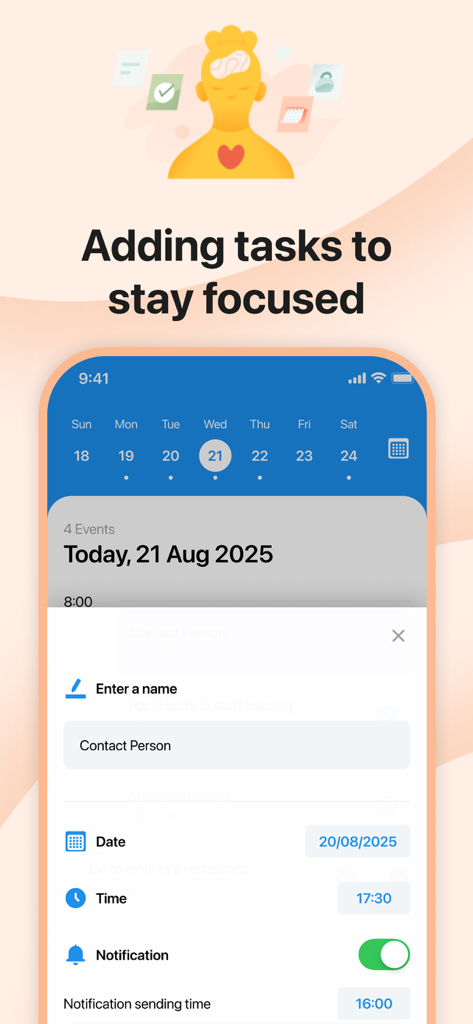
Calendar,Schedule & to do list - 日付と通知オプション付きのタスク追加画面

日付と通知オプション付きのタスク追加画面

Calendar,Schedule & to do list - カラーコードのタスク付き週次スケジュールとToDoリスト

カラーコードのタスク付き週次スケジュールとToDoリスト

説明

Become a master of your time. Join a growing community of app users in 173 locations around the world and in over 20 languages, and stay organized with this app that has powerful built-in scheduling features. See all your calendars, routines, and tasks at once to get more done. We'll give you the customization options that best suit your needs. Color-code your events or choose different views to help you manage your time more efficiently. Use widgets on your home and lock screens to see everything you need. Create recurring events for recurring meetings and plan your agenda to stay on top of things. We'll notify you when a plan is about to start or end. Of course, if you think this might bother you, we can also hide it if you prefer. Simplify time management. No more switching apps to see events. Keep everything in one place with a coordinated planner that lets you easily and conveniently see your personal and work tasks. Check your to-do list and never forget anything again with an integrated calendar and organizer solution that's easily customizable. Our goal is to help you make the most of your time and become a master of it! Make the most of your time: - Easily organize, track and complete your tasks with To-Do List - Coordinate activities in one place with Calendar Simplify and customize - Control how you view events with daily, weekly, monthly or list views - Easily track class schedules, family plans and more with color-coded sorting - The app lets you keep track of weather, photos, temperature and other elements you need. Pro Subscription Payment will be charged to your iTunes account immediately upon confirmation of purchase. You can manage your subscription and turn off auto-renewal by going to Account Settings after purchase. Your subscription will automatically renew unless auto-renew is turned off at least 24 hours before the end of the current subscription period. Your account will be charged for renewal within 24 hours prior to the end of the current subscription period. Once you cancel a subscription, it will remain active until the end of the subscription period. Auto-renewal will be turned off, but the current subscription will not be refunded. Any unused portion of a free trial period will be forfeited when you purchase a subscription. Privacy Policy: https://sites.google.com/view/working-hours-privacy-policy Terms: https://sites.google.com/view/working-hours-terms

Download

ダウンロード: App Store

このページはアプリまたはその開発者の公式ページではなく、情報提供および論評を目的として作成された独立した編集出版物です。明示的に別段の記載がない限り、アプリおよびその開発者は、MWM、Apple、Google Play、アプリのパブリッシャー、またはアプリの開発者と提携、承認、後援、認可、またはその他の公式的な関係はなく、このページのいかなる内容も、アプリがMWMのサービスを使用して開発されたことを意味するものではありません。すべての商標、ロゴ、スクリーンショット、その他のコンテンツはそれぞれの所有者の財産です。