GoodTask - To Do List, Tasks
ダウンロード: App Store

このページはアプリまたはその開発者の公式ページではなく、情報提供および論評を目的として作成された独立した編集出版物です。明示的に別段の記載がない限り、アプリおよびその開発者は、MWM、Apple、Google Play、アプリのパブリッシャー、またはアプリの開発者と提携、承認、後援、認可、またはその他の公式的な関係はなく、このページのいかなる内容も、アプリがMWMのサービスを使用して開発されたことを意味するものではありません。すべての商標、ロゴ、スクリーンショット、その他のコンテンツはそれぞれの所有者の財産です。

ロゴ: GoodTask - To Do List, Tasks
ダウンロード: App Store

GoodTask - To Do List, Tasks

パワーユーザーやプロフェッショナルのための、受賞歴のあるタスク管理アプリ。シンプルなチェックリストを、カンバンボード、高度なスマートリスト、シームレスなiCloud同期を備えた本格的なプロジェクト管理システムへと進化させます。

主要数値

ダウンロード

467K+

ユーザー評価

4.5/5

評価数

5K+

開発元

haha Interactive

カテゴリ

Productivity

対応言語

14

最新バージョン

8.1.6

サイズ

138.0 MB

リリース日

2016年3月24日
機能

プロフェッショナルなパワーでワークデイをマスターする

Appleリマインダーとカレンダーを、ハイアチーバー向けに設計されたプロ仕様のタスク管理システムに変換します。

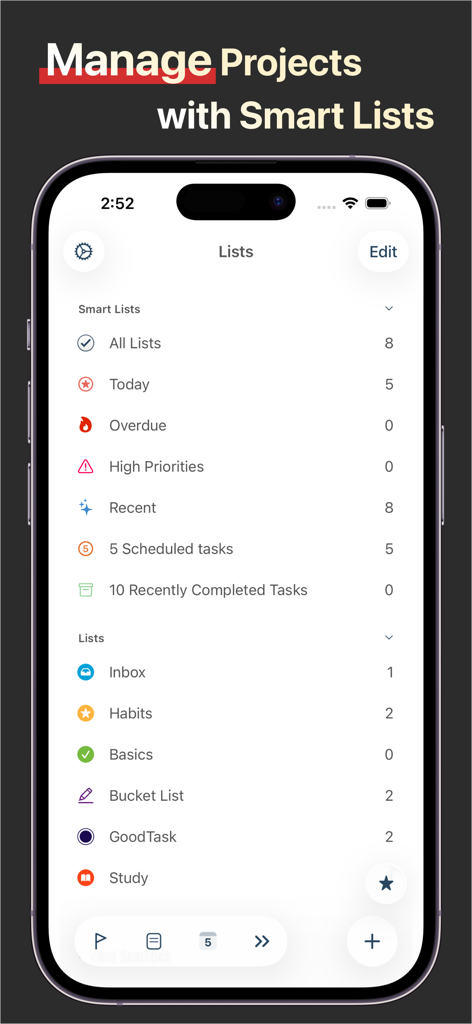
インテリジェントなスマートリスト

高度なフィルターで頭の中の雑音を解消。タグ、優先度、場所でタスクを整理し、今まさに重要なことに集中できます。

ビジュアルなボード表示

カンバンスタイルのプロジェクト管理を個人のタスクに取り入れましょう。ワークフローを可視化し、各ステージの進捗を簡単に追跡できます。

以下のスクリーンショットと説明は、アプリの公式ストアリスティングから直接取得されたものであり、アプリ開発者の所有物です。

アプリストア

スクリーンショット
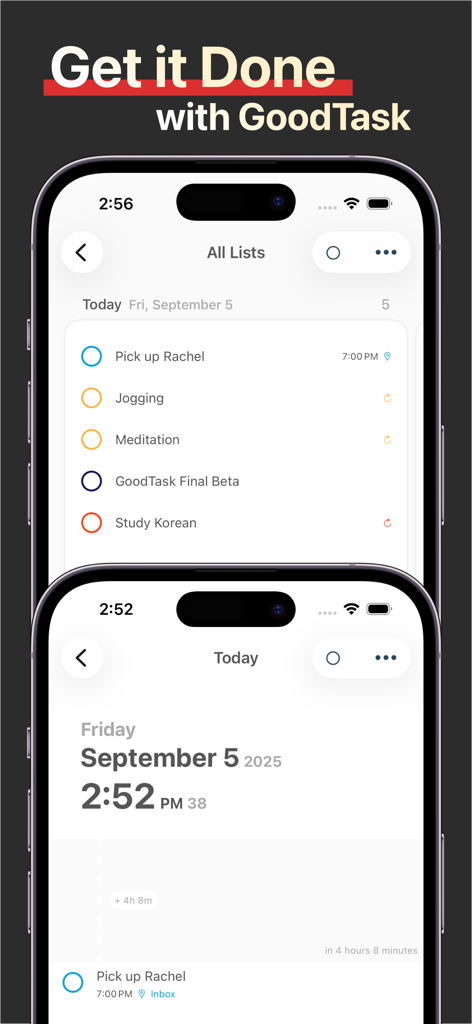
GoodTask - To Do List, Tasks - 2台のiPhone上のGoodTaskアプリインターフェース。タスクリストと1日のスケジュールを表示
2台のiPhone上のGoodTaskアプリインターフェース。タスクリストと1日のスケジュールを表示

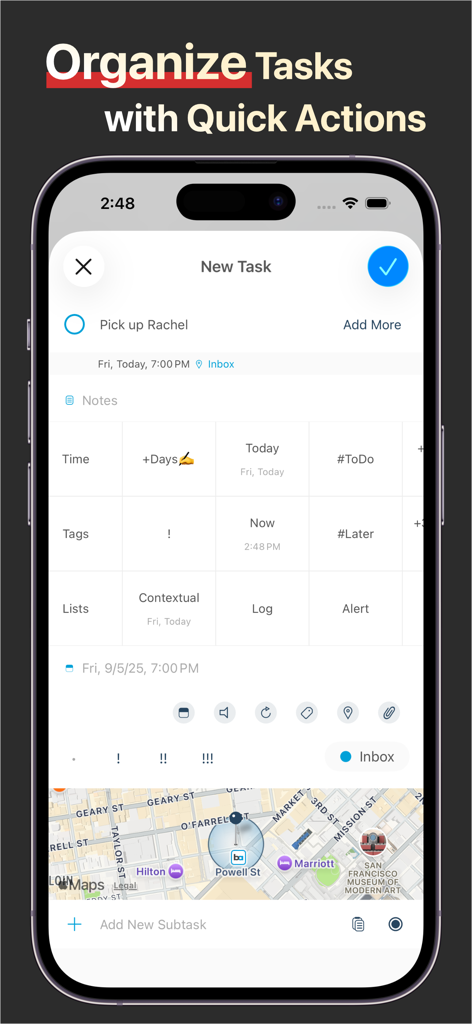
GoodTask - To Do List, Tasks - クイックアクションと位置情報機能を使用してタスクを整理するGoodTaskアプリの画面
クイックアクションと位置情報機能を使用してタスクを整理するGoodTaskアプリの画面

GoodTask - To Do List, Tasks - iPhone上のGoodTaskアプリインターフェース。スマートリストとプロジェクト管理フォルダーを表示
iPhone上のGoodTaskアプリインターフェース。スマートリストとプロジェクト管理フォルダーを表示

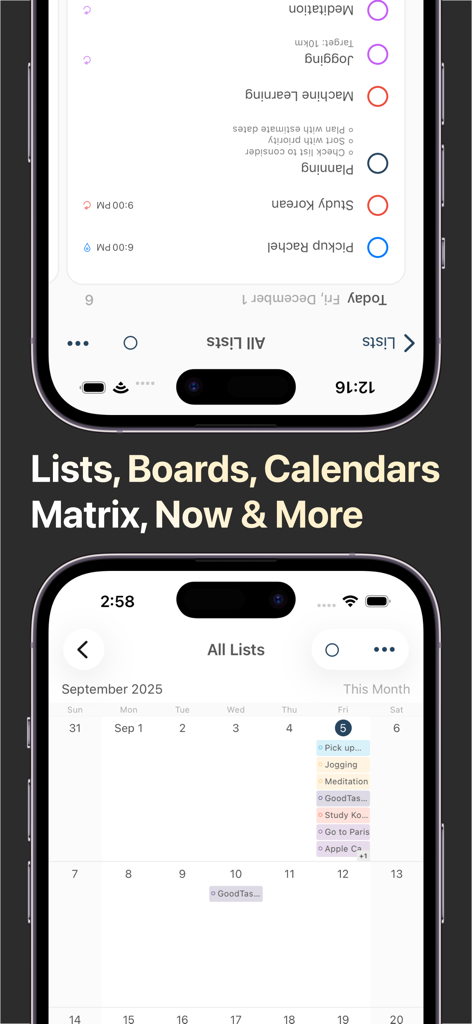
GoodTask - To Do List, Tasks - タスク管理のためのリスト表示とカレンダー表示を示すGoodTaskアプリ

タスク管理のためのリスト表示とカレンダー表示を示すGoodTaskアプリ

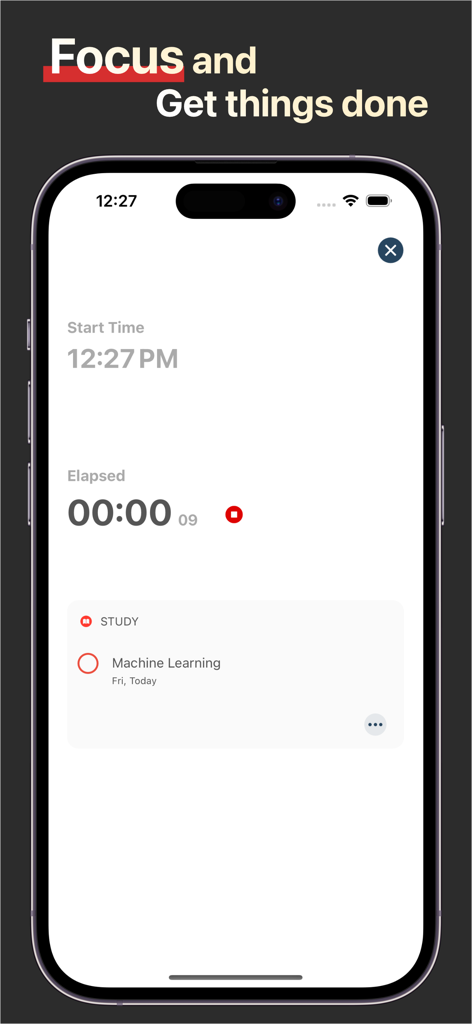
GoodTask - To Do List, Tasks - iPhone上の生産性タイマーと学習タスクを示すGoodTask集中モードのインターフェース。
iPhone上の生産性タイマーと学習タスクを示すGoodTask集中モードのインターフェース。

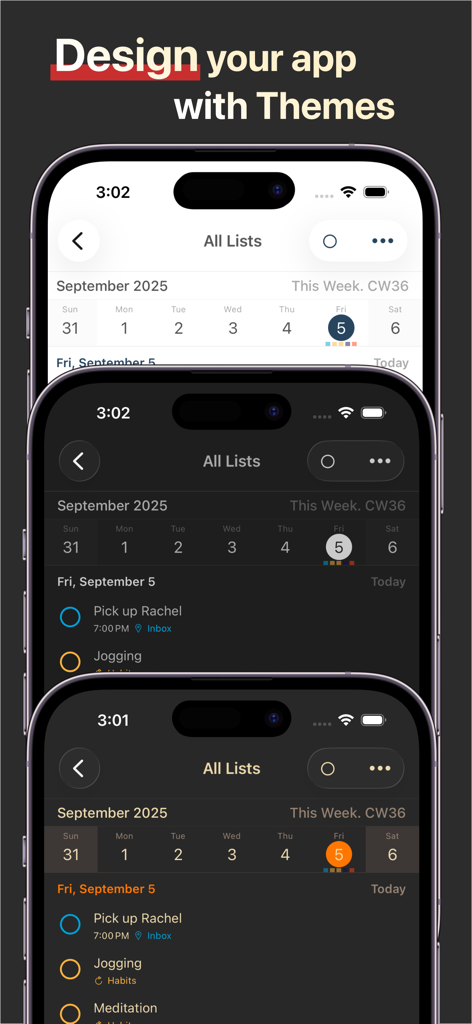
GoodTask - To Do List, Tasks - iPhone画面上で3つの異なるUIテーマを表示するGoodTaskアプリ
iPhone画面上で3つの異なるUIテーマを表示するGoodTaskアプリ

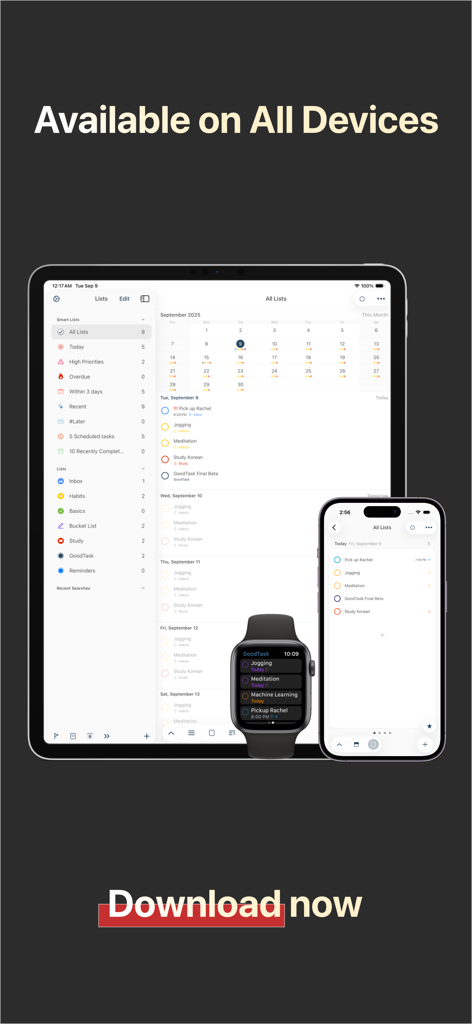
GoodTask - To Do List, Tasks - iPad、iPhone、Apple Watch上のGoodTask生産性アプリのインターフェース。

iPad、iPhone、Apple Watch上のGoodTask生産性アプリのインターフェース。

説明

--[ Winner of MacStories Selects. Must-Have iOS Apps, App of the Year ]-- --[ Featured as 'Apps We Love Right Now', 'Be More Productive' and 'Get Stuff Done' ]-- "GoodTask is all you need to organize your day and get things done for real" If you're using iCloud or Outlook with Reminders and Calendars, it's for you. GoodTask is a Powerful Task/Project Manager based on iOS Reminders & Calendars. You can use it as simple checklist to focus or as complex project management tool to get big things done. GoodTask provides various viewpoints to the things that you care and need to be done. Manage your tasks, projects and even your life better with GoodTask. General - Syncs with iOS Reminders & Calendars - Supports fully customizable recurring tasks - Manage Reminders Lists and Calendars easily - List, Day, Week, Month view on each lists - Board view with Date, Priority, List, Tag type - Add Quickly and Smartly with Presets and Text Snippets Smart Lists - List with selective Reminders Lists and Calendars - Filter by including or excluding text/tags - Filter by Priorities - Overdue tasks, Location-based tasks, Recent tasks, etc. Quick Actions - Quickly edit tasks on the fly - Bulk actions to edit/check/delete multiple tasks at once - Duplicate, Change due dates, add/switch tags/lists, etc. Other Key Features - App Icon Badge & Notifications - Various Themes including custom fonts - Long tap to move lists and tasks - Supports portrait/landscape mode on all devices - Supports iPad Pro and multi-tasking for all iPads - Apple Watch with complications support - Today Widget support - Time Zone support - Subtasks, Automatic Repeat after Completion & Manual sort (GoodTask 3 only) Visit our website for more information (http://goodtaskapp.com) ! If you have questions, mention @goodtaskapp on twitter or send an email to contact@hahaint.com = About Subscriptions = Subscriptions in GoodTask is OPTIONAL and solely in purpose of supporting the continuous development of the app. In case you choose to subscribe without unlocking everything, it'll be unlocked automatically to fully use the app. - Supporter is an auto-renewing subscription and is available for yearly periods. - Payment will be charged to your iTunes account at confirmation of purchase. - Your subscription will automatically renew unless auto-renew is turned off at least 24-hours before the end of the current subscription period. - Your account will be charged for renewal within 24-hours prior to the end of the current subscription period. Automatic renewals will cost the same price you were originally charged for the subscription. - You can manage your subscriptions and turn off auto-renewal by going to your Account Settings on the App Store after purchase. = Terms of Use & Privacy Policy = Terms of Use : http://hahaint.com/terms Privacy Policy : http://hahaint.com/privacy If you need support, e-mail us at contact@hahaint.com We'll get to you right away. :)

Download

ダウンロード: App Store

このページはアプリまたはその開発者の公式ページではなく、情報提供および論評を目的として作成された独立した編集出版物です。明示的に別段の記載がない限り、アプリおよびその開発者は、MWM、Apple、Google Play、アプリのパブリッシャー、またはアプリの開発者と提携、承認、後援、認可、またはその他の公式的な関係はなく、このページのいかなる内容も、アプリがMWMのサービスを使用して開発されたことを意味するものではありません。すべての商標、ロゴ、スクリーンショット、その他のコンテンツはそれぞれの所有者の財産です。