Cam Scanner: Smart Scan to PDF
ダウンロード: App Store

このページはアプリまたはその開発者の公式ページではなく、情報提供および論評を目的として作成された独立した編集出版物です。明示的に別段の記載がない限り、アプリおよびその開発者は、MWM、Apple、Google Play、アプリのパブリッシャー、またはアプリの開発者と提携、承認、後援、認可、またはその他の公式的な関係はなく、このページのいかなる内容も、アプリがMWMのサービスを使用して開発されたことを意味するものではありません。すべての商標、ロゴ、スクリーンショット、その他のコンテンツはそれぞれの所有者の財産です。

ロゴ: Cam Scanner: Smart Scan to PDF
ダウンロード: App Store

Cam Scanner: Smart Scan to PDF

紙をデジタルな鮮明さに、手間なく変換。OCRとスマートPDFツールで、数秒で書類をスキャン、署名、整理。あなたのペースの速い生活のために設計されています。

主要数値

ダウンロード

60K+

ユーザー評価

4.6/5

評価数

0

開発元

Nikolai Kangur

カテゴリ

Business

対応言語

1

最新バージョン

1.0

サイズ

44.2 MB

リリース日

2025年8月13日
機能

ワークフローをデジタルパワーハウスに変える

モバイルプロフェッショナルのための究極のツールを体験してください。精密に書類をスキャン、署名、整理 — かさばるハードウェアは不要です。

書類に即座に署名

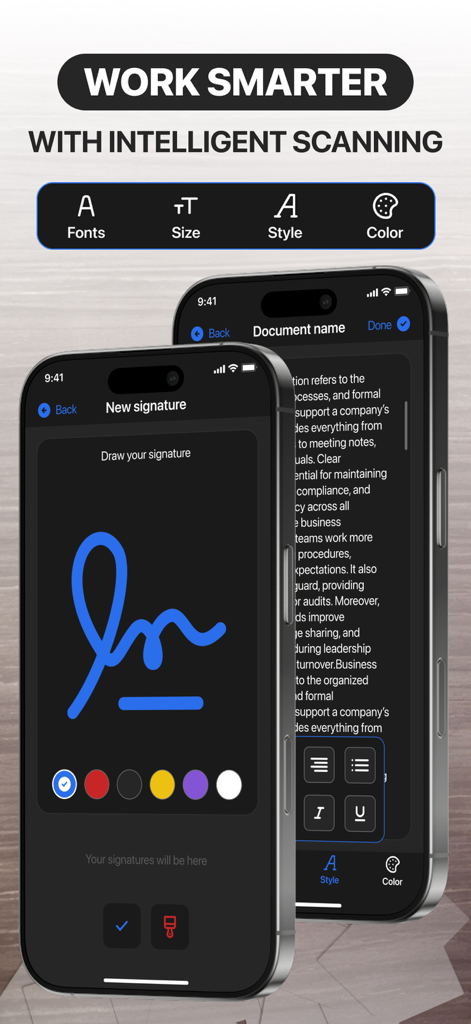
プリンターはもう不要です。数秒で独自のデジタル署名を作成し、契約書やリース契約に直接画面上で署名できます。

鮮明な文字認識

高度なOCRで物理的なページを編集可能なテキストに変換します。プロレベルの鮮明さで、常にすべての詳細をキャプチャします。

以下のスクリーンショットと説明は、アプリの公式ストアリスティングから直接取得されたものであり、アプリ開発者の所有物です。

アプリストア

スクリーンショット
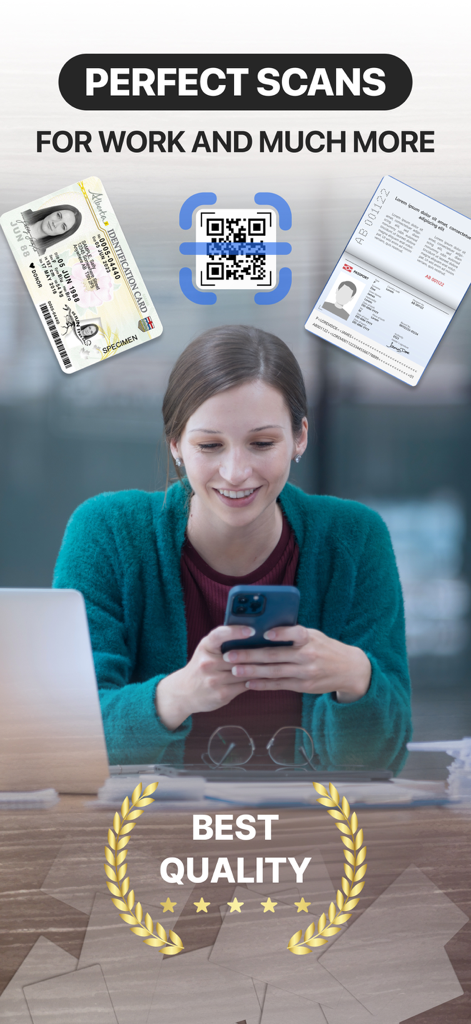
Cam Scanner: Smart Scan to PDF - プロの女性がカムスキャナーアプリを使用して、身分証明書、パスポート、QRコードをデジタル化しています
プロの女性がカムスキャナーアプリを使用して、身分証明書、パスポート、QRコードをデジタル化しています

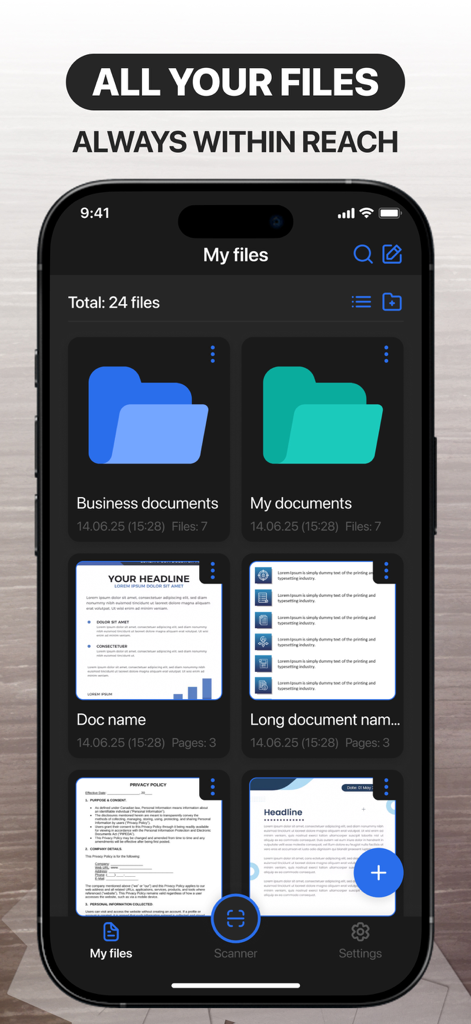
Cam Scanner: Smart Scan to PDF - カムスキャナーアプリのインターフェース。ファイル管理画面に整理されたフォルダーとスキャンされたドキュメントのプレビューが表示されています
カムスキャナーアプリのインターフェース。ファイル管理画面に整理されたフォルダーとスキャンされたドキュメントのプレビューが表示されています

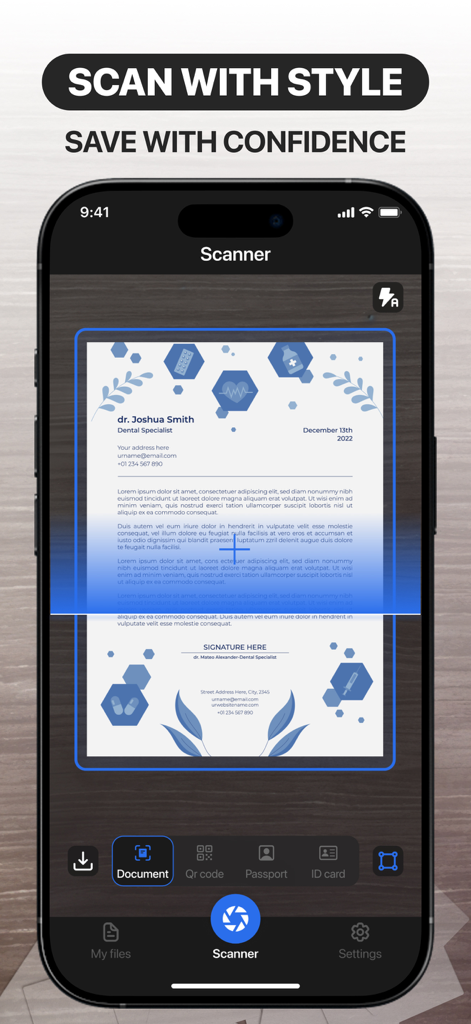
Cam Scanner: Smart Scan to PDF - カムスキャナーアプリのインターフェース。デスク上のプロフェッショナルなドキュメントがスキャンされている様子が表示されています
カムスキャナーアプリのインターフェース。デスク上のプロフェッショナルなドキュメントがスキャンされている様子が表示されています

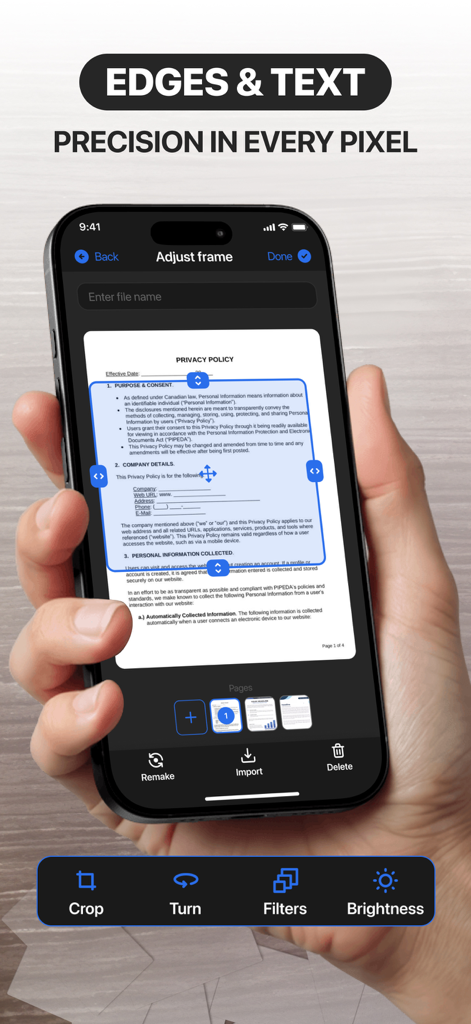
Cam Scanner: Smart Scan to PDF - カムスキャナーアプリのインターフェース。スキャンされたドキュメントの精密なトリミングフレーム調整が表示されています
カムスキャナーアプリのインターフェース。スキャンされたドキュメントの精密なトリミングフレーム調整が表示されています

Cam Scanner: Smart Scan to PDF - スマートフォン画面に、カムスキャナーアプリのデジタル署名作成機能とドキュメントテキスト編集機能が表示されています

スマートフォン画面に、カムスキャナーアプリのデジタル署名作成機能とドキュメントテキスト編集機能が表示されています

説明

Paper to digital effortlessly Easily scan any documents or images and turn them into your digital tools. Your documents are always at your fingertips and in perfect order. Effortlessly Transform Paper to Digital Say goodbye to piles of paperwork—seamlessly scan any document or image and convert it into a versatile digital file. With just a few clicks, your physical papers become organized, searchable, and always accessible. Whether at home, in the office, or on the go, your important documents are right at your fingertips, perfectly sorted and ready whenever you need them. Capture Perfect Clarity, Every Time Experience crisp, high-quality scans with every use. Once your document is digitized, effortlessly highlight key sections, add notes, or make quick edits—all with intuitive, user-friendly tools. No more printing, scribbling, or rescanning. Refine your documents anytime, anywhere, with unmatched speed and precision. Capture clarity, every time After scanning a document, you can highlight the most important parts for you. Edit documents quickly, conveniently, and effortlessly at any time. Export files in various formats Upload and share your documents in various text formats, as images, or as PDFs. Convenient and easy file export, always according to your rules. Sign documents digitally Create your own unique digital signatures and easily transfer them to documents. Don't bother searching for a pen with a reliable digital tool. Access more features: Ability to edit and customize documents Scanning QR codes, passports & ID cards Document Text Recognition Function Premium Membership: Week Features A 3-day trial is available with all subscriptions. Your iTunes account will be charged after the purchase is confirmed. Subscriptions automatically renew unless you cancel at least 24 hours before the current period ends. Manage your subscriptions and auto-renewal in Account Settings. Support and Privacy Policy Consult our privacy policy:https://kopolomech.art/PrivacyPolicy.html Visit our Terms of Use to understand how we protect your information:https://kopolomech.art/TermsOfUse.html Reach our customer support at:nikoglobals@kopolomech.art Your Documents—Simplified, Secure, and Always Within Reach.

Download

ダウンロード: App Store

このページはアプリまたはその開発者の公式ページではなく、情報提供および論評を目的として作成された独立した編集出版物です。明示的に別段の記載がない限り、アプリおよびその開発者は、MWM、Apple、Google Play、アプリのパブリッシャー、またはアプリの開発者と提携、承認、後援、認可、またはその他の公式的な関係はなく、このページのいかなる内容も、アプリがMWMのサービスを使用して開発されたことを意味するものではありません。すべての商標、ロゴ、スクリーンショット、その他のコンテンツはそれぞれの所有者の財産です。








