
このページはアプリまたはその開発者の公式ページではなく、情報提供および論評を目的として作成された独立した編集出版物です。明示的に別段の記載がない限り、アプリおよびその開発者は、MWM、Apple、Google Play、アプリのパブリッシャー、またはアプリの開発者と提携、承認、後援、認可、またはその他の公式的な関係はなく、このページのいかなる内容も、アプリがMWMのサービスを使用して開発されたことを意味するものではありません。すべての商標、ロゴ、スクリーンショット、その他のコンテンツはそれぞれの所有者の財産です。


Camera Remote Watch
タイマースプリントを止め、完璧なショットを捉えましょう。スマートウォッチから直接フレームをプレビューし、iPhoneカメラをトリガーして、簡単なソロ写真や集合写真を撮影できます。
ダウンロード
169K+ユーザー評価
評価数
100開発元
カテゴリ
Photo & Video対応言語
1最新バージョン
1.0.9サイズ
0.6 MBリリース日
2018年2月21日手首から完璧なショットをマスター
GarminやFitbitにプレミアムなカメラ機能をもたらします。「10秒タイマー」の慌ただしさなしに、iPhoneのシャッターをコントロールし、写真をプレビューできます。
リモートシャッターコントロール
スマートウォッチから瞬時に高品質な写真を撮影できます。フレームに急いで入ったり、見知らぬ人に写真を頼んだりする必要はもうありません。
ライブ手首ファインダー
携帯電話が見ているものを正確に確認できます。シャッターを切る前に、時計の画面で直接フレーミングとポーズを確認できます。
以下のスクリーンショットと説明は、アプリの公式ストアリスティングから直接取得されたものであり、アプリ開発者の所有物です。
アプリストア
スクリーンショット
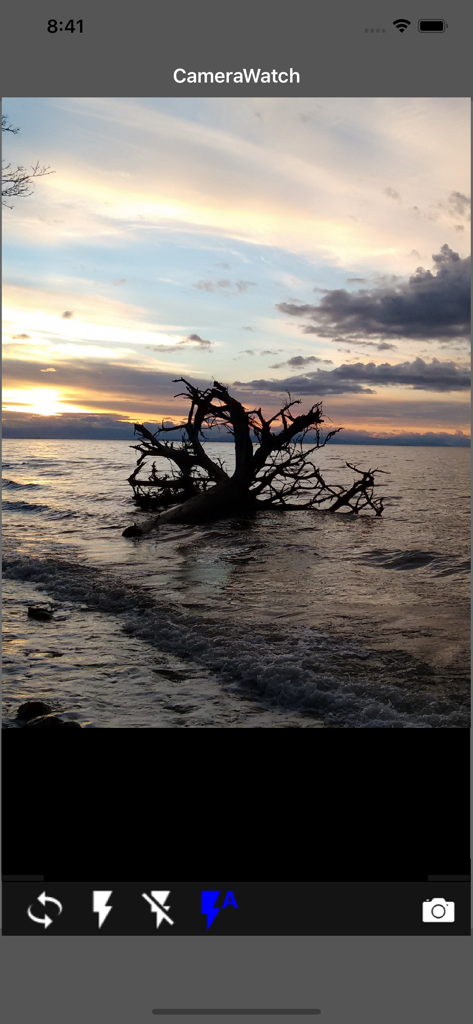
湖に沈む夕日と下部にカメラコントロールが表示されたCamera Remote Watchアプリのインターフェース
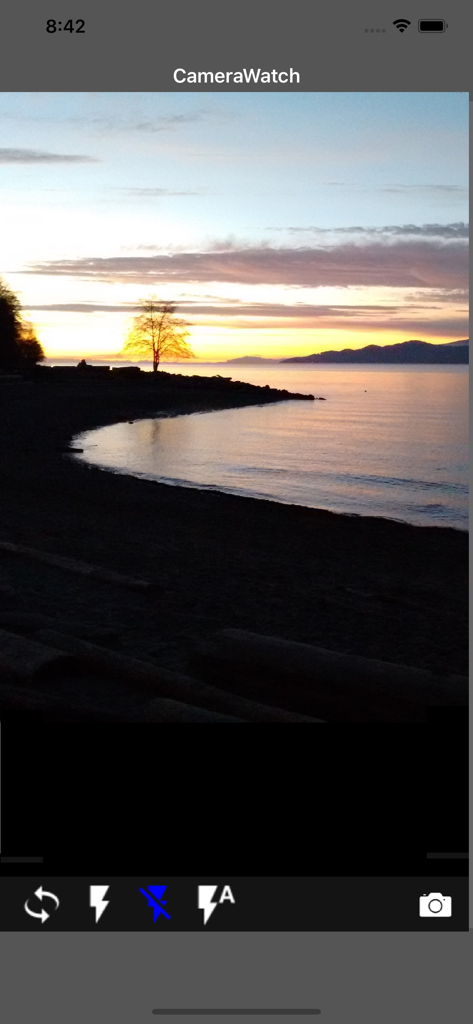
ビーチの夕日とコントロールボタンが表示されたiPhoneのカメラファインダー
説明
Download
類似アプリ
同じカテゴリのトップランクアプリ

CapCut: Photo & Video Editor
BYTEDANCE PTE. LTD.

Instagram, Inc.

YouTube
Google LLC

Canva: AI Photo & Video Editor
Canva Pty Ltd

Snapchat
Snap, Inc.

快手
Beijing Kwai Technology Co., Ltd.

Edits: Video Editor
Instagram, Inc.

Meitu- AI Photo & Video Editor
Xiamen Meitu Technology Co., Ltd.

Google Photos: Backup & Edit
Google LLC
このページはアプリまたはその開発者の公式ページではなく、情報提供および論評を目的として作成された独立した編集出版物です。明示的に別段の記載がない限り、アプリおよびその開発者は、MWM、Apple、Google Play、アプリのパブリッシャー、またはアプリの開発者と提携、承認、後援、認可、またはその他の公式的な関係はなく、このページのいかなる内容も、アプリがMWMのサービスを使用して開発されたことを意味するものではありません。すべての商標、ロゴ、スクリーンショット、その他のコンテンツはそれぞれの所有者の財産です。