
このページはアプリまたはその開発者の公式ページではなく、情報提供および論評を目的として作成された独立した編集出版物です。明示的に別段の記載がない限り、アプリおよびその開発者は、MWM、Apple、Google Play、アプリのパブリッシャー、またはアプリの開発者と提携、承認、後援、認可、またはその他の公式的な関係はなく、このページのいかなる内容も、アプリがMWMのサービスを使用して開発されたことを意味するものではありません。すべての商標、ロゴ、スクリーンショット、その他のコンテンツはそれぞれの所有者の財産です。


CamScanner HD
高解像度スキャン、スマートOCR、シームレスなクラウド同期でワークフローをデジタル化。6000万人以上のプロフェッショナルや学生がiPadを強力なポータブルオフィスに変えています。
ダウンロード
3M+ユーザー評価
評価数
1K+開発元
カテゴリ
Productivity対応言語
14最新バージョン
3.12.0サイズ
64.8 MBリリース日
2018年3月26日あなたのプロフェッショナルなドキュメントの拠点
iPadを高性能スキャナーとデジタルファイリングシステムに変え、プロフェッショナルおよび学術的なワークフローを効率化するために設計されています。
プロフェッショナルグレードのスキャン品質
ぼやけた写真とはお別れです。スマートトリミングと自動強調アルゴリズムにより、すべてのドキュメントが高解像度でシャープ、クリア、そしてプロフェッショナルに見えます。
高度なOCRテクノロジー
画像内のテキストをアンロック。領収書、メモ、契約書からデータを抽出し、驚異的な速さでドキュメントを検索、編集、またはエクスポートできます。
よくある質問
について知っておくべきこと CamScanner HD
CamScanner HDとは何ですか?
CamScanner HDは、最高のモバイルドキュメントスキャンおよび共有アプリケーションです。これにより、ユーザーはスマートフォン、iPad、タブレット、コンピューター間でさまざまなドキュメントをスキャン、保存、同期、共同作業できます。
CamScanner HDは物理的なドキュメントをデジタル化できますか?
はい、CamScanner HDはドキュメントを迅速にデジタル化できます。ユーザーはデバイスのカメラを使用して、レシート、メモ、請求書、名刺、証明書などのさまざまな紙のドキュメントをスキャンするだけです。
CamScanner HDには、テキスト抽出用のOCR機能がありますか?
はい、CamScanner HDにはOCR(光学文字認識)機能が搭載されています。これにより、ユーザーは後で検索、編集、または共有するために、ドキュメント画像からテキストを抽出できます。これは有料アプリ限定の機能です。
CamScanner HDでドキュメントを共有するにはどうすればよいですか?
CamScanner HDでは、PDFまたはJPEG形式でドキュメントを簡単に共有できます。ユーザーは、ソーシャルメディア、メールの添付ファイル、またはドキュメントのダウンロードリンクを送信することによって、友人とファイルを共有できます。
CamScanner HDはドキュメントの印刷とファックスをサポートしていますか?
はい、CamScanner HDはAirPrintとファックスの両方をサポートしています。ユーザーはAirPrint経由で近くのプリンターでドキュメントを即座に印刷したり、アプリから30か国以上に直接ドキュメントをファックスしたりできます。
CamScanner HDでドキュメントを共同編集できますか?
はい、CamScanner HDではドキュメントの共同編集が可能です。登録者は、指定されたグループ内でドキュメントを閲覧、コメント、アイデア交換するために、友人や同僚を招待できます。
CamScanner HDでドキュメントに透かしを追加できますか?
CamScanner HDは、注釈を付ける機能を含む高度な編集ツールを提供します。ユーザーは、ドキュメントにカスタム透かしを追加して、自分のものとしてマークすることもできます。
CamScanner HDは、ドキュメントをどのように整理し、検索できるようにしますか?
CamScanner HDは、タグを使用してドキュメントを整理し、迅速なカテゴリ分けと検索を可能にします。OCR for Search機能は、キーワードを使用して画像やメモ内のテキストを見つけやすくするのにも役立ちます。
CamScanner HDでは、ドキュメントを保護するためのセキュリティ機能はありますか?
はい、CamScanner HDにはセキュリティ機能があります。ユーザーは、機密ドキュメントの表示にパスコードを設定したり、アクセスを制限するためにドキュメントのダウンロードリンクにパスワードを追加したりできます。
CamScanner HDは、異なるデバイス間でドキュメントを同期しますか?
はい、CamScanner HDでは、登録者向けにドキュメントをクロスプラットフォームで同期できます。ユーザーは、スマートフォン、タブレット、コンピューターのいずれかでサインインして、ドキュメントにアクセス、編集、共有できます。
CamScanner HD Premiumサブスクリプションに含まれる特典は何ですか?
CamScanner HD Premiumサブスクリプションには、OCR結果の編集、10GBのクラウドスペース、追加の共同編集者40人、有効期限付きのパスワード保護リンク、WebアプリでのバッチPDFダウンロードが含まれます。
CamScanner HD Premiumサブスクリプションの価格はいくらですか?
CamScanner HD Premiumサブスクリプションは、月額4.99ドルまたは年額49.99ドルです。期間終了の24時間前までにキャンセルされない限り、サブスクリプションは自動的に更新されます。
CamScanner HDは、他のクラウドストレージサービスに接続できますか?
はい、CamScanner HDは、いくつかのサードパーティ製クラウドストレージサービスとの統合をサポートしています。これらには、Box.com、Google Drive、Evernote、Dropboxが含まれており、ストレージとアクセスのオプションを強化します。
以下のスクリーンショットと説明は、アプリの公式ストアリスティングから直接取得されたものであり、アプリ開発者の所有物です。
アプリストア
スクリーンショット
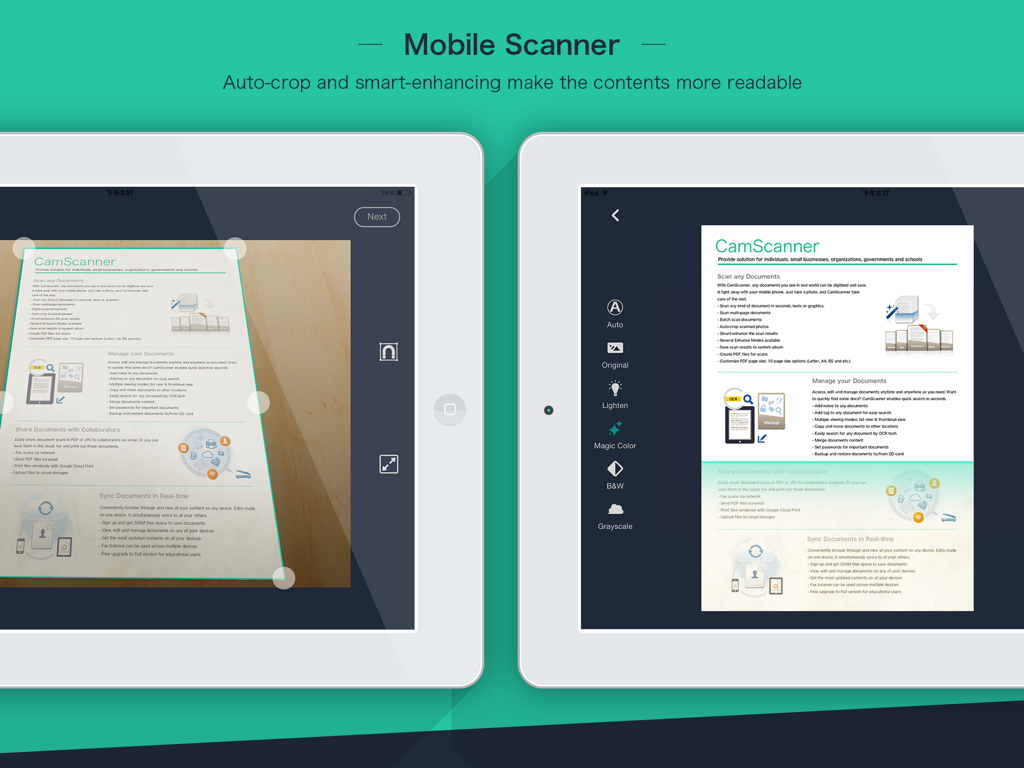
iPadでCamScanner HDアプリが自動トリミングとドキュメント強調機能を示すモバイルスキャン
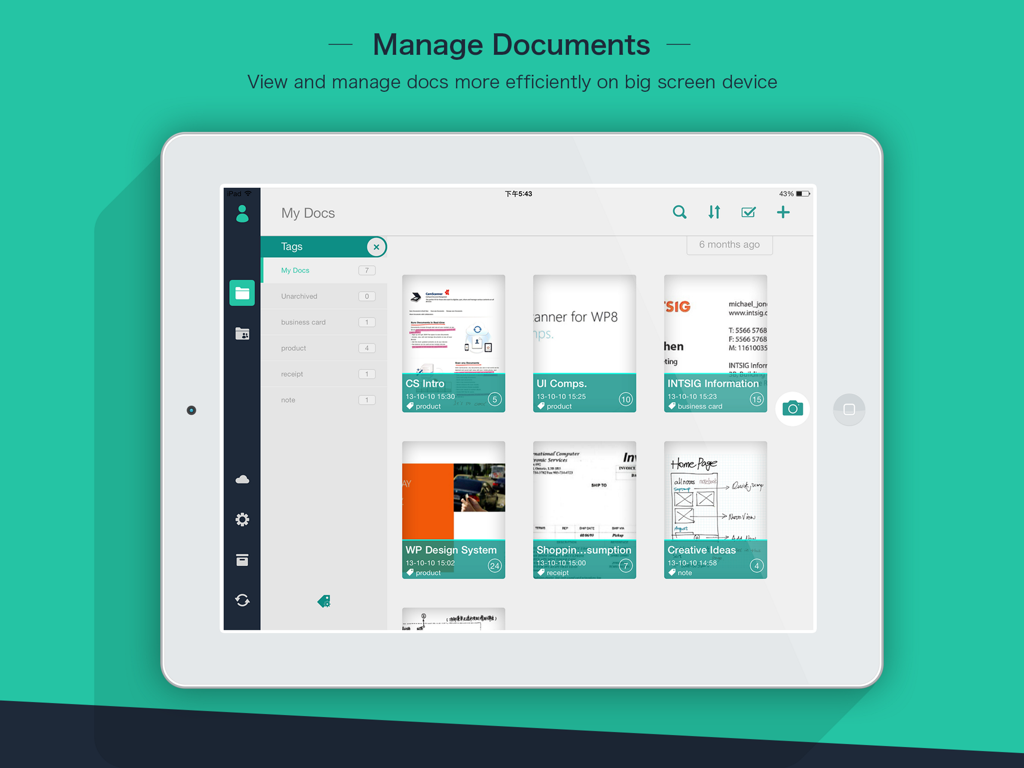
iPadでCamScanner HDアプリのインターフェースがスキャンされたドキュメントと整理タグを表示
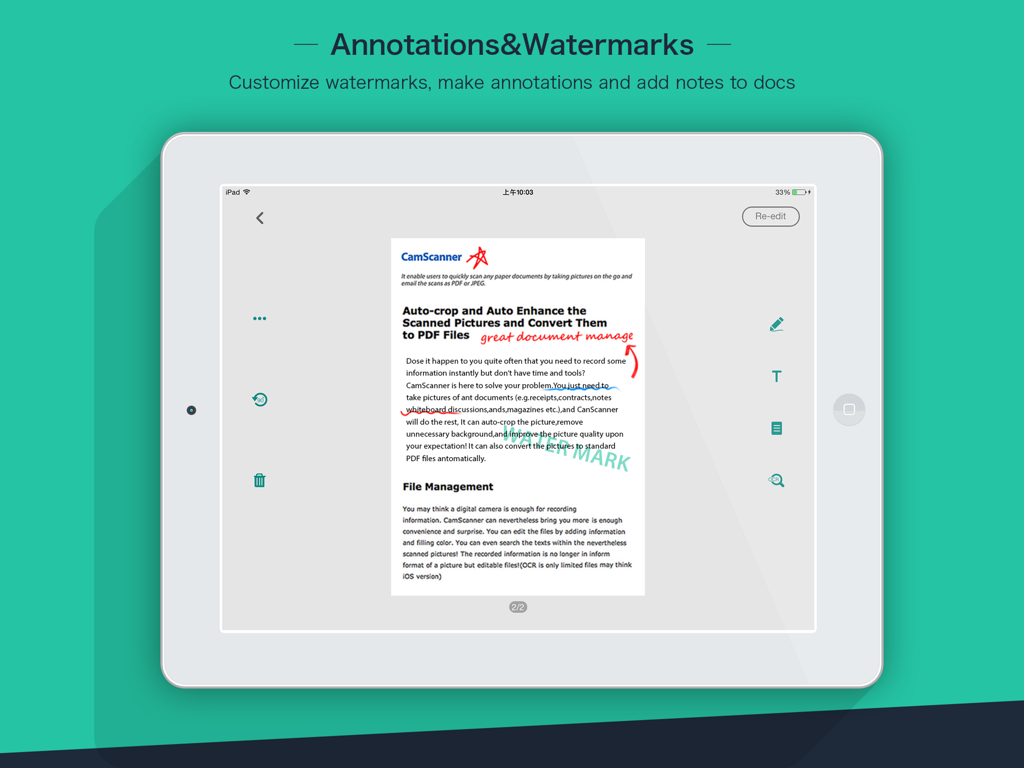
iPadでCamScanner HDアプリがドキュメントの注釈とカスタム透かしを表示
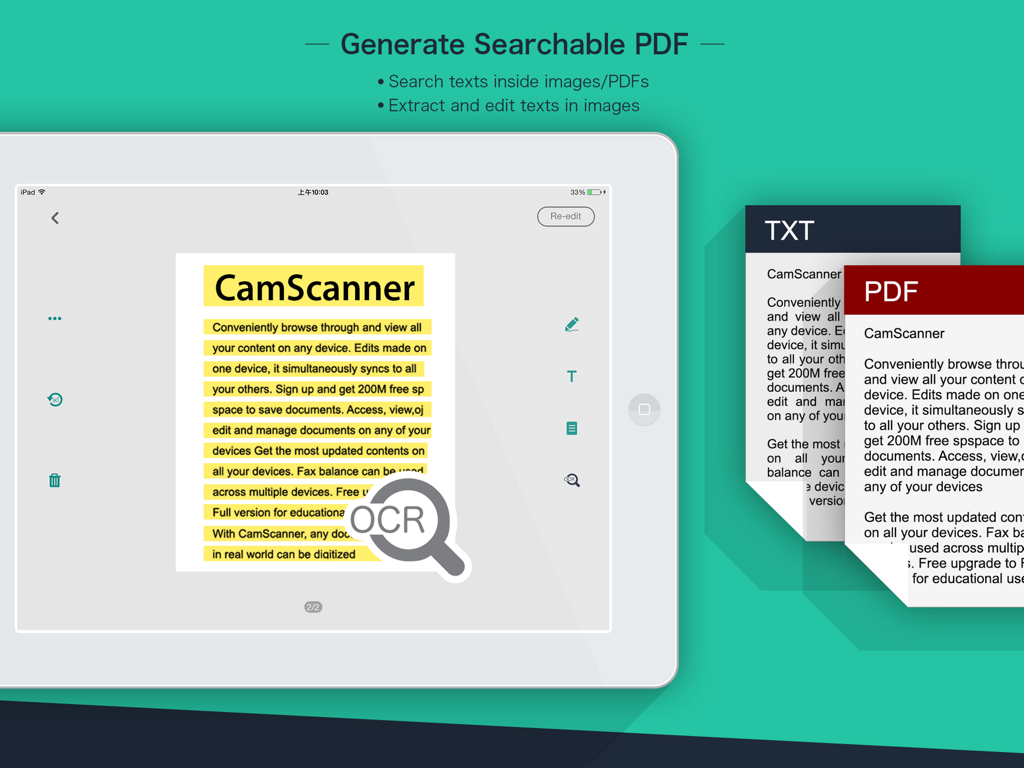
iPadでCamScanner HDのOCR機能が検索可能なPDFの生成とテキスト抽出を示す
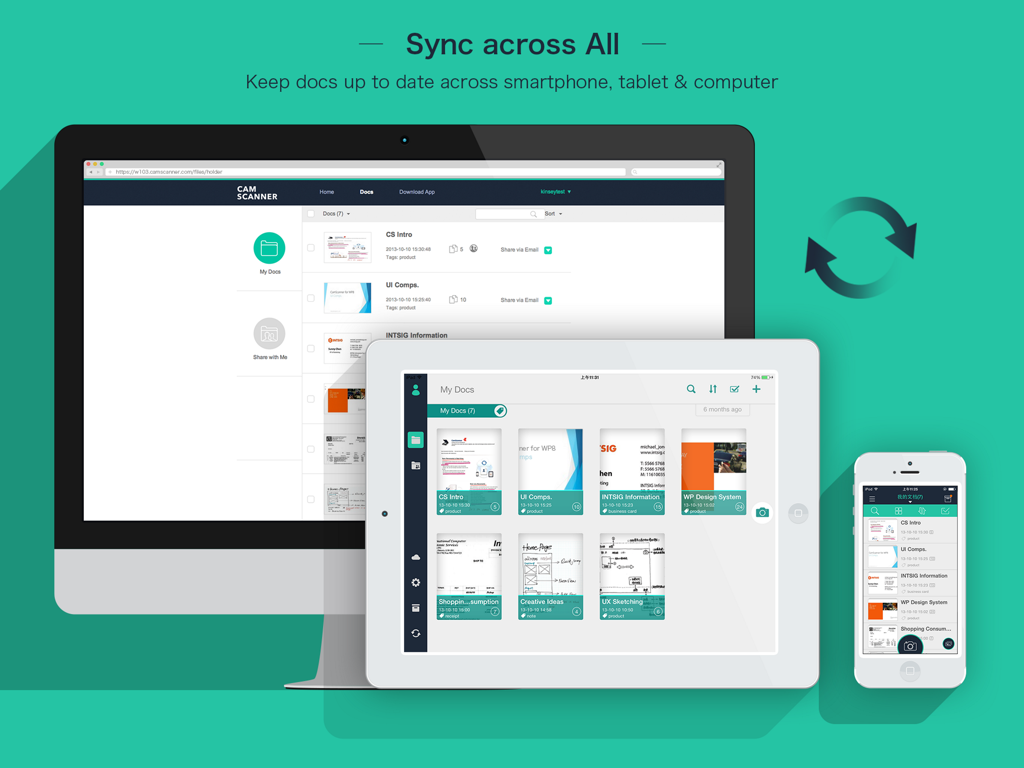
デスクトップ、iPad、iPhone間でのCamScanner HDドキュメント同期
説明
Download
類似アプリ
似た機能とユーザー体験を持つアプリ

PDF PRO Scan Image & Documents
Balzo srl

The PDF Scanner, PDF editor HQ
NEXT K.U.M. LTD

CamScanner - PDF Scanner App
INTSIG Information Co., Ltd

Adobe Scan: PDF & OCR Scanner
Adobe Inc.

WPS Office: PDF, Docs, Sheets
KINGSOFT OFFICE SOFTWARE CORPORATION LIMITED

iLovePDF - PDF Editor & Scan
ILOVEPDF S.L.

Scanner App: Genius Scan
The Grizzly Labs

Microsoft Lens: PDF Scanner
Microsoft Corporation

Clear Scan: Doc Scanner App
INDY MOBILE APP COMPANY LIMITED
このページはアプリまたはその開発者の公式ページではなく、情報提供および論評を目的として作成された独立した編集出版物です。明示的に別段の記載がない限り、アプリおよびその開発者は、MWM、Apple、Google Play、アプリのパブリッシャー、またはアプリの開発者と提携、承認、後援、認可、またはその他の公式的な関係はなく、このページのいかなる内容も、アプリがMWMのサービスを使用して開発されたことを意味するものではありません。すべての商標、ロゴ、スクリーンショット、その他のコンテンツはそれぞれの所有者の財産です。