
このページはアプリまたはその開発者の公式ページではなく、情報提供および論評を目的として作成された独立した編集出版物です。明示的に別段の記載がない限り、アプリおよびその開発者は、MWM、Apple、Google Play、アプリのパブリッシャー、またはアプリの開発者と提携、承認、後援、認可、またはその他の公式的な関係はなく、このページのいかなる内容も、アプリがMWMのサービスを使用して開発されたことを意味するものではありません。すべての商標、ロゴ、スクリーンショット、その他のコンテンツはそれぞれの所有者の財産です。


CamScanner + | OCR Scanner
スマートフォンを強力なポケットスキャナーに変えましょう。高精度OCRで書類をデジタル化し、すべてのデバイスで同期し、ペーパーレスオフィスを簡単に管理できます。
ダウンロード
1M+ユーザー評価
評価数
219K+開発元
カテゴリ
Productivity対応言語
16最新バージョン
5.27.1サイズ
228.0 MBリリース日
2010年8月27日オフィス全体を手のひらに
紙の持ち運びをやめ、効率化を推進しましょう。CamScanner +は、プロフェッショナルグレードのスキャン、インスタントテキスト抽出、安全なクラウド同期を、現代のハイスピードな活動家のために提供します。
スタジオ品質のプロフェッショナルスキャン
スマートクロッピングと自動強調機能で、影やノイズを排除します。モバイルでの簡単な写真撮影を、高級フラットベッドスキャナーから取り出したかのような、シャープで高解像度のPDFに変換します。
スマートOCR&テキスト抽出
画像を即座に編集可能なコンテンツに変えます。教科書、契約書、レシートからテキストを抽出し、素早く編集、共有、またはデジタル学習ガイドや検索可能なアーカイブを作成します。
よくある質問
について知っておくべきこと CamScanner + | OCR Scanner
CamScanner+とは何ですか?
CamScanner+は、ドキュメントを鮮明な画像またはPDFファイルに変換するモバイルスキャナーアプリです。ユーザーは、スキャンしたドキュメントを電子メール、FAX、印刷、またはクラウドサービスに保存できます。
CamScanner+はスキャンしたドキュメントを最適化しますか?
はい、CamScanner+はスマートトリミングと自動強化を使用してスキャン品質を最適化します。この機能により、スキャンしたドキュメントのテキストとグラフィックが鮮明でシャープになります。
CamScanner+はドキュメントを保存するためにどのファイル形式をサポートしていますか?
CamScanner+は、PDFおよびJPEG形式でのドキュメントの保存と共有をサポートしています。プレミアム機能を使用すると、OCR結果を.txtファイルとして編集したり、Word、Excel、TXTに変換したりできます。
CamScanner+にはOCR機能が含まれていますか?
はい、CamScanner+は、1つのスキャンページからテキストを抽出するための光学文字認識(OCR)を提供します。この機能は有料アプリバージョンで利用できます。
CamScanner+でIDカードやパスポートをスキャンできますか?
CamScanner+を使用すると、ユーザーはIDカードやパスポートをスキャンしてデジタル化できます。オプションの透かし保護を使用して、IDカードの2つ折りの電子コピーを作成できます。
CamScanner+でドキュメントを保護するにはどうすればよいですか?
はい、ユーザーは表示用のパスコードを設定することで、CamScanner+で重要なドキュメントを保護できます。さらに、ドキュメントリンクはパスワードで保護できます。
CamScanner+はクラウドストレージ統合をサポートしていますか?
CamScanner+は、さまざまなサードパーティのクラウドサービスと統合されています。ユーザーは、Box、Google Drive、Dropbox、Evernote、OneDriveにドキュメントを自動アップロードできます。
CamScanner+ Premiumサブスクリプションの価格はいくらですか?
CamScanner+は、月額4.99ドルで月次サブスクリプションを提供しています。年間サブスクリプションは、最初の年は35.99ドル、その後は年間49.99ドルです。
CamScanner+ Premiumサブスクリプションをキャンセルするにはどうすればよいですか?
ユーザーは、購入後にiTunesアカウント設定を通じてCamScanner+サブスクリプションを管理できます。自動更新はそこでオフにすることができます。
CamScanner+でドキュメントを共同編集できますか?
はい、CamScanner+には共同編集機能が含まれています。ユーザーは、登録後にグループ内でスキャンを表示およびコメントするために、友人または同僚を招待できます。
以下のスクリーンショットと説明は、アプリの公式ストアリスティングから直接取得されたものであり、アプリ開発者の所有物です。
アプリストア
スクリーンショット
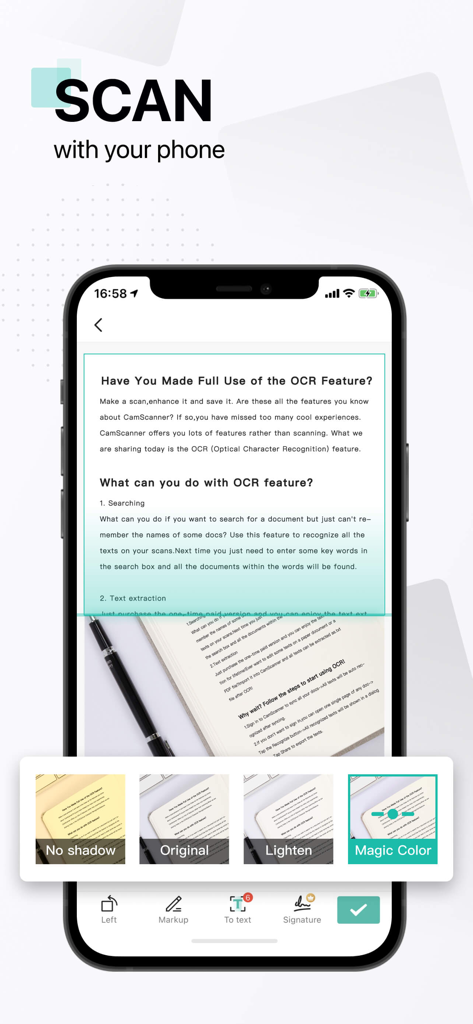
CamScannerアプリのインターフェース。OCR機能と画像強調フィルターを使用したドキュメントスキャンを表示
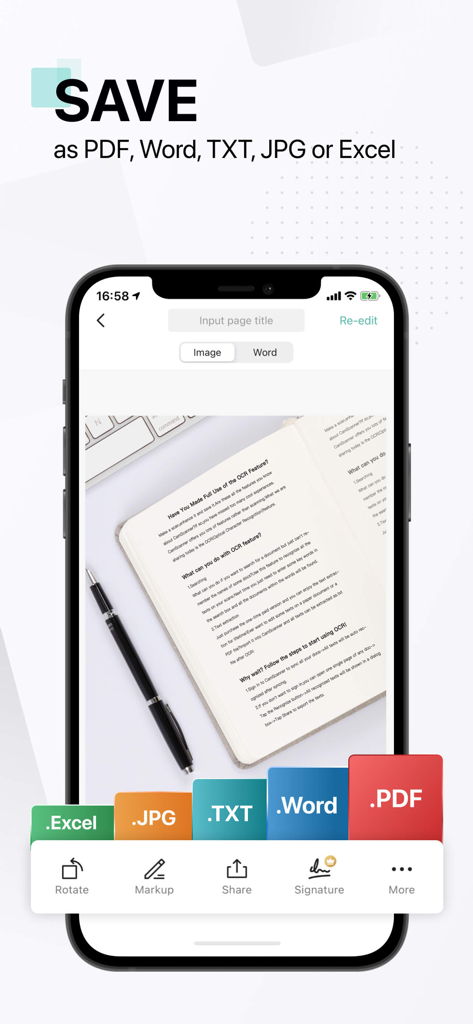
CamScannerアプリのスマートフォン画面。スキャンしたドキュメントをPDF、Word、TXT、JPG、またはExcelファイルとして保存するオプションを表示
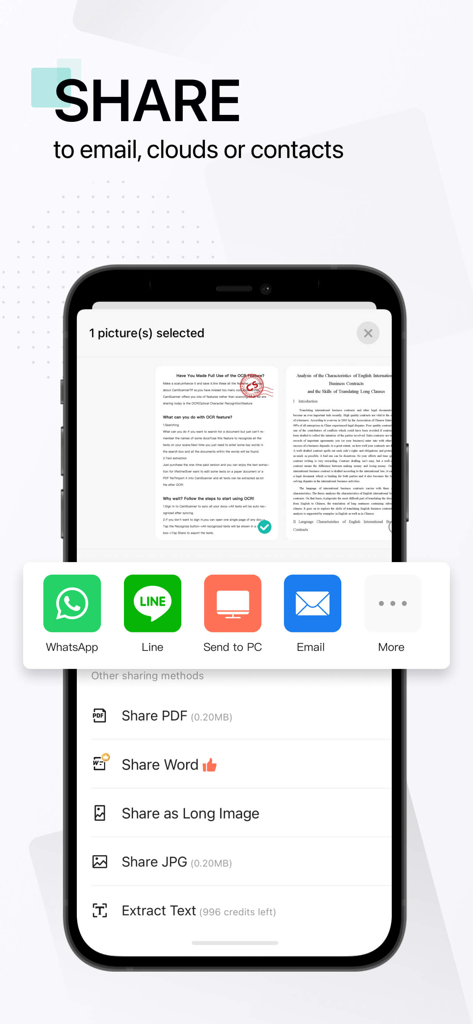
CamScannerアプリのスクリーンショット。ソーシャルメディアやメール統合で、PDF、Word、画像のドキュメント共有オプションを表示
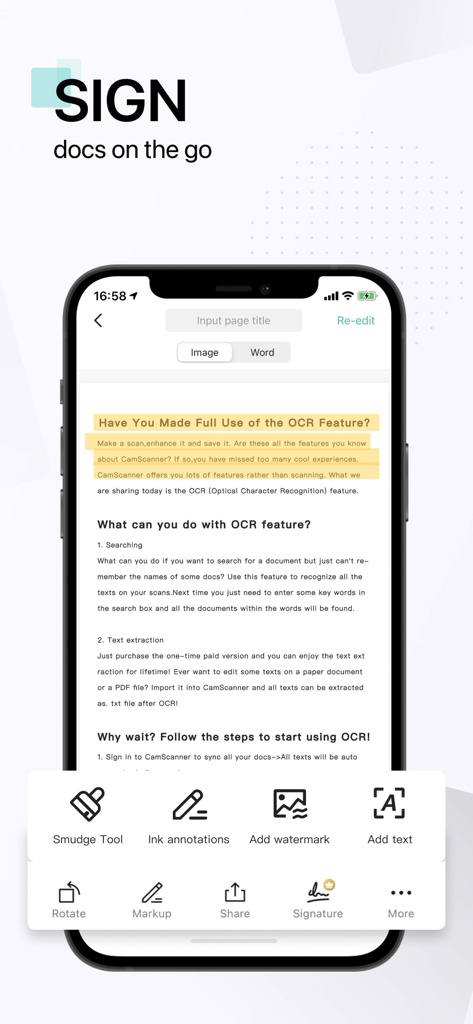
スマートフォン上のCamScannerアプリのインターフェース。ドキュメント署名と高度な編集ツールを表示
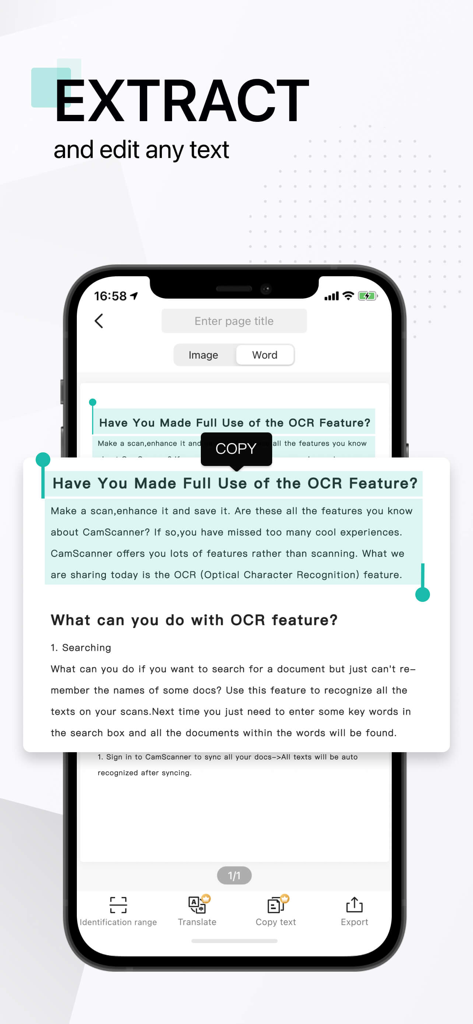
CamScannerアプリのOCR機能が、スキャンされたドキュメントからテキストを抽出しコピーする様子を示すスマートフォン画面
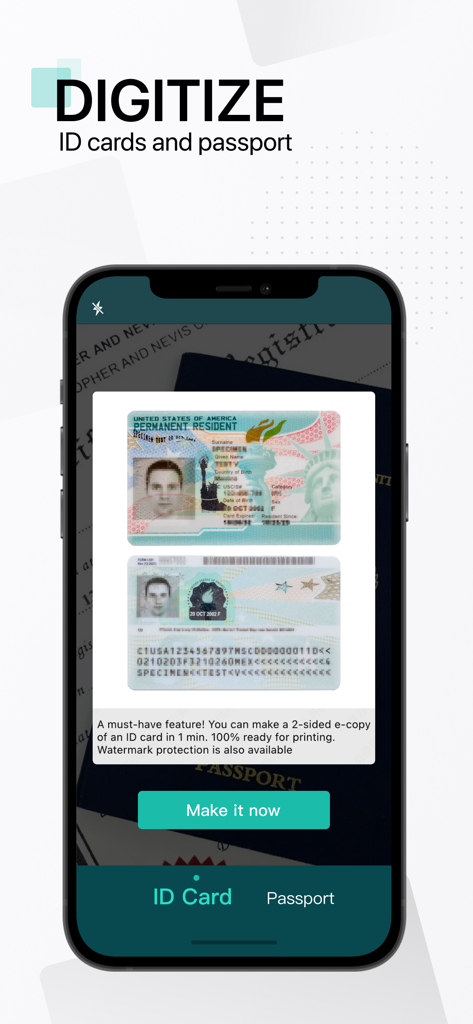
CamScannerモバイルアプリのインターフェース。IDカードとパスポートをデジタル化する機能を表示
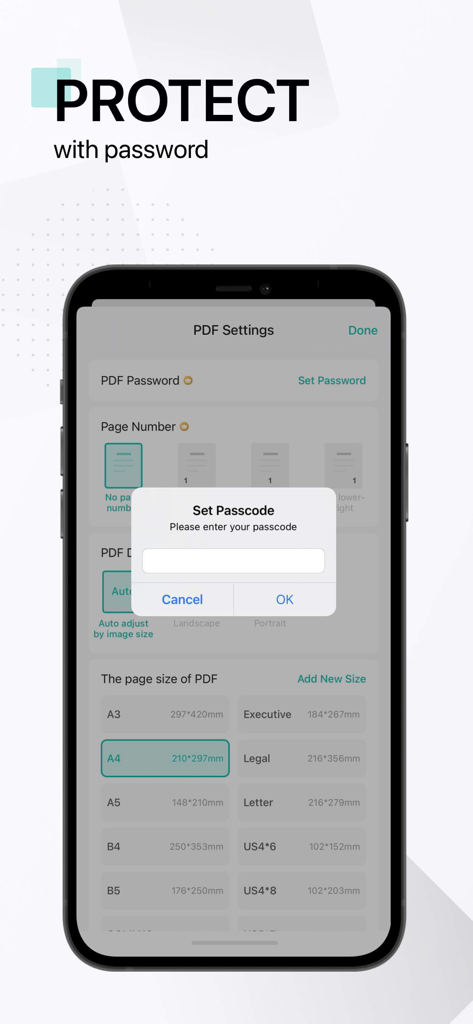
PDF保護のためのパスコードを設定するポップアップを表示するCamScannerアプリのインターフェースを示すスマートフォン
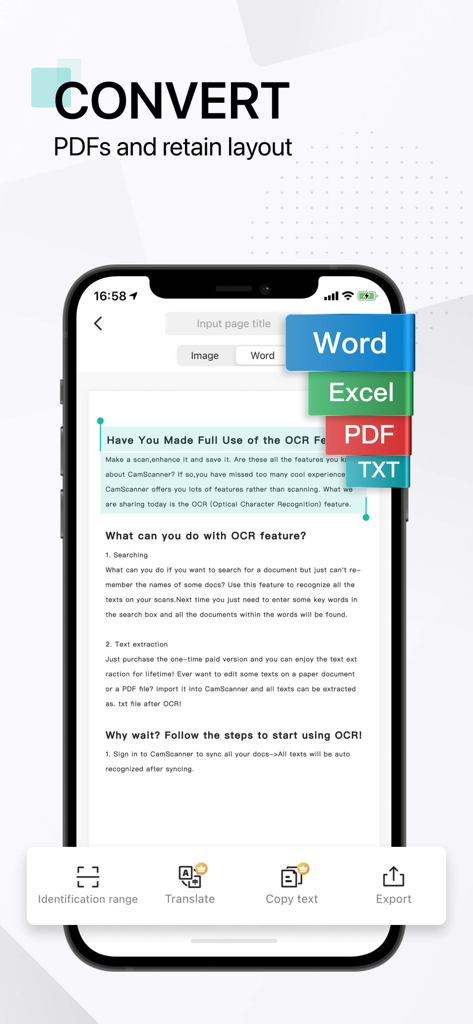
CamScannerアプリのインターフェース。OCRを使用して、ドキュメントをWord、Excel、PDF、TXTに変換するオプションを表示
説明
Download
類似アプリ
似た機能とユーザー体験を持つアプリ

PDF PRO Scan Image & Documents
Balzo srl

The PDF Scanner, PDF editor HQ
NEXT K.U.M. LTD

CamScanner - PDF Scanner App
INTSIG Information Co., Ltd

Adobe Scan: PDF & OCR Scanner
Adobe Inc.

WPS Office: PDF, Docs, Sheets
KINGSOFT OFFICE SOFTWARE CORPORATION LIMITED

iLovePDF - PDF Editor & Scan
ILOVEPDF S.L.

Scanner App: Genius Scan
The Grizzly Labs

Microsoft Lens: PDF Scanner
Microsoft Corporation

Clear Scan: Doc Scanner App
INDY MOBILE APP COMPANY LIMITED
このページはアプリまたはその開発者の公式ページではなく、情報提供および論評を目的として作成された独立した編集出版物です。明示的に別段の記載がない限り、アプリおよびその開発者は、MWM、Apple、Google Play、アプリのパブリッシャー、またはアプリの開発者と提携、承認、後援、認可、またはその他の公式的な関係はなく、このページのいかなる内容も、アプリがMWMのサービスを使用して開発されたことを意味するものではありません。すべての商標、ロゴ、スクリーンショット、その他のコンテンツはそれぞれの所有者の財産です。