
このページはアプリまたはその開発者の公式ページではなく、情報提供および論評を目的として作成された独立した編集出版物です。明示的に別段の記載がない限り、アプリおよびその開発者は、MWM、Apple、Google Play、アプリのパブリッシャー、またはアプリの開発者と提携、承認、後援、認可、またはその他の公式的な関係はなく、このページのいかなる内容も、アプリがMWMのサービスを使用して開発されたことを意味するものではありません。すべての商標、ロゴ、スクリーンショット、その他のコンテンツはそれぞれの所有者の財産です。

Canon DPP Express
iPadとiPhoneをパワフルなモバイル現像室に変えましょう。キヤノン独自の優れた色再現技術、ネイティブなCR3サポート、直感的なタッチコントロール、そして現代のプロフェッショナルワークフロー向けに設計されたハイダイナミックレンジ処理を体験してください。
ダウンロード
487K+ユーザー評価
評価数
6K+開発元
カテゴリ
Photo & Video対応言語
12最新バージョン
1.12.10サイズ
114.0 MBリリース日
2018年10月9日プロフェッショナルなRAWのパワーをどこへでも
キヤノンカメラの可能性を最大限に引き出しましょう。直感的なタッチコントロールと独自の優れた色再現技術で、プロフェッショナルグレードのRAW画像をiOSデバイス上で直接編集、調整、エクスポートできます。
ネイティブRAWの精度
キヤノン独自の優れた色再現技術でCR3およびCR2ファイルを処理し、デスクトップと同じ高品質な結果をモバイルに最適化して提供します。
プロ級の高速モバイルワークフロー
ノートパソコンは不要です。カメラから画像を直接転送し、現場で編集することで、完璧なショットをクライアントやソーシャルメディアに即座に提供できます。
よくある質問
について知っておくべきこと Canon DPP Express
Canon DPP Expressとは何ですか?
Canon Digital Photo Professional Express(Canon DPP Express)は、直感的なタッチ操作でRAW画像のカラー編集を行い、JPEGファイルに変換するためのiPad/iPhoneアプリケーションです。
Canon DPP Expressはどの画像フォーマットをサポートしていますか?
Canon DPP Expressは、RAW(CR3/CR2)、JPEG、HEIF(10ビット)フォーマットをサポートしています。.CRWやビデオファイルフォーマットはサポートされていません。
Canon DPP ExpressはRAW画像の編集をサポートしていますか?
はい、Canon DPP Expressを使用すると、iPad/iPhoneデバイスでRAW画像を自由かつ迅速に調整できます。CR3およびCR2 RAWフォーマットをサポートしています。
Canon DPP Expressのどの機能に有料サブスクリプションが必要ですか?
Canon DPP Expressの有料サブスクリプションにより、記録された画像調整が可能になり、透かしなしで画像をエクスポートできます。
Canon DPP Expressはサブスクリプションの更新をどのように扱いますか?
Canon DPP Expressのサブスクリプションは自動的に更新されます。請求を防ぐためには、現在の期間が終了する少なくとも24時間前までにキャンセルする必要があります。管理はApp Storeのアカウント設定で行います。
Canon DPP Expressは画像のコントラストと彩度を調整できますか?
はい、Canon DPP Expressは、画像のコントラスト、シャドウ、ハイライト、カラー、彩度を調整するためのスライダーを提供します。
Canon DPP Expressで画像の縦横比を変更できますか?
はい、Canon DPP Expressでは画像の縦横比を変更できます。オプションには、Free、1:1、2:3、3:4、4:5、5:6、6:7、9:16があります。
Canon DPP Expressのシステム要件は何ですか?
Canon DPP Expressには、iOS 17、18、または26、およびiPadOS 17、18、または26が必要です。
カメラロールからCR3ファイルをCanon DPP Expressにインポートできますか?
はい、iOS 12.1以降を実行しているデバイスでは、カメラロールから直接Canon DPP ExpressにCR3ファイルをインポートできます。
Canon DPP Expressは編集した画像をどのように保存しますか?
Canon DPP Expressは、調整された画像をJPEG形式でカメラロールに保存します。この変換は、RAW画像をカラー編集した後に行われます。
Canon DPP Expressはホワイトバランス調整を提供していますか?
はい、Canon DPP Expressは、カラーグリッドを使用したホワイトバランス調整を提供し、画像のカラー温度を正確に制御できます。
Canon DPP Expressは画像のカーブ調整を許可していますか?
はい、Canon DPP Expressは、「Curve」または「Straight」補間方法のオプションと、個々の「Target channel」の明るさとコントラストの制御によるカーブ調整を許可しています。
以下のスクリーンショットと説明は、アプリの公式ストアリスティングから直接取得されたものであり、アプリ開発者の所有物です。
アプリストア
スクリーンショット
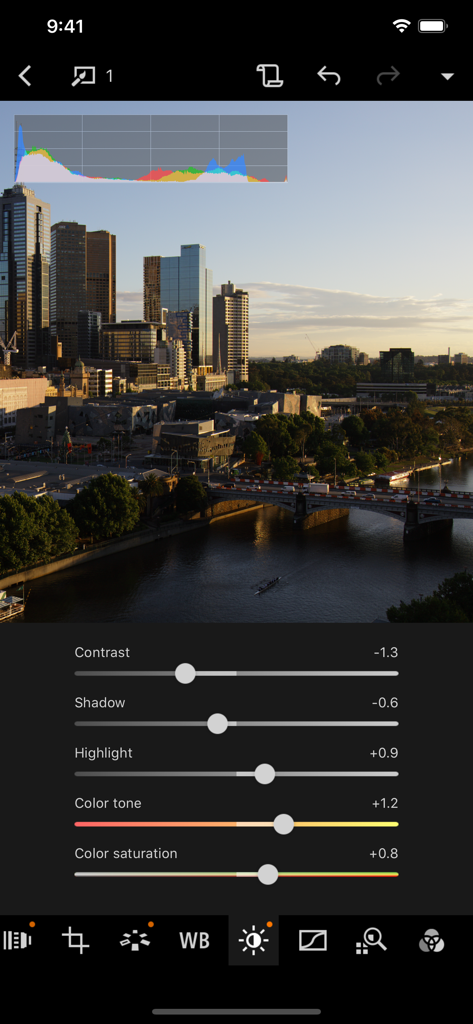
Canon DPP Expressアプリのインターフェース。スライダーと都市の景観を背景に、プロフェッショナルなRAW写真編集が表示されています。
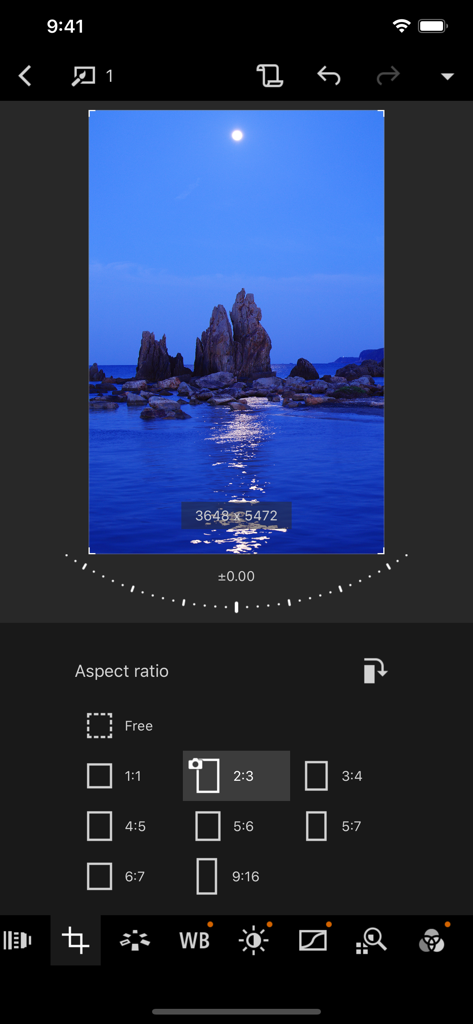
Canon DPP Expressアプリのインターフェース。風景写真のアスペクト比選択とトリミングツールが表示されています。
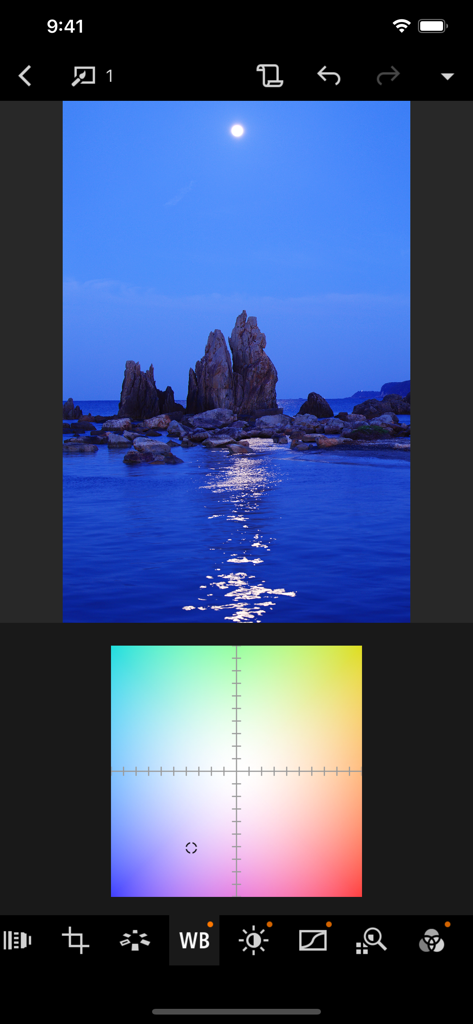
Canon DPP Expressモバイル写真編集アプリのホワイトバランス調整グリッド。
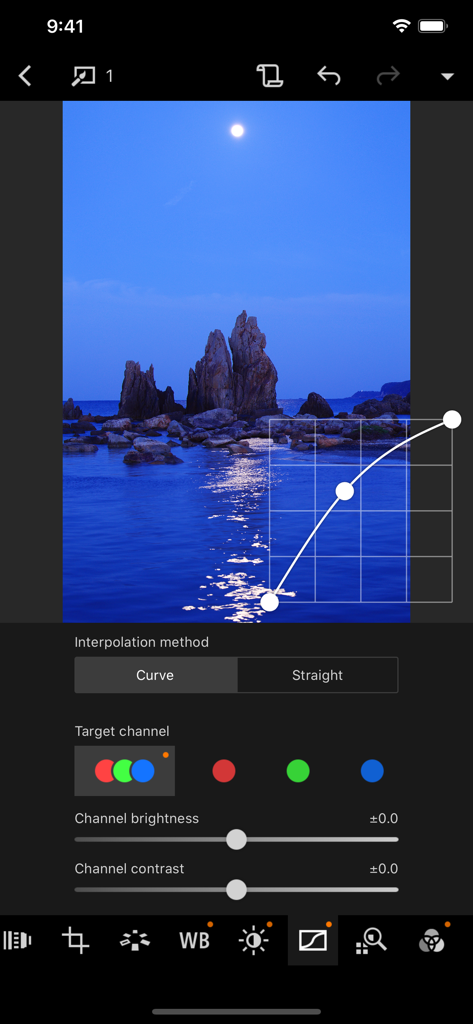
Canon DPP Expressアプリのトーンカーブ調整インターフェース。夜景の写真が編集されています。
説明
Download
類似アプリ
似た機能とユーザー体験を持つアプリ

Evoto-AI Photo Editor&Retouch
TRUESIGHT PTE. LTD.

Darkroom: Photo & Video Editor
Bergen Co.

LD - Photo & Video Finishing
Lens Distortions, LLC

Focos
Mosaic S.r.l.

SKRWT
Mathaeus Jagielski

Polarr Pro Photo Editor
Polarr Inc

Photomator – Photo Editor
Apple Inc.

Snapseed: Photo Editor
Google LLC

原片
Beijing Kwai Technology Co., Ltd.
このページはアプリまたはその開発者の公式ページではなく、情報提供および論評を目的として作成された独立した編集出版物です。明示的に別段の記載がない限り、アプリおよびその開発者は、MWM、Apple、Google Play、アプリのパブリッシャー、またはアプリの開発者と提携、承認、後援、認可、またはその他の公式的な関係はなく、このページのいかなる内容も、アプリがMWMのサービスを使用して開発されたことを意味するものではありません。すべての商標、ロゴ、スクリーンショット、その他のコンテンツはそれぞれの所有者の財産です。