Photomator – Photo Editor
ダウンロード: App Store

このページはアプリまたはその開発者の公式ページではなく、情報提供および論評を目的として作成された独立した編集出版物です。明示的に別段の記載がない限り、アプリおよびその開発者は、MWM、Apple、Google Play、アプリのパブリッシャー、またはアプリの開発者と提携、承認、後援、認可、またはその他の公式的な関係はなく、このページのいかなる内容も、アプリがMWMのサービスを使用して開発されたことを意味するものではありません。すべての商標、ロゴ、スクリーンショット、その他のコンテンツはそれぞれの所有者の財産です。

ロゴ: Photomator – Photo Editor
ダウンロード: App Store

Photomator – Photo Editor

iPhone、iPad、MacでデスクトップクラスのRAW編集を体験してください。インテリジェントなツール、シームレスなiCloud同期、そして現代のクリエイターのために設計された強力なAI機能であなたのショットを強化しましょう。

主要数値

ダウンロード

1M+

ユーザー評価

4.5/5

評価数

8K+

開発元

Apple Inc.

カテゴリ

Photo & Video

対応言語

11

最新バージョン

3.4.12

サイズ

793.4 MB

リリース日

2019年4月9日
機能

指先でプロフェッショナルなパワー

Appleデバイス専用に設計されたAI駆動ツールとデスクトップクラスのパフォーマンスで、写真編集の未来を体験してください。

インテリジェントAI強化

2,000万枚のプロ写真でトレーニングされた機械学習により、解像度を即座にアップスケールし、ノイズを除去し、被写体を選択します。

True RAW編集

Apple ProRAWを含む750以上のRAWフォーマットをフルサポートし、すべてのピクセルを完全に非破壊的に制御できます。

FAQ

よくある質問

について知っておくべきこと Photomator – Photo Editor

Photomatorとは何ですか?

Photomatorは、モバイルデバイス向けに設計された強力な写真編集アプリです。最先端の色調整、AIを活用した選択機能、750を超えるRAW画像フォーマットのサポート、オブジェクト削除や写真品質向上ツールを備えています。

Photomatorは写真編集タスクにAIを使用していますか?

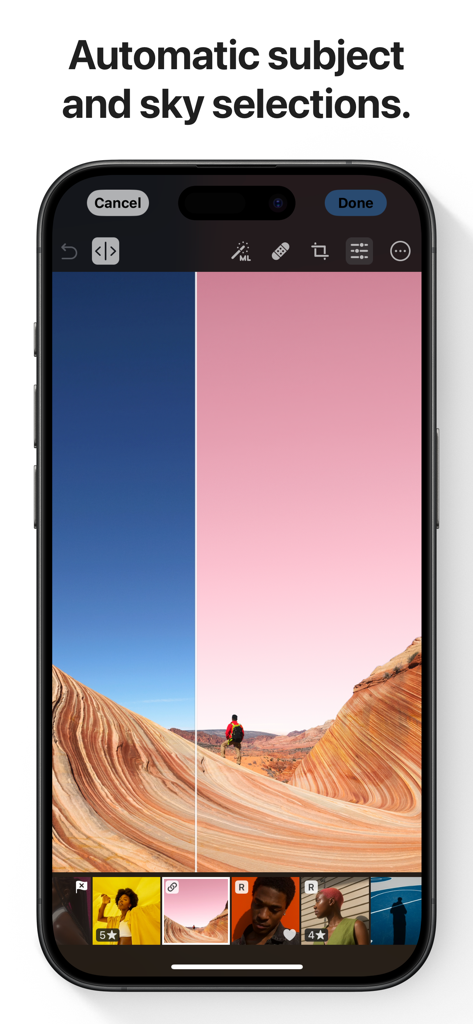
はい、Photomatorは自動的な被写体、空、背景の選択、ノイズリダクション(Denoise)、解像度向上(Super Resolution)、カラーバンディング除去(Smart Deband)、インテリジェントな自動トリミングにAIを利用しています。

PhotomatorはRAW画像フォーマットをサポートしていますか?

はい、Photomatorは750を超えるRAW画像フォーマットの開閉と編集をサポートしており、Apple ProRAWや圧縮された富士フイルムのRAWなども含まれ、包括的なプロフェッショナルな調整が可能です。

以下のスクリーンショットと説明は、アプリの公式ストアリスティングから直接取得されたものであり、アプリ開発者の所有物です。

アプリストア

スクリーンショット
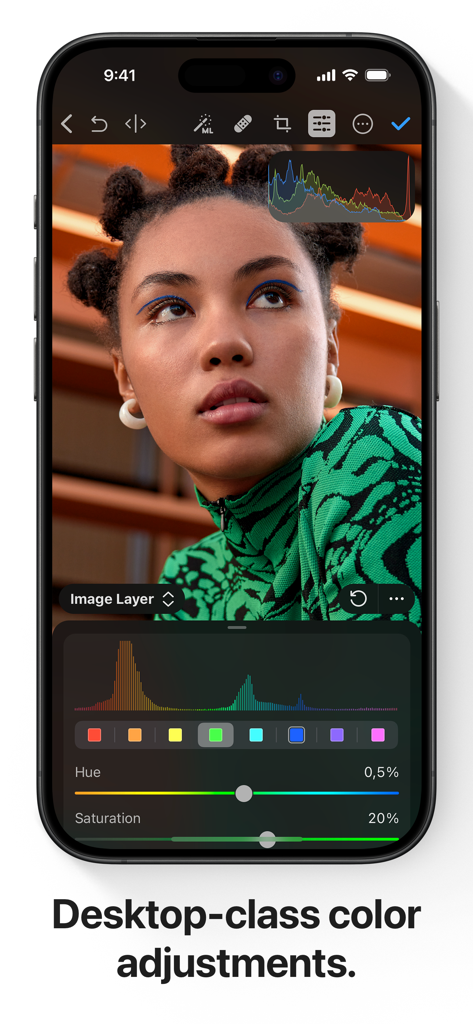
Photomator – Photo Editor - iPhone画面にPhotomatorのプロフェッショナルなカラー調整ツールとポートレートが表示されています。
iPhone画面にPhotomatorのプロフェッショナルなカラー調整ツールとポートレートが表示されています。

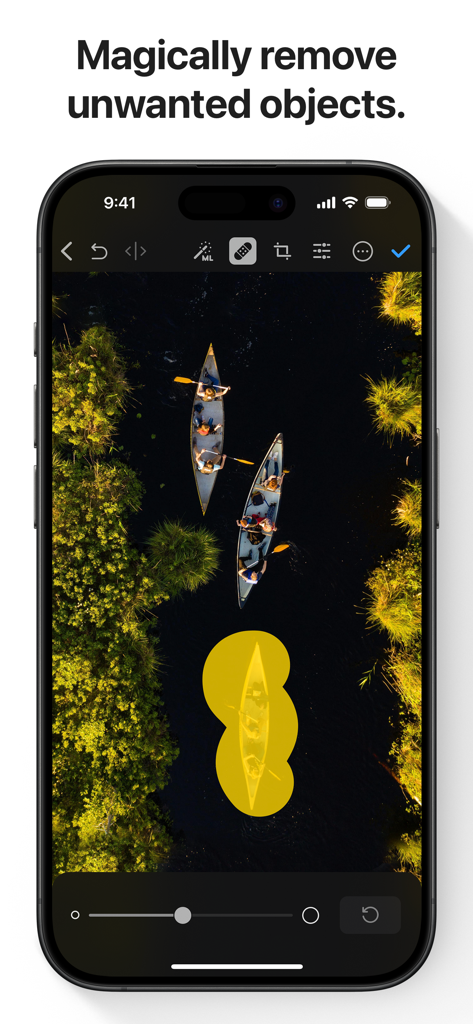
Photomator – Photo Editor - Photomatorアプリのスクリーンショットで、ボートの空撮写真に使用されているAI搭載オブジェクト除去ツールが表示されています。
Photomatorアプリのスクリーンショットで、ボートの空撮写真に使用されているAI搭載オブジェクト除去ツールが表示されています。

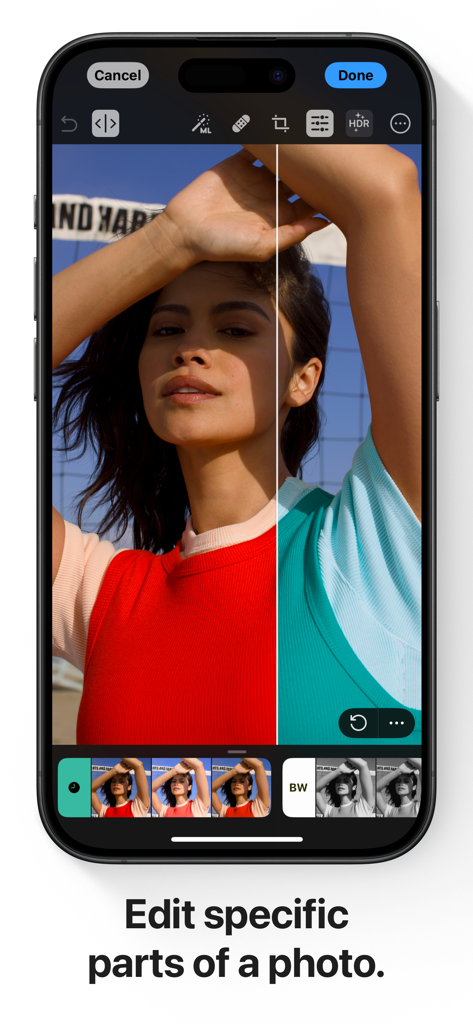
Photomator – Photo Editor - Photomatorアプリでの選択的カラー編集の分割ビューデモンストレーションを示すiPhone画面。
Photomatorアプリでの選択的カラー編集の分割ビューデモンストレーションを示すiPhone画面。

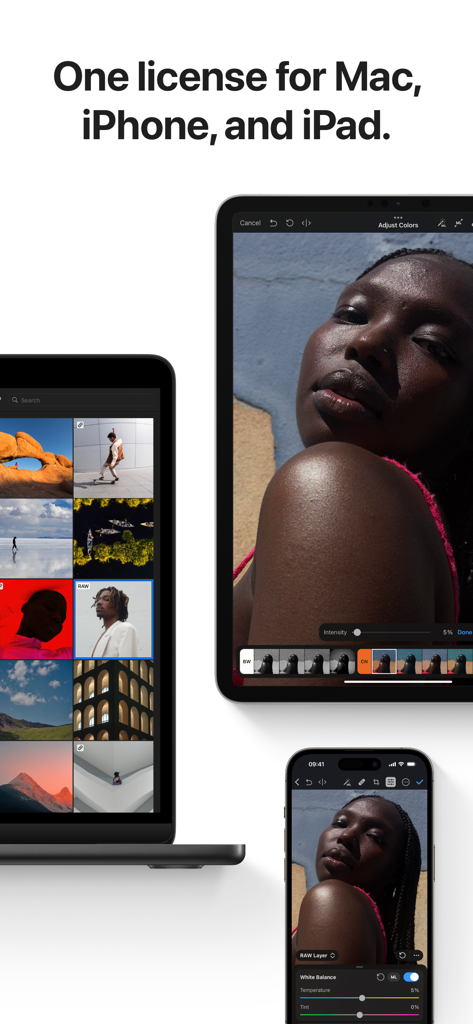
Photomator – Photo Editor - MacBook、iPad、iPhoneに表示されたPhotomatorアプリのインターフェイス。
MacBook、iPad、iPhoneに表示されたPhotomatorアプリのインターフェイス。

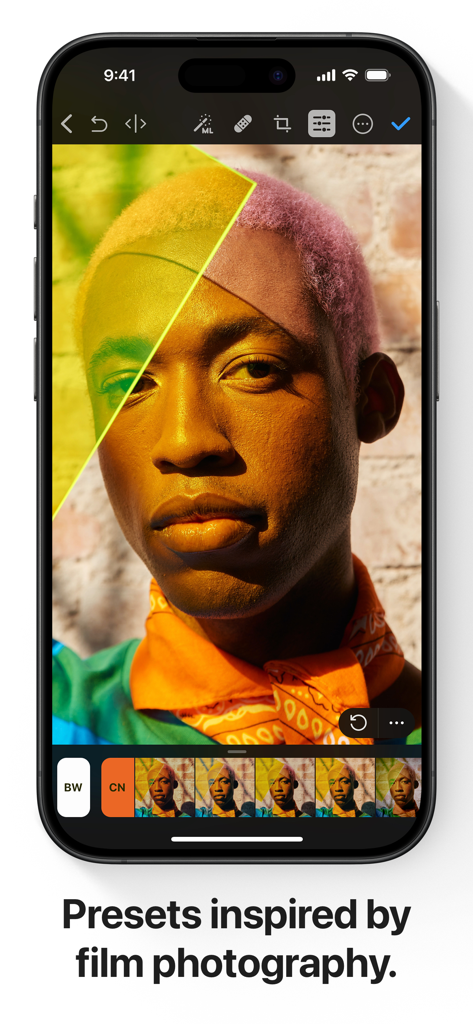
Photomator – Photo Editor - ポートレート編集用のプロフェッショナルなフィルム風プリセットを表示するiPhone上のPhotomatorアプリのインターフェイス。
ポートレート編集用のプロフェッショナルなフィルム風プリセットを表示するiPhone上のPhotomatorアプリのインターフェイス。

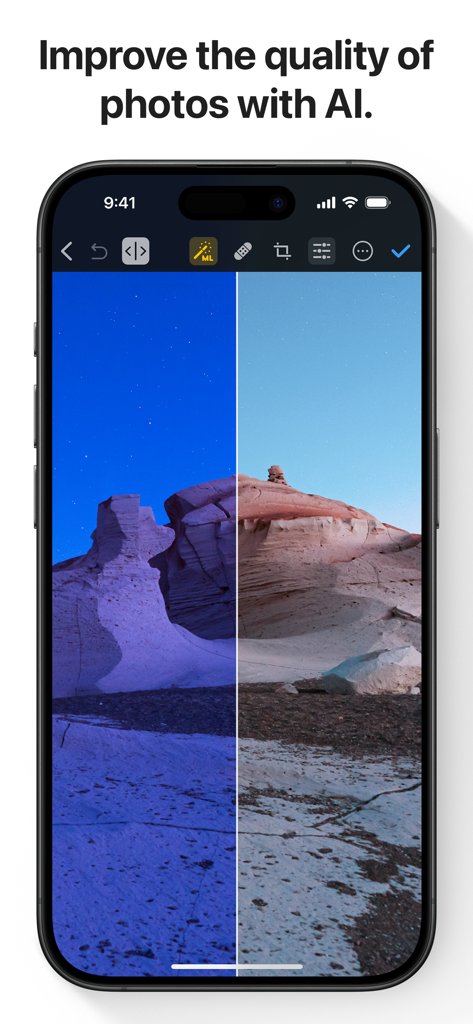
Photomator – Photo Editor - PhotomatorアプリでAIによって改善された砂漠の風景のビフォーアフター比較。
PhotomatorアプリでAIによって改善された砂漠の風景のビフォーアフター比較。

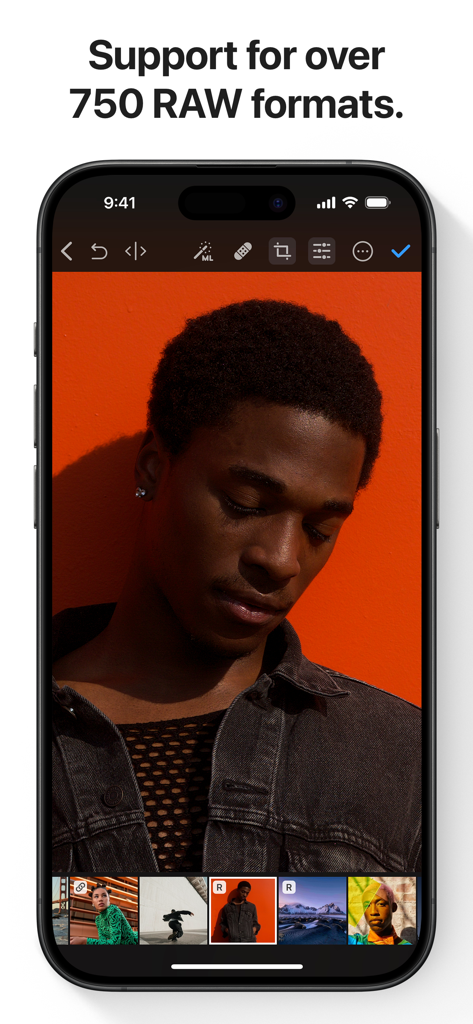
Photomator – Photo Editor - オレンジ色の背景のポートレートのRAW写真編集を表示するiPhone上のPhotomatorアプリ。
オレンジ色の背景のポートレートのRAW写真編集を表示するiPhone上のPhotomatorアプリ。

Photomator – Photo Editor - 複数の選択された画像のバッチ写真編集オプションを表示するiPhone上のPhotomatorアプリのインターフェイス。
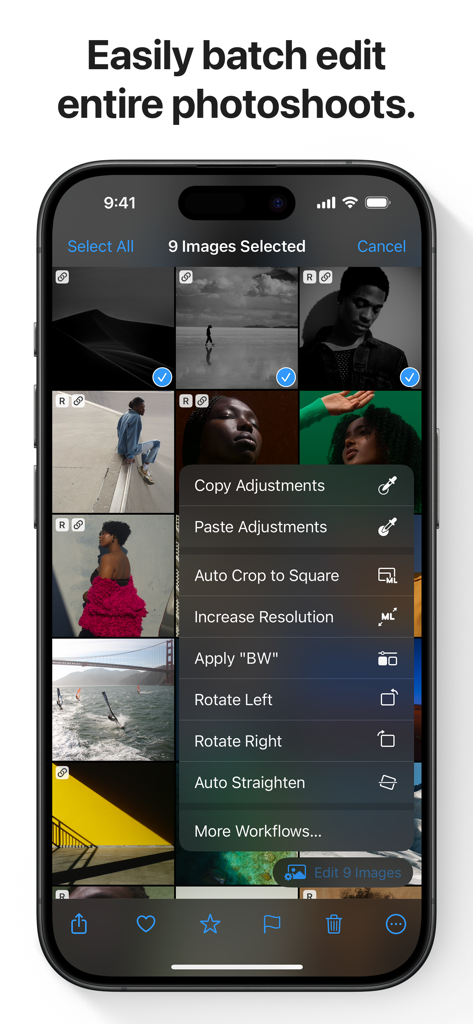
複数の選択された画像のバッチ写真編集オプションを表示するiPhone上のPhotomatorアプリのインターフェイス。

Photomator – Photo Editor - 風景写真でAIによる自動空と被写体選択機能が表示されたスマートフォンにPhotomatorアプリが表示されています。
風景写真でAIによる自動空と被写体選択機能が表示されたスマートフォンにPhotomatorアプリが表示されています。

Photomator – Photo Editor - iPhone上のPhotomatorアプリのインターフェイスに、切り抜きと遠近法調整ツールが表示されています。

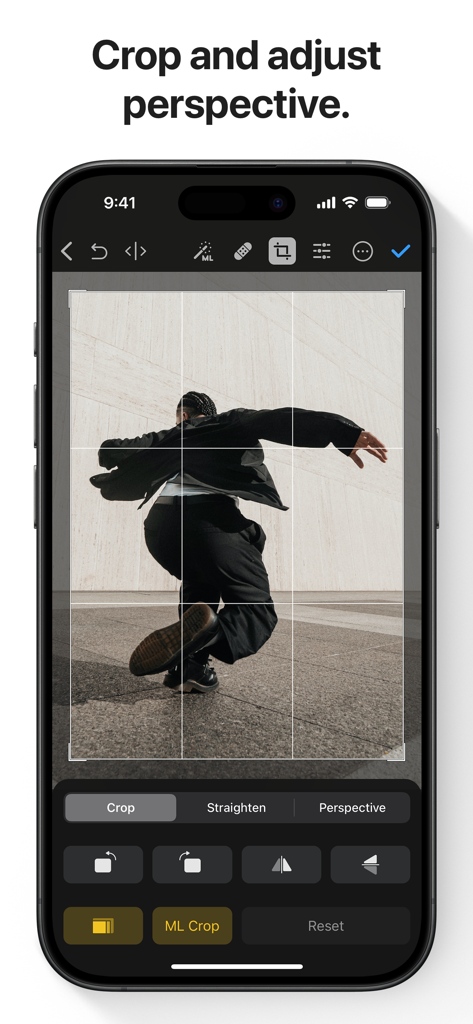
iPhone上のPhotomatorアプリのインターフェイスに、切り抜きと遠近法調整ツールが表示されています。

説明

Photomator is the most powerful photo editing app ever designed for a mobile device. It includes an extensive collection of cutting-edge color adjustments, automatic selections powered by AI, support for over 750 RAW image formats, a magical Repair tool for removing unwanted objects, and many more powerful features, letting you enjoy pro photo editing anyplace, anytime. Everything you need to make your photos look incredible • Edit photos using a wide collection of powerful, nondestructive color adjustments • Quickly make precise subject, sky, and background selections in photos using AI, add gradient masks, and easily make selections using a brush • Effortlessly remove unwanted objects using an incredible object removal tool • Crop, straighten, rotate, and adjust the perspective of photos with an easy-to-use Crop tool • Instantly increase the resolution of photos using AI • Remove camera noise and image compression artifacts with the powerful Denoise feature • Magically remove color banding and increase color depth in photos with the AI-powered Smart Deband feature • Make your photos stand out with photographer-designed presets for landscape, black and white, and other photography styles • Easily copy and paste edits between photos or batch edit even hundreds of photographs at a time • Open and edit over 750 RAW image formats, including Apple ProRAW and compressed Fujifilm RAWs • Follow all the changes you make in the beautiful live histogram Tools powered by AI • Select the subject, sky, or background in a photo with just a tap • Improve the quality of photos by reducing camera noise with the AI-powered Denoise feature, intelligently upscale photos with Super Resolution, or magically remove color banding and increase color depth using Smart Deband • Automatically enhance shots using a machine learning algorithm trained on 20 million pro photos, or fine-tune individual adjustments, like White Balance, Selective Color, or Color Balance with a single tap • Intelligently crop photos using the AI-powered auto-cropping • Copy the look of any photo to another using the incredible Match Colors feature State-of-the-art color adjustments • Enjoy powerful tools for effortlessly adjusting the temperature, tint, exposure, contrast, brightness, hue, saturation, and vibrance in your photos • Recover incredible amounts of detail in the highlights and shadows of photos • Magically enhance fine details and structure in photos using powerful Clarity and Texture adjustments, or adjust textures in the highlights, midtones, and shadows separately • Selectively edit individual color ranges with Selective Color, or improve the balance of colors in the shadows, midtones, and highlights with Color Balance • Adjust lighting and colors with full precision using Levels and Curves adjustments • Mix the balance of the red, green, and blue color channels to create intense color effects in your images • Replace any color with any other using the Replace Color adjustment • Create beautiful black and whites even from your color photos • Use a range of additional adjustments, like Sharpen, Fade, Grain, Color Monochrome, Sepia, and Invert to make your photos stand out • Instantly change the look of photos with LUTs or export custom LUTs to use in other apps Compatibility • Automatically sync every change back to your Photos or Files browser • With the support for iCloud Drive, enjoy seamless edit syncing across Mac, iPhone, and iPad • Photomator is built from the ground up for iPhone and iPad with a native design that blends seamlessly with the sleek and modern look of iOS and iPadOS 18 • Photomator uses powerful Apple technologies like Metal, Core ML, and Core Image to deliver staggeringly fast performance, even when editing large RAW photos or batch editing multiple images at a time • Privacy policy: https://www.apple.com/legal/privacy/en-ww/

Download

ダウンロード: App Store

このページはアプリまたはその開発者の公式ページではなく、情報提供および論評を目的として作成された独立した編集出版物です。明示的に別段の記載がない限り、アプリおよびその開発者は、MWM、Apple、Google Play、アプリのパブリッシャー、またはアプリの開発者と提携、承認、後援、認可、またはその他の公式的な関係はなく、このページのいかなる内容も、アプリがMWMのサービスを使用して開発されたことを意味するものではありません。すべての商標、ロゴ、スクリーンショット、その他のコンテンツはそれぞれの所有者の財産です。







