
このページはアプリまたはその開発者の公式ページではなく、情報提供および論評を目的として作成された独立した編集出版物です。明示的に別段の記載がない限り、アプリおよびその開発者は、MWM、Apple、Google Play、アプリのパブリッシャー、またはアプリの開発者と提携、承認、後援、認可、またはその他の公式的な関係はなく、このページのいかなる内容も、アプリがMWMのサービスを使用して開発されたことを意味するものではありません。すべての商標、ロゴ、スクリーンショット、その他のコンテンツはそれぞれの所有者の財産です。

ダウンロード
25M+ユーザー評価
評価数
297.5K開発元
カテゴリ
Photo & Video対応言語
34最新バージョン
2.11.38サイズ
332.3 MBリリース日
2017年10月31日Focosの主要機能分析:モバイル写真編集の再定義
テックアナリストがiPhoneおよびiPadユーザー向けの革新的な写真編集アプリを評価します。
DSLR級のボケ効果と絞りシミュレーション
プロフェッショナルな大口径レンズのようなリアルなボケ効果をシミュレートし、様々な絞り形状を選択してボケの質感を調整できます。
3D空間でのマルチライト設定
3D空間内に複数の光源を追加し、それぞれの光の色や明るさなどを細かく調整して、高度なライティング効果を演出できます。
AIによる被写界深度自動計算
高度なAIエンジンが写真の被写界深度を自動的に計算し、手動での選択作業なしに美しいボケ効果を生み出します。
撮影後のフォーカス調整
一度撮影したポートレート写真のフォーカスポイントを、撮影後でもタップ一つで簡単に変更し、最適な構図を実現できます。
既存写真へのボケ効果適用
デバイス内の既存のあらゆる写真にDSLRのような高品質なボケ効果を適用し、自由にカスタマイズして編集できます。
リアルタイム3D深度ビューと深度フィルター
撮影されたポートレート写真の深度情報を3Dで視覚化し、直感的なインターフェースを通じて深度フィルターを適用・編集できます。
多彩なレンズ特性シミュレーション
クリーミー、バイリニア、スワーリー、反射効果など、プロフェッショナルなレンズの特性をシミュレートし、写真に独自の芸術的な表現を加えることができます。
Apple Pencilでの深度マップ精密編集
iPadとApple Pencilを使用することで、深度マップをピクセル単位で正確に編集し、ボケ効果の適用範囲を詳細にコントロールできます。
よくある質問
について知っておくべきこと Focos
What is Focos?
Focos is a computational photography app bringing DSLR-like photography to iPhone and iPad Pro. It enables beautiful bokeh effects, focus adjustment after the fact, and multi-light 3D space editing. The app offers unlimited changes to photos.
Can Focos adjust focus on photos already taken?
Yes, Focos allows users to re-focus portrait photos that have already been taken with a simple tap. It provides the capability to adjust focus after the fact, exceeding traditional editing limits.
Does Focos automatically calculate depth of field?
Yes, Focos's AI engine automatically calculates depth of field for all photos. This feature enables users to achieve shallow depth of field without manual painting or selections.
Can Focos simulate different aperture shapes?
Yes, Focos allows users to choose from various simulated aperture diaphragms to generate different bokeh spot effects. The app features multiple aperture shapes for creative control.
Does Focos support 3D lighting effects?
Yes, Focos enables users to add multiple lights in a 3D space. Users can intuitively adjust the color, brightness, and other properties for each individual light source.
Is Focos compatible with iPad Pro and Apple Pencil?
Yes, Focos is compatible with iPad Pro. It is possible to precisely patch the depth map on iPad using an Apple Pencil, enhancing editing capabilities and workflow.
Can Focos simulate real camera lens characteristics?
Yes, Focos offers professional options to simulate real lens characteristics. These include creamy, bilinear, swirly, and reflex effects, replicating qualities found in expensive lenses like Olympus Zuiko or Helios 44.
Is Focos an essential tool for all iOS devices?
Yes, Focos is designed as an essential tool for all iPhones and iPads. It extends powerful computational photography and editing features across these Apple mobile devices.
以下のスクリーンショットと説明は、アプリの公式ストアリスティングから直接取得されたものであり、アプリ開発者の所有物です。
アプリストア
スクリーンショット
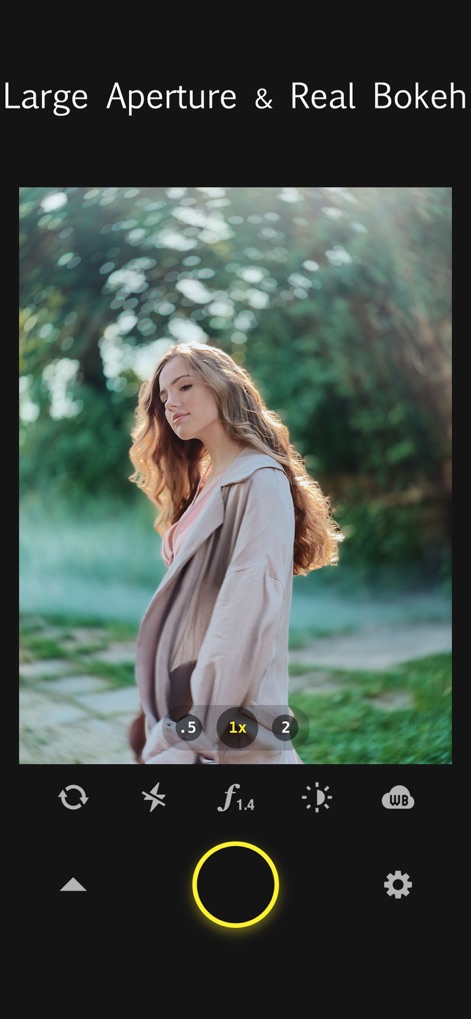
リアルなボケ効果
このアプリは、一眼レフカメラのような美しいボケ効果を生成し、ユーザーはf/1.4のような大口径をシミュレートして被写界深度を調整できます。
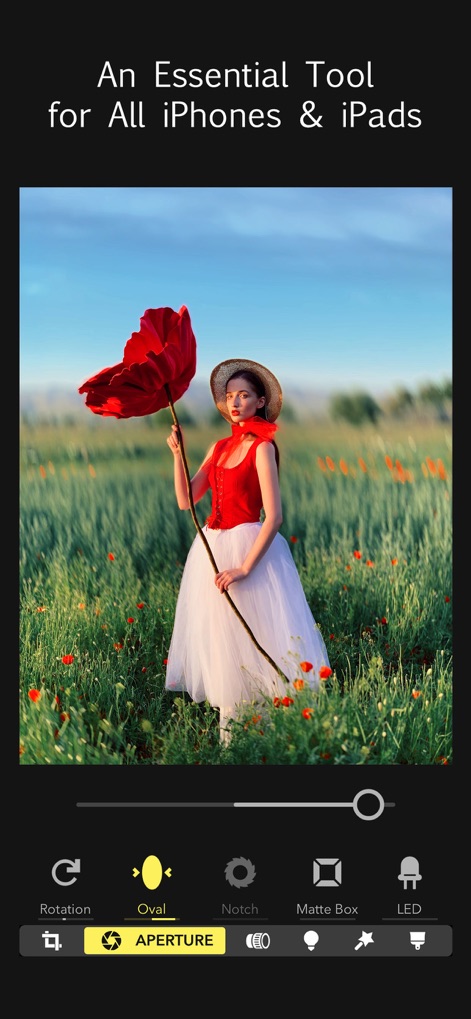
あらゆるデバイスで
本アプリは、すべてのiPhoneおよびiPadユーザーにとって必須のツールであり、楕円形ボケ効果などの高度な写真編集機能を直感的に適用できます。

撮影後の再フォーカス
ユーザーは撮影後でも焦点位置を自由に調整でき、手前の花や奥の花にタップ一つでシャープな焦点を合わせられます。

多彩なボケ形状
このツールは、六角形のボケを含む様々な絞り形状オプションを提供し、ユーザーは光の表現を自由にカスタマイズできます。

新しい3Dライティング
本アプリの3Dライティング機能を使用すると、ユーザーは仮想空間に複数の光源を追加し、それぞれの光の色と明るさを細かく調整できます。

リアルなレンズ効果
このツールは、Helios 44のような多様なレンズプリセットをシミュレートし、ユーザーは独特の渦巻きボケなど、プロのレンズ効果を写真に適用できます。
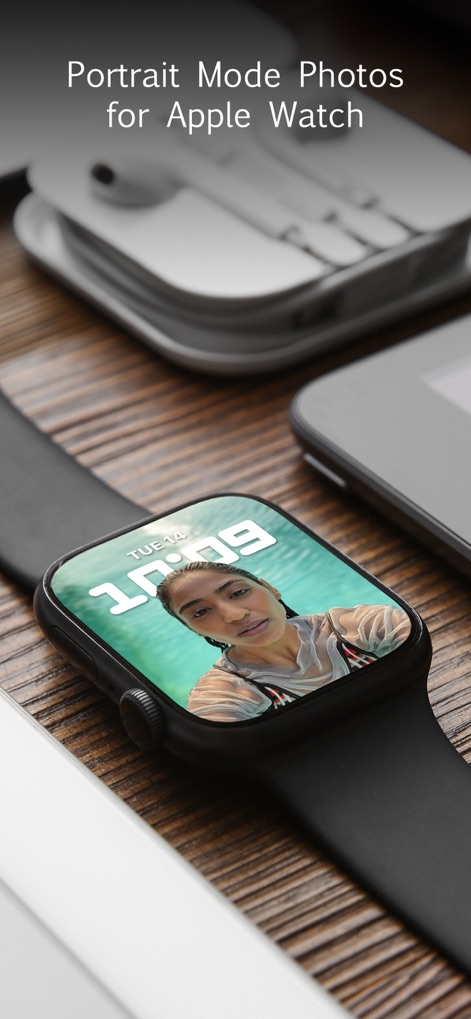
Apple Watch連携
ユーザーはApple Watch上でポートレートモードの写真を直接確認でき、スマートウォッチ表示を通じて高画質なポートレート表現を楽しめます。
説明
Download
類似アプリ
似た機能とユーザー体験を持つアプリ

Evoto-AI Photo Editor&Retouch
TRUESIGHT PTE. LTD.

Darkroom: Photo & Video Editor
Bergen Co.

LD - Photo & Video Finishing
Lens Distortions, LLC

SKRWT
Mathaeus Jagielski

Polarr Pro Photo Editor
Polarr Inc

Photomator – Photo Editor
Apple Inc.

Canon DPP Express
Canon Inc.

Snapseed: Photo Editor
Google LLC

原片
Beijing Kwai Technology Co., Ltd.
このページはアプリまたはその開発者の公式ページではなく、情報提供および論評を目的として作成された独立した編集出版物です。明示的に別段の記載がない限り、アプリおよびその開発者は、MWM、Apple、Google Play、アプリのパブリッシャー、またはアプリの開発者と提携、承認、後援、認可、またはその他の公式的な関係はなく、このページのいかなる内容も、アプリがMWMのサービスを使用して開発されたことを意味するものではありません。すべての商標、ロゴ、スクリーンショット、その他のコンテンツはそれぞれの所有者の財産です。