
このページはアプリまたはその開発者の公式ページではなく、情報提供および論評を目的として作成された独立した編集出版物です。明示的に別段の記載がない限り、アプリおよびその開発者は、MWM、Apple、Google Play、アプリのパブリッシャー、またはアプリの開発者と提携、承認、後援、認可、またはその他の公式的な関係はなく、このページのいかなる内容も、アプリがMWMのサービスを使用して開発されたことを意味するものではありません。すべての商標、ロゴ、スクリーンショット、その他のコンテンツはそれぞれの所有者の財産です。


Snapseed: Photo Editor
ありふれた写真に潜む可能性を、外科医のごとき精度で引き出す。本アプリは、ユーザーにイメージの絶対的な支配権を委ねる。
ダウンロード
100M+ユーザー評価
評価数
193.8K開発元
カテゴリ
Photo & Video対応言語
38最新バージョン
3.17.1サイズ
180.2 MBリリース日
2011年6月7日Snapseed: 高度な写真編集の分析
モバイル写真編集の機能性とインパクト評価
選択的調整 (Control Point)
精密なコントロールポイントにより、画像の部分的な調整を驚異的な精度で行うことができ、ユーザーは狙った箇所にのみ効果を適用して作品の質を高めることが可能です。
RAW現像
プロフェッショナルな写真家や愛好家向けに、RAWファイルを非破壊で編集し、ユーザーは最高の画質と詳細を引き出してイメージを最適化できます。
シミ除去 (Healing)
写真に写り込んだ不要なオブジェクトや欠陥を自然に除去するこの機能により、ユーザーは画像をきれいに仕上げ、完璧な構図を作成できます。
遠近法 (Perspective)
歪んだ線や傾いた建物を補正することで、このアプリは写真の幾何学的精度を完璧に調整し、ユーザーはより自然でプロフェッショナルな印象を与えることができます。
画像調整 (Tune Image)
露出、彩度、コントラストなどの基本設定を自動または手動で微調整する機能により、ユーザーは写真の全体的な印象を向上させ、意図した雰囲気を表現できます。
レンズぼかし (Lens Blur)
背景に美しいボケ効果を追加することで、このアプリは被写体を際立たせ、ユーザーはプロフェッショナルなポートレート写真や芸術的なイメージを作成することが可能です。
顔を強調 (Face Enhance)
目の輝きを追加したり、顔のライティングを調整したり、肌を滑らかにするなど、この機能はポートレート写真の顔を美しく補正し、ユーザーの魅力を引き出します。
トーンカーブ (Curves)
画像の明るさのレベルを細かく制御することで、ユーザーはハイライト、中間調、シャドウのコントラストとトーンを正確に調整し、よりクリエイティブな表現を実現できます。
HDR風景 (HDR Scape)
複数の露出を合成したような効果を簡単に生み出すこの機能は、ユーザーにダイナミックで印象的な風景写真を作成する機会を提供します。
ブラシ
画像の特定の領域に対して、露出、彩度、明るさ、暖かさなどを選択的にレタッチできるため、ユーザーは微細な調整を加えて写真の完成度を高めることができます。
よくある質問
について知っておくべきこと Snapseed: Photo Editor
What is Snapseed?
Snapseed is a comprehensive photo editor developed by Google. It offers a wide range of tools and filters for editing JPG and RAW files without displaying any advertisements.
Does Snapseed display advertisements?
No, Snapseed does not display advertisements. It is an ad-free photo editing application developed by Google, focusing solely on providing editing functionalities.
What types of files can Snapseed open for editing?
Snapseed is capable of opening both JPG and RAW files for editing. Users can develop and tweak native camera RAW files non-destructively or export them as JPGs.
How many editing tools and filters does Snapseed offer?
Snapseed provides over 25 tools and filters for photo editing. These include features like Healing, Brush, Structure, HDR, Perspective, and various film-inspired styles.
Can users save custom editing styles in Snapseed?
Yes, users can save their personal editing looks within Snapseed and apply them to other photos later. This feature allows for consistent editing across multiple images.
How can Snapseed remove unwanted objects from a photo?
Snapseed features a "Healing" tool that allows users to remove unwanted elements or distractions from their pictures. This tool helps clean up images by seamlessly blending the surrounding areas.
Does Snapseed allow for non-destructive editing?
Yes, Snapseed supports non-destructive editing. It maintains an "Edits" history, allowing users to undo any modification at any time and revert to the original or any previous editing step.
Can custom looks be shared with others from Snapseed?
Yes, Snapseed allows users to easily share their custom-created looks. The application includes a "Share QR" option, enabling convenient sharing of these personalized editing styles.
以下のスクリーンショットと説明は、アプリの公式ストアリスティングから直接取得されたものであり、アプリ開発者の所有物です。
アプリストア
スクリーンショット
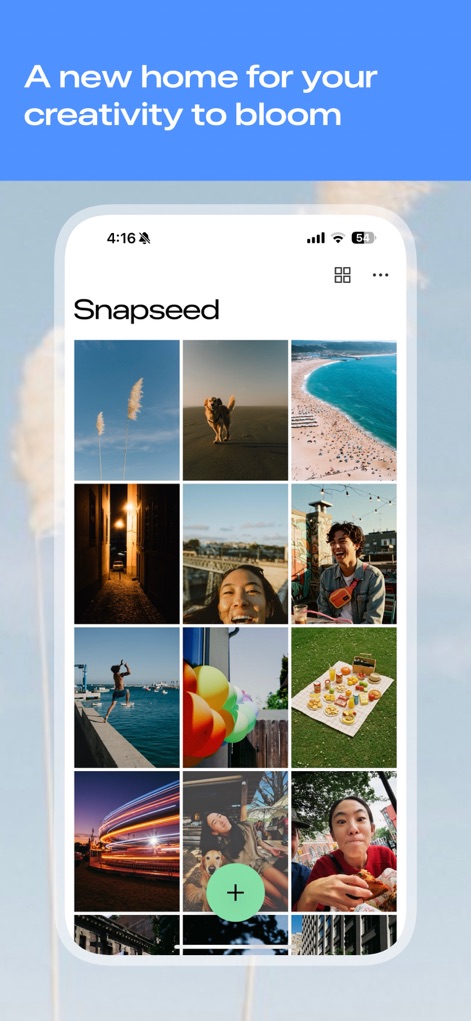
写真ギャラリー
アプリのメインインターフェースでは、ユーザーが写真ギャラリーから画像を選択し、直感的なインターフェースで編集を開始できます。
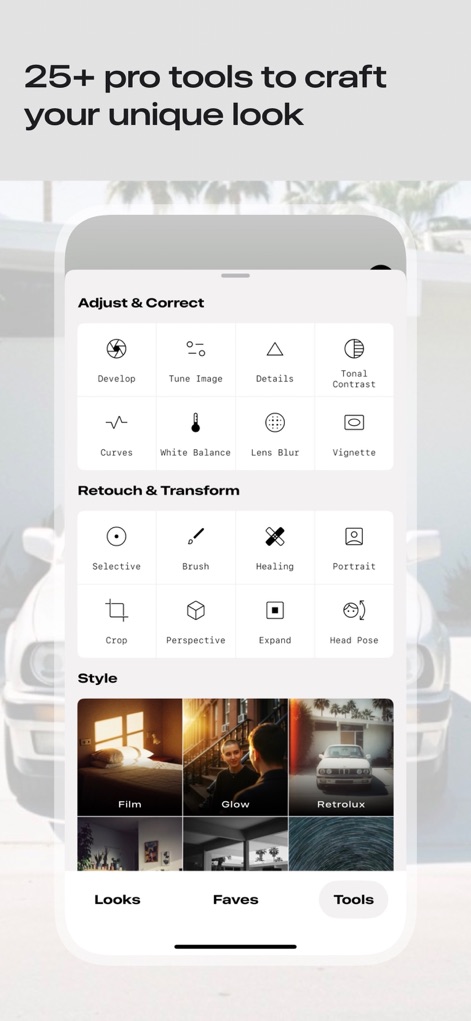
多彩な編集ツール
本ツールは、「調整と補正」や「レタッチと変形」など、25以上のプロフェッショナルなツールをカテゴリー別に提供し、ユーザーは「カーブ」や「ホワイトバランス」といった詳細な機能で写真を微調整できます。
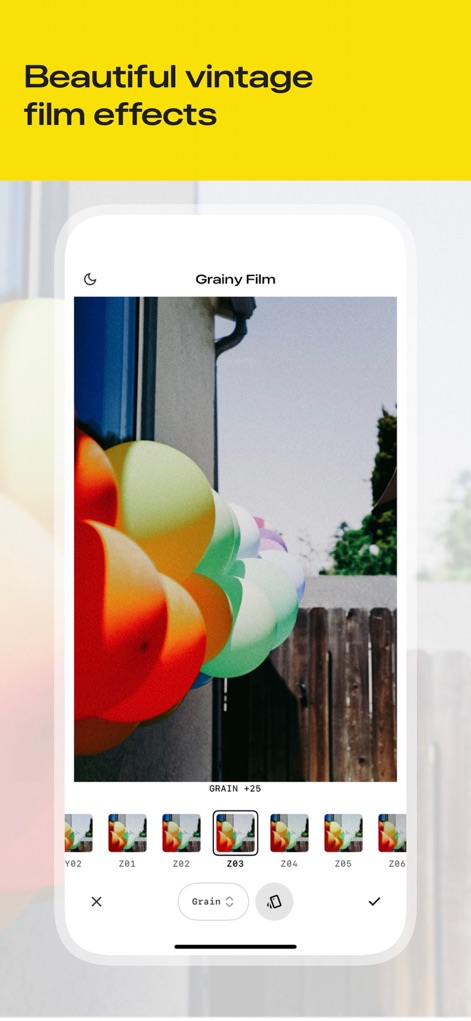
フィルムエフェクト
ユーザーは「粒子の粗いフィルム」フィルターを適用することで、写真にレトロな雰囲気を加え、「グレイン」スライダーでフィルムの質感を調整し、様々な「スタイルオプション」を試すことが可能です。
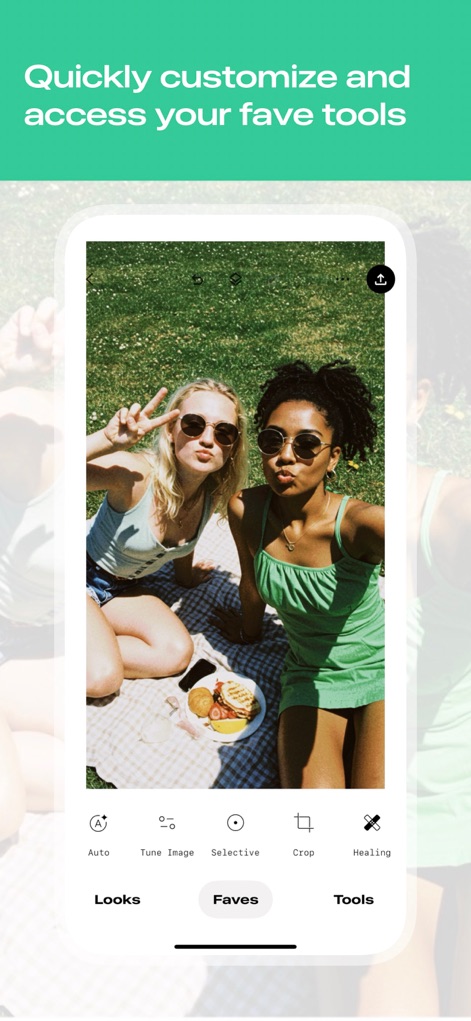
お気に入りツール
アプリのボトムナビゲーションバーから「お気に入り」タブにアクセスすることで、ユーザーは「自動補正」や「切り抜き」といった頻繁に使用するツールを素早く選択し、編集作業を効率化できます。

不要物を削除
このスクリーンショットでは、「修復」ツールを使用して、画像の背景にある不要な要素を簡単に除去できる様子を示しており、ユーザーは「ブラシツール」で除去したい範囲をマークし、画像をきれいに仕上げることが可能です。
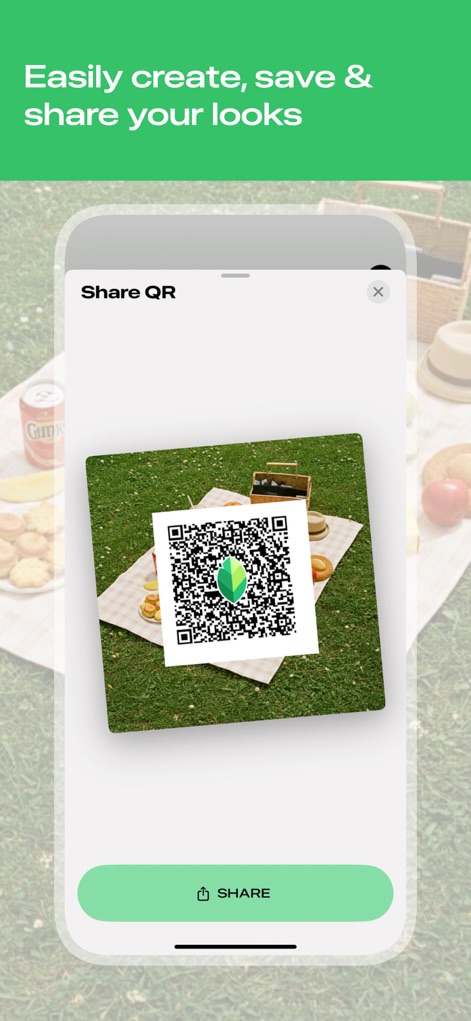
ルックを共有
ユーザーは、編集した「ルック」をQRコードとして生成し、他のユーザーと簡単に共有できます。これにより、個性的でプロフェッショナルな「編集設定」を瞬時に伝達することが可能です。
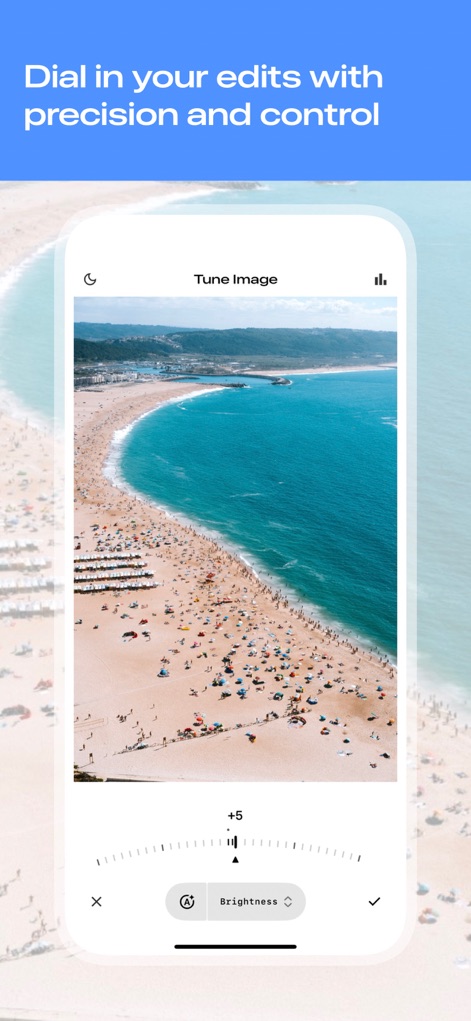
画像を微調整
「画像を調整」機能では、ユーザーは直感的なスライダーコントロールを使って「明るさ」などのパラメータを細かく調整し、画像に写る「色彩」や「露光」を精密にコントロールできます。
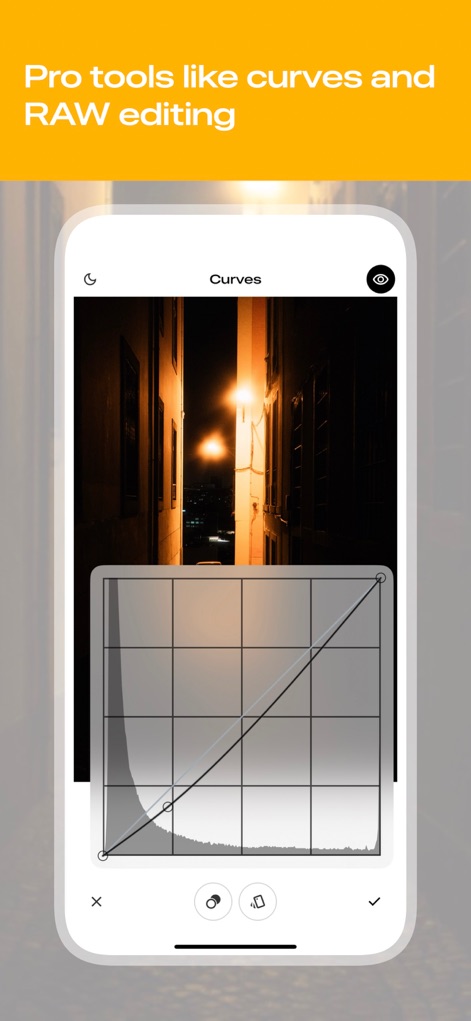
プロの曲線調整
「カーブ」ツールは、写真のトーンカーブを視覚的に操作することで、ユーザーが画像の「明るさのレベル」や「コントラスト」を精密に制御することを可能にします。
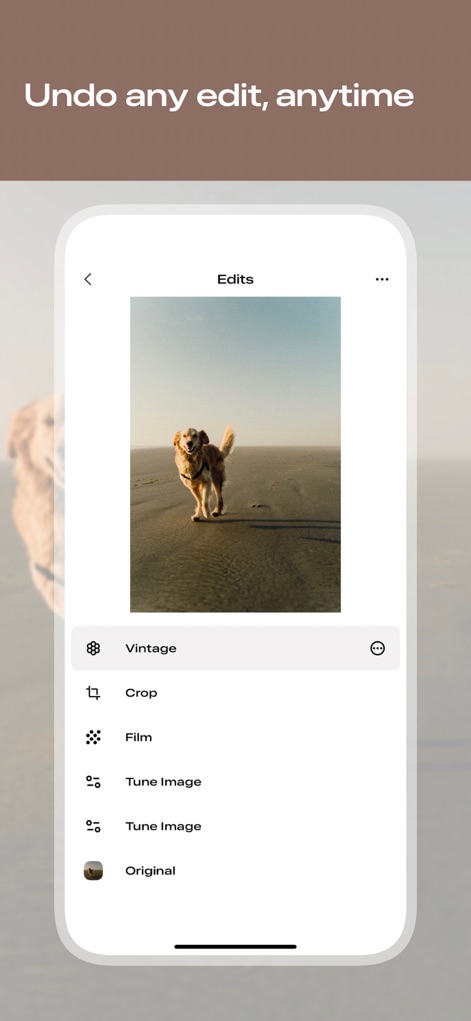
編集履歴管理
本アプリは、ユーザーが行った全ての編集作業を「編集履歴」として記録し、いつでも過去の「調整ステップ」に遡って修正したり、「オリジナル画像」の状態に戻したりすることを可能にします。
説明
Download
類似アプリ
似た機能とユーザー体験を持つアプリ

Evoto-AI Photo Editor&Retouch
TRUESIGHT PTE. LTD.

Darkroom: Photo & Video Editor
Bergen Co.

LD - Photo & Video Finishing
Lens Distortions, LLC

Focos
Mosaic S.r.l.

SKRWT
Mathaeus Jagielski

Polarr Pro Photo Editor
Polarr Inc

Photomator – Photo Editor
Apple Inc.

Canon DPP Express
Canon Inc.

原片
Beijing Kwai Technology Co., Ltd.
このページはアプリまたはその開発者の公式ページではなく、情報提供および論評を目的として作成された独立した編集出版物です。明示的に別段の記載がない限り、アプリおよびその開発者は、MWM、Apple、Google Play、アプリのパブリッシャー、またはアプリの開発者と提携、承認、後援、認可、またはその他の公式的な関係はなく、このページのいかなる内容も、アプリがMWMのサービスを使用して開発されたことを意味するものではありません。すべての商標、ロゴ、スクリーンショット、その他のコンテンツはそれぞれの所有者の財産です。