Capture One

Capture One

ダウンロード: App Store
ロゴ: Capture One

Capture One:iPhoneとiPadのためのプロフェッショナルRAWスタジオ

ラップトップはもう不要。モバイルデバイスに直接テザー撮影。業界をリードする色品質、AI搭載のレタッチ、撮影から納品までのシームレスなプロフェッショナルワークフローを体験してください。

開発元

Capture One A/S

カテゴリ

Photo & Video

ダウンロード

357K+

ユーザー評価

3.2/5

評価数

400

対応言語

14

デスクトップのパワー、モバイルの自由

このインターフェースを利用する 357K+ 人のユーザー.

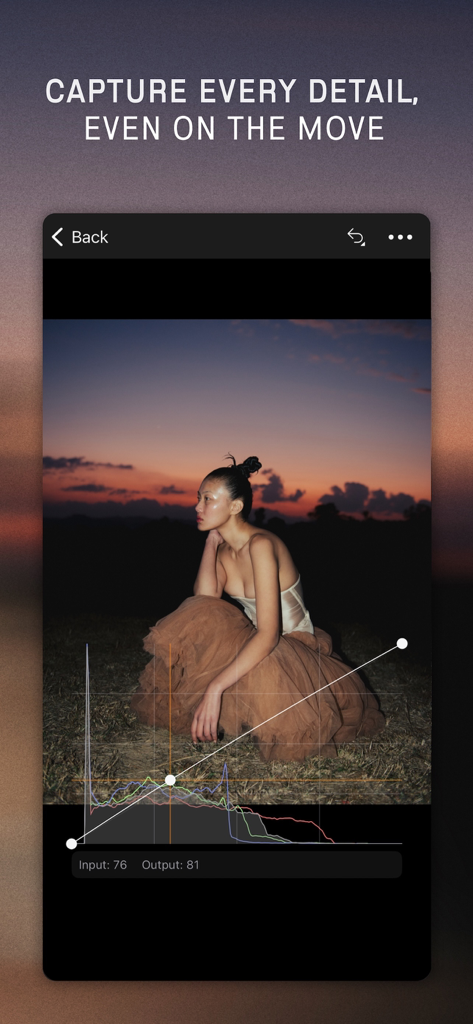
Capture Oneモバイルアプリのインターフェース。カーブとヒストグラムを使用したプロの写真編集が表示されています。
Capture Oneモバイルアプリのインターフェース。カーブとヒストグラムを使用したプロの写真編集が表示されています。

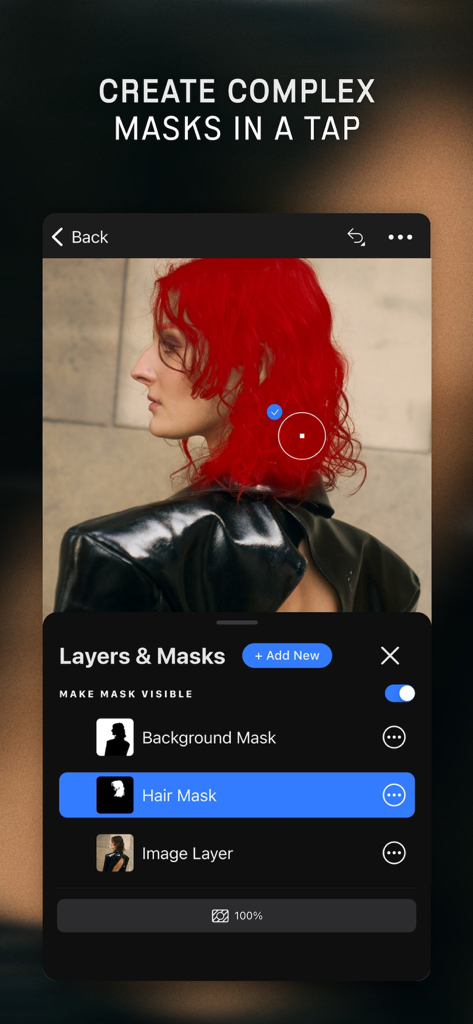
Capture Oneモバイルアプリのインターフェース。ポートレートに適用された赤い髪のマスクと共に、レイヤーとマスク機能が表示されています。
Capture Oneモバイルアプリのインターフェース。ポートレートに適用された赤い髪のマスクと共に、レイヤーとマスク機能が表示されています。

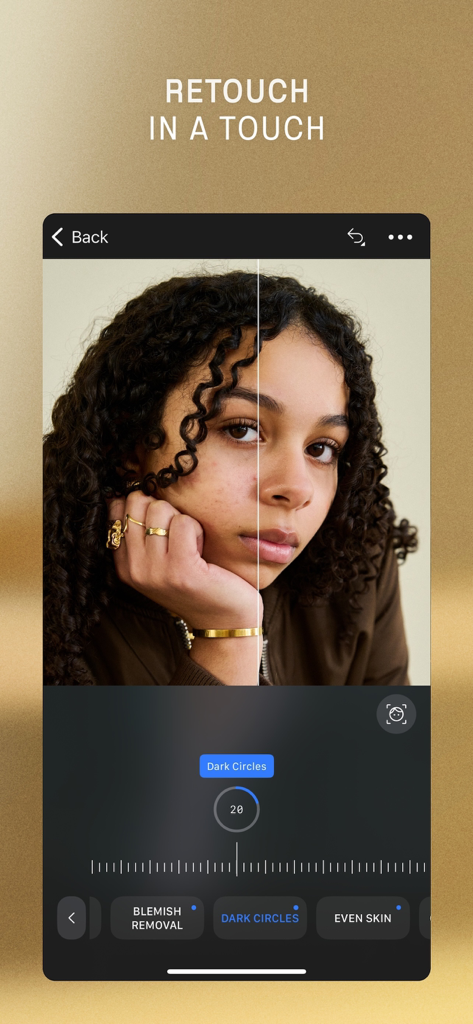
Capture Oneモバイルアプリのインターフェース。ダークサークルとシミ除去ツールを使用したポートレートレタッチの前後が表示されています。
Capture Oneモバイルアプリのインターフェース。ダークサークルとシミ除去ツールを使用したポートレートレタッチの前後が表示されています。

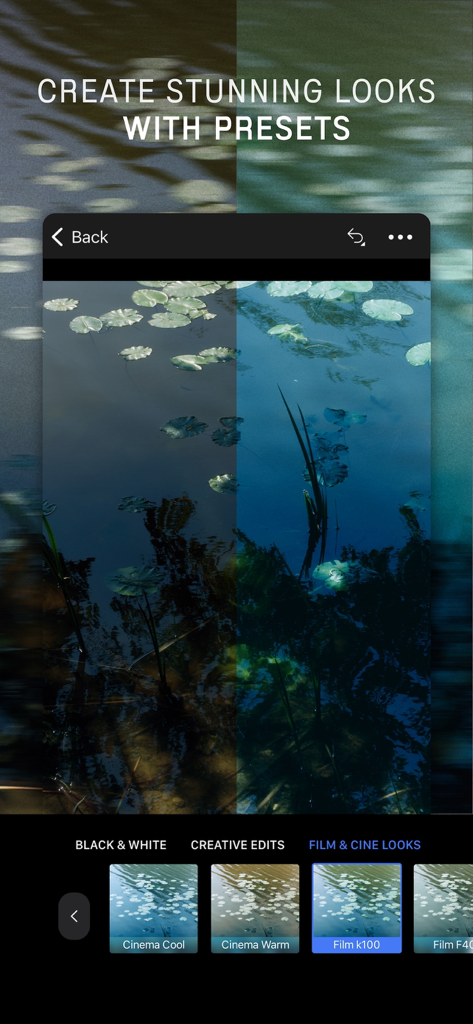
Capture Oneモバイルアプリのインターフェース。さまざまなフィルムおよびシネプリセットで編集中の写真が表示されています。
Capture Oneモバイルアプリのインターフェース。さまざまなフィルムおよびシネプリセットで編集中の写真が表示されています。

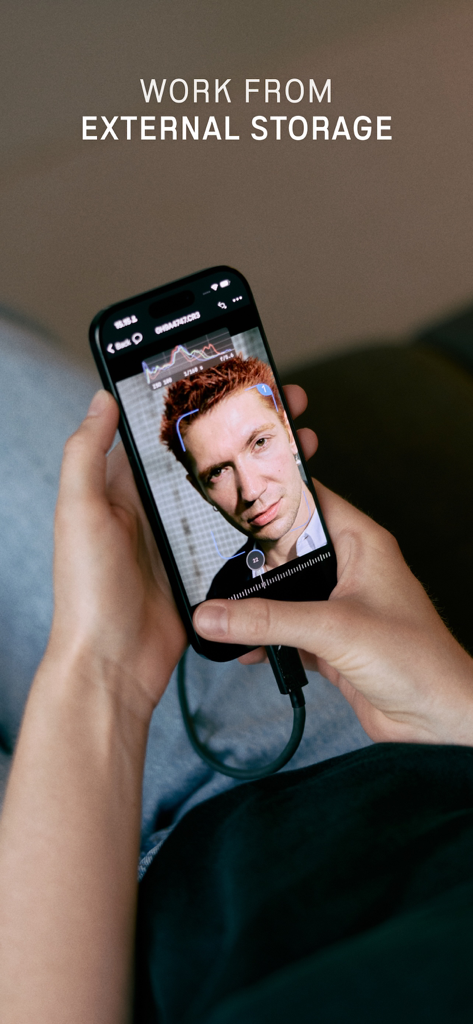
外部ストレージに接続されたiPhoneでCapture Oneモバイルを使用している写真家。
外部ストレージに接続されたiPhoneでCapture Oneモバイルを使用している写真家。

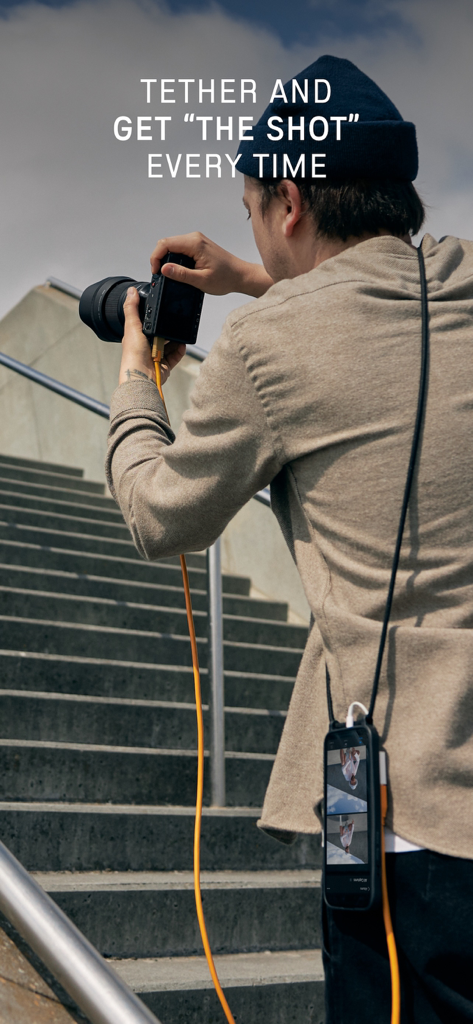
Capture Oneモバイルを使用して、プロの写真家がミラーレスカメラをiPhoneにテザー撮影している様子。

Capture Oneモバイルを使用して、プロの写真家がミラーレスカメラをiPhoneにテザー撮影している様子。

どこでもプロスタジオのパワーを

このアプリを際立たせるツール、 357K+ 人のユーザーが選択.

📸

インスタントテザー撮影

重いラップトップはもう不要。カメラをデバイスに直接接続して、高解像度の画像をリアルタイムでレビューし、クライアントに提示しましょう。

🎨

名高いカラーサイエンス

手作業で調整された色と優れたRAW現像を体験してください。モバイル画面で完璧な肌のトーンとプロレベルの色精度を実現します。

🔄

シームレスなプロフェッショナルワークフロー

ロケーションで編集を開始し、デスクトップで仕上げましょう。レーティング、マスク、メタデータはCapture One Proと完全に同期し、スムーズな作業を実現します。

レビュー分析

ユーザーレビューの分析.

感情スコア

34%
ネガティブ

概要

The Capture One mobile app receives mixed to largely negative feedback. While users appreciate its tethering capabilities for on-location shoots and its integration with a desktop workflow, many criticize its poor performance, frequent disconnections with specific cameras (e.g., Sony a7IV, Canon R5II/R6II, GFX Fuji), and stability issues like crashes reported for version 3.0.2 on iPad Pro. The app is also seen as overpriced given its limited feature set compared to the desktop version and competitors, leading to a generally unsatisfactory user experience. Specific bugs with the Apple Pencil also contribute to user frustration.

主なテーマ

Tethering(7)
Desktop Workflow Integration(3)
App Stability & Performance(3)
Limited Feature Set(1)
Pricing & Value(1)
User Interface(1)

アプリについて

について知っておくべきこと Capture One.

説明

GREAT IMPROVEMENTS TO MOBILE * With Retouch Faces, you can complete your post-work on the fly and deliver your images on location. * Sessions Support enables you to stay organized with nested folders and track your selections. * Work and backup as you please with External Storage, so you’re not limited by your mobile storage. SHOOT INTO MOBILE & SHOWCASE YOUR STYLE Forget the heavy laptop. Tether your camera directly to your iPhone or iPad, wired or wirelessly. Shoot, review, and showcase your images in real time. Impress clients and make sure you get the perfect shot on the spot. SHARE, RATE, COLLABORATE Share shots instantly with teams and clients, get comments, star ratings, and color tags, and keep all feedback in one place, no matter where everyone is. APPLY EDITS AS YOU SHOOT Turn RAWs into near-final images instantly. Make quick edits and auto-apply the same look as you shoot for faster, clearer client feedback during the session. INCREDIBLE COLOR QUALITY Get our renowned RAW conversion and hand-calibrated colors right on your mobile screen, for true-to-life tones and perfect skin every time. STYLE & EDIT ON THE FLY AirDrop your favorite presets and Styles, or create your own. Apply them in a tap, auto-create complex masks, correct perspective, straighten shots, and edit freely on the go. DELIVER ANYWHERE Export to an external SSD, or send your work to Capture One Pro with all edits and ratings intact, so you can start on mobile and finish on desktop seamlessly. WORK WITH ANY CAMERA Supports 550+ cameras from Canon, Sony, Nikon, FUJIFILM, Leica, and more. Control your camera, fire the shutter, and adjust settings right from your device. PRICING & PLANS Start with a 7-day free trial of Capture One Mobile. Continue with a mobile subscription, or go All in One to get: * Capture One Pro (desktop) * Capture One Mobile * Capture One Live Unlimited * Priority support Upgrade to All in One and get the complete photo workflow, from capture to delivery.

最新バージョン

3.2.1

サイズ

1.1 GB

リリース日

2022年6月28日

あらゆる撮影にプロフェッショナルなカラーサイエンスを

世界で最も強力なRAWコンバーターで、テザー撮影、編集、納品。7日間の無料トライアルを開始し、セットを離れる前でも作業を完了しましょう。

ダウンロード: App Store
FAQ

よくある質問

について知っておくべきこと Capture One

Capture One Mobile は何に使用されますか?

Capture One Mobile は、写真家が iPhone または iPad から直接画像を撮影、編集、レタッチ、共同作業できるプロフェッショナル iOS アプリです。テザリング、高度なマスキング、カラーグレーディング機能をサポートしています。

Capture One Mobile は肌の欠点をレタッチできますか?

はい、Capture One Mobile には肌の欠点を修正するための「顔のレタッチ」が含まれています。シミの除去、目の下のクマの調整、肌の均一化を可能にし、モバイルデバイス上で直接、その場で後処理を行うことができます。

Capture One Mobile はカメラとのテザードシューティングを許可しますか?

はい、Capture One Mobile はテザードシューティングを可能にします。ユーザーはカメラを iPhone または iPad に有線または無線で接続し、リアルタイムで画像を撮影、レビュー、表示できるため、その場で最適なショットを確保できます。

Capture One Mobile のトライアル後の料金はいくらですか?

Capture One Mobile は 7 日間の無料トライアルを提供しています。トライアル後、ユーザーはモバイルサブスクリプションを継続するか、Capture One Pro デスクトップおよびその他のサービスを含む「オールインワン」プランを選択できます。

Capture One Mobile は外部ストレージを使用できますか?

はい、Capture One Mobile は外部ストレージでの作業をサポートしています。この機能により、ユーザーはモバイルデバイスの内部ストレージ容量に制限されることなく作業を保存およびバックアップでき、柔軟性が確保されます。

Capture One Mobile はデスクトップの Capture One Pro と互換性がありますか?

はい、Capture One Mobile は Capture One Pro デスクトップとシームレスに統合されます。ユーザーは、すべての編集とレーティングを含む作業をエクスポートして、モバイルキャプチャからデスクトップフィニッシングまでのスムーズなワークフローを実現できます。

App information, icons, screenshots, and descriptions displayed on this page are sourced from the Apple App Store and are the property of their respective developers. Download estimates and rankings are based on MWM's proprietary models and may not reflect actual figures. This page is provided for informational and analytical purposes only.

Believe this page infringes your intellectual property? File a dispute