Craft: Docs, Notes, Tasks & AI

Craft: Docs, Notes, Tasks & AI

ダウンロード: App Store
ロゴ: Craft: Docs, Notes, Tasks & AI

Craft: AI搭載ネイティブワークスペースで思考を高めよう。

ドキュメント、タスク、アイデアのためのオールインワンホーム。Appleエコシステムのためにデザインされた、美しく高性能なワークスペースを体験してください。ネイティブAIが、あなたの知識を簡単に整理し、活用するのを助けます。

開発元

Craft Docs Limited

カテゴリ

Productivity

ダウンロード

1M+

ユーザー評価

4.8/5

評価数

31K+

対応言語

10

インスピレーションを与えるワークスペース

このインターフェースを利用する 1M+ 人のユーザー.

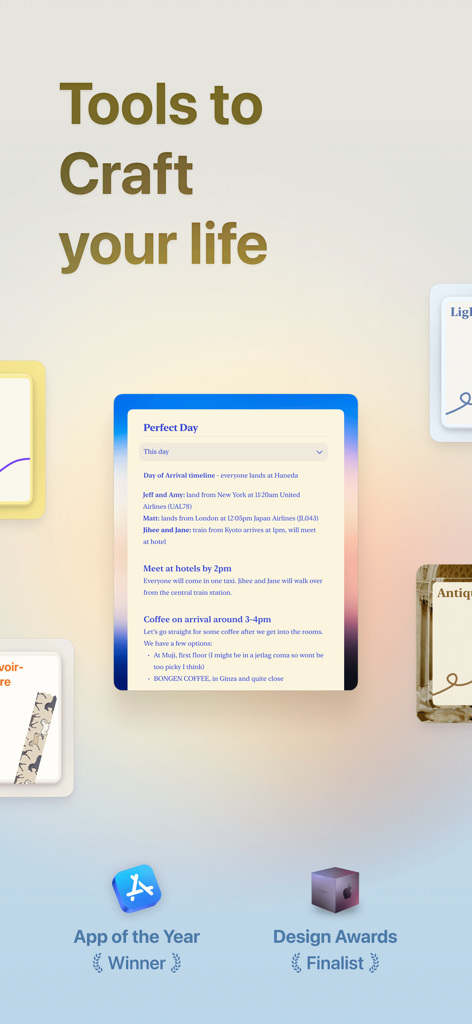
Craft生産性アプリのプロモーションインターフェイス。デジタルドキュメントとAppleアワードのアイコンが表示されています
Craft生産性アプリのプロモーションインターフェイス。デジタルドキュメントとAppleアワードのアイコンが表示されています

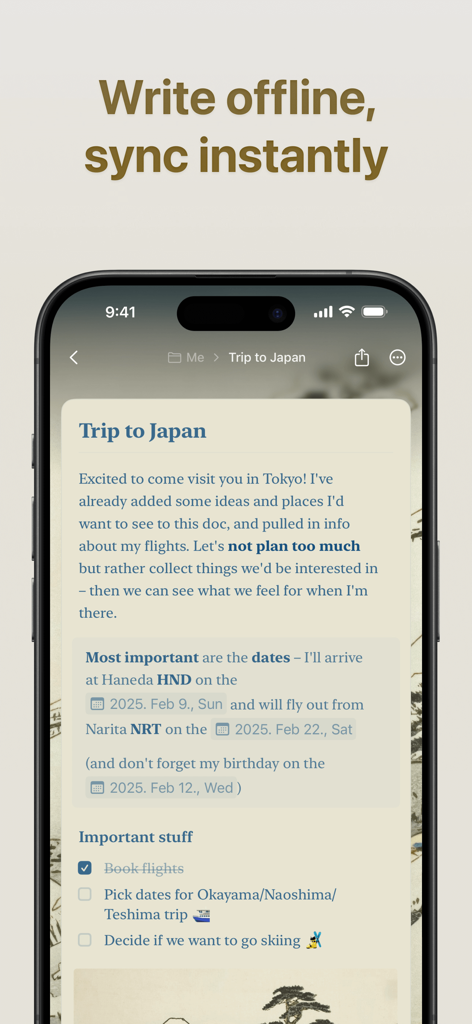
Craftアプリが表示されたスマートフォン。ドキュメントのタイトルは「Trip to Japan」で、見出しは「オフラインで書き込み、即座に同期」と表示されています
Craftアプリが表示されたスマートフォン。ドキュメントのタイトルは「Trip to Japan」で、見出しは「オフラインで書き込み、即座に同期」と表示されています

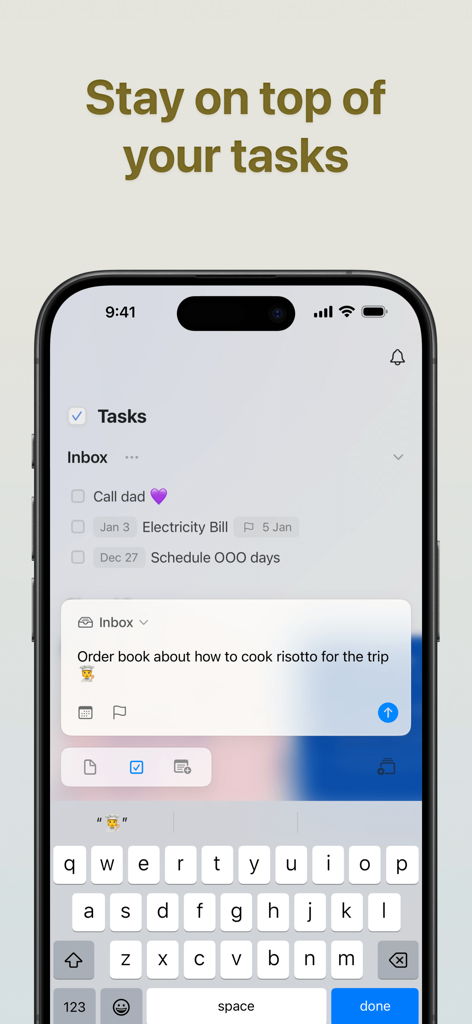
Craftアプリのタスク管理インターフェイスが表示されたiPhone画面。受信トレイリストと新しいタスクエントリが含まれています
Craftアプリのタスク管理インターフェイスが表示されたiPhone画面。受信トレイリストと新しいタスクエントリが含まれています

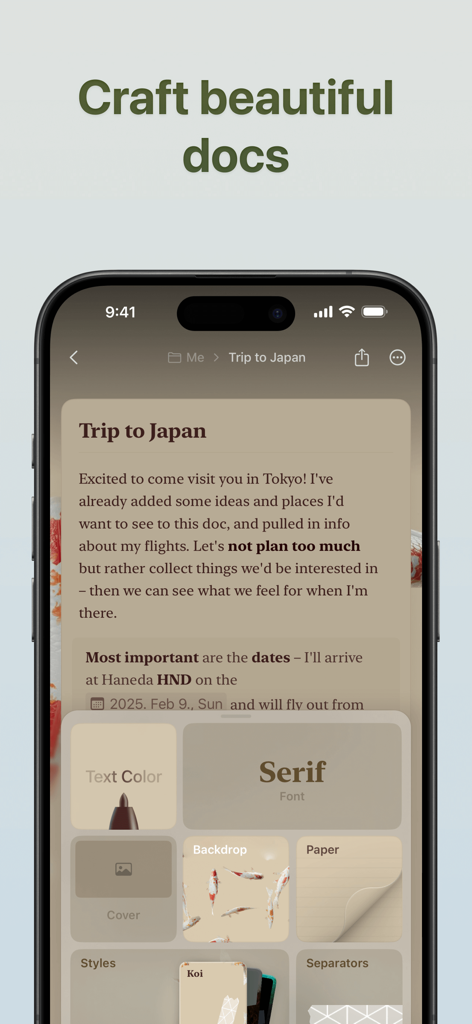
Craftアプリのインターフェイスが表示されたiPhone画面。ドキュメントのスタイリングとカスタマイズオプションが含まれています
Craftアプリのインターフェイスが表示されたiPhone画面。ドキュメントのスタイリングとカスタマイズオプションが含まれています

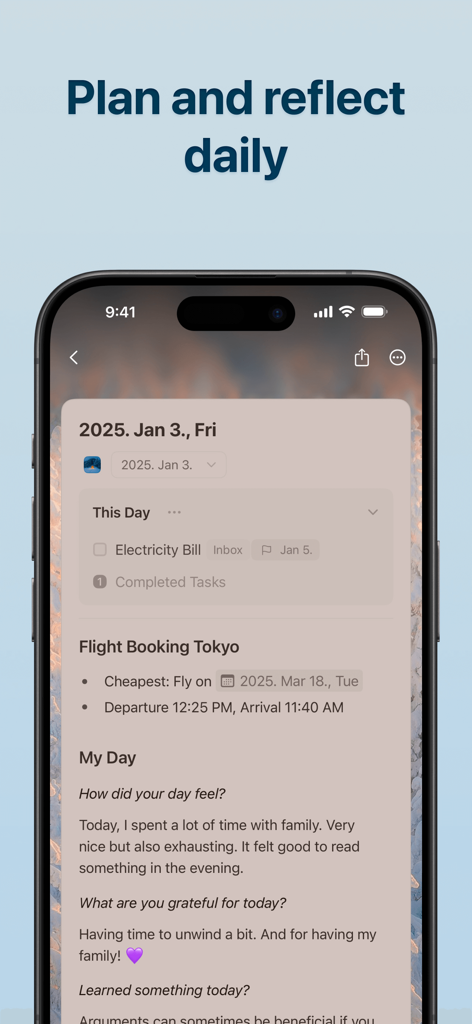
Craftアプリのデイリーノートビュー。iPhoneでタスクと振り返りジャーナルが含まれています
Craftアプリのデイリーノートビュー。iPhoneでタスクと振り返りジャーナルが含まれています

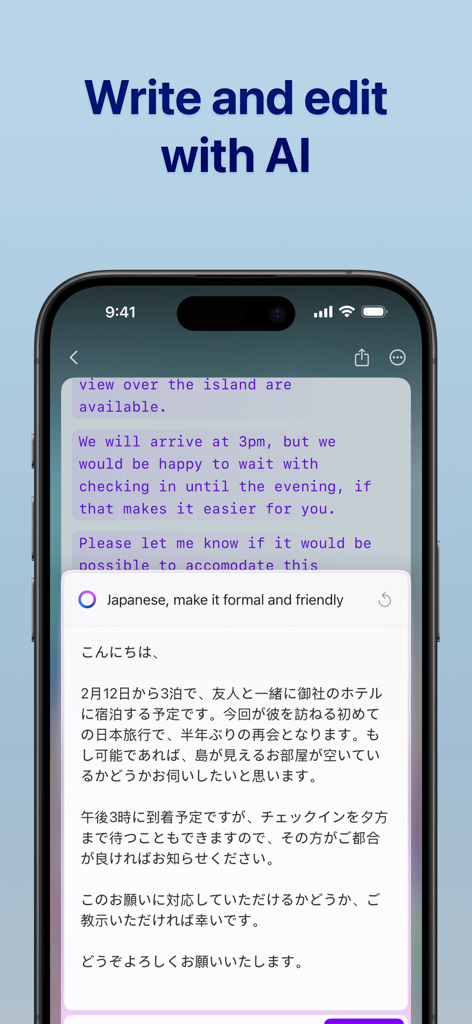
Craftアプリのインターフェイス。iPhoneでAIライティングと翻訳機能が表示されています
Craftアプリのインターフェイス。iPhoneでAIライティングと翻訳機能が表示されています

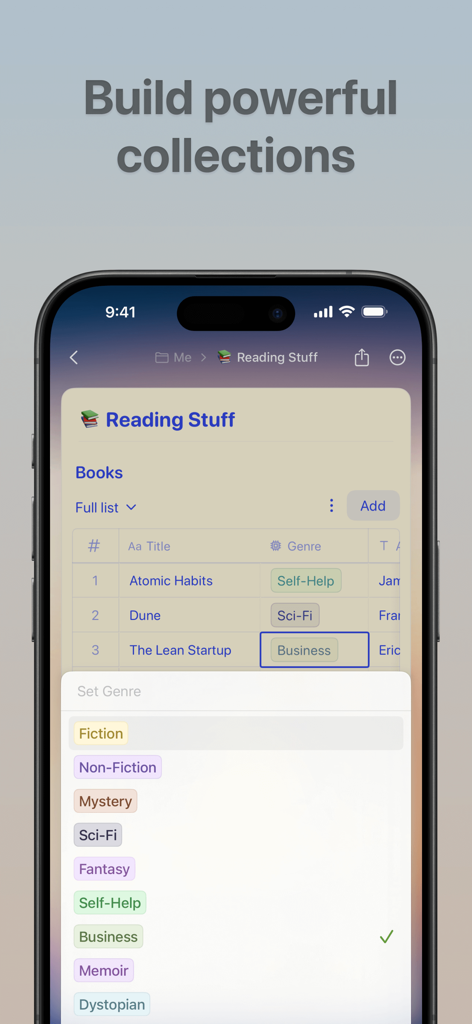
Craftアプリのインターフェイス。カスタマイズ可能なジャンルラベルが付いた読書リストコレクションが表示されています
Craftアプリのインターフェイス。カスタマイズ可能なジャンルラベルが付いた読書リストコレクションが表示されています

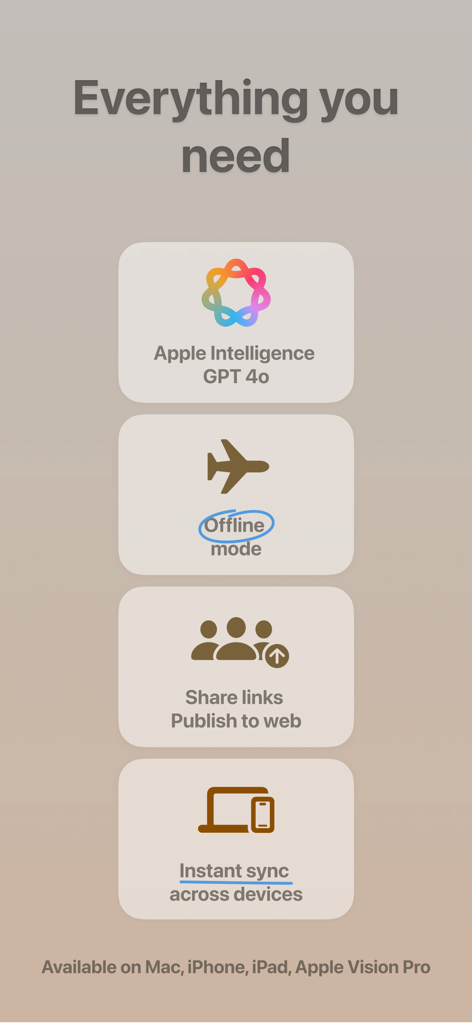
Craftアプリの機能リスト。AIアシスタント、オフラインモード、Webパブリッシング、クロスデバイス同期が表示されています

Craftアプリの機能リスト。AIアシスタント、オフラインモード、Webパブリッシング、クロスデバイス同期が表示されています

集中力とフローを強化する

このアプリを際立たせるツール、 1M+ 人のユーザーが選択.

🧠

よりスマートなセカンドブレイン

フォルダを探すのはもうやめましょう。AIアシスタントを使って、知識ベースとチャットしたり、長いドキュメントを要約したり、どんな思考も瞬時に見つけましょう。

ネイティブスピード、完全な自由

iPhone、iPad、Macのために構築されました。オフラインでも完璧に動作し、すべてのデバイスで同期される、超高速インターフェースをお楽しみください。

印象的なドキュメント

あなたの思考を、数秒でプロフェッショナルグレードのドキュメントやウェブサイトに変えましょう。タスク、ホワイトボード、テキストを、驚くほど視覚的なレイアウトに組み合わせることができます。

アプリについて

について知っておくべきこと Craft: Docs, Notes, Tasks & AI.

説明

Unleash your creativity and take control of your plans with Craft, a productivity app that transforms how you write, organize, and get things done. Create structured documents, manage tasks, organize your knowledge with Collections, and chat about it all with the AI Assistant. With seamless sync across iPhone, iPad, Mac, and the web, your workspace is always ready, online or offline. WRITE ANYWHERE, ANYTIME Your best ideas don’t wait for an internet connection. Work seamlessly offline with full access to all features, then let your changes sync automatically when you reconnect. Whether you’re on iPhone, iPad, or Mac, Craft keeps your writing experience consistent and powerful. AI ASSISTANT IS THERE TO HELP For seamless research, text editing, or searching across your entire knowledge base, Craft’s AI Assistant keeps you in flow on every device you use Craft on. Powered by advanced large language models, it finds any note, answers questions based on your content, and helps you stay on top of your knowledge without making you maintain a strict organizational system. BUILT-IN TASK MANAGEMENT Turn your ideas into action with our native Tasks system. Capture tasks as they emerge in your notes, manage them in a dedicated Inbox, and access them from any page with the Assistant’s help. Set target dates, due dates, and reminders to stay on track. With a unified tasks view, it’s the perfect balance between AI-powered fluidity and a dedicated, always-available space. STAY ON TOP OF YOUR DAY Make daily planning effortless with Daily Notes. Capture quick thoughts, plan your schedule, track tasks, or maintain your personal journal, all in one dedicated space. Switch to the calendar view to visualize your progress, reflect on your week, and understand how your days are shaping up. CONNECT YOUR DOCS TO OTHER TOOLS Turn Craft into the home for your whole workflow. Connect your documents to popular AI chat tools and productivity apps using deep integrations and APIs. Save conversations into Craft, pull in tasks, events, or other content from your existing tools, or even use your Craft documents as a CMS for powering a blog or website. EVERYTHING YOU NEED - Available on iPhone, iPad, Mac, and the web - Markdown and keyboard shortcuts - Link sharing and web publishing - Version history - Fast, reliable sync - Advanced integrations and API support - AI-powered Assistant - Incredible customer support WHAT’S NEW Craft Assistant: your smart partner to brainstorm, research, and write. It can help you find your notes across your space, rewrite and summarize documents, all while keeping you in the flow. MCP & API: connect Craft to AI models and other tools in your productivity stack, turning it into an organizational layer and live memory. Whiteboards: turn thoughts into visuals with a spacious canvas for sketching ideas, mapping projects, and collaborating creatively. QUESTIONS? Contact us on X at @craftdocs or email feedback@craft.do SUBSCRIPTION DETAILS If you purchase a Craft subscription, you’ll be charged via the payment method associated with your Apple ID. Your account will be charged for renewal within 24 hours of the end of the current period. You can turn off auto-renewal at any time in your account settings on the App Store. Craft subscriptions are available as one-month and 12-month packages. Prices may vary depending on country and are subject to change without notice. Current subscriptions cannot be canceled during the active subscription period. If you don’t choose to purchase a Craft subscription, you can continue using Craft for free. Terms of service: https://www.craft.do/terms Privacy policy: https://www.craft.do/privacy

最新バージョン

3.3.6

サイズ

301.9 MB

リリース日

2020年11月10日

思考を高める準備はできましたか?

100万人以上のハイアチーバーたちが、集中力を見つけました。今すぐCraftをダウンロードして、iPhone、iPad、Macのための究極のネイティブAI搭載ワークスペースを体験してください。

ダウンロード: App Store
FAQ

よくある質問

について知っておくべきこと Craft: Docs, Notes, Tasks & AI

Craft: Notes, Documents, AIはオフラインで使用できますか?

はい、Craftはすべての機能に完全なオフラインアクセスを提供しており、インターネット接続なしで作業できます。デバイスを再接続すると、変更は自動的に同期されます。

CraftのAIアシスタントは何ができますか?

CraftのAIアシスタントは、リサーチ、テキスト編集、ナレッジベースの検索を支援します。ノートを見つけたり、コンテンツに基づいて質問に答えたり、デバイス間の整理を助けたりします。

Craft: Notes, Documents, AIにはタスク管理機能がありますか?

はい、Craftには組み込みのタスク管理システムが含まれています。タスクをキャプチャし、受信トレイで管理し、ターゲット日、期日、リマインダーをすべてのノートに設定できます。

Craftは日々の計画をどのようにサポートしますか?

Craftは、考えをキャプチャし、スケジュールを計画し、タスクを追跡し、ジャーナルを記録できるデイリーノートで、日々の計画を容易にします。カレンダービューは、進捗状況を視覚化し、振り返るのに役立ちます。

Craft: Notes, Documents, AIは他のツールと統合できますか?

はい、CraftはAPIを介して、人気のあるAIチャットツールや生産性向上アプリと深く統合されます。会話を保存したり、コンテンツを取り込んだり、ドキュメントをブログやウェブサイトのCMSとして使用したりできます。

Craft: Notes, Documents, AIは無料で使用できますか?

はい、サブスクリプションを購入せずにCraftを無料で使い続けることができます。追加機能のために、オプションの1ヶ月および12ヶ月サブスクリプションが利用可能です。

Craft: Notes, Documents, AIのサブスクリプション自動更新をどのように管理しますか?

App Storeのアカウント設定を通じて、いつでもCraftサブスクリプションの自動更新をオフにすることができます。現在期間の終了前24時間以内に、アカウントに更新料金が請求されます。

Craft: Notes, Documents, AIはどのプラットフォームをサポートしていますか?

CraftはiPhone、iPad、Mac、およびWebで利用できます。Apple Vision Proもサポートしており、これらすべてのデバイスでシームレスな同期を提供します。

Craft: Notes, Documents, AIのコレクションとは何ですか?

Craftのコレクションは、知識を効率的に整理することを可能にします。さまざまな種類の情報(例:ジャンル別の書籍)を管理および分類するために、強力で構造化されたドキュメントを構築できます。

Craft: Notes, Documents, AIにはホワイトボードが含まれていますか?

はい、Craftにはホワイトボードが含まれるようになりました。この機能は、アプリ内でアイデアをスケッチしたり、プロジェクトをマッピングしたり、創造的に共同作業するための広大なキャンバスを提供します。

App information, icons, screenshots, and descriptions displayed on this page are sourced from the Apple App Store and are the property of their respective developers. Download estimates and rankings are based on MWM's proprietary models and may not reflect actual figures. This page is provided for informational and analytical purposes only.

Believe this page infringes your intellectual property? File a dispute