Crayon Style
Crayon Style
ダウンロード: App Store

このページはアプリまたはその開発者の公式ページではなく、情報提供および論評を目的として作成された独立した編集出版物です。明示的に別段の記載がない限り、アプリおよびその開発者は、MWM、Apple、Google Play、アプリのパブリッシャー、またはアプリの開発者と提携、承認、後援、認可、またはその他の公式的な関係はなく、このページのいかなる内容も、アプリがMWMのサービスを使用して開発されたことを意味するものではありません。すべての商標、ロゴ、スクリーンショット、その他のコンテンツはそれぞれの所有者の財産です。

ロゴ: Crayon Style
ダウンロード: App Store

Crayon Style

iPhoneまたはiPadで、本物のクレヨンのノスタルジックな質感と豊かな顔料を体験してください。心地よいスケッチから子供たちのための散らかりのないクリエイティブな遊びまで、私たちのオリジナルのクレヨンシミュレーションエンジンで描く喜びを再発見してください。

主要数値

ダウンロード

96K+

ユーザー評価

4.4/5

評価数

100

開発元

P SOFTHOUSE Co., Ltd.

カテゴリ

Entertainment

対応言語

2

最新バージョン

1.05

サイズ

44.5 MB

リリース日

2013年4月16日
機能

あらゆる年齢層のための創造的な自由

すべてのユーザーをアーティストに変えるように設計された機能で、ノスタルジックな温かみとモダンなデジタル精度との完璧なバランスを発見してください。

リアルなクレヨンテクスチャ

オリジナルの描画エンジンが、顔料の深さと重ねられたストロークをシミュレートし、本物の、散らからないワックスクレヨンの外観を実現します。

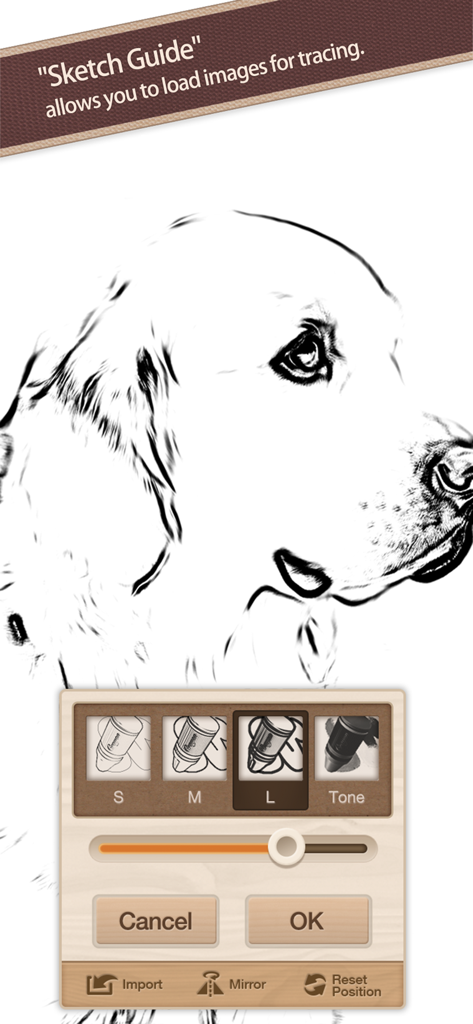
簡単なスケッチガイド

お気に入りの写真をインポートしてトレースの背景として使用できるため、子供たちの学習や大人のカスタムアートの作成が簡単になります。

自然な筆圧コントロール

直感的な陰影と線幅のための完全なApple Pencilおよび3D Touchサポートにより、プロレベルの応答性を体験してください。

以下のスクリーンショットと説明は、アプリの公式ストアリスティングから直接取得されたものであり、アプリ開発者の所有物です。

アプリストア

スクリーンショット
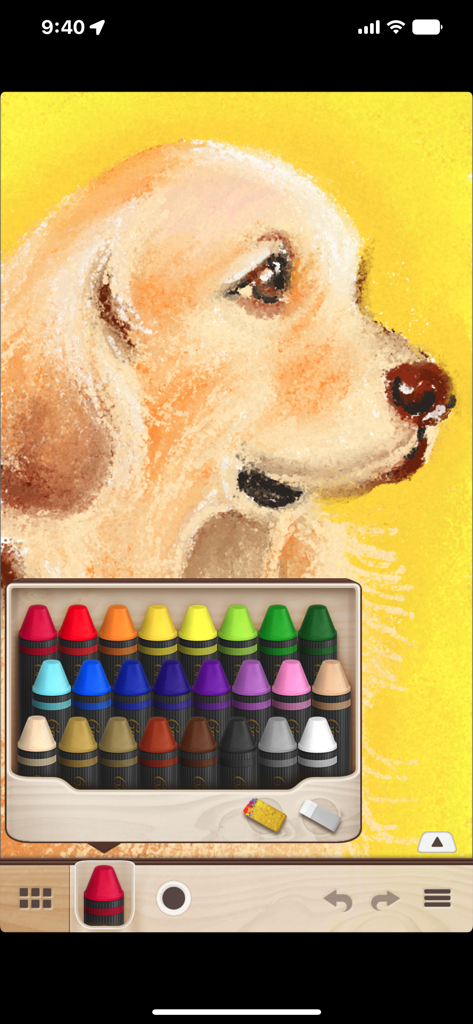
Crayon Style - Crayon Styleアプリで、24色のパレットを使った犬のデジタルクレヨン描画。
Crayon Styleアプリで、24色のパレットを使った犬のデジタルクレヨン描画。

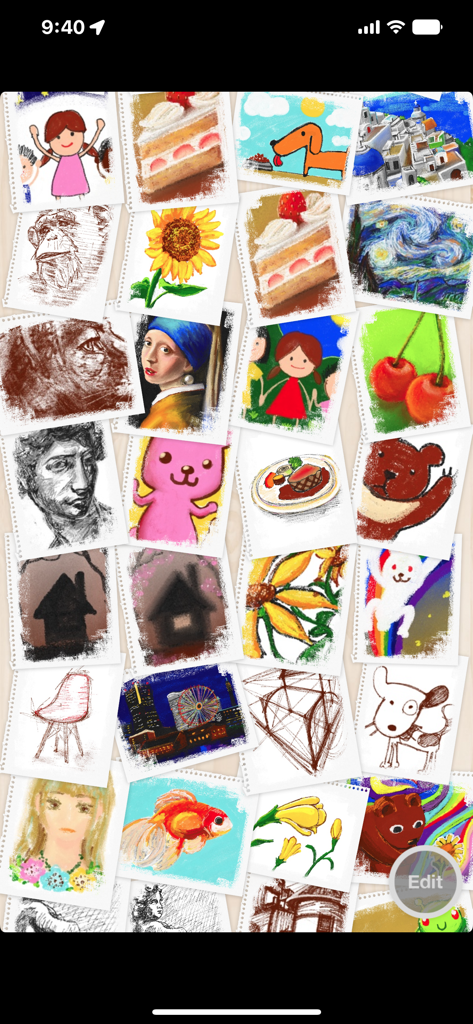
Crayon Style - アプリギャラリーにあるさまざまなクレヨン描画とスケッチのコラージュ。

アプリギャラリーにあるさまざまなクレヨン描画とスケッチのコラージュ。

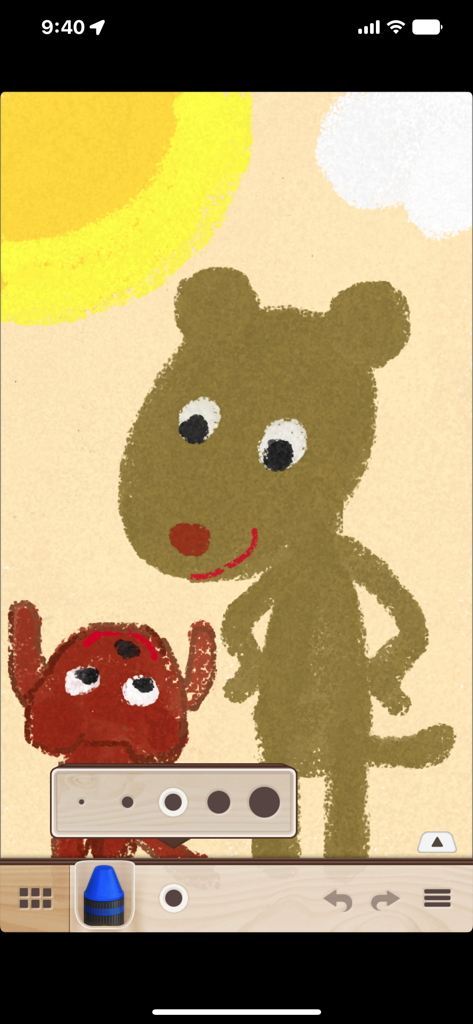
Crayon Style - Crayon Styleアプリで作成された2匹のクマのデジタル描画。クレヨンの質感と線幅の設定を示しています。
Crayon Styleアプリで作成された2匹のクマのデジタル描画。クレヨンの質感と線幅の設定を示しています。

Crayon Style - Crayon Styleアプリのスケッチガイド機能を使用して犬のスケッチをトレースしています。
Crayon Styleアプリのスケッチガイド機能を使用して犬のスケッチをトレースしています。

Crayon Style - Crayon Styleアプリのスプラッシュスクリーン。赤いクレヨンのアイコンとアプリのタイトルが表示されています。

Crayon Styleアプリのスプラッシュスクリーン。赤いクレヨンのアイコンとアプリのタイトルが表示されています。

説明

Crayon Style is a painting application reproducing the warm experience of drawing with crayons. Transform your iPhone or iPad into a sheet of drawing paper and enjoy creating all kinds of drawings ranging from doodling and sketching to full-blown art. Crayon Style's simple and stylish user interface is light and easy to use, allowing you to enjoy the application anywhere and at any time. Use it in all kinds of situations to note down ideas, sketch scenery, create illustrations, etc. - Drawing engine reproducing the appearance of crayon art. Crayon Style's original drawing engine simulates the characteristics of drawing with crayons, such as rough lines, pigment depth and the mixed colors produced when layering strokes, reproducing faithfully the warm look and feel of crayon art. -Set photos you like as a background with Sketch Guide. With the Sketch Guide feature, you can set a photo or image as a background to your drawing. Use it to trace over a picture you like or to create an original coloring page. - Smart and fun user interface. With its polished design, seamless screen transitions and casual feel, the user interface feels good and is fun to use. Combined with the features above, you get a simple and smart application which can be enjoyed by children and adults alike. - Share your artwork on social networks! You can post your illustrations to social networks such as Facebook and Twitter using the "Share..." functionality. - Easier, more natural drawing. Supports Apple Pencil and 3D Touch. You can pleasantly draw using your fingers, but you can experience an even more wonderful drawing experience by using a stylus. The app supports stroke pressure with the iPad Pro's Apple Pencil. On the iPhone, the app uses 3D Touch to simulate stroke pressure and unlock more shades of color. With the 3D Touch functionality, it is possible to use stroke pressure with your finger as well as standard styluses. ■Main Features - Drawing engine reproducing the look and feel of crayon art. - 24 colors available. - Rub colors with the sponge tool to blend them together. - Eraser tool. - Color selection history (up to 3 colors). - 5 levels of line thickness (line thickness saved separately for each tool). - Undo / Redo (up to 4 times each). - Enlarge, reduce and rotate the canvas. - Toolbar can be moved to the top or bottom of the screen. - Artwork gallery feature. - Set a photo or image as a background with the Sketch Guide feature. - Output (export) to: - Camera roll (jpg format) - Share.. - Open In.. - Supports Apple Pencil (pressure). - Supports 3D Touch.

Download

ダウンロード: App Store

このページはアプリまたはその開発者の公式ページではなく、情報提供および論評を目的として作成された独立した編集出版物です。明示的に別段の記載がない限り、アプリおよびその開発者は、MWM、Apple、Google Play、アプリのパブリッシャー、またはアプリの開発者と提携、承認、後援、認可、またはその他の公式的な関係はなく、このページのいかなる内容も、アプリがMWMのサービスを使用して開発されたことを意味するものではありません。すべての商標、ロゴ、スクリーンショット、その他のコンテンツはそれぞれの所有者の財産です。