
このページはアプリまたはその開発者の公式ページではなく、情報提供および論評を目的として作成された独立した編集出版物です。明示的に別段の記載がない限り、アプリおよびその開発者は、MWM、Apple、Google Play、アプリのパブリッシャー、またはアプリの開発者と提携、承認、後援、認可、またはその他の公式的な関係はなく、このページのいかなる内容も、アプリがMWMのサービスを使用して開発されたことを意味するものではありません。すべての商標、ロゴ、スクリーンショット、その他のコンテンツはそれぞれの所有者の財産です。


ダウンロード
2.5M+ユーザー評価
評価数
30.0K開発元
カテゴリ
Business対応言語
30最新バージョン
1.9.3サイズ
138.1 MBリリース日
2014年1月17日主要機能評価とターゲットユーザーへの影響
Dictaphone - Audio Recorder アプリケーション分析
音声からテキストへの文字起こし
本アプリケーションは、録音された音声をテキスト形式に変換する機能を提供し、議事録作成や学習ノートの効率を大幅に向上させます。
包括的な音声編集機能
本ツールは、録音の後に追加、トリミング、カット、上書き、挿入、結合といった多様な編集オプションを備えており、ユーザーは録音内容をプロフェッショナルな品質に仕上げることが可能です。
多様な再生速度調整
ユーザーは、0.8倍、1倍、1.25倍など複数の再生速度を選択でき、講義や会議の内容を効率的に復習することが可能です。
広範なクラウドサービス連携
本アプリは、Dropbox、Google Drive、OneDrive、SharePoint、Evernoteなど、多岐にわたるクラウドサービスへの録音ファイルのアップロードと同期をサポートしており、ファイル共有とアクセス性が向上します。
ハンズフリー音声録音
このアプリは、メモやノートを手を使わずに録音することを可能にし、ユーザーは会議、講義、インタビューなどの重要な情報を逃さずに記録できます。
高音質録音対応
本ツールは、最大48000 Hz/320kbpsの最高品質での録音をサポートしており、クリアで詳細なオーディオ記録を保証します。
着信時の自動一時停止
デバイスへの着信時に録音が自動的に一時停止する機能を提供し、重要な会議や講義の記録が中断されるのを防ぎます。
バックグラウンド録音と再生
ユーザーは、アプリをバックグラウンドで動作させながら録音や再生を行うことができ、他の作業と並行して効率的に情報を扱えます。
詳細な録音ソートオプション
このアプリは、名前、期間、サイズ、作成日、タイプなど、様々な基準で録音ファイルをソートする機能を提供し、ユーザーは多数のファイルを容易に管理できます。
iCloud連携によるデータ同期
本ツールは、録音、オーディオブックマーク、および設定をiCloudと同期させることを可能にし、ユーザーは複数のデバイス間で一貫した作業環境を維持できます。
よくある質問
について知っておくべきこと Dictaphone - Audio Recorder
What is Dictaphone - Audio Recorder?
Dictaphone - Audio Recorder is an app that provides hands-free audio voice recording for memos, notes, meetings, lectures, and interviews. It captures high-quality audio and supports various file formats.
Does Dictaphone - Audio Recorder support high-quality audio recording?
Yes, Dictaphone - Audio Recorder supports high-quality audio recording up to 48000 Hz/320kbps. It also offers MP3 and WAV formats for note-taking and voice capture.
What audio recording formats does Dictaphone - Audio Recorder support?
Dictaphone - Audio Recorder supports MP3 and WAV audio recording formats. Users can choose from various bitrates, including 96 kbps, 128 kbps, 192 kbps, and 320 kbps.
Can Dictaphone - Audio Recorder record phone calls?
No, Dictaphone - Audio Recorder is not designed for recording phone calls. Its primary function is for dictating notes, memos, and recording meetings or lectures.
Does Dictaphone - Audio Recorder limit the length of audio recordings?
No, Dictaphone - Audio Recorder does not impose any limit on the length of audio recordings. Users can record indefinitely for meetings, lectures, or personal notes.
Does Dictaphone - Audio Recorder support background recording?
Yes, Dictaphone - Audio Recorder supports background sound recording and playback. This feature allows users to dictate memos or capture audio while using other applications.
Does Dictaphone - Audio Recorder offer audio editing capabilities?
Yes, Dictaphone - Audio Recorder offers audio editing features through an in-app purchase. These include append, trim, cut, overwrite, insert, and combine recordings.
How can users share audio recordings from Dictaphone - Audio Recorder?
Dictaphone - Audio Recorder allows sharing recordings via iTunes file sharing. With in-app purchases, users can also upload to Dropbox, SoundCloud, GoogleDrive, OneDrive, YouTube, and other services.
Does Dictaphone - Audio Recorder support external microphones?
Yes, Dictaphone - Audio Recorder supports external microphones. It also offers stereo support when using an external microphone, enhancing audio input quality.
Does Dictaphone - Audio Recorder offer audio-to-text transcription?
Yes, Dictaphone - Audio Recorder offers the ability to transcribe audio to text as an in-app purchase feature. This converts spoken words into written format.
Can Dictaphone - Audio Recorder sync recordings with iCloud?
Yes, Dictaphone - Audio Recorder can sync preferences with iCloud. An in-app purchase enables syncing recordings, audio bookmarks, and settings with iCloud.
Does Dictaphone - Audio Recorder offer a dark mode interface option?
Yes, Dictaphone - Audio Recorder allows users to choose between a light or dark mode interface. This option provides a personalized viewing experience.
How does Dictaphone - Audio Recorder behave during an incoming phone call?
Dictaphone - Audio Recorder automatically pauses during incoming phone calls. This ensures that recordings are not interrupted or corrupted by call audio.
Can users sort their audio recordings in Dictaphone - Audio Recorder?
Yes, Dictaphone - Audio Recorder allows users to sort audio recordings by their names, duration, size, date of creation, and type. This helps organize playback lists effectively.
以下のスクリーンショットと説明は、アプリの公式ストアリスティングから直接取得されたものであり、アプリ開発者の所有物です。
アプリストア
スクリーンショット
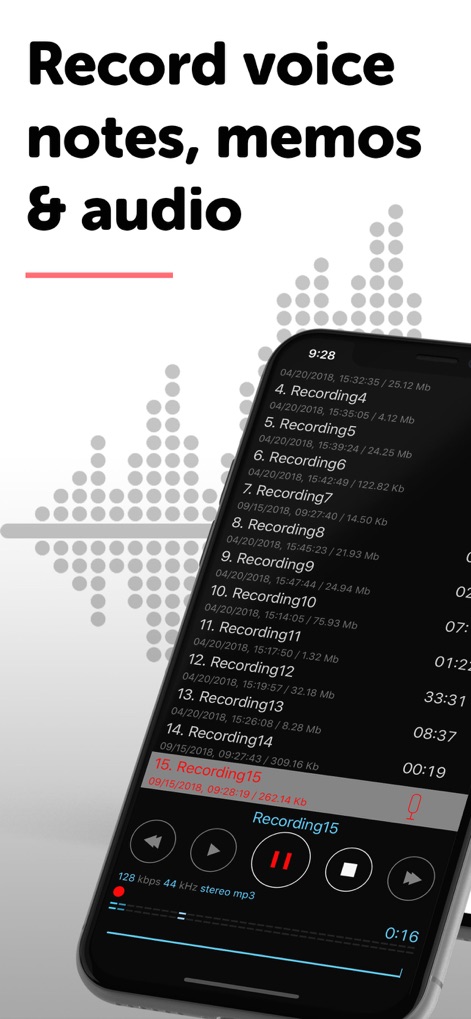
この画面では、録音された音声ファイルが日付とサイズとともに一覧表示され、下部にある再生インターフェースから現在の再生位置とファイル名を確認できます。
音声メモを記録
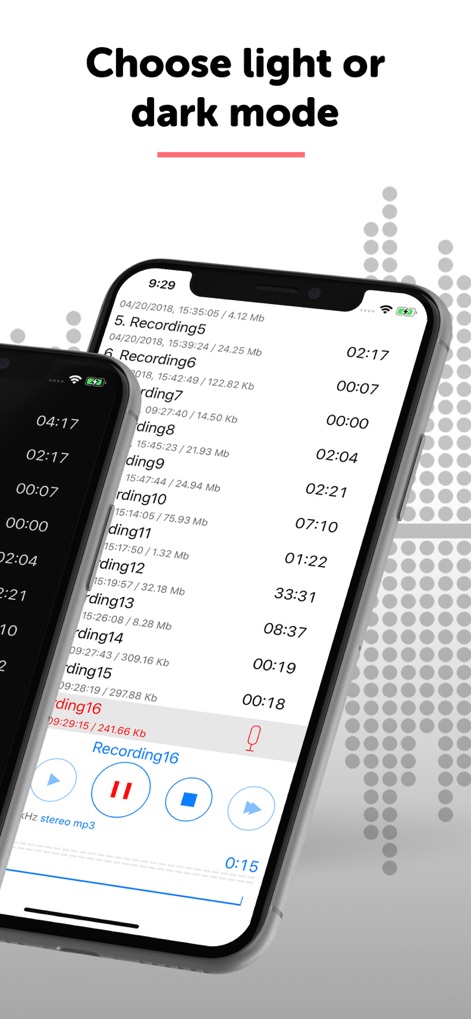
ユーザーは、ライトモードまたはダークモードを選択することで、視覚的な快適さとバッテリー寿命に合わせてアプリのインターフェースを調整できます。
テーマを選択
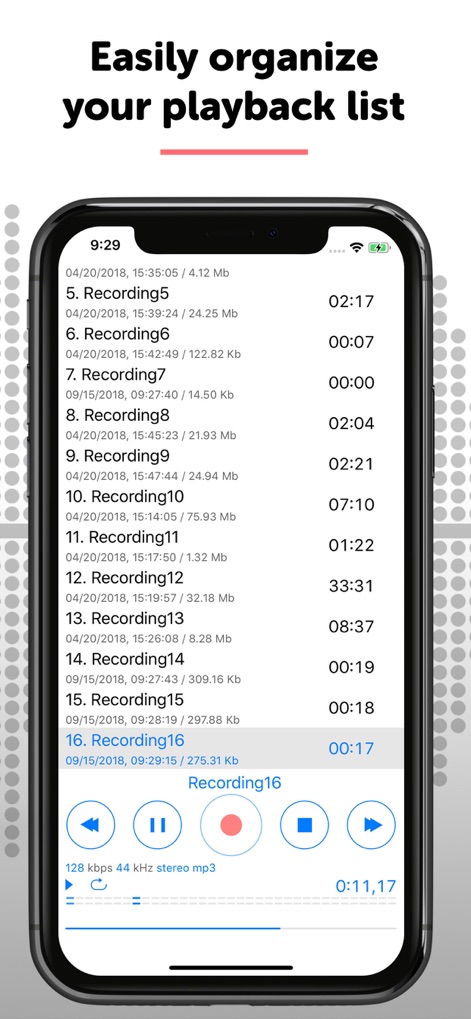
このスクリーンショットでは、録音されたファイルが作成日やサイズとともに一覧表示されており、再生コントロールボタンとトラックバーを通じてユーザーは簡単に再生を操作できます。
再生リストを管理
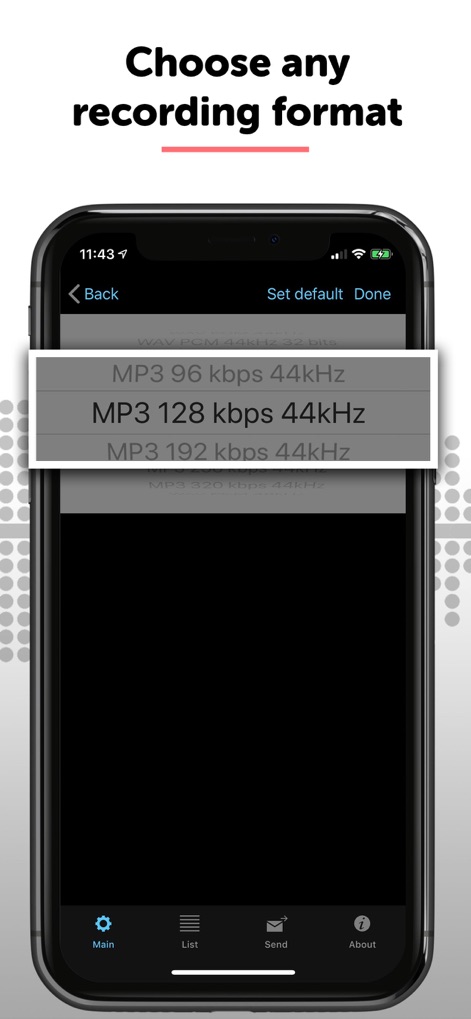
ユーザーは、MP3のビットレート選択肢やサンプリングレート設定など、複数の録音フォーマットから最適な品質とファイルサイズを選択できます。
フォーマットを選択
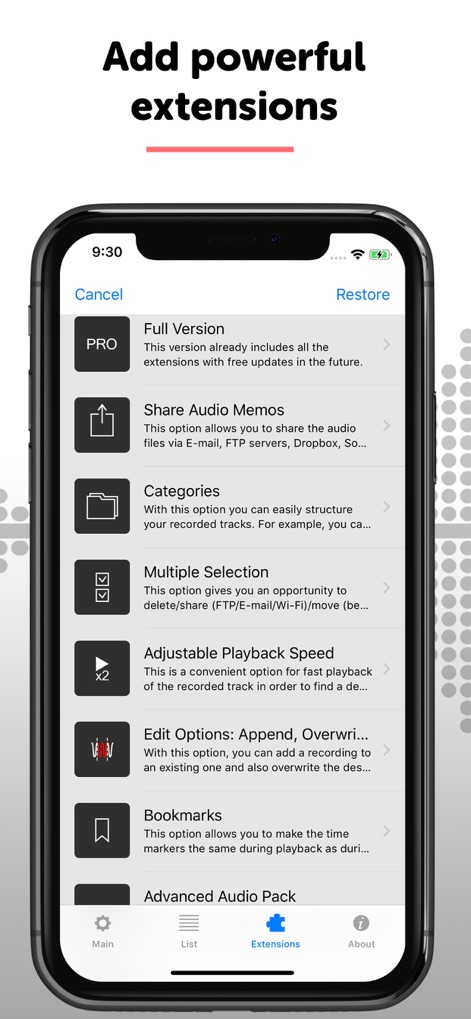
このアプリは、音声メモの共有機能や再生速度調整機能など、ユーザーの生産性を向上させるための強力な拡張機能を提供します。
拡張機能を追加
説明
Download
類似アプリ
似た機能とユーザー体験を持つアプリ

Voice Recorder Lite: Record HD
LiveBird Technologies Private Limited

PCM Recorder Lite
Kohei Yasui

Voice recorder - Voz
Hieu Nguyen

MOTIV Audio
Shure Incorporated

Voice recorder: Audio editor
Hieu Nguyen

Voice Recorder - Audio Record
LiveBird Technologies Private Limited

Awesome Voice Recorder PRO AVR
Newkline Co., Ltd.

Voice Memos & Sound Recorder
Protection & Security App LLC

Voice Recorder & Memos
SMM service, s.r.o.
このページはアプリまたはその開発者の公式ページではなく、情報提供および論評を目的として作成された独立した編集出版物です。明示的に別段の記載がない限り、アプリおよびその開発者は、MWM、Apple、Google Play、アプリのパブリッシャー、またはアプリの開発者と提携、承認、後援、認可、またはその他の公式的な関係はなく、このページのいかなる内容も、アプリがMWMのサービスを使用して開発されたことを意味するものではありません。すべての商標、ロゴ、スクリーンショット、その他のコンテンツはそれぞれの所有者の財産です。