
このページはアプリまたはその開発者の公式ページではなく、情報提供および論評を目的として作成された独立した編集出版物です。明示的に別段の記載がない限り、アプリおよびその開発者は、MWM、Apple、Google Play、アプリのパブリッシャー、またはアプリの開発者と提携、承認、後援、認可、またはその他の公式的な関係はなく、このページのいかなる内容も、アプリがMWMのサービスを使用して開発されたことを意味するものではありません。すべての商標、ロゴ、スクリーンショット、その他のコンテンツはそれぞれの所有者の財産です。

Digital Planner & Calendar Pro
iPadとiPhoneのための究極のApple Pencilコンパニオン。デジタル効率と手書きの魅力を橋渡しし、カレンダーを同期させ、PDFに注釈を付け、スタイリッシュに目標を計画しましょう。
ダウンロード
414K+ユーザー評価
評価数
1K+開発元
カテゴリ
Productivity対応言語
1最新バージョン
3.2.0サイズ
264.0 MBリリース日
2022年12月6日意図を持って計画し、人生をデザインする
あなたの美的ビジョンとプロフェッショナルな整理が融合する、オールインワンのデジタル聖域。紙のプランナーの感触を愛するが、デジタル効率のパワーを必要とする人々のために作られました。
自然な手書き体験
Apple Pencilに最適化されており、遅延なしでスケッチ、メモ、注釈を付けられます。紙の触覚とデジタルの検索機能でアイデアを捉えましょう。
美的&視覚的マスター
退屈なグリッドはもう不要。目標と習慣を明確にしながら、あなたの個人的なスタイルを反映した、見事な毎日の、週ごとの、月ごとのスプレッドを作成しましょう。
よくある質問
について知っておくべきこと Digital Planner & Calendar Pro
Digital Planner & Calendar Proとは何ですか?
Digital Planner & Calendar Proは、iPadとiPhone用の多機能アプリです。リマインダー、カレンダー同期、メモ機能などを備え、タスク、イベント、目標を管理することで、生活を効率化し、生産性を向上させます。
Digital Planner & Calendar ProをGoogleカレンダーと同期できますか?
はい、Digital Planner & Calendar ProはGoogleカレンダーとAppleカレンダーの両方とシームレスに同期できます。ユーザーはアプリの設定から直接既存のカレンダーを接続できます。
Digital Planner & Calendar ProはApple Pencilに対応していますか?
はい、Digital Planner & Calendar ProはApple Pencilでの使用に最適化されています。これにより、スケジュールに直接メモを取ったり、クリエイティブなスケッチを作成したりする際のスムーズな書き心地を提供します。
Digital Planner & Calendar Proのサブスクリプション料金はいくらですか?
7日間の無料トライアル後、1ヶ月のメンバーシップは6.99ドル、3ヶ月のメンバーシップは12.99ドル、1年間のメンバーシップは29.99ドルです。米国外では価格が異なる場合があります。
Digital Planner & Calendar Proからカレンダーを共有できますか?
はい、ユーザーはDigital Planner & Calendar Proからカレンダーを共有できます。編集権限付きのフルアクセスや、閲覧のみの限定的なアクセスなど、共同作業や他者への共有が可能です。
Digital Planner & Calendar Proには無料トライアルがありますか?
はい、Digital Planner & Calendar Proは1年間のメンバーシップオプションで7日間の無料トライアルを提供しています。サブスクリプション購入時に、未使用のトライアル期間は失効します。
Digital Planner & Calendar Proはリマインダーの設定に役立ちますか?
はい、Digital Planner & Calendar Proはリマインダー通知を提供し、ユーザーがタスクやイベントを管理するのに役立ちます。アプリは、スケジュールされた項目に通知を追加するように促します。
Digital Planner & Calendar Proで利用できるプランニングテンプレートの種類は何ですか?
Digital Planner & Calendar Proには、日次、週次、月次、年次のプランナーなど、さまざまなテンプレートが用意されています。また、ショッピングリスト、食事プランナー、掃除チェックリストなどの専門的なテンプレートも提供しています。
Digital Planner & Calendar Proのサブスクリプションはどのように管理しますか?
ユーザーは、購入後にiTunesアカウント設定にアクセスすることで、Digital Planner & Calendar Proのサブスクリプションを管理できます。期間終了の24時間前までに、そこで自動更新をオフにすることができます。
Digital Planner & Calendar Proでメモを取ったり、PDFに注釈を付けたりできますか?
はい、Digital Planner & Calendar Proでは、アプリ内で直接メモを取ることができます。PDFファイルに注釈を付けることもサポートしており、デジタルノートブックとしての汎用性を高めています。
以下のスクリーンショットと説明は、アプリの公式ストアリスティングから直接取得されたものであり、アプリ開発者の所有物です。
アプリストア
スクリーンショット
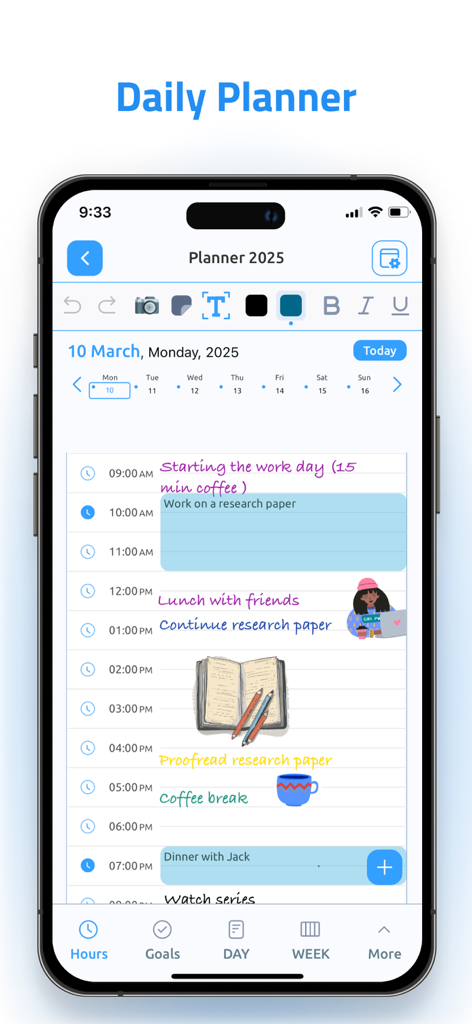
iPhoneのデジタルプランナーアプリで、手書きのメモとカラフルなデジタルステッカーが表示された毎日のスケジュール画面。
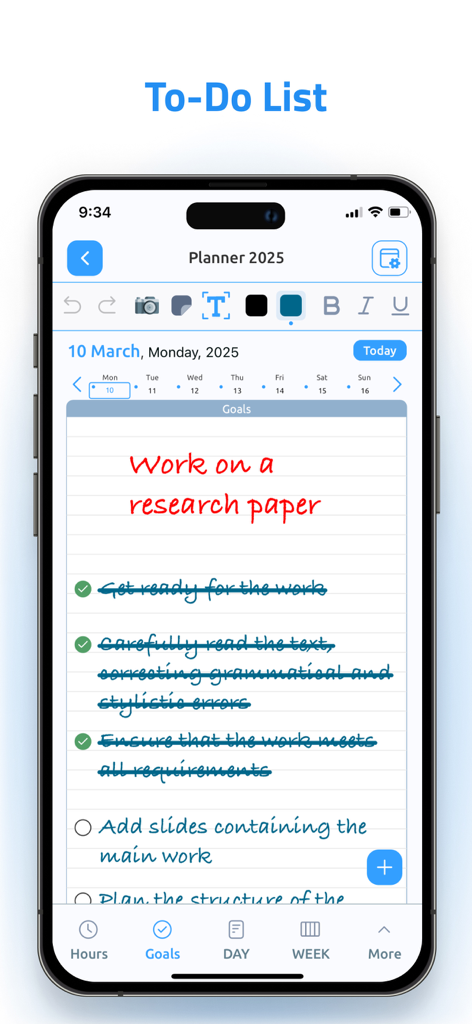
iPhone画面に、デジタルプランナーアプリで、研究論文の目標と手書きのToDoリストが表示されています。
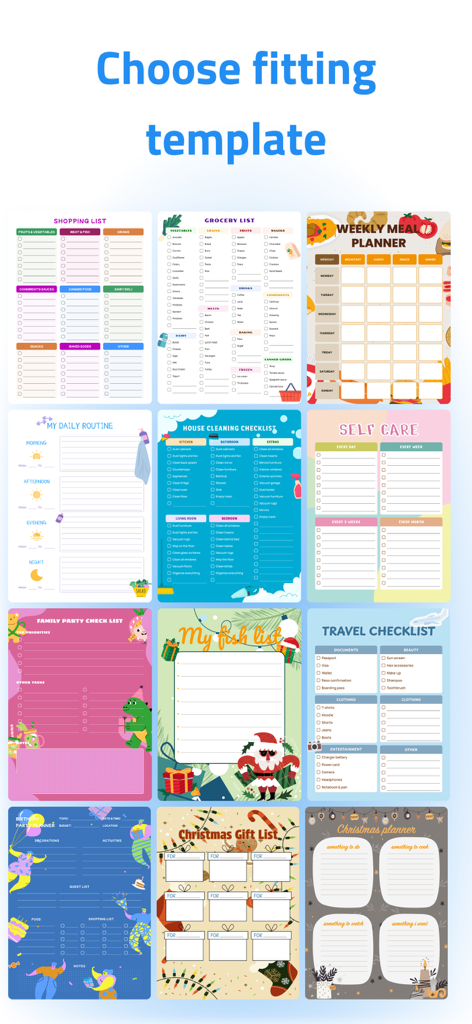
食料品の買い物、掃除、食事の計画、セルフケアなどのタスクのための、さまざまなカラフルなデジタルプランナ テンプレート。
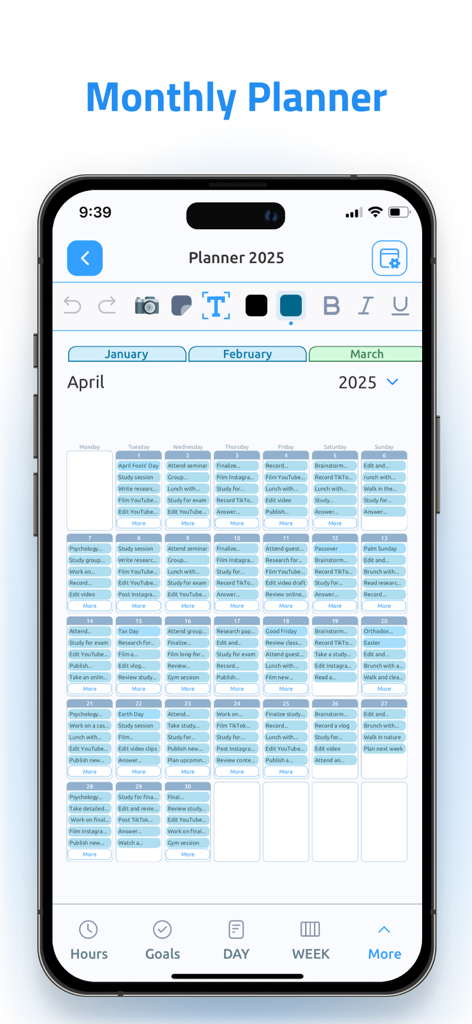
iPhoneの月間プランナービュー、デジタルプランナー&カレンダーProアプリ、2025年4月のスケジュールが表示されています。
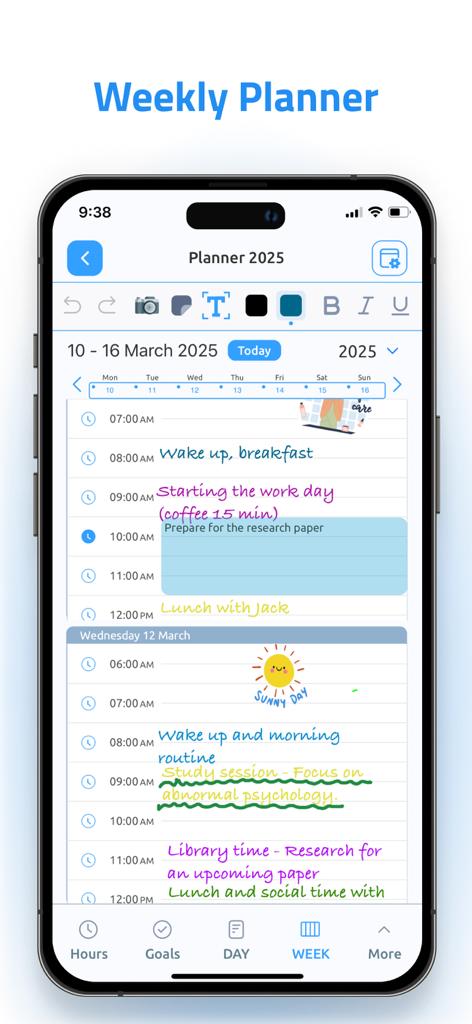
iPhoneのスクリーンショット、デジタルプランナーアプリの週間プランナービュー、手書きのメモと美的タスク整理が表示されています。
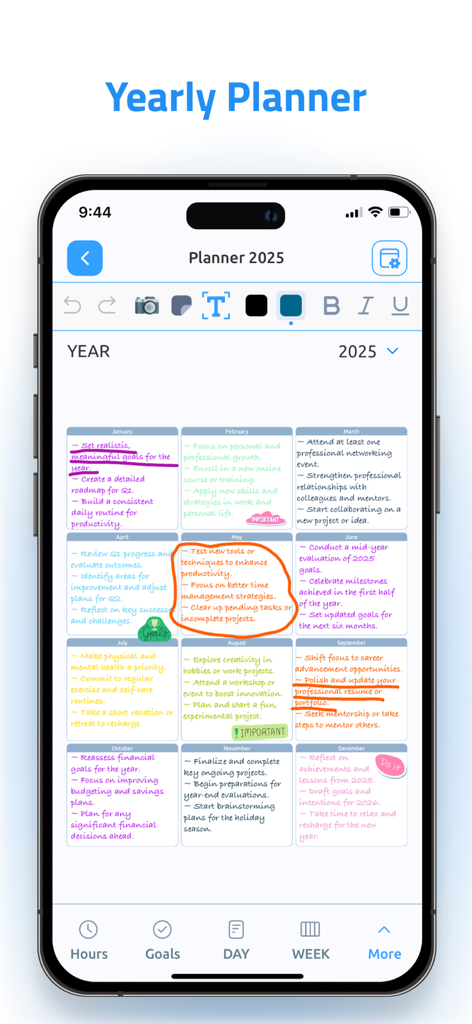
スマートフォン画面に、2025年の年間プランナー、月間目標、手書きのメモが表示されています。
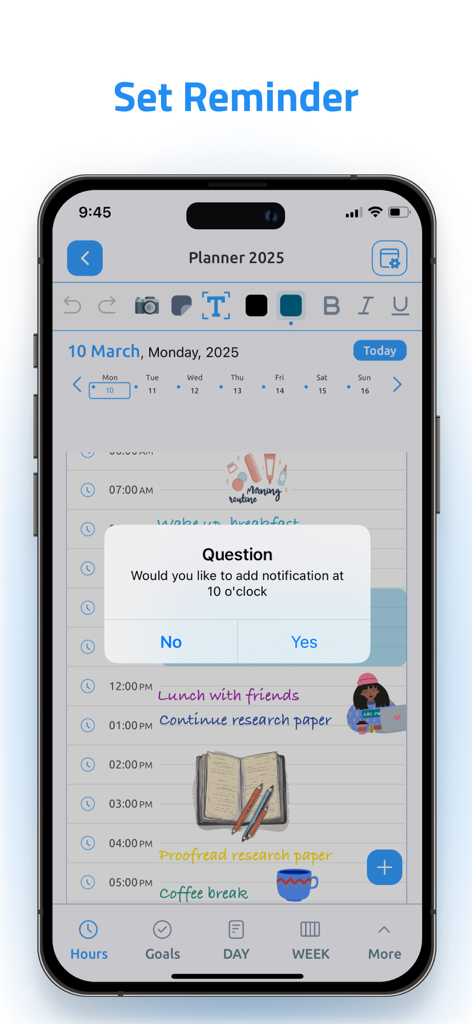
デジタルプランナーアプリの美的毎日のスケジュール、リマインダー通知を設定するためのポップアップが表示されています。
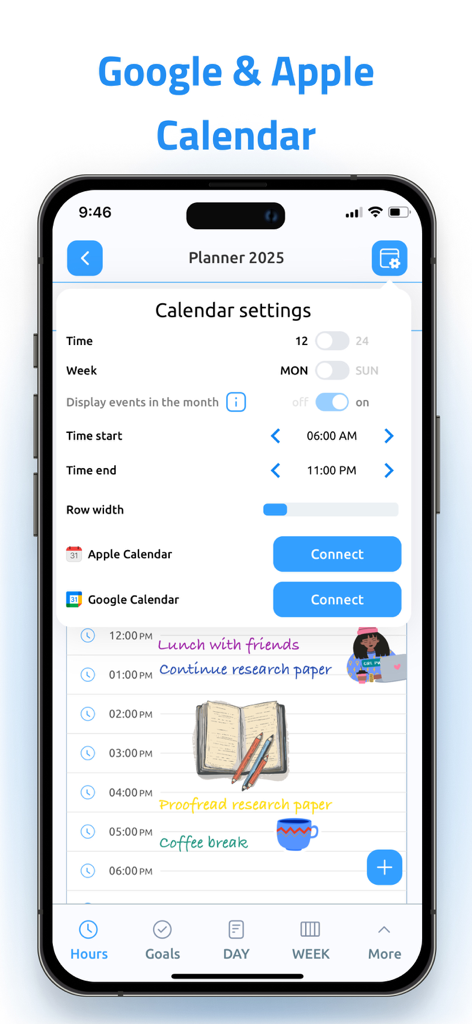
AppleカレンダーとGoogleカレンダーの同期のためのデジタルプランナーアプリ画面。
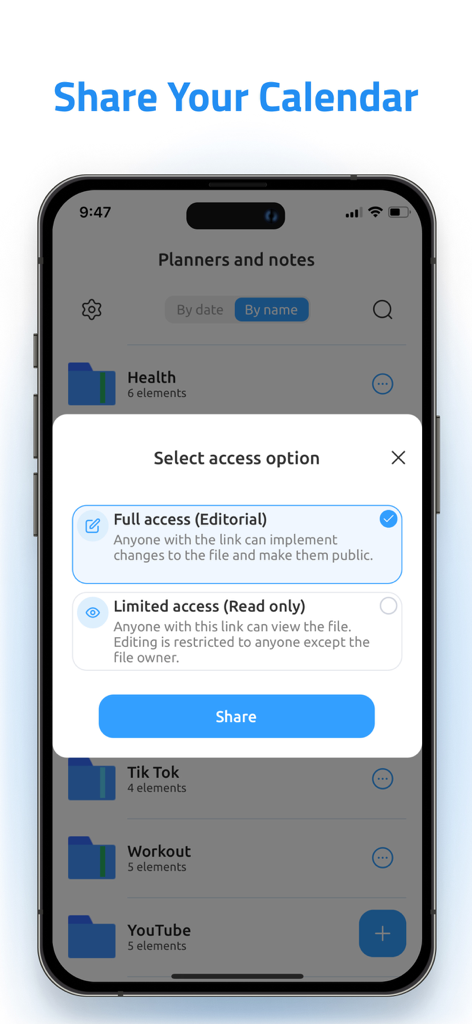
カレンダーをフルアクセスまたは制限付きアクセスで共有するためのオプションを表示するデジタルプランナーアプリのインターフェース。
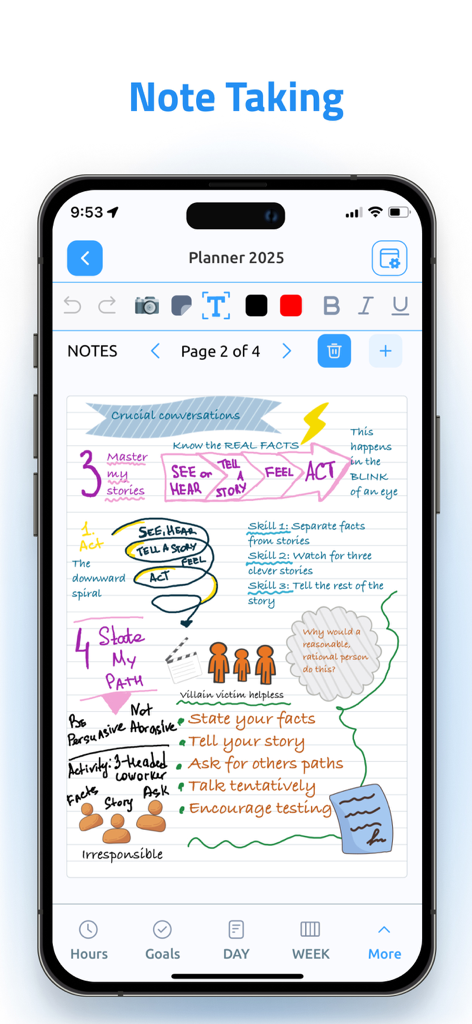
罫線用紙に手書きのスケッチとカラフルな図が表示された、美的デジタルノート作成インターフェース。
説明
Download
類似アプリ
似た機能とユーザー体験を持つアプリ

Notion: Notes, Tasks, AI
Notion Labs, Incorporated

Freenotes®: AI Notes Taking
Hangzhou Free Notes Technology Co., Ltd

Structured - Daily Planner
unorderly GmbH

Google Tasks: Get Things Done
Google LLC

TickTick:To-Do List & Calendar
Appest Limited

Noteful: Notes & PDF Markup
Noteful Technologies Ltd

Todoist: To Do List & Calendar
Doist Inc.

To do list MinimaList & Widget
Inner Grow Limited

monday.com - Work Platform
monday.com Ltd.
このページはアプリまたはその開発者の公式ページではなく、情報提供および論評を目的として作成された独立した編集出版物です。明示的に別段の記載がない限り、アプリおよびその開発者は、MWM、Apple、Google Play、アプリのパブリッシャー、またはアプリの開発者と提携、承認、後援、認可、またはその他の公式的な関係はなく、このページのいかなる内容も、アプリがMWMのサービスを使用して開発されたことを意味するものではありません。すべての商標、ロゴ、スクリーンショット、その他のコンテンツはそれぞれの所有者の財産です。