Doc Scan:OCR and PDF Scanner
ダウンロード: App Store

このページはアプリまたはその開発者の公式ページではなく、情報提供および論評を目的として作成された独立した編集出版物です。明示的に別段の記載がない限り、アプリおよびその開発者は、MWM、Apple、Google Play、アプリのパブリッシャー、またはアプリの開発者と提携、承認、後援、認可、またはその他の公式的な関係はなく、このページのいかなる内容も、アプリがMWMのサービスを使用して開発されたことを意味するものではありません。すべての商標、ロゴ、スクリーンショット、その他のコンテンツはそれぞれの所有者の財産です。


ロゴ: Doc Scan:OCR and PDF Scanner
ダウンロード: App Store

Doc Scan:OCR and PDF Scanner

iPhoneを高パフォーマンスオフィスに変身させましょう。学生や専門家を問わず、プロフェッショナルな精度でドキュメントを即座にスキャン、翻訳、編集可能なファイルに変換できます。

主要数値

ダウンロード

120K+

ユーザー評価

4.8/5

評価数

1K+

開発元

Hangzhou Jiadi Bozhong Enterprise Management Partnership

カテゴリ

Productivity

対応言語

9

最新バージョン

2.3.2

サイズ

143.2 MB

リリース日

2021年1月12日
機能

生産性を解き放つ

iPhoneをプロフェッショナルグレードのモバイルオフィスに変身させましょう。高パフォーマンスの専門家や学生向けに設計された精密ツールで、スキャン、編集、整理ができます。

インスタントOCRとテキスト抽出

手入力作業をなくします。画像またはドキュメントからテキストを即座に抽出し、プロレベルの精度で編集可能なWordまたはPDF形式に変換します。

スマート試験・インク除去

学生にとって最高のツールです。使用済みのテスト用紙の筆記をデジタルで消去し、元の状態に戻して無限の練習セッションを可能にします。

以下のスクリーンショットと説明は、アプリの公式ストアリスティングから直接取得されたものであり、アプリ開発者の所有物です。

アプリストア

スクリーンショット
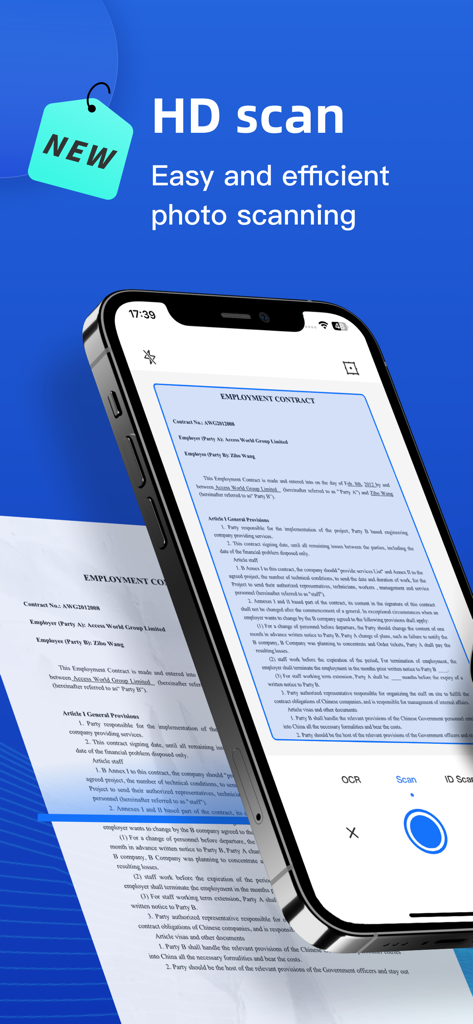
Doc Scan:OCR and PDF Scanner - Doc Scanアプリを使用して雇用契約書のHDスキャンを実行しているスマートフォン。
Doc Scanアプリを使用して雇用契約書のHDスキャンを実行しているスマートフォン。

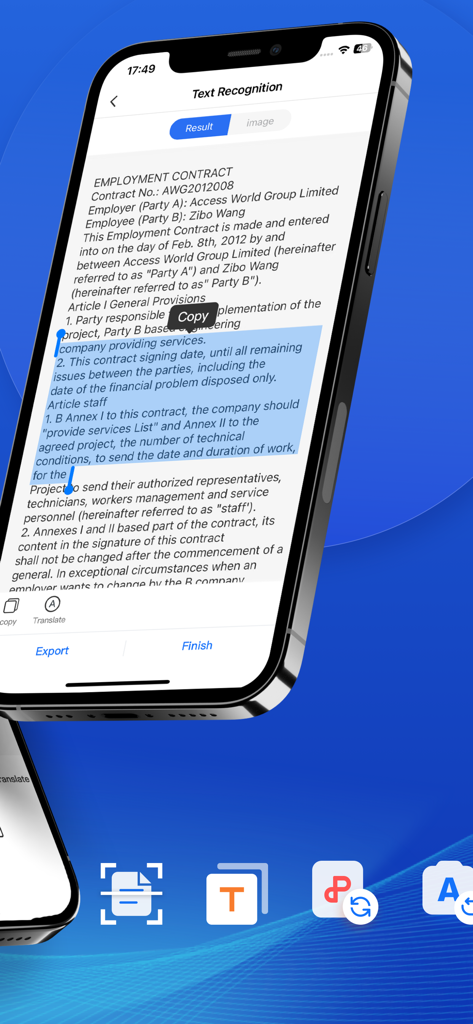
Doc Scan:OCR and PDF Scanner - コピーツール付きの雇用契約書でOCRテキスト認識を示すモバイルアプリインターフェイス。
コピーツール付きの雇用契約書でOCRテキスト認識を示すモバイルアプリインターフェイス。

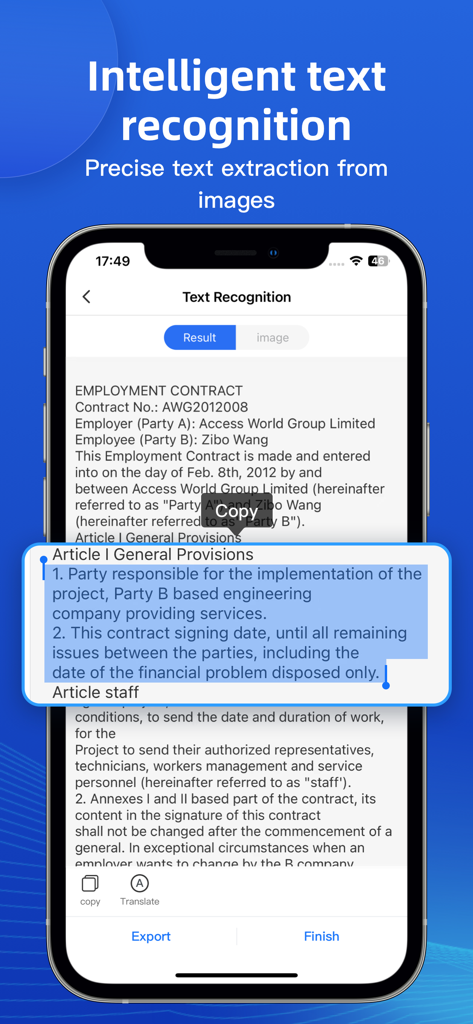
Doc Scan:OCR and PDF Scanner - スキャンされた雇用契約書からインテリジェントなテキスト認識と抽出を示すスマートフォンの画面。
スキャンされた雇用契約書からインテリジェントなテキスト認識と抽出を示すスマートフォンの画面。

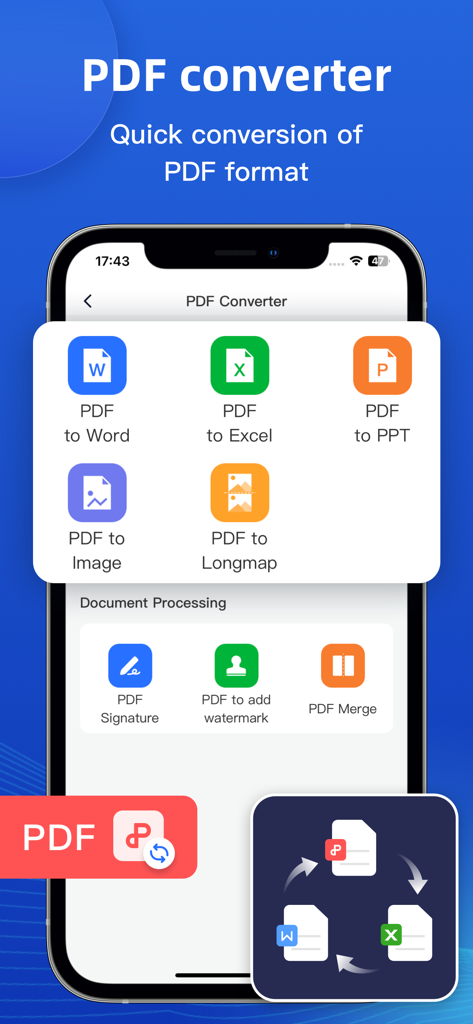
Doc Scan:OCR and PDF Scanner - Doc ScanアプリでWord、Excel、PPT、画像形式のPDF変換オプションを示すモバイル画面。
Doc ScanアプリでWord、Excel、PPT、画像形式のPDF変換オプションを示すモバイル画面。

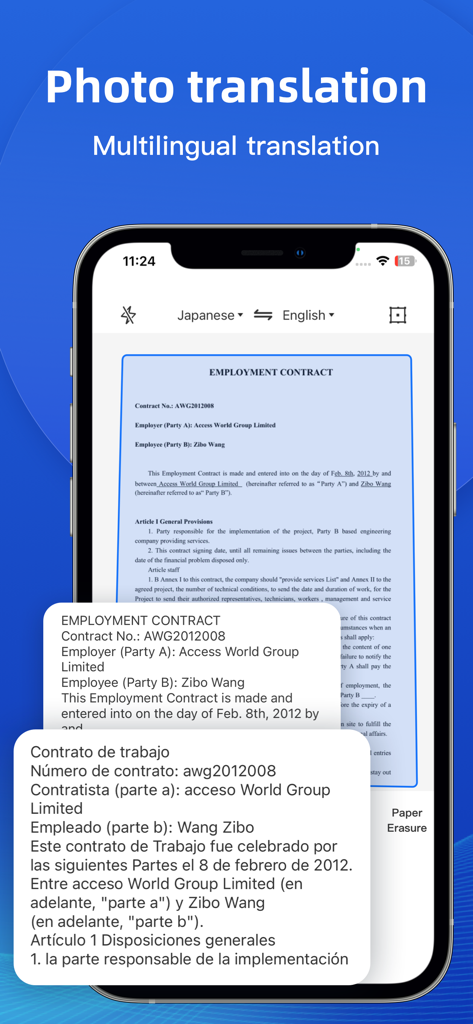
Doc Scan:OCR and PDF Scanner - 契約書をスペイン語に変換するドキュメントスキャナーアプリの写真翻訳機能を示すスマートフォンの画面。
契約書をスペイン語に変換するドキュメントスキャナーアプリの写真翻訳機能を示すスマートフォンの画面。

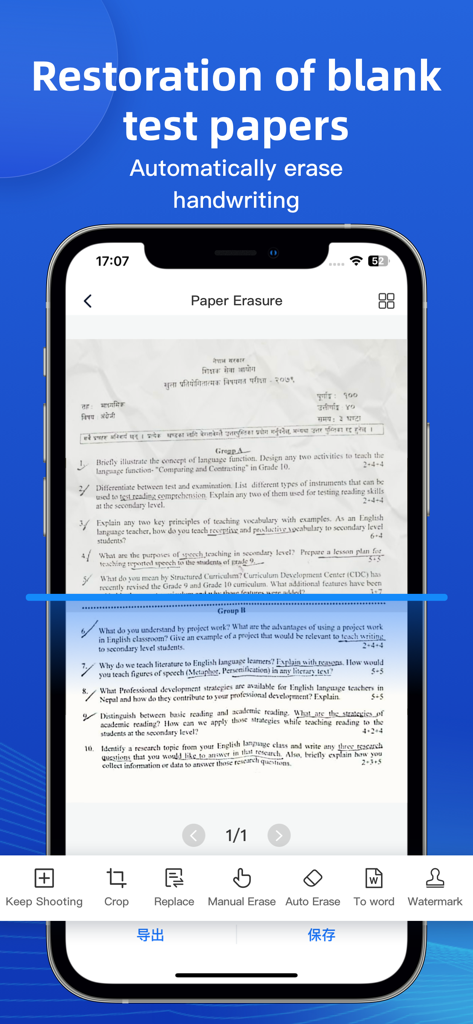
Doc Scan:OCR and PDF Scanner - スキャンされたドキュメントから手書きを自動的に消去して、白紙のテスト用紙を復元するスマートフォンのアプリインターフェイス。
スキャンされたドキュメントから手書きを自動的に消去して、白紙のテスト用紙を復元するスマートフォンのアプリインターフェイス。

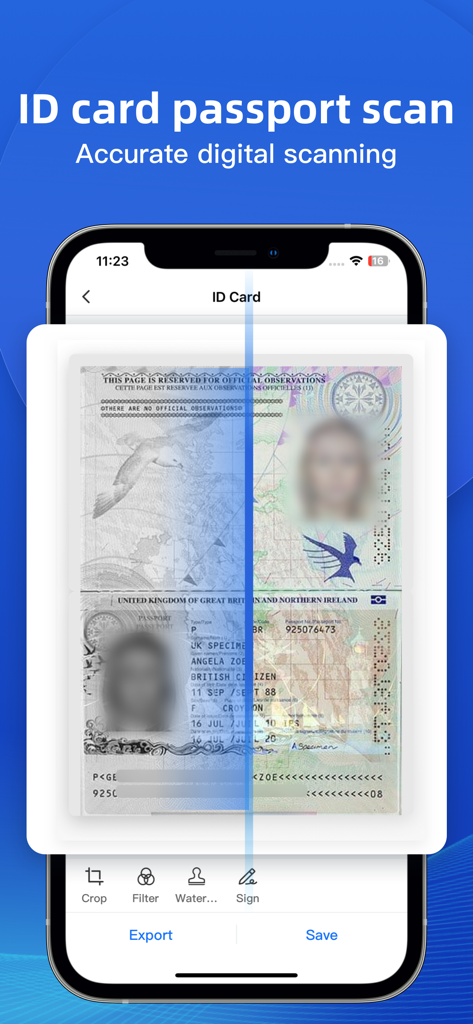
Doc Scan:OCR and PDF Scanner - トリミングと署名のオプションを備えたIDカードとパスポートスキャン機能を表示するDoc Scanアプリ画面。
トリミングと署名のオプションを備えたIDカードとパスポートスキャン機能を表示するDoc Scanアプリ画面。

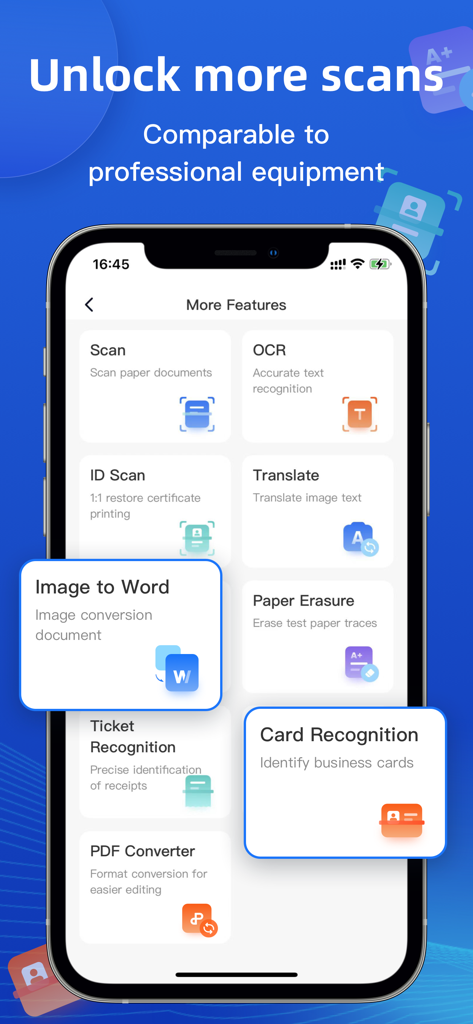
Doc Scan:OCR and PDF Scanner - OCRおよびドキュメントスキャンなどのDoc Scanアプリの機能を示すインターフェイス。

OCRおよびドキュメントスキャンなどのDoc Scanアプリの機能を示すインターフェイス。

説明

Scanner Almighty King is a smart scanning assistant tool that is convenient for students and office workers. Functions such as OCR text recognition, photo extraction scanning, image conversion to word, ID card scanning, photo translation, PDF conversion, etc., can be easily handled by Scanner Almighty King with one APP, eliminating the trouble of manual input and typesetting, high-definition image processing, and can be directly generated The electronic version is convenient, quick, clear and easy to use. ●Document scanning Use image processing algorithms to scan and manage your documents. ●Text recognition OCR text recognition, one-click text recognition. ● ID card scanning High-definition scanning of various documents, mobile scanner, 1:1 restoration of document printing, one-click stitching to A4 paper. ●Photograph translation Supports OCR recognition of most languages such as Chinese, English, Japanese, Korean, French, German, Russian, Spanish, etc., and fast translation. ●Image to Word Quickly and intelligently identify pictures, and convert word documents with one click, which is convenient and fast. ●Examination paper erasure Quickly erase the traces of the test paper and restore the original appearance of the test paper. ●receipt recognition Accurately identify the contents of receipts, making it easy to make electronic receipts. ●Business card recognition Accurate identification, standardized API output. ●PDF Converter One-click format conversion makes editing easier. ---------------------------------------- 【Automatic Renewal Terms】 There are three subscription options for premium accounts: Weekly membership: only $9.99/week Annual membership: only $29.99/year Lifetime membership: only $39.99 ● Subscription payment will be charged to your iTunes account at confirmation of purchase and at the beginning of each renewal period ● Renewal: The Apple iTunes account will be debited within 24 hours before the expiration, and the subscription period will be extended by one subscription period after the deduction is successful. ● Cancel Renewal: You may cancel your subscription or trial at any time by going to your iTunes account settings and canceling the subscription, otherwise it will automatically renew. This must be done 24 hours before the end of the trial period or any subscription period to avoid being charged. Subscriptions that include a trial period will automatically renew to a paid subscription. ● Subscriptions may be managed by the user and auto-renewal may be turned off by going to the user's Account Settings after purchase ● When you purchase a premium subscription during a trial period, any unused portion of the trial period, if offered, will forfeit. ●Privacy Policy: http://static.rhinoxlab.com/html/privacy/saomiaoyiwannengwang_bodi_en.html?appName=DocScan ●Member Payment Agreement: http://static.rhinoxlab.com/html/paymentagreement/general.html

Download

ダウンロード: App Store

このページはアプリまたはその開発者の公式ページではなく、情報提供および論評を目的として作成された独立した編集出版物です。明示的に別段の記載がない限り、アプリおよびその開発者は、MWM、Apple、Google Play、アプリのパブリッシャー、またはアプリの開発者と提携、承認、後援、認可、またはその他の公式的な関係はなく、このページのいかなる内容も、アプリがMWMのサービスを使用して開発されたことを意味するものではありません。すべての商標、ロゴ、スクリーンショット、その他のコンテンツはそれぞれの所有者の財産です。








