Document Scanner PDF Converter
ダウンロード: App Store

このページはアプリまたはその開発者の公式ページではなく、情報提供および論評を目的として作成された独立した編集出版物です。明示的に別段の記載がない限り、アプリおよびその開発者は、MWM、Apple、Google Play、アプリのパブリッシャー、またはアプリの開発者と提携、承認、後援、認可、またはその他の公式的な関係はなく、このページのいかなる内容も、アプリがMWMのサービスを使用して開発されたことを意味するものではありません。すべての商標、ロゴ、スクリーンショット、その他のコンテンツはそれぞれの所有者の財産です。

ロゴ: Document Scanner PDF Converter
ダウンロード: App Store

Document Scanner PDF Converter

高品質OCRで、書類を楽々スキャン、署名、変換。フリーランサー、不動産業者、モバイルプロフェッショナルに最適なツールで、外出先でも生産性を維持しましょう。

主要数値

ダウンロード

1K+

ユーザー評価

1.0/5

評価数

0

開発元

Apricolabs OU

カテゴリ

Business

対応言語

1

最新バージョン

1.5

サイズ

39.6 MB

リリース日

2023年4月9日
機能

どこからでもワークフローを強化

現代のプロフェッショナルのための究極のツール。デバイスを高パフォーマンススキャナーに変え、外出先で書類をデジタル化、署名、管理しましょう。

クリアなデジタルスキャン

自動的なパースペクティブ補正とノイズ除去により、キャプチャしたすべての書類をプロ品質で仕上げます。

瞬時のOCRテキスト抽出

手入力による再入力をなくしましょう。スキャンした書類を数秒で編集可能なテキストに変換し、物理的なメモを検索可能で利用できる状態にします。

以下のスクリーンショットと説明は、アプリの公式ストアリスティングから直接取得されたものであり、アプリ開発者の所有物です。

アプリストア

スクリーンショット
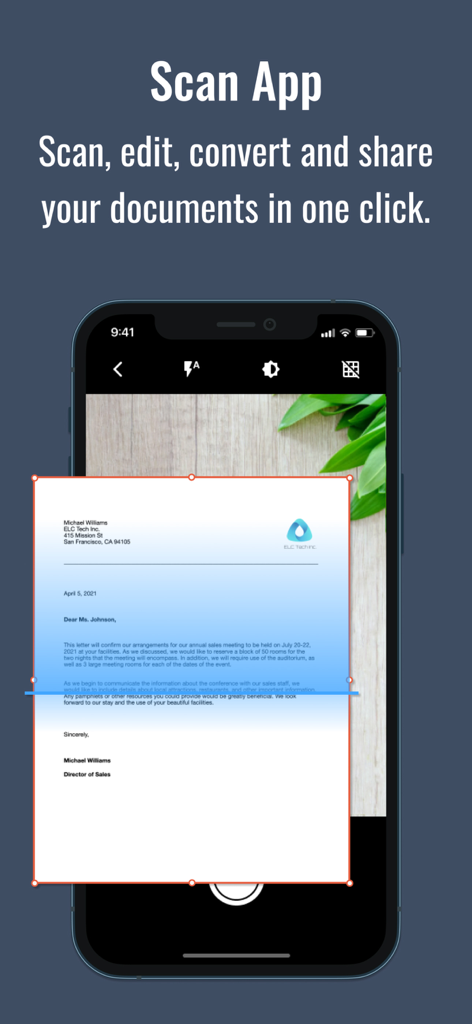
Document Scanner PDF Converter - Scan Flyアプリのインターフェースが、変換のためにビジネス文書をスキャンしている様子
Scan Flyアプリのインターフェースが、変換のためにビジネス文書をスキャンしている様子

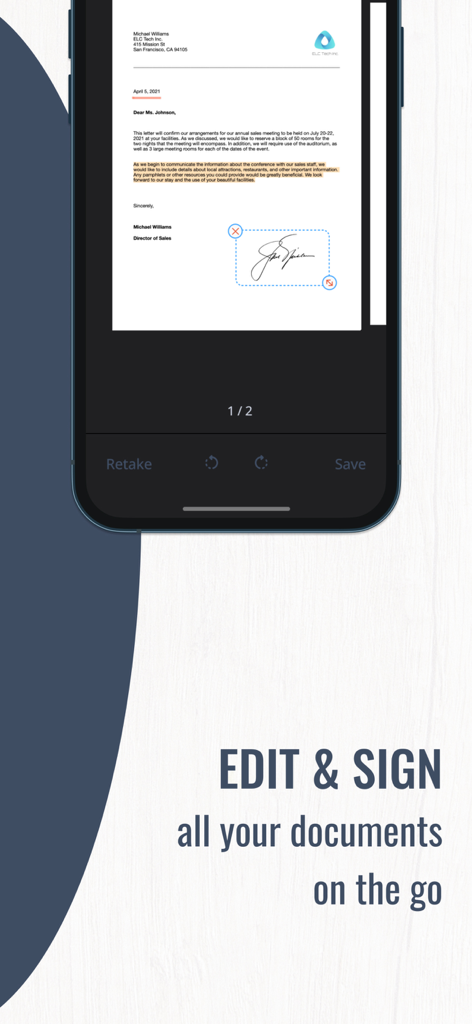
Document Scanner PDF Converter - Scan Flyアプリを使用して文書にデジタル署名が適用されていることを示すスマートフォンの画面
Scan Flyアプリを使用して文書にデジタル署名が適用されていることを示すスマートフォンの画面

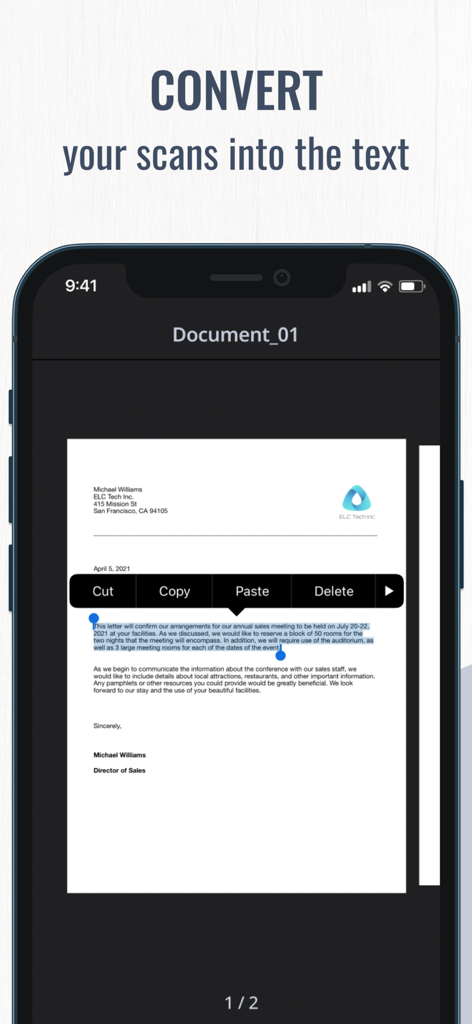
Document Scanner PDF Converter - スキャンされた文書をコピー&ペーストメニュー付きの編集可能なテキストに変換するOCRテクノロジーを示すモバイルアプリのインターフェース
スキャンされた文書をコピー&ペーストメニュー付きの編集可能なテキストに変換するOCRテクノロジーを示すモバイルアプリのインターフェース

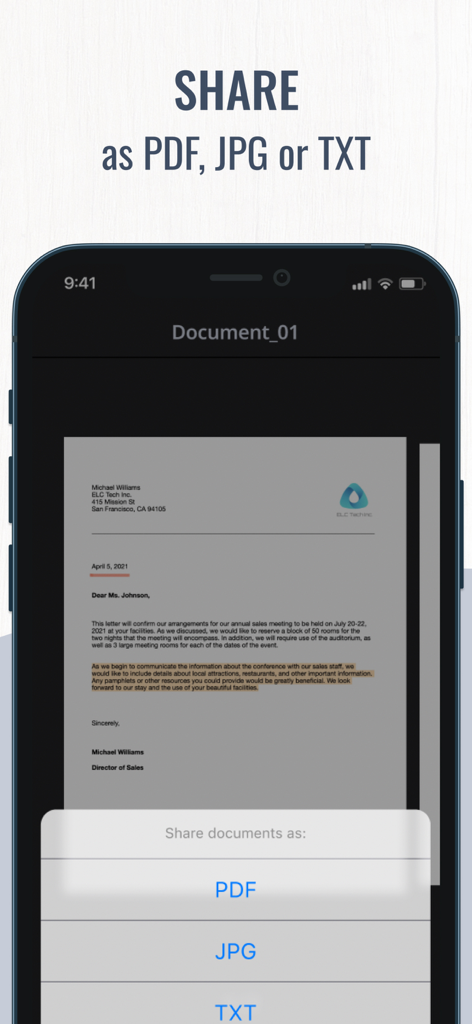
Document Scanner PDF Converter - スキャンされた文書をPDF、JPG、またはTXT形式で共有するオプションを示すモバイルアプリのインターフェース
スキャンされた文書をPDF、JPG、またはTXT形式で共有するオプションを示すモバイルアプリのインターフェース

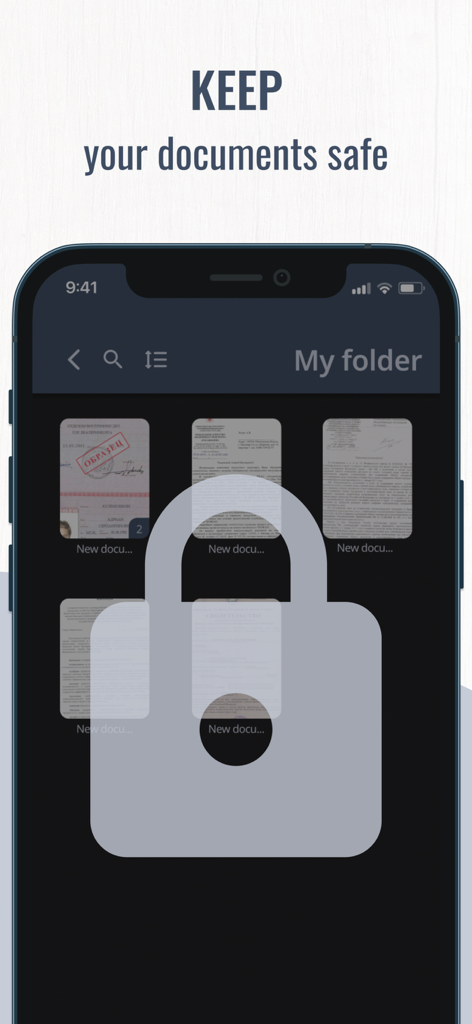
Document Scanner PDF Converter - 大きな南京錠アイコンと「ドキュメントを安全に保管」というテキストがオーバーレイされた、スキャンされたドキュメントのフォルダを示すスマートフォン

大きな南京錠アイコンと「ドキュメントを安全に保管」というテキストがオーバーレイされた、スキャンされたドキュメントのフォルダを示すスマートフォン

説明

Need to scan some important documents but there is no scanner nearby? Don't worry, Scan Fly will help you solve that issue! Scan Fly is mobile scanner app that will turn your iPhone, iPad or iPod touch into the powerful and easy to use portable scanner. It will help you stay productive wherever you are in your work or daily life. Easily scan, edit, sign and share documents in PDF, JPEG or TXT with one app on your iOS device! Use innovative OCR technology to convert scans into editable text. Sing your documents with just a few taps. Manage all your important documents on your device. One powerful tool right in your pocket! Scanner features: - Scan with a camera or choose files from Camera Roll - Scan multiple pages in one documents - Scan with OCR (Optical Character Recognition) to recognize and edit text - Scan to high-quality PDF, JPEG or TXT Editing features: - Sign your documents in a few taps - Edit scans perspective, borders and change scans orientation - Use color correction and noise removing features - Highlight the key points of your scans Sharing features: - Send your scans directly via e-mail or use any messengers - Pint your scanned documents with any Wi-Fi printer right from the scanning app - Upload your files to iCloud, Dropbox, Google Drive, Evernote and other cloud services - Save your scans to Camera Roll Managing features: - Use file manager with folders and drag & drop features - Save one or more signatures using signature manager - Securely store all the files on your device The app offer paid weekly subscription with a 3-day free trial to provide you with unlimited access to all app functions. Payment will be charged to iTunes Account when you confirm the initial subscription purchase. Subscription automatically renews unless auto-renew is turned off at least 24-hours prior to the end of the current period. The account will be charged for renewal within 24-hours before the end of the current subscription period. Subscriptions may be managed by the user and auto-renewal may be turned off by going to the user’s Account Settings after purchase. Any unused portion of a free trial period, if offered, will be forfeited when you purchase a subscription, where applicable. Privacy Policy: https://www.apricolabs.com/privacy-policy Term of Use: https://www.apricolabs.com/terms-and-conditions

Download

ダウンロード: App Store

このページはアプリまたはその開発者の公式ページではなく、情報提供および論評を目的として作成された独立した編集出版物です。明示的に別段の記載がない限り、アプリおよびその開発者は、MWM、Apple、Google Play、アプリのパブリッシャー、またはアプリの開発者と提携、承認、後援、認可、またはその他の公式的な関係はなく、このページのいかなる内容も、アプリがMWMのサービスを使用して開発されたことを意味するものではありません。すべての商標、ロゴ、スクリーンショット、その他のコンテンツはそれぞれの所有者の財産です。








