
このページはアプリまたはその開発者の公式ページではなく、情報提供および論評を目的として作成された独立した編集出版物です。明示的に別段の記載がない限り、アプリおよびその開発者は、MWM、Apple、Google Play、アプリのパブリッシャー、またはアプリの開発者と提携、承認、後援、認可、またはその他の公式的な関係はなく、このページのいかなる内容も、アプリがMWMのサービスを使用して開発されたことを意味するものではありません。すべての商標、ロゴ、スクリーンショット、その他のコンテンツはそれぞれの所有者の財産です。

Documents: File Manager & Docs
デバイスの壁を打ち破り、散乱するデジタル資産を意のままに支配する
ダウンロード
75M+ユーザー評価
評価数
2.8M開発元
カテゴリ
Productivity対応言語
11最新バージョン
8.19.10サイズ
476.4 MBリリース日
2010年4月1日Documents: File Manager & Docs アプリ分析
デジタルワークフローを革新する主要機能の深掘り
高度なPDF編集機能
既存のPDFテキストを直接編集したり、ハイライト、注釈、電子署名、ページの結合や再配置を行うことで、文書作成や契約業務を効率化できます。
AI音声・動画文字起こし
音声や動画をテキストに変換し、会議、講義、インタビューの記録を簡単に作成・管理できます。
統合ファイル管理・整理
ファイルやフォルダを自由に整理し、色タグ付けやリマインダー設定、ZIP/RAR圧縮解凍ツールを活用することで、必要な情報へのアクセスを迅速化し、ストレージを最適化できます。
複数クラウドサービス連携
iCloud、Dropbox、Google Driveなど複数のクラウドサービスとシームレスに連携し、ファイルをダウンロードせずに直接作業したり、双方向同期を設定したりすることで、あらゆる場所からファイルにアクセスし、常に最新の状態を保つことができます。
高機能文書スキャン
iOSの内蔵スキャンエンジンを利用して、領収書、書籍、文書などを高精度でスキャンし、デジタル化されたファイルをアプリ内で直接管理できます。
PDF変換ツール
テキスト、画像、写真などをPDFに、またはその逆方向へ簡単に変換できるため、文書形式の柔軟な対応が可能です。
Wi-Fiファイル高速転送
Wi-Fi経由でiPhoneやiPadとMacまたはPC間で音楽、動画、写真、文書などを高速かつ簡単に転送でき、デバイス間のファイル移動の効率を高めます。
マルチメディアプレイヤー
オンラインおよびオフラインで音楽を聴いたり、動画を視聴したりできるため、様々なメディアファイルを一元的に管理し、楽しむことが可能です。
よくある質問
について知っておくべきこと Documents: File Manager & Docs
What is Documents by Readdle?
Documents by Readdle is a super app for iPhone and iPad. It functions as an all-in-one solution for managing, editing, converting, listening to, and reading various file types.
Can I edit text in PDF documents using Documents by Readdle?
Yes, Documents by Readdle allows direct editing of existing text within a PDF, similar to a Word document. Users can also highlight, annotate, and sign PDF contracts.
Does Documents: File Manager & Docs offer PDF conversion?
Yes, Documents: File Manager & Docs easily converts various file types to PDF and vice versa. Supported conversions include text, images, and photos.
How can I organize files in Documents by Readdle?
Users organize files in Documents by Readdle by creating folders, renaming and color-tagging files, and using Smart Actions. The app also includes Zip/Unzip and RAR extractor tools.
Can Documents by Readdle integrate with cloud storage services?
Yes, Documents by Readdle integrates with iCloud, Dropbox, Google Drive, and other services. Users work with files directly and can set up two-way sync for specific folders.
What AI tools are available in Documents by Readdle?
Documents by Readdle provides AI tools for transcribing audio and video to text. It also features a Smart Eraser to remove unwanted objects from photos.
Does Documents: File Manager & Docs include security features?
Yes, Documents: File Manager & Docs includes built-in VPN encryption for data protection. It also allows adding password protection for files and sensitive information.
How do I import files into Documents by Readdle?
Users import files into Documents by Readdle from computers, cloud services, WebDAV, or nearby devices. The app also supports downloading from web browsers and saving email attachments or links.
Can I scan documents using Documents: File Manager & Docs?
Yes, Documents: File Manager & Docs scans receipts, books, and documents. It utilizes the built-in iOS scanning engine, saving files directly within the app.
Does Documents by Readdle play audio and video files?
Yes, Documents by Readdle functions as an audio and video player. Users can listen to music online or offline and watch movies imported from computers or online sources.
Can I transfer files wirelessly with Documents by Readdle?
Yes, Documents by Readdle features Wi-Fi Transfer technology. This allows super-fast wireless transfer of music, videos, photos, and documents between an iPhone/iPad and a Mac or PC.
Does Documents: File Manager & Docs transcribe audio and video?
Yes, Documents: File Manager & Docs transcribes audio and video to text instantly. It converts voice recordings into editable notes and videos into clear, searchable text.
Has Documents by Readdle received official recognition?
Yes, Documents by Readdle is an App Store Editors’ Choice winner. This recognition highlights the app's quality and comprehensive features.
以下のスクリーンショットと説明は、アプリの公式ストアリスティングから直接取得されたものであり、アプリ開発者の所有物です。
アプリストア
スクリーンショット
ファイルを一元管理
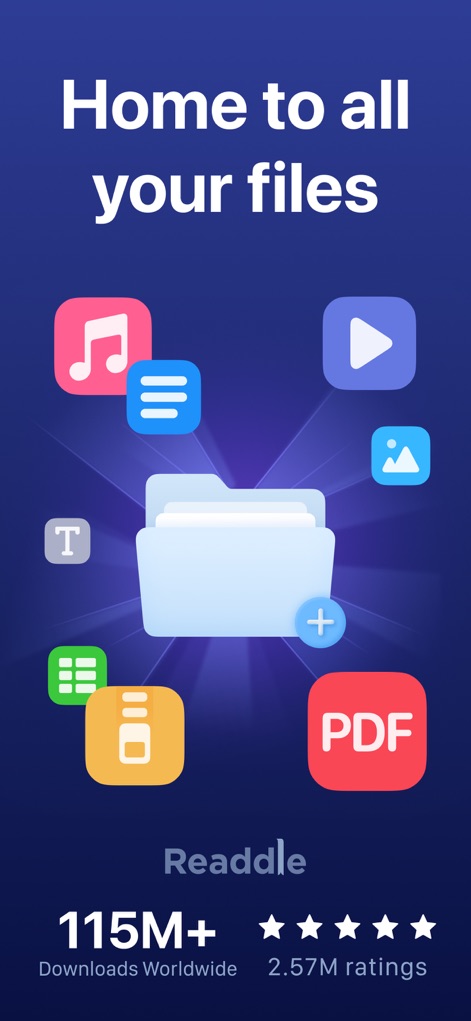
このアプリは、あらゆる種類のファイルを一元的に管理するハブ機能と、世界中で1億1500万以上ダウンロードされた信頼性を提供します。

効率的なファイル管理
ユーザーは「My Files」ビューでファイルを整理し、「My Music」などのフォルダを通じて様々な形式のコンテンツを効率的に管理できます。

高機能PDF変換
本ツールは選択したファイルをWordやExcelへ変換する機能と、パスワード設定やPDF編集といった高度なPDF管理機能を提供します。

直感的な編集と注釈
このアプリは、ドキュメント内のテキストをハイライトする機能と、カラフルなパレットで注釈をカスタマイズする直感的な編集体験を提供します。

柔軟なクラウド連携
ユーザーはDropboxやGoogle Driveなどの主要なクラウドサービスとシームレスに接続し、WebDAVやFTPサーバーといった多様なネットワーク接続を確立できます。

簡単圧縮・解凍
本ツールは、大容量のファイルをまとめて効率的に管理するためのZip圧縮機能と、RAR形式にも対応した解凍機能を提供します。

スマート文書スキャン
このアプリは、身分証明書(ID)や請求書(Invoices)などの様々な物理文書をスキャンし、デジタル化して保存する機能を提供します。

多機能メディア再生
ユーザーは動画を再生する際に再生速度を調整できる機能と、音楽ファイルを管理・再生するための直感的なインターフェースを利用できます。
安全なWebブラウジング
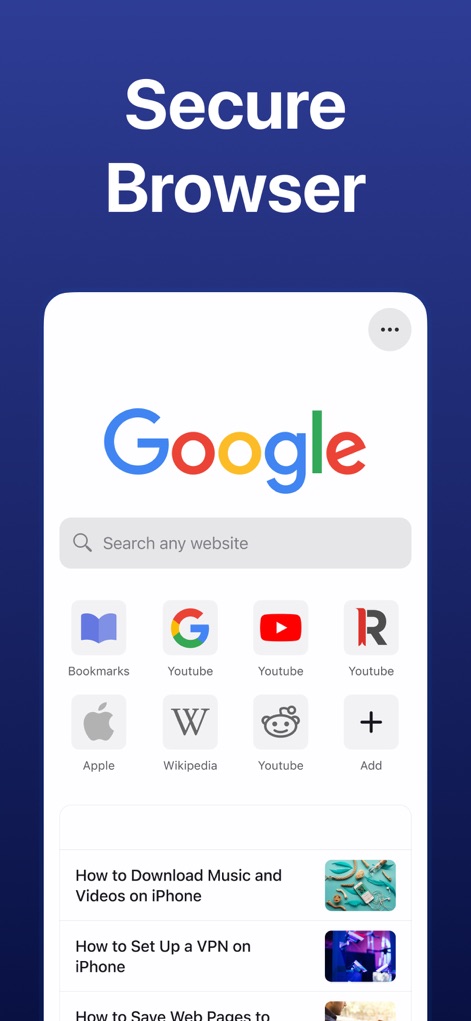
本ツールは、Google検索画面から直接Webを閲覧できるセキュアなブラウザ機能と、ブックマークへの迅速なアクセスを提供します。

ファイルを保護
このアプリは、パスコードや生体認証などを利用してファイルへのアクセスを制限する強力なセキュリティ機能と、個人情報を保護する環境を提供します。
説明
Download
類似アプリ
似た機能とユーザー体験を持つアプリ

PDF PRO Scan Image & Documents
Balzo srl

The PDF Scanner, PDF editor HQ
NEXT K.U.M. LTD

CamScanner - PDF Scanner App
INTSIG Information Co., Ltd

Adobe Scan: PDF & OCR Scanner
Adobe Inc.

WPS Office: PDF, Docs, Sheets
KINGSOFT OFFICE SOFTWARE CORPORATION LIMITED

iLovePDF - PDF Editor & Scan
ILOVEPDF S.L.

Scanner App: Genius Scan
The Grizzly Labs

Microsoft Lens: PDF Scanner
Microsoft Corporation

Clear Scan: Doc Scanner App
INDY MOBILE APP COMPANY LIMITED
このページはアプリまたはその開発者の公式ページではなく、情報提供および論評を目的として作成された独立した編集出版物です。明示的に別段の記載がない限り、アプリおよびその開発者は、MWM、Apple、Google Play、アプリのパブリッシャー、またはアプリの開発者と提携、承認、後援、認可、またはその他の公式的な関係はなく、このページのいかなる内容も、アプリがMWMのサービスを使用して開発されたことを意味するものではありません。すべての商標、ロゴ、スクリーンショット、その他のコンテンツはそれぞれの所有者の財産です。