
このページはアプリまたはその開発者の公式ページではなく、情報提供および論評を目的として作成された独立した編集出版物です。明示的に別段の記載がない限り、アプリおよびその開発者は、MWM、Apple、Google Play、アプリのパブリッシャー、またはアプリの開発者と提携、承認、後援、認可、またはその他の公式的な関係はなく、このページのいかなる内容も、アプリがMWMのサービスを使用して開発されたことを意味するものではありません。すべての商標、ロゴ、スクリーンショット、その他のコンテンツはそれぞれの所有者の財産です。


ダウンロード
100k+ユーザー評価
評価数
3.8K開発元
カテゴリ
Photo & Video対応言語
11最新バージョン
4.0サイズ
67.7 MBリリース日
2025年4月7日ソーシャルメディアクリエイター向け主要機能の評価
EasyCut: Video Editor & Maker 機能分析
複数キャンバスサイズ
このアプリは、Instagram、TikTok、YouTubeなどの各プラットフォームに最適化された複数のキャンバスサイズを提供し、ユーザーがコンテンツを簡単に調整できるようにします。
音楽追加機能
本ツールは、お気に入りのトラックを動画に追加する機能を提供し、完璧なサウンドトラックでクリップを強化できます。
動画フィルターとエフェクト
このアプリは、ユーザーがクリップを強化するための映画のようなフィルターやエフェクトを提供し、視覚的な魅力を高めます。
動画のトリミングとカット
本ツールは、動画から不要な部分を正確に削除する機能を提供し、ユーザーがコンテンツを洗練させることを可能にします。
写真フィルター
このアプリは、画像を魅力的にするプリセットフィルターを適用する機能を提供し、ユーザーが素早く写真を向上させることができます。
テキストエディタ
本ツールは、フォント、スタイル、ストローク、背景をカスタマイズできるテキストエディタを備えており、ユーザーは写真や動画に表現力豊かなテキストを追加できます。
ステッカー追加
このアプリは、楽しさと表現力豊かなステッカーを写真に追加する機能を提供し、コンテンツに個性をもたらします。
写真コラージュレイアウト
本ツールは、複数のグリッドスタイルから選択してコラージュを作成する機能を提供し、ユーザーが魅力的な写真の組み合わせを構築できます。
よくある質問
について知っておくべきこと EasyCut : Video Editor & Maker
What is EasyCut: Video Editor & Maker?
EasyCut is a powerful yet simple application that transforms photos and videos into professional-quality content. It offers comprehensive editing tools for creating memories and social media posts effortlessly.
Does EasyCut include photo editing features?
Yes, EasyCut: Video Editor & Maker includes photo editing tools. Users can adjust brightness, apply filters, add text and stickers, crop, rotate, and choose from multiple layout grid styles.
What video editing tools are available in EasyCut?
EasyCut provides extensive video editing tools including trim, cut, crop, and resize. It also allows adding music, applying filters and effects, and controlling volume for seamless sound mixing and platform optimization.
Can users add music to videos in EasyCut: Video Editor & Maker?
Yes, EasyCut: Video Editor & Maker allows users to import their favorite music tracks for the perfect video soundtrack. It also includes volume control to adjust audio levels precisely.
What are the subscription options for EasyCut: Video Editor & Maker?
EasyCut: Video Editor & Maker offers auto-renewing subscriptions. Users can choose weekly ($2.99), monthly ($4.99), or annual ($29.49) plans. These options provide access to all app features without ads.
How does EasyCut handle auto-renewal for subscriptions?
EasyCut subscriptions automatically renew. Users must turn off auto-renewal at least 24 hours before the current period ends to prevent charges. Subscriptions are managed through iTunes Account Settings.
Can I create GIFs with EasyCut: Video Editor & Maker?
Yes, EasyCut: Video Editor & Maker includes a dedicated GIF Maker feature. This tool allows users to create GIF animations directly within the application interface.
Where can I find the Privacy Policy for EasyCut: Video Editor & Maker?
The Privacy Policy for EasyCut: Video Editor & Maker is available at https://easyvideomakerandeditor.blogspot.com/2025/04/privacy-policy.html. This link is provided in the app's store description.
Does EasyCut: Video Editor & Maker allow users to trim and cut videos?
Yes, EasyCut: Video Editor & Maker provides precise trim and cut functionality. Users can easily remove unwanted sections from their videos using these dedicated editing tools.
Does EasyCut support multiple video canvas sizes?
Yes, EasyCut supports multiple canvas sizes for video editing. This feature optimizes videos for various platforms like Instagram, TikTok, and YouTube, ensuring content fits perfectly.
以下のスクリーンショットと説明は、アプリの公式ストアリスティングから直接取得されたものであり、アプリ開発者の所有物です。
アプリストア
スクリーンショット
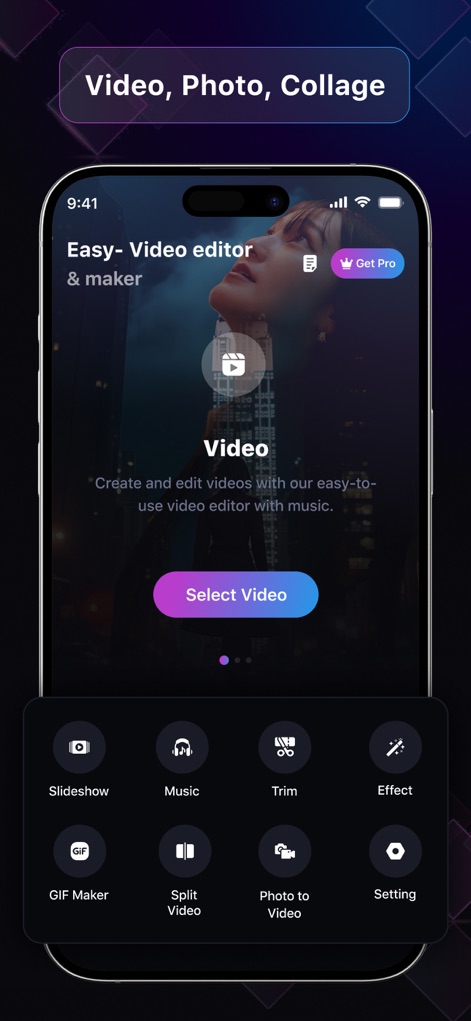
このアプリは、動画、写真、コラージュ制作のための直感的なホーム画面を提供し、ユーザーはスライドショーの作成やGIFアニメーションの生成といった多様なツールにアクセスできます。
創造の出発点
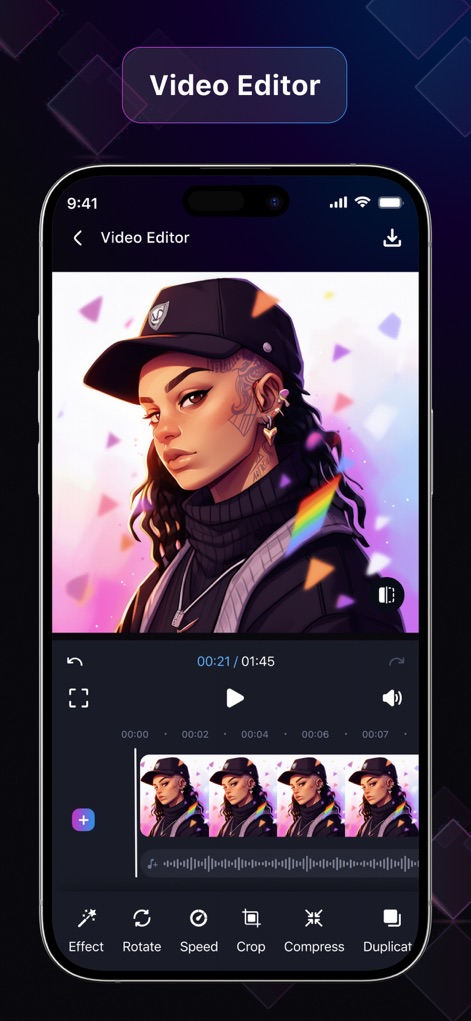
ユーザーは、正確なトリミングとリサイズ機能を使用して動画コンテンツを自在に操り、タイムライン上で複数のクリップを効果的に管理できます。
プロ級の動画編集
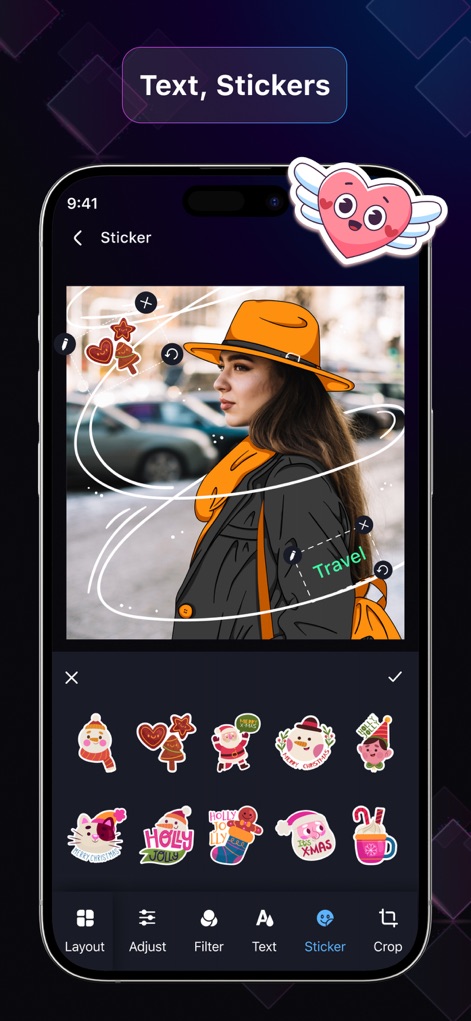
本ツールでは、ユーザーは豊富なステッカーコレクションから選択して画像を装飾し、テキストエディタでフォントやスタイルをカスタマイズしてメッセージをパーソナライズできます。
表現豊かな写真加工
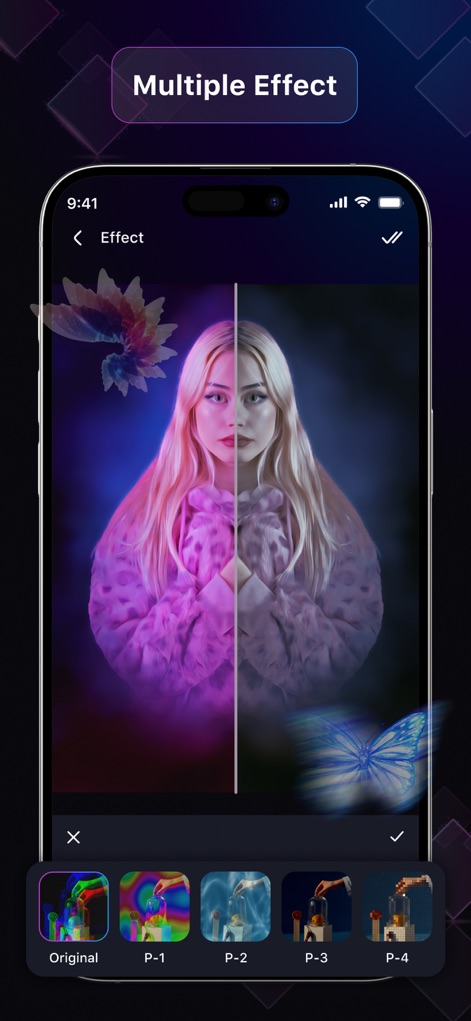
このアプリは、多様な視覚エフェクトを瞬時に適用できる機能を備え、ユーザーはリアルタイムで効果をプレビューしながら最適なフィルタを選択できます。
魅惑的なエフェクト
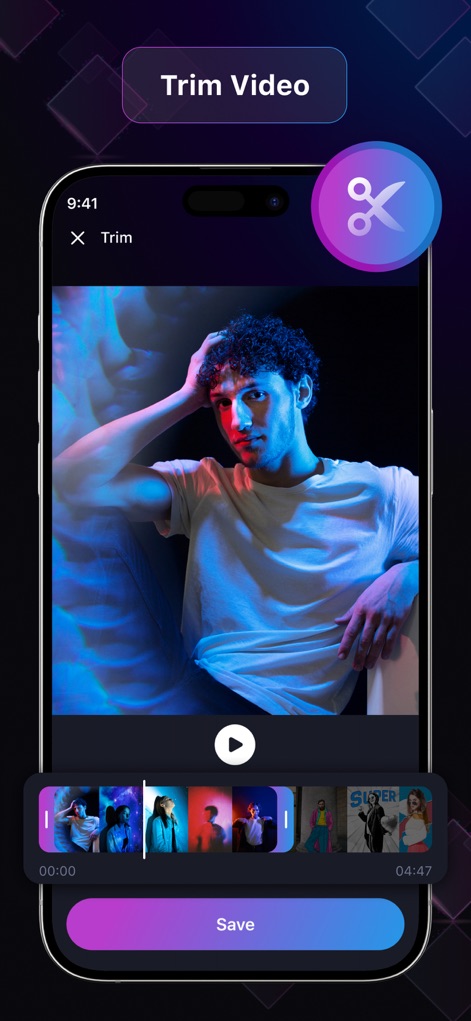
ユーザーは、直感的なタイムラインコントロールを使用して動画の不要な部分を精密にトリミングし、視覚的なフィードバックを通じて正確な編集ポイントを特定できます。
完璧なトリミング体験
説明
Download
類似アプリ
同じカテゴリのトップランクアプリ

CapCut: Photo & Video Editor
BYTEDANCE PTE. LTD.

Instagram, Inc.

YouTube
Google LLC

Canva: AI Photo & Video Editor
Canva Pty Ltd

Snapchat
Snap, Inc.

快手
Beijing Kwai Technology Co., Ltd.

Edits: Video Editor
Instagram, Inc.

Meitu- AI Photo & Video Editor
Xiamen Meitu Technology Co., Ltd.

Google Photos: Backup & Edit
Google LLC
このページはアプリまたはその開発者の公式ページではなく、情報提供および論評を目的として作成された独立した編集出版物です。明示的に別段の記載がない限り、アプリおよびその開発者は、MWM、Apple、Google Play、アプリのパブリッシャー、またはアプリの開発者と提携、承認、後援、認可、またはその他の公式的な関係はなく、このページのいかなる内容も、アプリがMWMのサービスを使用して開発されたことを意味するものではありません。すべての商標、ロゴ、スクリーンショット、その他のコンテンツはそれぞれの所有者の財産です。