Epson Print Layout

Epson Print Layout

ダウンロード: App Store
ロゴ: Epson Print Layout

Epson Print Layout:ギャラリー品質のプリントをプロフェッショナルな精度で

高度なカラーマネジメント、ICCプロファイルサポート、そして目の肥えた写真家やデジタルアーティストのために設計された高忠実度プレビューで、モバイルワークフローを向上させましょう。

開発元

Seiko Epson Corporation

カテゴリ

Photo & Video

ダウンロード

47K+

ユーザー評価

4.5/5

評価数

5K+

対応言語

45

すべてのピクセルに精度を

このインターフェースを利用する 47K+ 人のユーザー.

Epson Print Layoutアプリのインターフェース。蝶の写真が表示され、プロフェッショナルなプリント設定とプレビューオプションがあります。
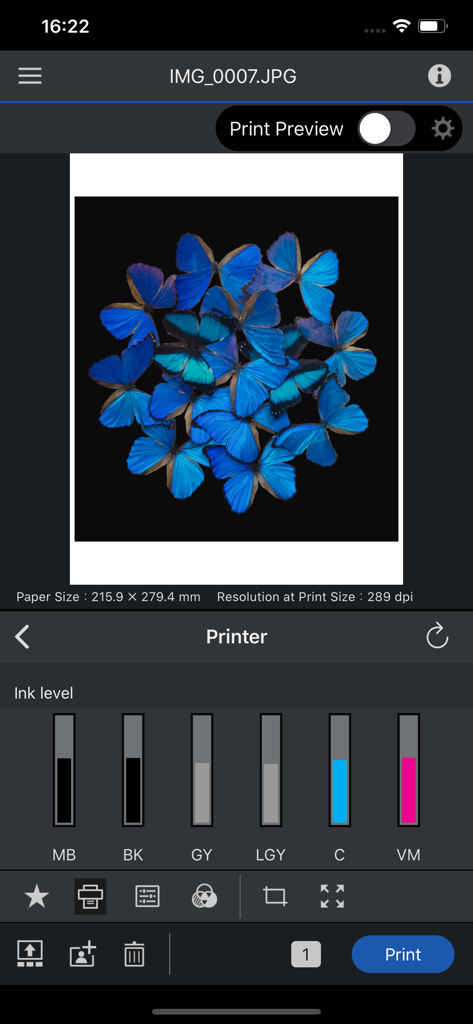
Epson Print Layoutアプリのインターフェース。蝶の写真が表示され、プロフェッショナルなプリント設定とプレビューオプションがあります。

Epson Print Layoutアプリのインターフェース。写真のプレビューとプリンターのインク残量が表示されています。
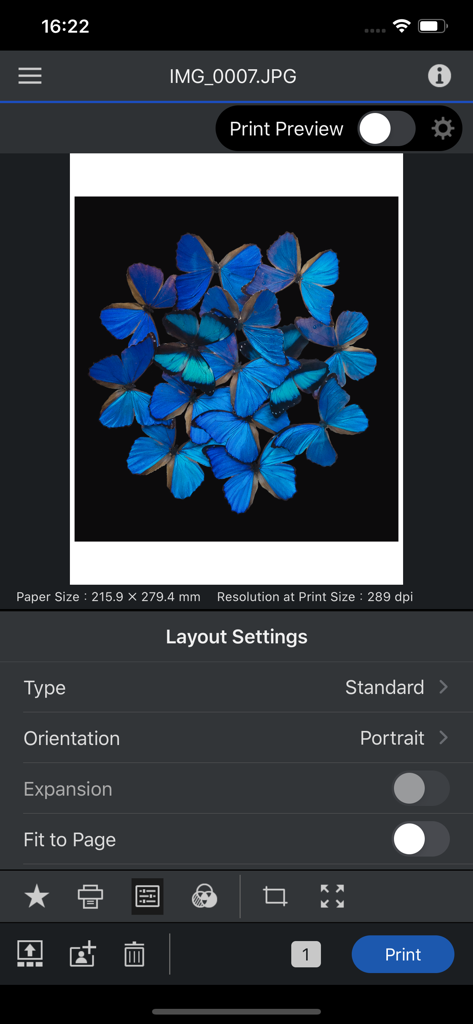
Epson Print Layoutアプリのインターフェース。写真のプレビューとプリンターのインク残量が表示されています。

Epson Print Layoutモバイルインターフェース。青い蝶の写真が表示され、レイアウトとプリント設定があります。
Epson Print Layoutモバイルインターフェース。青い蝶の写真が表示され、レイアウトとプリント設定があります。

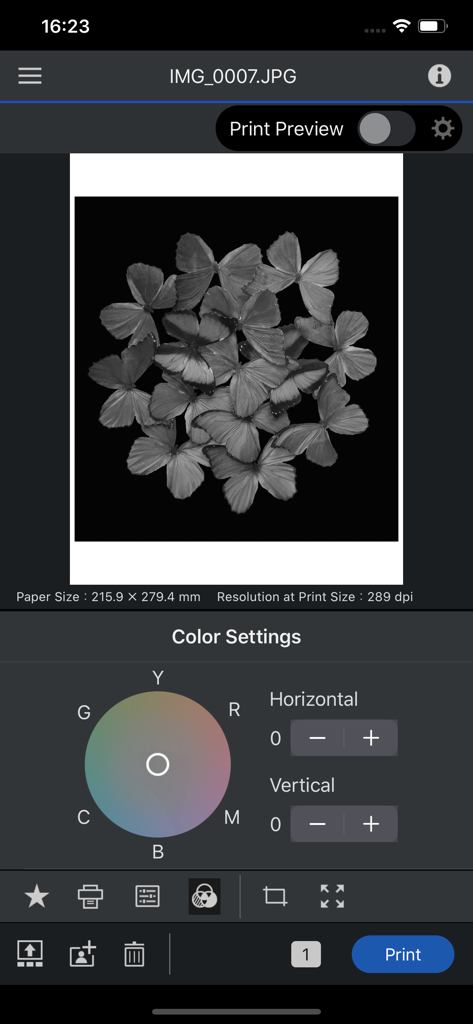
Epson Print Layoutアプリのインターフェース。蝶の写真のモノクロカラーホイール設定が表示されています。
Epson Print Layoutアプリのインターフェース。蝶の写真のモノクロカラーホイール設定が表示されています。

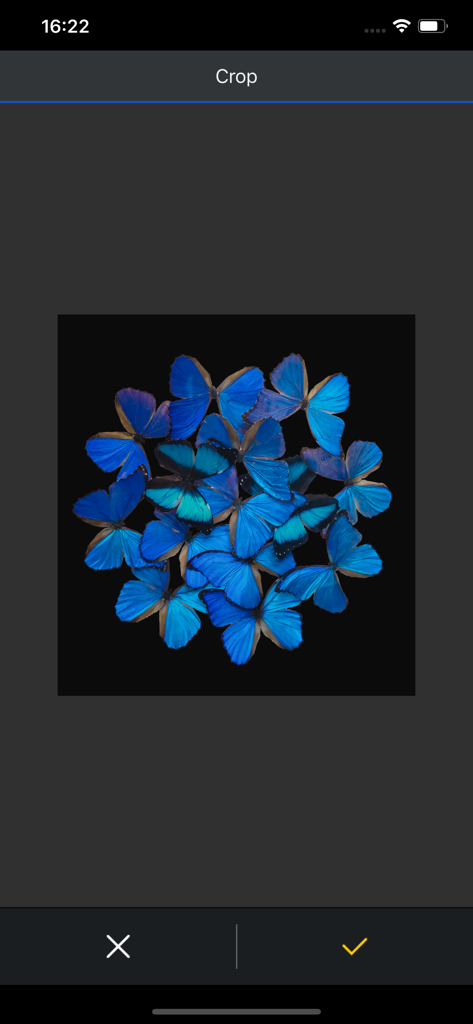
Epson Print Layoutアプリのクロップツール。黒い背景に鮮やかな青い蝶の配列が表示されています。

Epson Print Layoutアプリのクロップツール。黒い背景に鮮やかな青い蝶の配列が表示されています。

ギャラリー品質の結果を、精密に

このアプリを際立たせるツール、 47K+ 人のユーザーが選択.

🎯

プロレベルの色精度

完全なICCプロファイルサポートとグレースケールモードを活用して、物理的なプリントがデジタルビジョンと正確に一致するようにします。

🖼️

精密なレイアウトコントロール

リアルタイムプレビューでサイズ変更、クロッピング、向きをカスタマイズし、周囲光をシミュレートして完璧な展示結果を得ます。

シームレスなモバイルワークフロー

デスクトップは不要です。SC-PシリーズまたはEcoTankシリーズプリンターにワイヤレスで接続し、iPadから直接スタジオ出力を管理します。

アプリについて

について知っておくべきこと Epson Print Layout.

説明

Epson Print Layout is a high-quality print application for Epson printers from iPhone/iPad. Featuring convenient functions such as image layout, color setting, preview, etc., allows smooth printing. The following printers can be used with this application. SC-P700, SC-P900, ET-8500, ET-8550, L8160, L8180, SC-P5300 If you are using a printer other than the above, use Epson Smart Panel. [Main Functions] ≪Search/connect printer≫ - You can search for and connect to Epson printers in Wi-Fi networks to which your device is connected. ≪Printing≫ - You can select photos and retouched images from your tablet for easy printing. ≪Layout setting≫ - You can change the paper orientation, arrange and size images, and crop images. ≪Color setting≫ - The color type "ICC Profile" allows you to print using a paper profile. - You can also print grayscale and monochrome photographs. ≪Print preview≫ - You can preview your photos to take into account the ambient light they are displayed in. (Color temperature setting of ambient light does not affect printing results) ≪Management≫ - You can check the status of the connected printer and check the remaining quantity. ≪Troubleshooting≫ - You can check the manual from the system menu. 1. Epson Print Layout 앱 다운로드 및 호환되는 스마트 장치가 필요합니다. 데이터 사용 요금이 적용될 수 있습니다. 자세한 내용은 www.epson.com을 방문하여 지원을 받으십시오. [앱 접근권한] 서비스 제공을 위해 다음과 같은 접근권한을 필요로 합니다. [필수] 위치 획득 권한 사용할 프린터를 식별해서 접속하기 위한 목적 [필수] 사진 및 동영상 저장된 파일의 인쇄 및 스캔을 위한 목적 [선택] 카메라 카메라로 촬영한 이미지를 인쇄하기 위한 목적 [필수] 로컬 네트워크 사용하는 프린터와 통신하기 위한 목적 * 선택 접근 권한은 동의하지 않아도 앱을 사용하실 수 있습니다. * 선택 접근 권한 미동의시 서비스 일부 기능의 정상적인 이용이 어려울 수 있습니다.

最新バージョン

1.7.4

サイズ

175.0 MB

リリース日

2020年4月23日

傑作をプリントする準備はできましたか?

外出先でプロレベルの色精度と完全なレイアウトコントロールを体験してください。Epson Print Layoutをダウンロードして、モバイルワークフローをギャラリー品質のスタジオに変えましょう。

ダウンロード: App Store

App information, icons, screenshots, and descriptions displayed on this page are sourced from the Apple App Store and are the property of their respective developers. Download estimates and rankings are based on MWM's proprietary models and may not reflect actual figures. This page is provided for informational and analytical purposes only.

Believe this page infringes your intellectual property? File a dispute