
このページはアプリまたはその開発者の公式ページではなく、情報提供および論評を目的として作成された独立した編集出版物です。明示的に別段の記載がない限り、アプリおよびその開発者は、MWM、Apple、Google Play、アプリのパブリッシャー、またはアプリの開発者と提携、承認、後援、認可、またはその他の公式的な関係はなく、このページのいかなる内容も、アプリがMWMのサービスを使用して開発されたことを意味するものではありません。すべての商標、ロゴ、スクリーンショット、その他のコンテンツはそれぞれの所有者の財産です。

ES File Explorer
デジタル空間に散らばるファイル群を自在に操る、全能の指先。
ダウンロード
12.5M+ユーザー評価
評価数
286.8K開発元
カテゴリ
Productivity対応言語
24最新バージョン
2.8.6サイズ
263.2 MBリリース日
2019年3月23日ES File Explorerの機能分析
モバイルファイル管理の多機能性を徹底評価
複数クラウドストレージ統合
主要なネットワークディスクサービス(Google Drive, OneDrive, Dropboxなど)に直接アクセスし、ダウンロードせずにファイルを管理・利用できます。複数アカウントの同時ログインも可能です。
多言語コードエディター
JSON、JavaScript、Java、PHP、XMLなど、47種類のコード形式に対応した強力なエディターを内蔵しており、テーマやフォント調整も可能です。
高度なファイル管理
ユーザーは、ファイルの作成、名前変更、移動、削除、並べ替えなど、包括的なファイル管理機能を実行できます。
データ保護・リカバリ機能
自動バックアップ機能により重要なファイルをクラウドやネットワークドライブに保存でき、誤削除時にはごみ箱からファイルを復元できます。
高度なネットワークアクセス
SMB、FTP、WebDAVプロトコルに対応しており、ローカルネットワーク内の共有フォルダやリモートサーバーに簡単にアクセスし、ファイルを管理できます。
多形式圧縮・解凍
ZIP, RAR, 7Zなどの主要な圧縮形式に対応しており、パスワード付きアーカイブの処理も可能です。
PDF閲覧・編集機能
PDFファイルの閲覧に加え、ハイライト、下線、取り消し線、ペンツールなどを用いて直接ドキュメントに注釈を付けたり編集したりできます。
高速ファイル転送
モバイル端末とコンピューター間、または複数のモバイル端末間で、WiFiや対面機能を通じてファイルを迅速に転送できます。
高機能メディアプレーヤー
倍速再生、バックグラウンド再生、小窓再生などに対応したプレーヤーを内蔵しており、ネットワーク上のメディアも直接再生できます。
小説リーダー
TXTやEPUB形式の電子書籍を直接アプリ内で閲覧でき、読書体験が最適化されています。
よくある質問
について知っておくべきこと ES File Explorer
What is ES File Explorer?
ES File Explorer is a versatile local and network file management tool. It allows users to manage, transfer, compress, decompress files, and access cloud storage. It also integrates players, editors, and other utility functions.
How does ES File Explorer enable file transfer?
ES File Explorer facilitates file transfer through two main methods: WiFi transmission between mobile devices and computers, and face-to-face quick transfers directly between mobile phones.
What archive formats does ES File Explorer support for compression?
ES File Explorer supports compression and decompression for ZIP, RAR, and 7Z archive formats. It also includes the capability to support Chinese passwords for encrypted archives.
Can I watch videos with double speed playback in ES File Explorer?
Yes, ES File Explorer features a built-in audio and video player. This player supports double-speed playback (0.5x to 2.0x), background playback, and small window playback for media files.
Which cloud storage services integrate with ES File Explorer?
ES File Explorer offers netdisk aggregation, allowing access to files on Baidu network disk, Google Drive, OneDrive, and Dropbox. Users can log in with multiple accounts simultaneously for convenience.
What premium features does ES PRO unlock in ES File Explorer?
Purchasing ES PRO in ES File Explorer unlocks all premium features. It is a subscription service billed monthly or annually, providing access to enhanced functionalities beyond the standard offering.
How do I manage my ES File Explorer PRO subscription auto-renewal?
You can manage or disable the auto-renewal of your ES File Explorer PRO subscription through your Apple ID account settings. Ensure auto-renew is turned off at least 24 hours before the current period ends.
Does ES File Explorer include a dark mode feature?
Yes, ES File Explorer includes a dark mode feature. This functionality provides late-night eye protection, enhancing user comfort during extended use in low-light environments.
Can ES File Explorer edit PDF documents?
Yes, ES File Explorer has a built-in PDF editor. It enables PDF file browsing and supports editing functions like highlighting, underlining, strikethrough, and using a pen tool.
What programming languages can the ES File Explorer code editor support?
The ES File Explorer built-in code editor supports browsing and editing 47 code formats. These include popular languages and file types such as JSON, JS, LOG, JAVA, PHP, SWIFT, XML, and NET.
以下のスクリーンショットと説明は、アプリの公式ストアリスティングから直接取得されたものであり、アプリ開発者の所有物です。
アプリストア
スクリーンショット

多様なファイル圧縮
この画面では、圧縮ファイル「HelloWorld.zip」の選択と、ZIP、RAR、7Z形式に対応した高度な圧縮・解凍オプションが示されています。

高速ファイル転送
この画面は、iOSとAndroidデバイス間のクロスプラットフォーム転送機能と、ファイルを「送る」「受け取る」ための直感的なインターフェースを視覚的に表現しています。

効率的な動画再生
このスクリーンショットは、ビデオファイル「videoplayback.mp4」の再生機能と、コンテンツを最適なペースで視聴できる0.5倍から2.0倍までの再生速度調整オプションを表示しています。
PDF閲覧機能
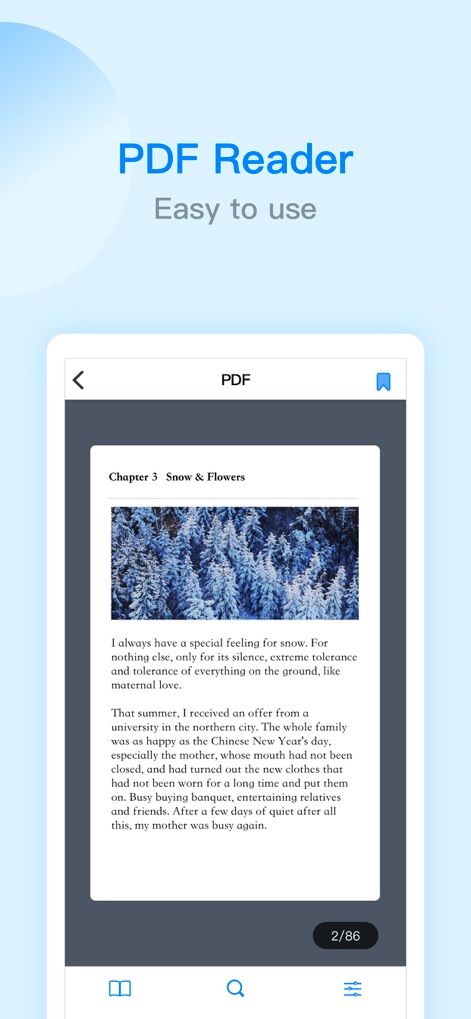
本アプリは、美しく表示された「Chapter 3 Snow & Flowers」のようなPDFドキュメントの閲覧機能と、現在のページ数「2/86」を示す直感的なページナビゲーションを提供します。

目に優しいダークモード
この表示は、夜間使用に最適なダークモードインターフェースと、iCloud FilesやiTunes Filesなど、様々なファイルソースを一元的に管理できる機能を示しています。
多機能コードエディタ
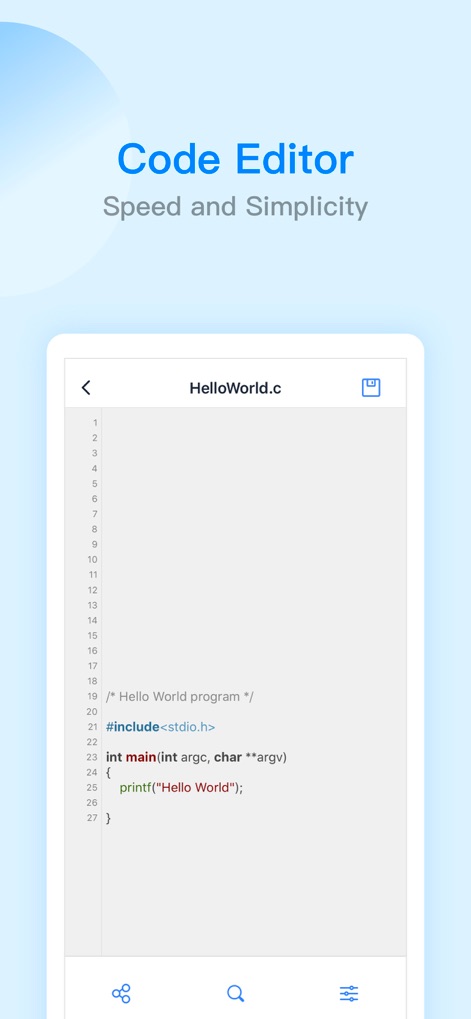
このスクリーンショットは、「HelloWorld.c」のようなC言語コードを視覚的に分かりやすく表示する機能と、共有や設定変更が可能な画面下部のコード編集ツールバーを備えています。

充実の電子書籍リーダー
この画面は、「YOUTH」のような電子書籍のテキストコンテンツを表示するリーダー機能と、ユーザーの好みに合わせてフォントサイズ調整や背景色の変更が可能なパーソナライズオプションを提供します。
説明
Download
類似アプリ
似た機能とユーザー体験を持つアプリ

PDF PRO Scan Image & Documents
Balzo srl

The PDF Scanner, PDF editor HQ
NEXT K.U.M. LTD

CamScanner - PDF Scanner App
INTSIG Information Co., Ltd

Adobe Scan: PDF & OCR Scanner
Adobe Inc.

WPS Office: PDF, Docs, Sheets
KINGSOFT OFFICE SOFTWARE CORPORATION LIMITED

iLovePDF - PDF Editor & Scan
ILOVEPDF S.L.

Scanner App: Genius Scan
The Grizzly Labs

Microsoft Lens: PDF Scanner
Microsoft Corporation

Clear Scan: Doc Scanner App
INDY MOBILE APP COMPANY LIMITED
このページはアプリまたはその開発者の公式ページではなく、情報提供および論評を目的として作成された独立した編集出版物です。明示的に別段の記載がない限り、アプリおよびその開発者は、MWM、Apple、Google Play、アプリのパブリッシャー、またはアプリの開発者と提携、承認、後援、認可、またはその他の公式的な関係はなく、このページのいかなる内容も、アプリがMWMのサービスを使用して開発されたことを意味するものではありません。すべての商標、ロゴ、スクリーンショット、その他のコンテンツはそれぞれの所有者の財産です。