Evo - The Everything App
ダウンロード: App Store

このページはアプリまたはその開発者の公式ページではなく、情報提供および論評を目的として作成された独立した編集出版物です。明示的に別段の記載がない限り、アプリおよびその開発者は、MWM、Apple、Google Play、アプリのパブリッシャー、またはアプリの開発者と提携、承認、後援、認可、またはその他の公式的な関係はなく、このページのいかなる内容も、アプリがMWMのサービスを使用して開発されたことを意味するものではありません。すべての商標、ロゴ、スクリーンショット、その他のコンテンツはそれぞれの所有者の財産です。


ロゴ: Evo - The Everything App
ダウンロード: App Store

Evo - The Everything App

カレンダー、習慣、メモ、フォーカスを統合したミニマリストなタイムラインで、時間と精神的なスペースを取り戻しましょう。一度の購入で、ずっとあなたのものになり、すべてのAppleデバイスで完全にプライベートです。

主要数値

ダウンロード

8K+

ユーザー評価

4.7/5

評価数

0

開発元

Solid Apps SRL

カテゴリ

Productivity

対応言語

1

最新バージョン

1.35

サイズ

23.1 MB

リリース日

2024年2月20日
機能

あなたの人生すべてを、一つに

5つの異なるアプリを飛び回るのはもうやめましょう。Evoは、Appleエコシステムのために設計された、シームレスなタイムラインにあなたのカレンダー、習慣、気分、メモを統合します。

一つのタイムライン、ゼロの散らかり

アプリを切り替える認知的負荷を排除する、単一のミニマリストビューにイベント、習慣、タスクを統合します。

自然言語入力

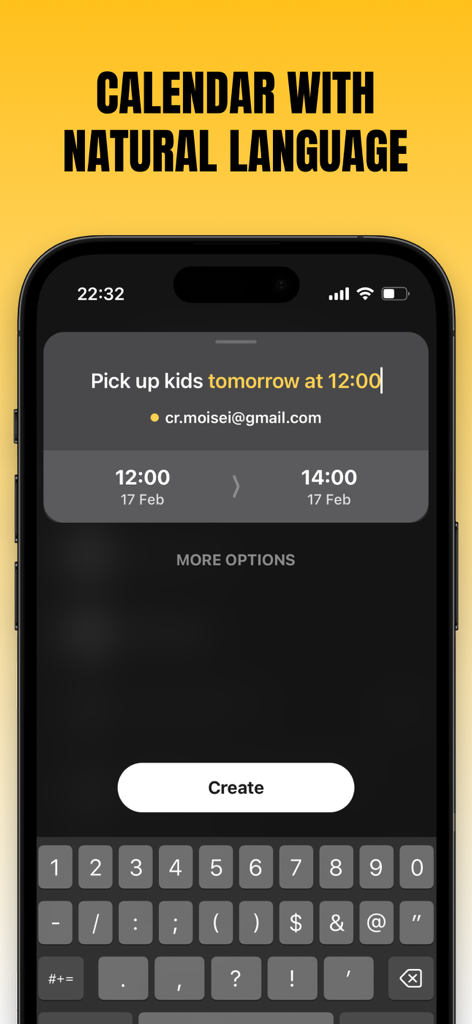
思考と同じ速さで人生をスケジュールしましょう。「明日の午後1時にサラとランチ」と入力するだけで、Evoが即座に一日を整理してくれます。

以下のスクリーンショットと説明は、アプリの公式ストアリスティングから直接取得されたものであり、アプリ開発者の所有物です。

アプリストア

スクリーンショット
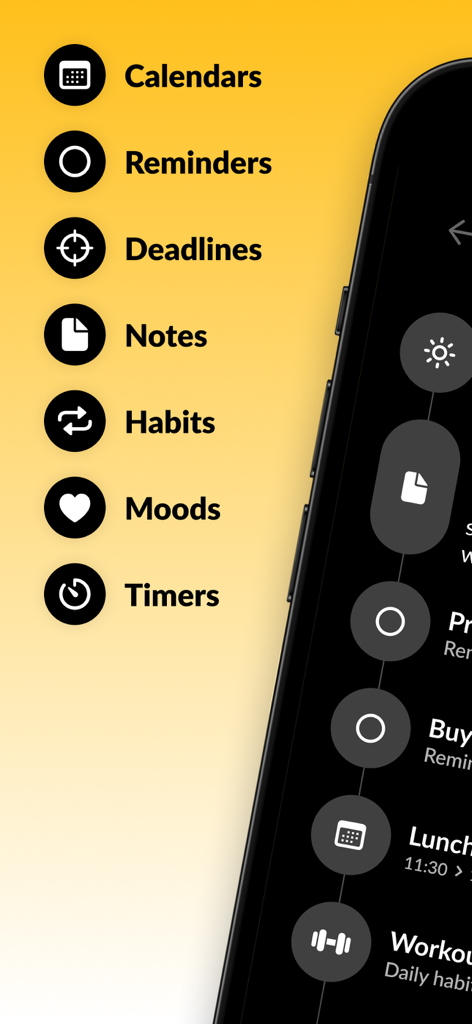
Evo - The Everything App - Evoアプリの生産性機能リスト(カレンダー、リマインダー、メモ、習慣を含む)が、スマートフォンの画面の隣にある黄色い背景に表示されている。
Evoアプリの生産性機能リスト(カレンダー、リマインダー、メモ、習慣を含む)が、スマートフォンの画面の隣にある黄色い背景に表示されている。

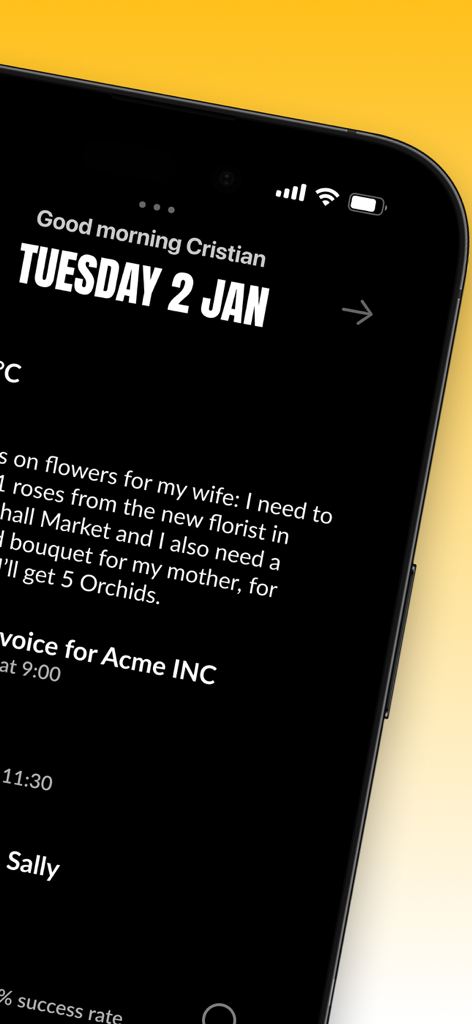
Evo - The Everything App - iPhone上のEvoアプリのミニマリストなデイリータイムラインインターフェース(ダークモード)
iPhone上のEvoアプリのミニマリストなデイリータイムラインインターフェース(ダークモード)

Evo - The Everything App - Evoアプリの画面。自然言語入力でカレンダーイベントが作成されている様子がiPhoneに表示されている。
Evoアプリの画面。自然言語入力でカレンダーイベントが作成されている様子がiPhoneに表示されている。

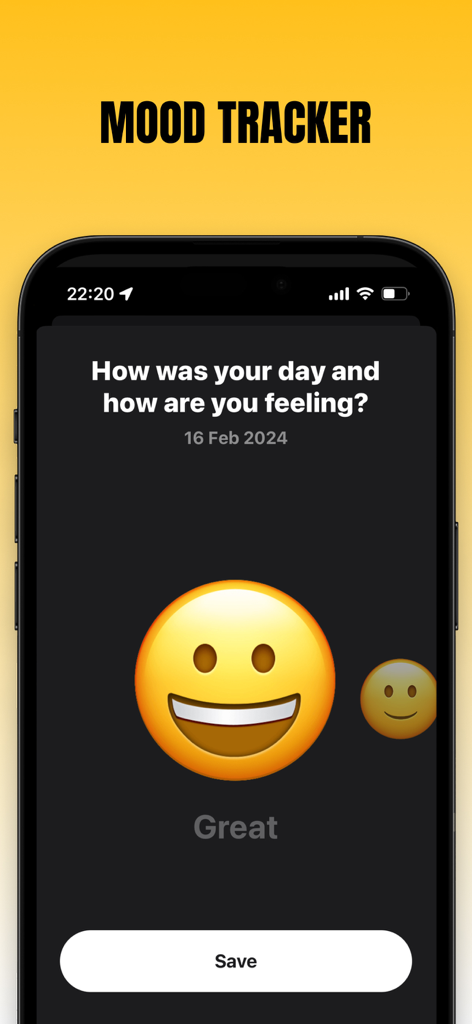
Evo - The Everything App - Evoアプリの気分追跡機能。笑顔の絵文字付きの毎日のウェルネスチェックインが表示されている。
Evoアプリの気分追跡機能。笑顔の絵文字付きの毎日のウェルネスチェックインが表示されている。

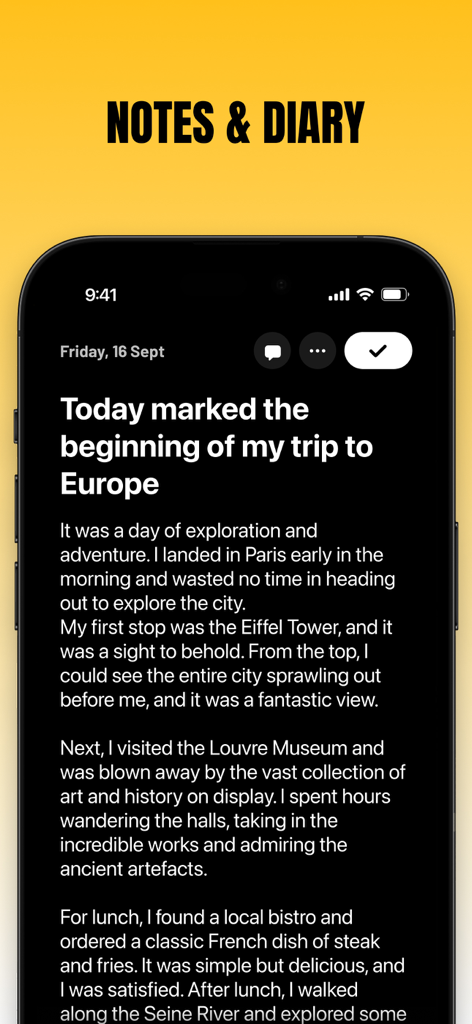
Evo - The Everything App - Evoアプリのメモと日記のインターフェース。日記のエントリが表示されている。
Evoアプリのメモと日記のインターフェース。日記のエントリが表示されている。

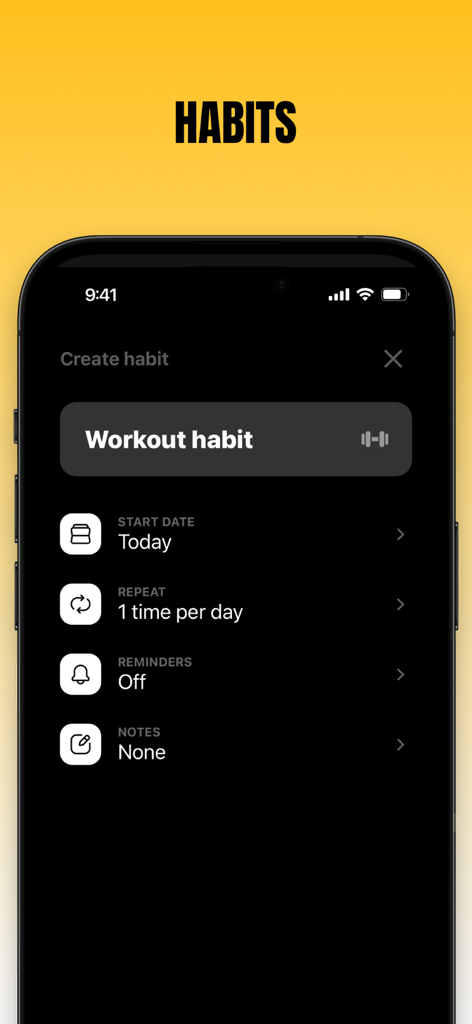
Evo - The Everything App - Evoアプリのインターフェース。毎日のワークアウト習慣をダークモードで作成する画面。
Evoアプリのインターフェース。毎日のワークアウト習慣をダークモードで作成する画面。

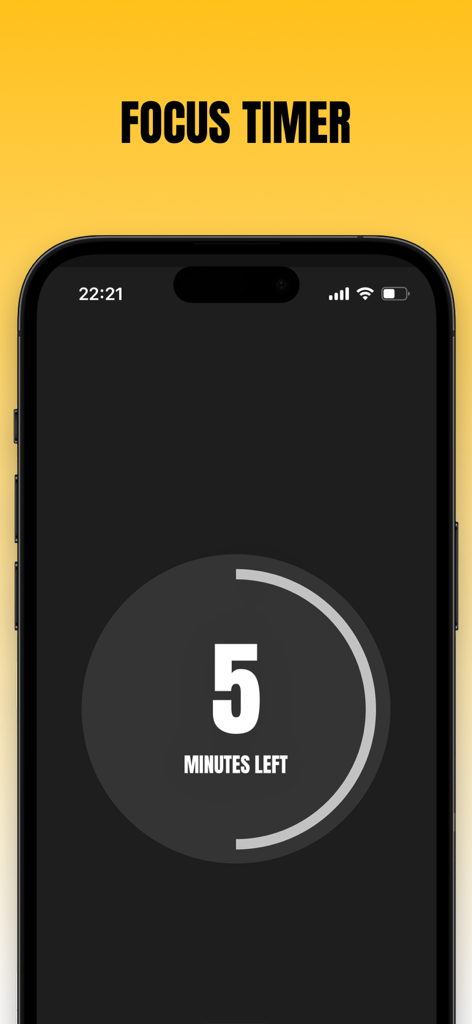
Evo - The Everything App - Evoアプリのミニマリストなフォーカスタイマースクリーン。残り5分が表示されている。
Evoアプリのミニマリストなフォーカスタイマースクリーン。残り5分が表示されている。

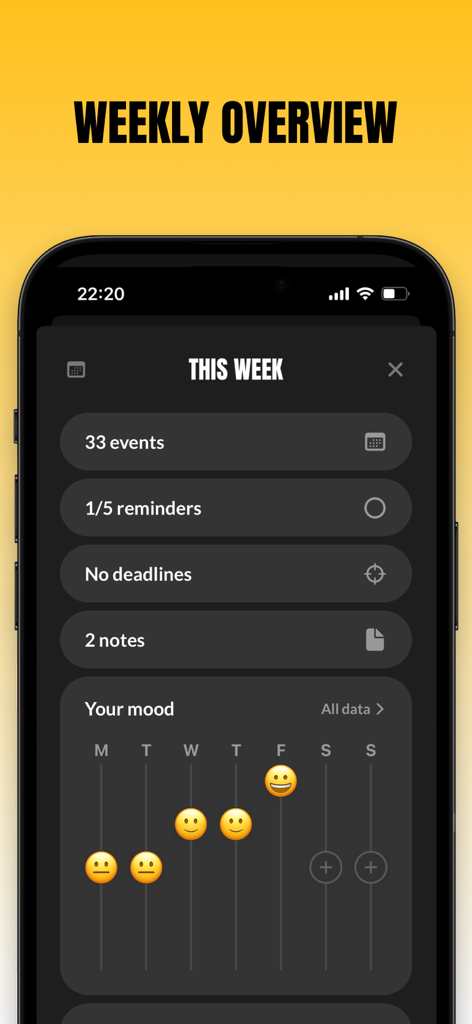
Evo - The Everything App - Evoアプリの週次概要画面。イベントの合計件数と気分追跡チャートが表示されている。
Evoアプリの週次概要画面。イベントの合計件数と気分追跡チャートが表示されている。

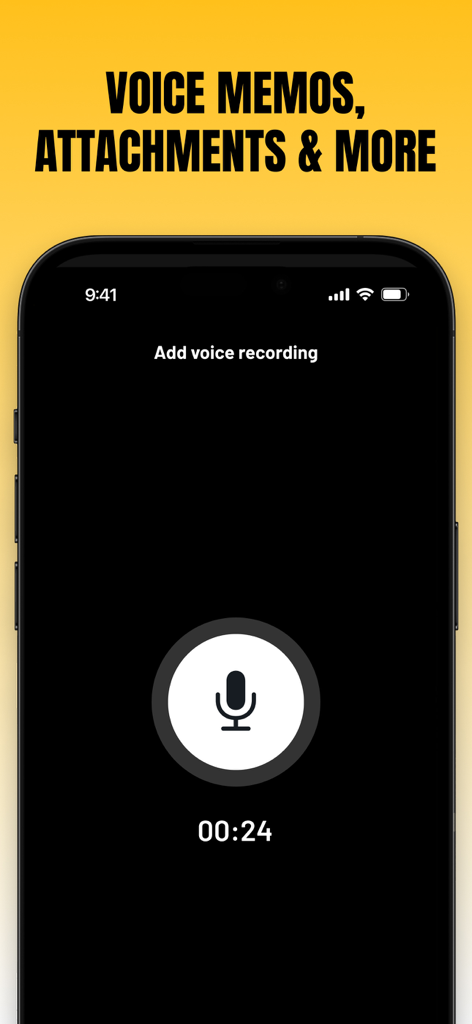
Evo - The Everything App - Evoアプリのインターフェース。大きなマイクアイコンとタイマーが表示されたボイスメモ録音画面。
Evoアプリのインターフェース。大きなマイクアイコンとタイマーが表示されたボイスメモ録音画面。

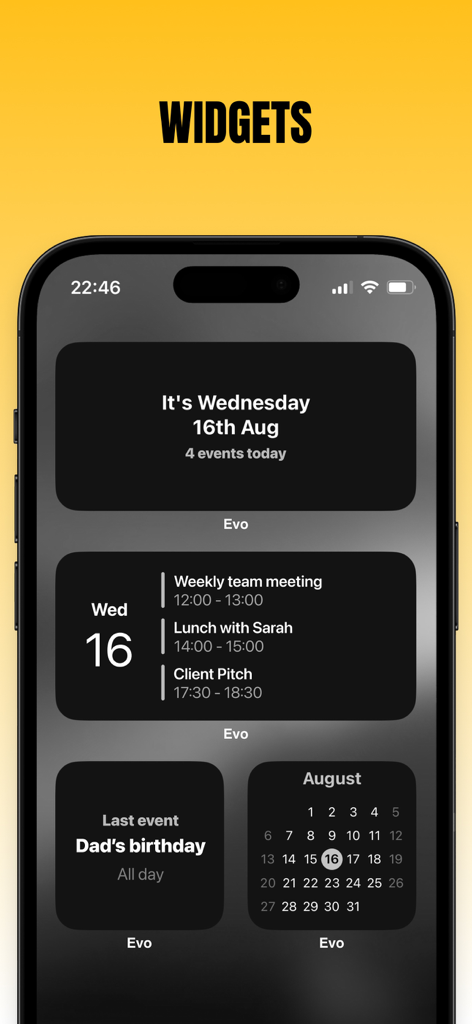
Evo - The Everything App - iPhoneの画面。Evoアプリのさまざまなダークモードカレンダーと生産性ウィジェットが表示されている。

iPhoneの画面。Evoアプリのさまざまなダークモードカレンダーと生産性ウィジェットが表示されている。

説明

No subscriptions - Buy once, keep forever Please note that Evo requires creating an account in order to sync your data across devices. Introducing: Evo - The everything app. The last productivity app you'll ever need, combining events, reminders, mood tracker, notes & diary, habits, a focus timer, and more. All in one seamless timeline design for minimalism and ease of use. Are you ready to reclaim your time and enjoy a more organized lifestyle? Download Evo now and manage your schedule, tasks, and events with ease. Key Features of Evo - The everything app: - Add events with natural language Isn't it so much easier when our devices understand us? You can say things like: "Pick up the kids tomorrow at 18:00" "Lunch this Saturday between 12:00 and 14:00" "Meet with Bill in 2 hours" - Quick Join for video calls You will find options to jump straight into events that have video calls both from the app itself and from notifications - Reminders Your Reminders can live alongside your events in all layouts. You can also create and edit reminders. - Use the calendars on your device Solid Calendar works with the calendars you already have on your device. No data about your calendars leaves your device, so you can have peace of mind about your privacy - Light and Dark mode Enjoy well-designed themes for both light and dark modes and pick the one you like best to accommodate your style. - Notes & Diary You can create any kind of notes you want and organize them across dates - Unlimited uploads You can upload as many images, voice recordings, and sketches as you need - Formatting Make your notes as useful and clear as they can be with a variety of formatting options - Mood tracking Use Evo - the everything app to keep track of how you feel each day - Build better habits You can use Evo to track any habit you want, whether it's 3 times daily, once weekly, or monthly, whether it's a fitness or health habit, personal habit, or something related to studying or work, you can track it all here. - Focus timer Once you created a few steps to work on, you can start a focus timer and get to work. - Deadlines Set a target for your goals and objects and get reminded in Evo - Widgets Pick from several widgets to display your calendar events - Solid Apps Account Your data is synced instantly across all your devices. It's fully encrypted and only you can read it. Events and Reminders are handled by EventKit, which is a framework from Apple, and this app is only given strict permissions to read and edit your events and reminders. The app does not copy them to any server or collect any information about your events and reminders. For more details please don’t hesitate to reach out or read the privacy policy. Are you ready to get on top of your schedule? Solid Calendar is a universal app available on iOS, iPadOS, and macOS You can choose to unlock just this app or all 6 Solid Apps with one purchase Please note that Evo is a standalone app and its data is not interchangeable or synced with other apps from the same developer (Solid Apps) Terms of service: http://solidapps.co/terms.html Privacy policy: http://solidapps.co/privacy.html

Download

ダウンロード: App Store

このページはアプリまたはその開発者の公式ページではなく、情報提供および論評を目的として作成された独立した編集出版物です。明示的に別段の記載がない限り、アプリおよびその開発者は、MWM、Apple、Google Play、アプリのパブリッシャー、またはアプリの開発者と提携、承認、後援、認可、またはその他の公式的な関係はなく、このページのいかなる内容も、アプリがMWMのサービスを使用して開発されたことを意味するものではありません。すべての商標、ロゴ、スクリーンショット、その他のコンテンツはそれぞれの所有者の財産です。








