Exif Metadata Editor & IPTC

Exif Metadata Editor & IPTC

ダウンロード: App Store
ロゴ: Exif Metadata Editor & IPTC

Exifメタデータエディター & IPTC:写真データとプライバシーをマスターしよう

共有前にEXIFとIPTCタグを編集し、プロフェッショナルな著作権を管理し、隠されたGPSデータを削除するための必須モバイルツールキット。

ダウンロード: App Store

開発元

Andres Piza Buckmann

カテゴリ

Photo & Video

ダウンロード

34K+

ユーザー評価

4.3/5

評価数

800

対応言語

5

メタデータに焦点を当てる

このインターフェースを利用する 34K+ 人のユーザー.

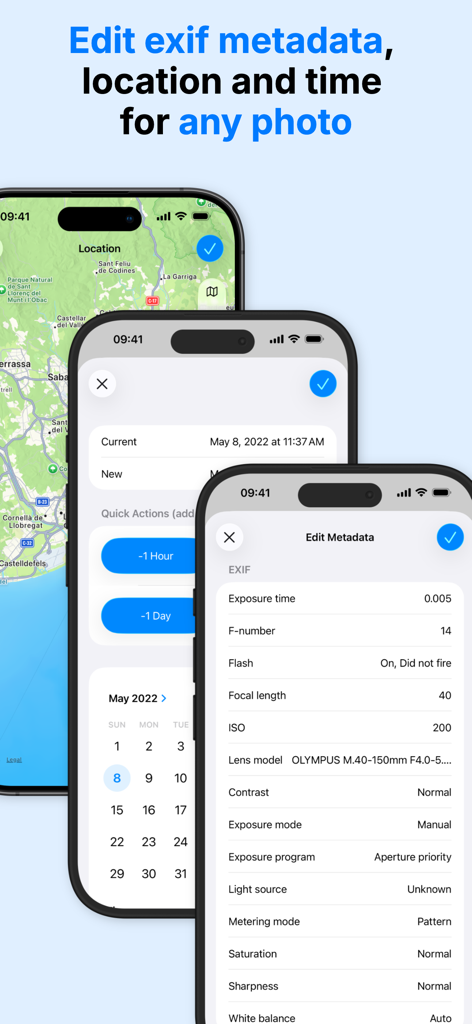
写真のEXIFメタデータ、位置情報、日付の編集画面を表示するiPhoneスクリーン
写真のEXIFメタデータ、位置情報、日付の編集画面を表示するiPhoneスクリーン

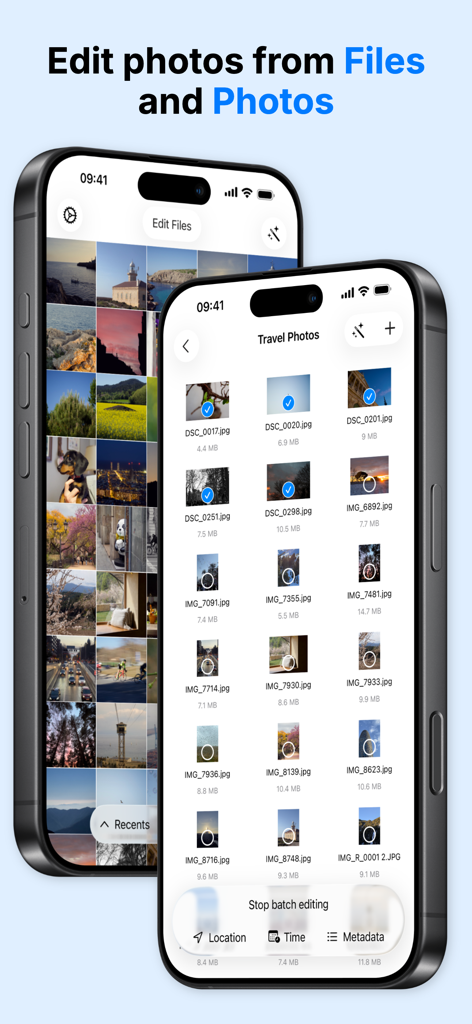
ファイルおよび写真アプリからメタデータと位置情報編集のために写真の一括選択を表示するインターフェイス
ファイルおよび写真アプリからメタデータと位置情報編集のために写真の一括選択を表示するインターフェイス

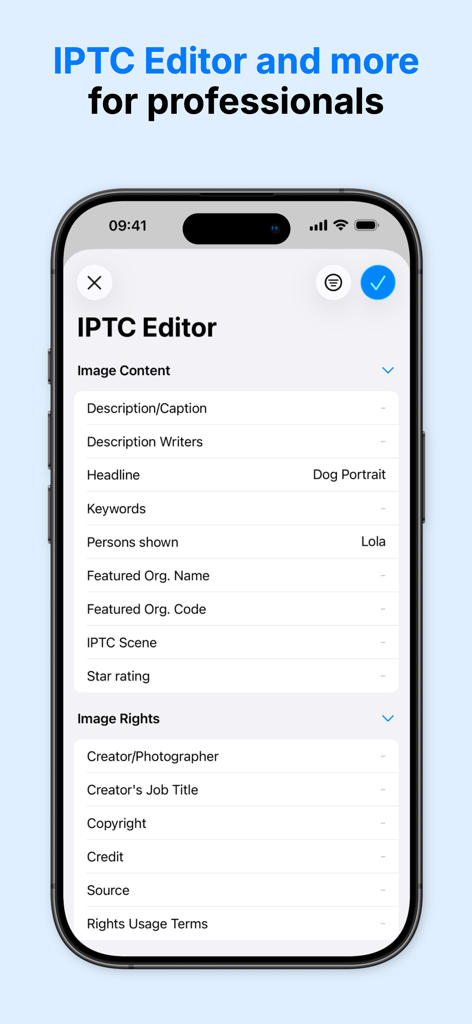
画像コンテンツと権利メタデータフィールドを表示するIPTCエディタインターフェイスを示すスマートフォン画面
画像コンテンツと権利メタデータフィールドを表示するIPTCエディタインターフェイスを示すスマートフォン画面

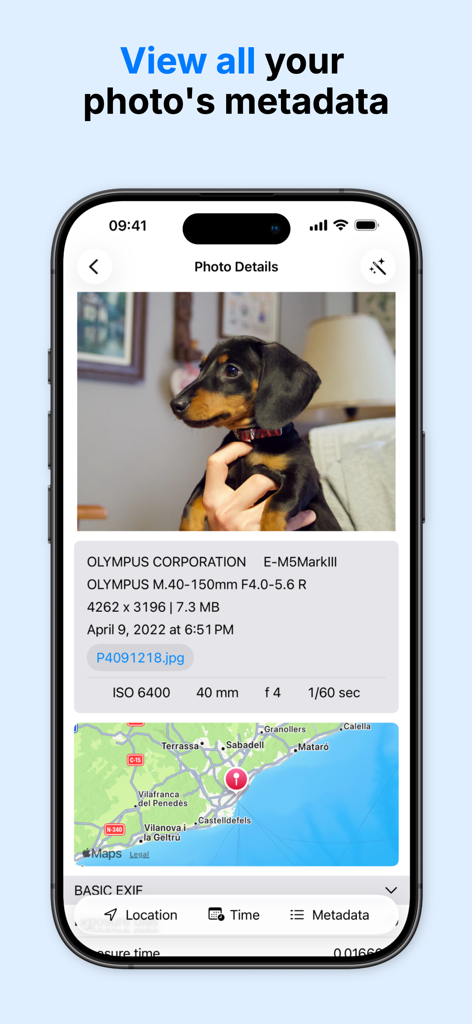
写真の技術的な詳細、カメラ設定、GPS位置情報マップを表示するインターフェイス
写真の技術的な詳細、カメラ設定、GPS位置情報マップを表示するインターフェイス

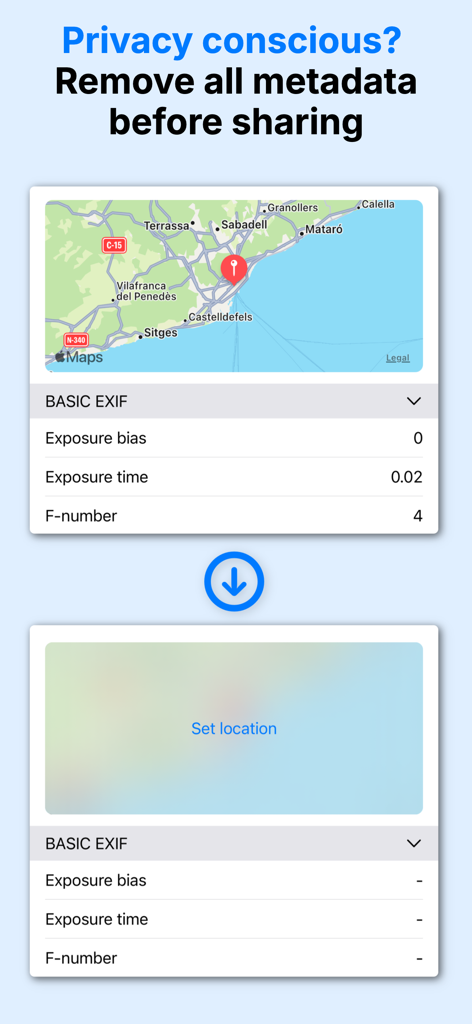
ユーザーのプライバシーを保護するために、写真からEXIFメタデータとGPS座標を削除するデモンストレーション。
ユーザーのプライバシーを保護するために、写真からEXIFメタデータとGPS座標を削除するデモンストレーション。

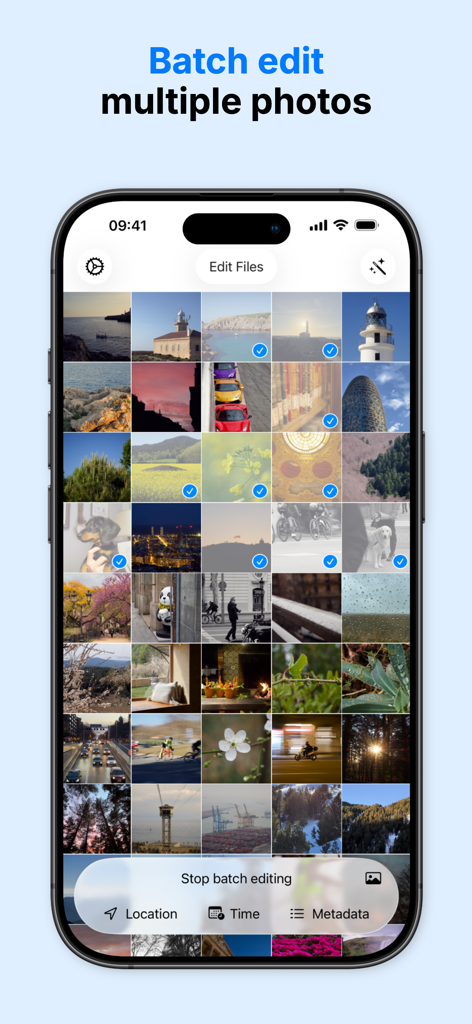
位置情報や時間などのメタデータの一括編集のために複数の写真が選択されていることを示すモバイルアプリのインターフェイス
位置情報や時間などのメタデータの一括編集のために複数の写真が選択されていることを示すモバイルアプリのインターフェイス

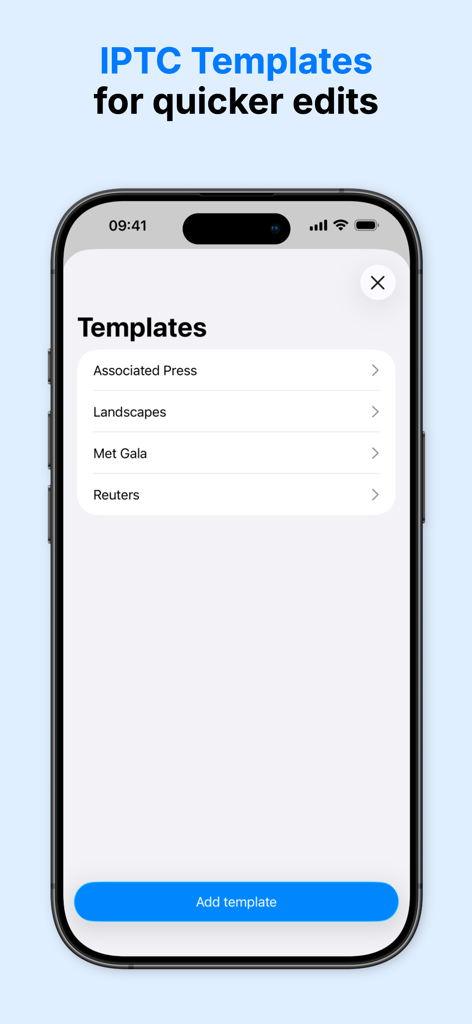
迅速な写真編集とプロフェッショナルワークフローのためのIPTCメタデータテンプレートを表示するインターフェイス
迅速な写真編集とプロフェッショナルワークフローのためのIPTCメタデータテンプレートを表示するインターフェイス

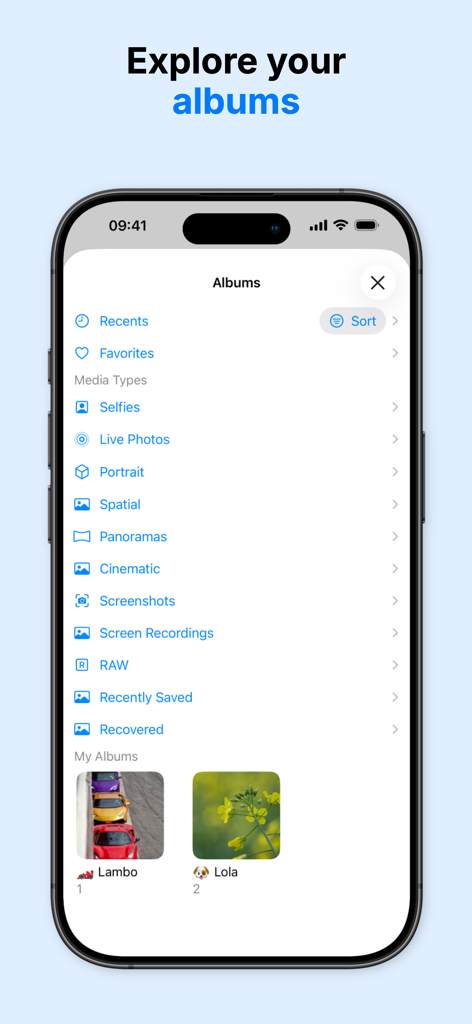
簡単なメタデータ管理のために、写真アルバムとメディアカテゴリのリストを表示するiPhoneスクリーン

簡単なメタデータ管理のために、写真アルバムとメディアカテゴリのリストを表示するiPhoneスクリーン

画像データをマスターしよう

このアプリを際立たせるツール、 34K+ 人のユーザーが選択.

🏷️

エージェンシー対応IPTC基準

著作権、アーティストクレジット、キーワードタグをプロフェッショナルなテンプレートを使用して適用し、作品を保護し、エージェンシーへの提出を効率化します。

🛡️

絶対的なプライバシー保護

ソーシャルメディアやアプリで画像を共有する前に、GPS座標と機密のEXIFデータを瞬時に削除して、デジタルフットプリントを保護します。

🗓️

効率的な一括整理

タイムゾーンの修正、フィルムスキャンのジオタグ付け、またはライブラリ内の何百もの写真のメタデータの同時更新により、時間を節約します。

アプリについて

について知っておくべきこと Exif Metadata Editor & IPTC.

説明

Looking to set the GPS location to a photo? Quickly editing the date? Remove all the metadata before sharing it to protect your privacy? Metadata Editor makes it easy for you, the perfect photography companion! Metadata Editor has a simple and modern interface to help you make the changes very quickly. You can quickly see an overview of your photos' more important metadata values, as well as a full list of all the values contained in your photo. Metadata Editor is a great EXIF editor to work on your photos, whether you are an amateur photographer, a professional one or you are a photo investigator looking to perform forensic analysis of photos (osint). FEATURES View: - Browse all your photos in iCloud Photo Library - Access and edit photos stored in Files app - See camera details like model, lens, ISO, aperture, and shutter speed - Check the location of your photo in an interactive map - View your photos by album - View all the raw metadata contained in your photo Edit: - Edit photos from both Photos Library and Files app - Add, change or remove the location of a photo - Copy the location of one photo to another photo - Geotag your photos for easier discoverability when looking at your photos in a map - Batch edit multiple photos at once. Perfect for photo organization - Modify the date and time - Correct time zone errors after a trip - Edit the raw metadata values - Edit EXIF, PNG and TIFF metadata - Complete IPTC editor for professional photographers - Templates to save your most common IPTC metadata edits - Limited video editing support Professional Features: - Copyright and artist information management - Keyword tagging for stock photo submissions - Caption and description fields for agency requirements - Camera owner name for equipment tracking - Custom IPTC metadata templates for consistent workflow - Preserve original files while creating edited versions - Export-ready metadata for client deliverables Protect your privacy: - Remove the GPS location of a photo - Completely strip metadata from a photo and remove exif information - Set the location of a photo to a completely different location Essential when you want to share your photos with a person, app or website and don't want to give them any information that can be used to track you. WHO IS METADATA EDITOR FOR? - People who want to make their photo library perfect, by having all photos complete with the right metadata and precise location. - Professional photographers that need to edit their photos right on the field with an iPhone or iPad before sending them to an agency. - Photojournalists preparing images with IPTC standards for wire services and publications. - Stock photographers managing copyright, keywords, and descriptions for multiple photo libraries. - Users that care about their privacy and want to avoid getting tracked when sharing photos with strangers or shady apps. - Photographers that shoot with analog or film cameras and want to add metadata for their pictures. EDITABLE METADATA Edit 50+ metadata fields including GPS coordinates, EXIF camera settings, IPTC keywords, TIFF image details, and PNG metadata. Note: The app is free to download and use, but some features may require premium access. CONTACT If you need help or have any questions about the app, please do not hesitate to contact us at www.andrespiza.com or from the Settings app inside the app. We will gladly help you! UNLIMITED ACCESS AND SUBSCRIPTION TERMS Your Metadata Editor unlimited access subscription will automatically renew unless auto-renew is turned off at least 24 hours before the end of the current period. You can go, on your iPhone, to Settings > Apple Account > Subscriptions to manage your subscription and turn auto-renew off. Your Apple Account will be charged when the purchase is confirmed. Terms and Conditions: https://www.andrespiza.com/apps/metadata-editor/terms-of-use/ Privacy Policy: https://www.andrespiza.com/apps/metadata-editor/privacy-policy/

最新バージョン

3.2.0

サイズ

59.4 MB

リリース日

2022年5月20日

高精度で写真メタデータをマスターしよう

何千人ものプロの写真家やプライバシー意識の高いクリエイターに参加しましょう。移動中でも、位置情報を保護し、IPTCデータを管理し、デジタルアーカイブを完璧にしましょう。

ダウンロード: App Store
FAQ

よくある質問

について知っておくべきこと Exif Metadata Editor & IPTC

Exif Metadata Editor & IPTC アプリとは何ですか?

Metadata Editor は、写真のメタデータを表示、編集、削除できる iOS アプリです。EXIF、IPTC、PNG、TIFF メタデータをサポートしており、写真の詳細やプライバシーの管理に役立ちます。

Metadata Editor で EXIF データを編集できますか?

はい、Metadata Editor は専用の EXIF エディターとして機能します。EXIF、PNG、TIFF メタデータを編集でき、ISO、絞り、シャッタースピードなどのカメラの詳細情報も写真に適用できます。

Metadata Editor はどのようにユーザーのプライバシーを保護しますか?

Metadata Editor は、GPS 位置情報の削除、すべてのメタ情報の完全な削除、写真共有前の EXIF 情報の削除を可能にすることで、ユーザーのプライバシーを保護します。これにより、追跡を防ぎます。

Metadata Editor は写真の場所を変更できますか?

はい、Metadata Editor を使用すると、写真の場所を追加、変更、または削除できます。また、写真間で位置情報をコピーしたり、検索性を向上させるために画像をジオタグ付けしたりすることもサポートしています。

Metadata Editor は写真の一括編集をサポートしていますか?

はい、Metadata Editor は複数の写真を同時に一括編集できます。この機能は、写真の整理や、画像コレクション全体に一貫したメタデータ変更を適用するのに効率的です。

Metadata Editor は無料で利用できるアプリですか?

はい、Metadata Editor は無料でダウンロードして使用できます。ただし、プロフェッショナルツールや無制限アクセスなどの一部の高度な機能には、プレミアムサブスクリプションが必要になる場合があります。

Exif Metadata Editor & IPTC はどのようなプロフェッショナル機能を提供しますか?

Metadata Editor は、著作権およびアーティスト情報の管理、ストックフォト用のキーワードタグ付け、キャプション/説明フィールド、一貫したワークフローのためのカスタム IPTC メタデータテンプレートなど、プロフェッショナル機能を提供します。

Metadata Editor を使用して写真の日付と時刻を編集できますか?

はい、Metadata Editor を使用すると、写真の日付と時刻を変更できます。また、タイムゾーンのエラーを修正する機能も含まれており、旅行後に便利です。

Exif Metadata Editor & IPTC はビデオ編集機能を提供しますか?

Metadata Editor アプリは、限定的なビデオ編集サポートを提供します。その主な機能は、EXIF および IPTC フィールドを含む、写真の包括的なメタデータ管理に焦点を当てています。

Metadata Editor のサブスクリプションを管理するにはどうすればよいですか?

Metadata Editor の無制限アクセスサブスクリプションは、iPhone の [設定] から管理できます。[Apple ID] > [サブスクリプション] に移動して、アクティブなサブスクリプションを表示し、自動更新をオフにします。

App information, icons, screenshots, and descriptions displayed on this page are sourced from the Apple App Store and are the property of their respective developers. Download estimates and rankings are based on MWM's proprietary models and may not reflect actual figures. This page is provided for informational and analytical purposes only.

Believe this page infringes your intellectual property? File a dispute