Feather: Draw in 3D
Feather: Draw in 3D
ダウンロード: App Store

このページはアプリまたはその開発者の公式ページではなく、情報提供および論評を目的として作成された独立した編集出版物です。明示的に別段の記載がない限り、アプリおよびその開発者は、MWM、Apple、Google Play、アプリのパブリッシャー、またはアプリの開発者と提携、承認、後援、認可、またはその他の公式的な関係はなく、このページのいかなる内容も、アプリがMWMのサービスを使用して開発されたことを意味するものではありません。すべての商標、ロゴ、スクリーンショット、その他のコンテンツはそれぞれの所有者の財産です。


ロゴ: Feather: Draw in 3D
ダウンロード: App Store

Feather: Draw in 3D

直感的なジェスチャーベースの3Dワークスペースで、フラットなキャンバスから解放されましょう。iPadとApple Pencilのために特別に設計された、プロフェッショナルなレンダリングとゲーム風のインターフェースのパワーを体験してください。

主要数値

ダウンロード

101K+

ユーザー評価

4.0/5

評価数

400

開発元

Sketchsoft Inc.

カテゴリ

Graphics & Design

対応言語

6

最新バージョン

1.3.2

サイズ

46.8 MB

リリース日

2024年11月1日
機能

アイデアを3D空間で解き放つ

次世代のデジタルクリエイターのために構築された、直感的なタッチファーストのワークスペースで、2Dスケッチと3Dモデリングのギャップを埋めましょう。

直感的な空間描画

筆圧感知ブラシと、紙に描くのと同じくらい自然に感じる流れるようなナビゲーションで、第三次元をマスターしましょう。

ワンタップで映画のような仕上がり

Airbreathエンジンで、あなたの作品を瞬時に格上げしましょう。プロフェッショナルなライティング、トゥーンシェーディング、グレインを追加して、あなたのポートフォリオを完成させましょう。

以下のスクリーンショットと説明は、アプリの公式ストアリスティングから直接取得されたものであり、アプリ開発者の所有物です。

アプリストア

スクリーンショット
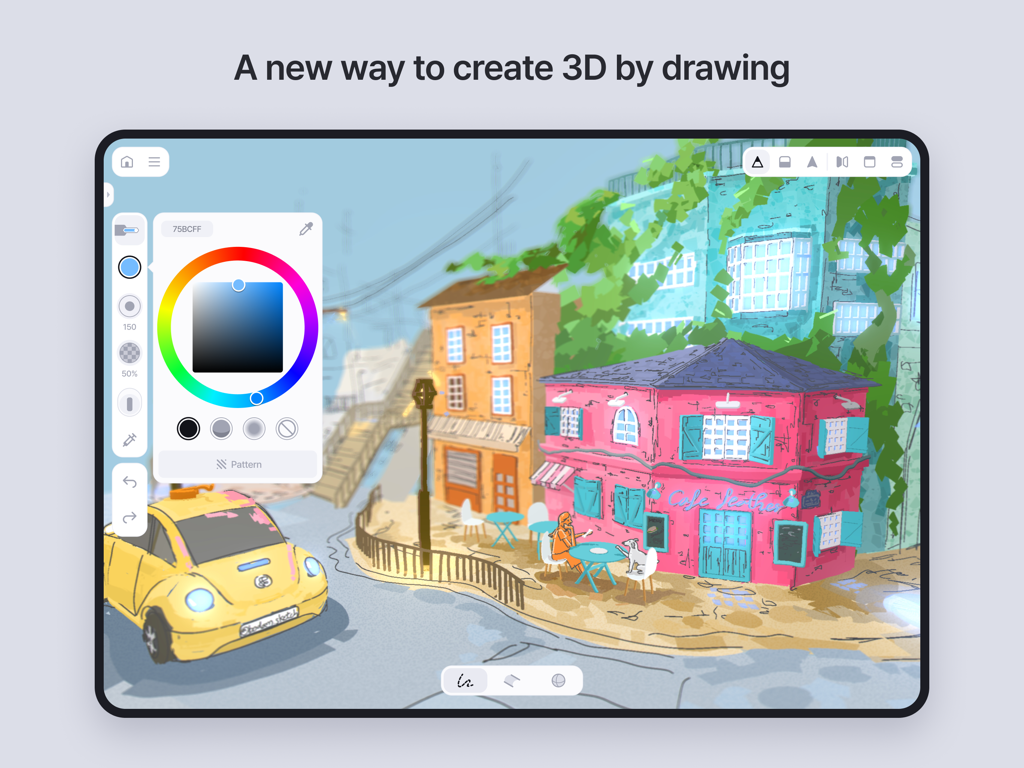
Feather: Draw in 3D - iPad上のFeatherアプリで作成された、手描きの3Dストリートシーン
iPad上のFeatherアプリで作成された、手描きの3Dストリートシーン

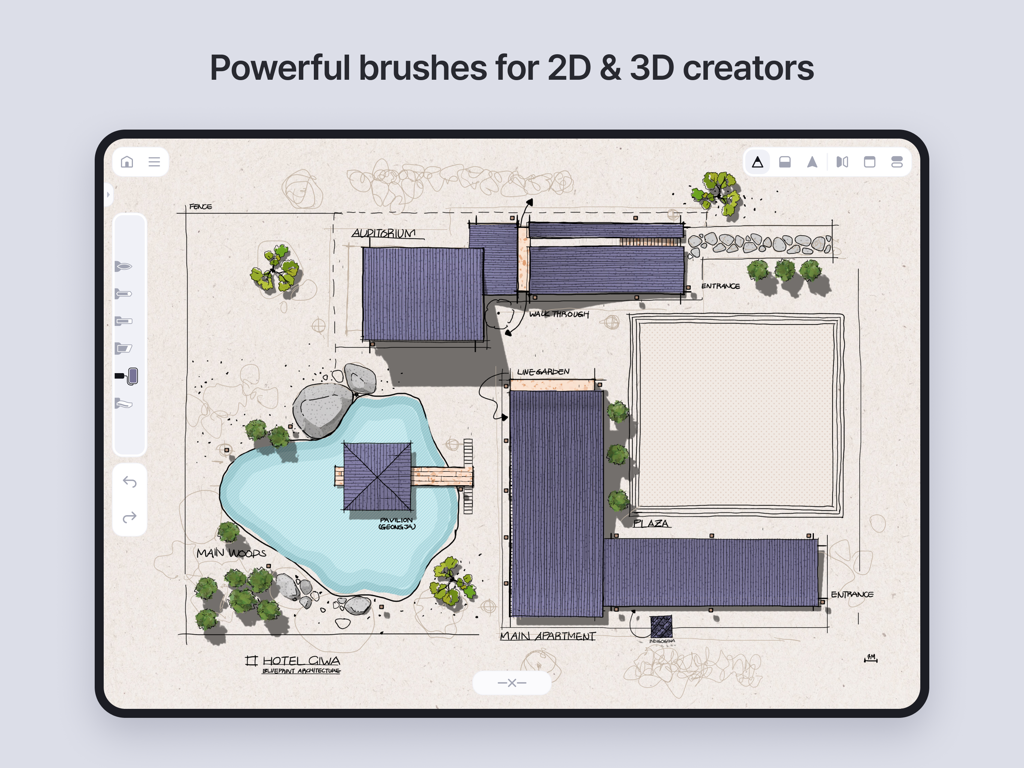
Feather: Draw in 3D - Feather 3D描画ツールを使用してiPad上で描かれたホテルの複合施設の建築フロアプランのスケッチ
Feather 3D描画ツールを使用してiPad上で描かれたホテルの複合施設の建築フロアプランのスケッチ

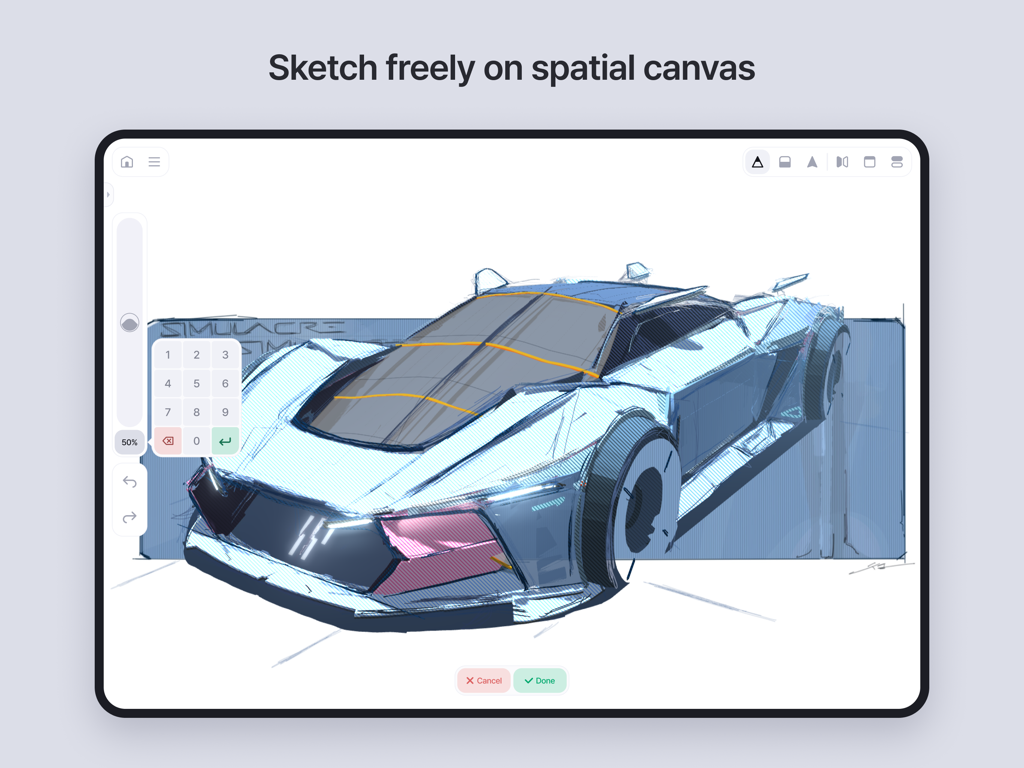
Feather: Draw in 3D - Featherアプリの空間キャンバスを使用してiPad上で3Dでスケッチされている未来的な車のコンセプト
Featherアプリの空間キャンバスを使用してiPad上で3Dでスケッチされている未来的な車のコンセプト

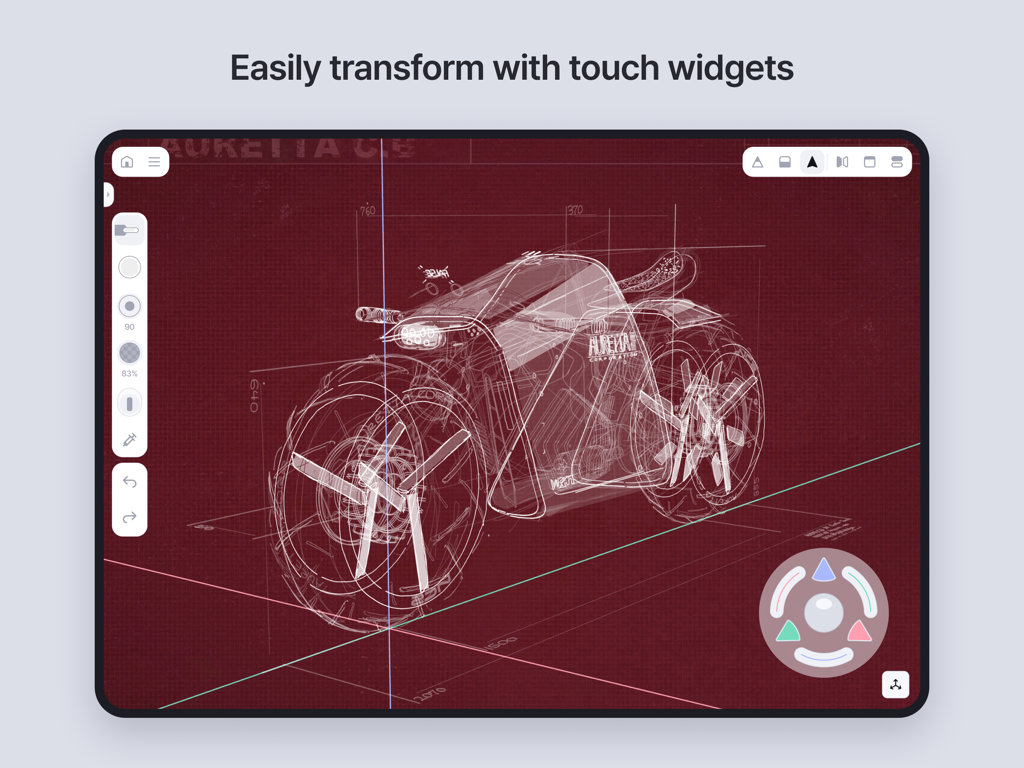
Feather: Draw in 3D - Feather 3D描画アプリのインターフェース。車のコンセプトスケッチとタッチ変形ウィジェットが表示されています。
Feather 3D描画アプリのインターフェース。車のコンセプトスケッチとタッチ変形ウィジェットが表示されています。

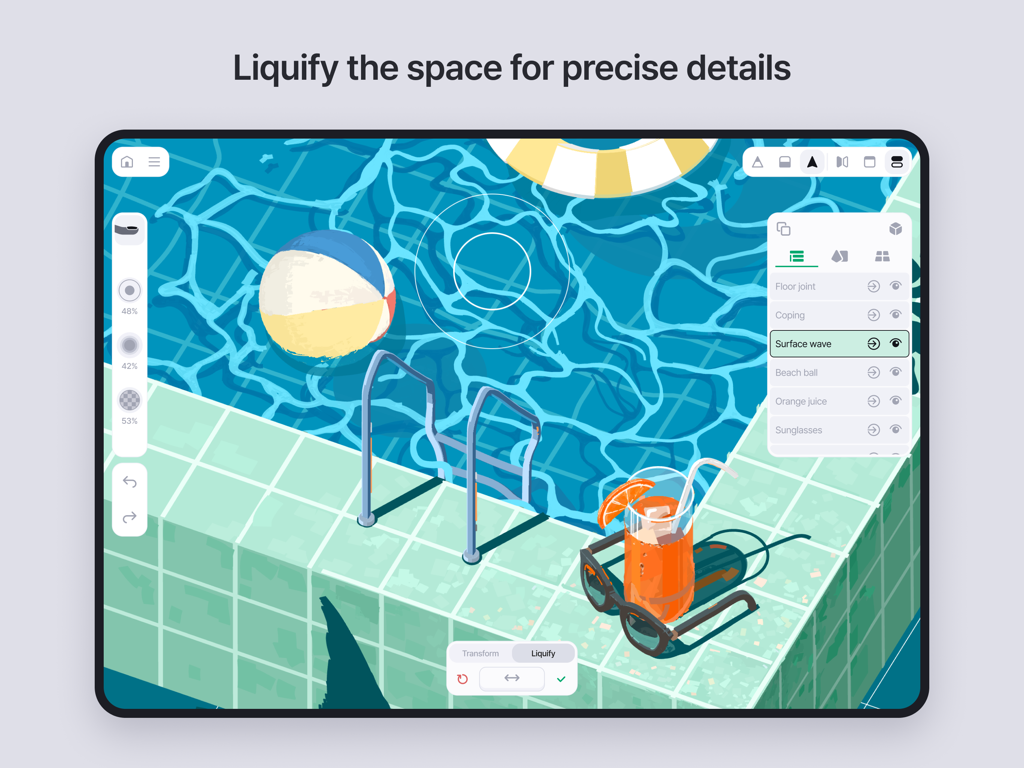
Feather: Draw in 3D - iPad上のFeather 3D描画アプリのインターフェース。スイミングプールのイラストに使用されている液化ツールが表示されています。
iPad上のFeather 3D描画アプリのインターフェース。スイミングプールのイラストに使用されている液化ツールが表示されています。

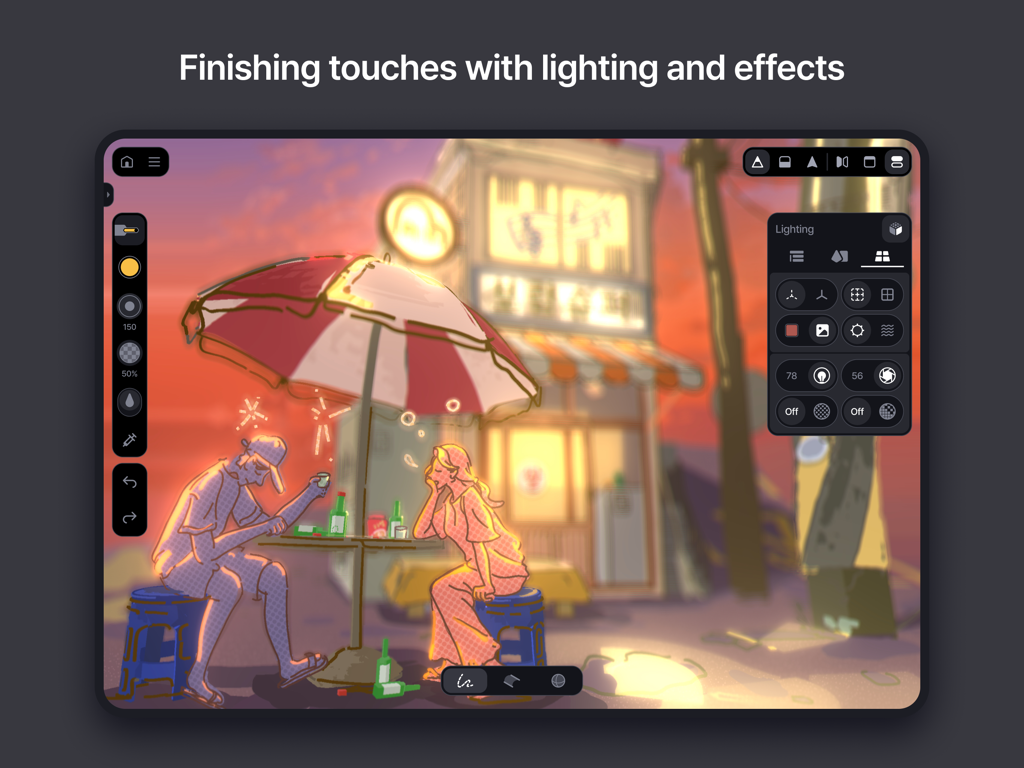
Feather: Draw in 3D - Featherアプリのインターフェース。夕日のカフェのシーンの3Dイラストにライティングとエフェクトツールが表示されています。
Featherアプリのインターフェース。夕日のカフェのシーンの3Dイラストにライティングとエフェクトツールが表示されています。

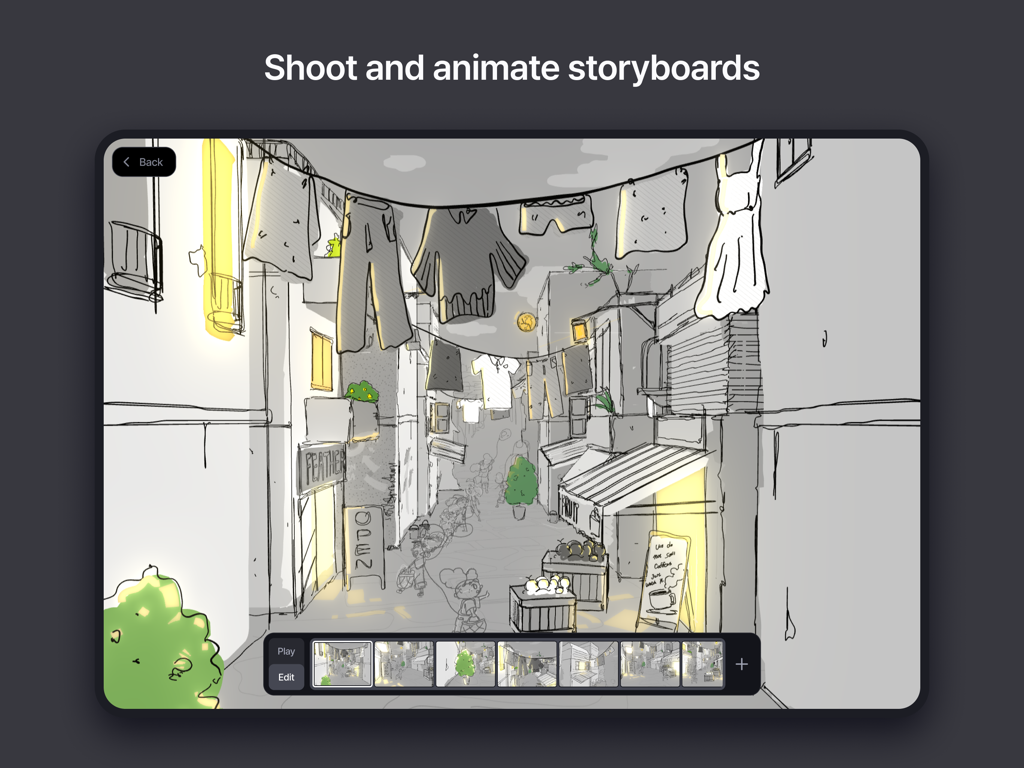
Feather: Draw in 3D - Feather 3Dアプリのストーリーボード撮影およびアニメーション用インターフェース
Feather 3Dアプリのストーリーボード撮影およびアニメーション用インターフェース

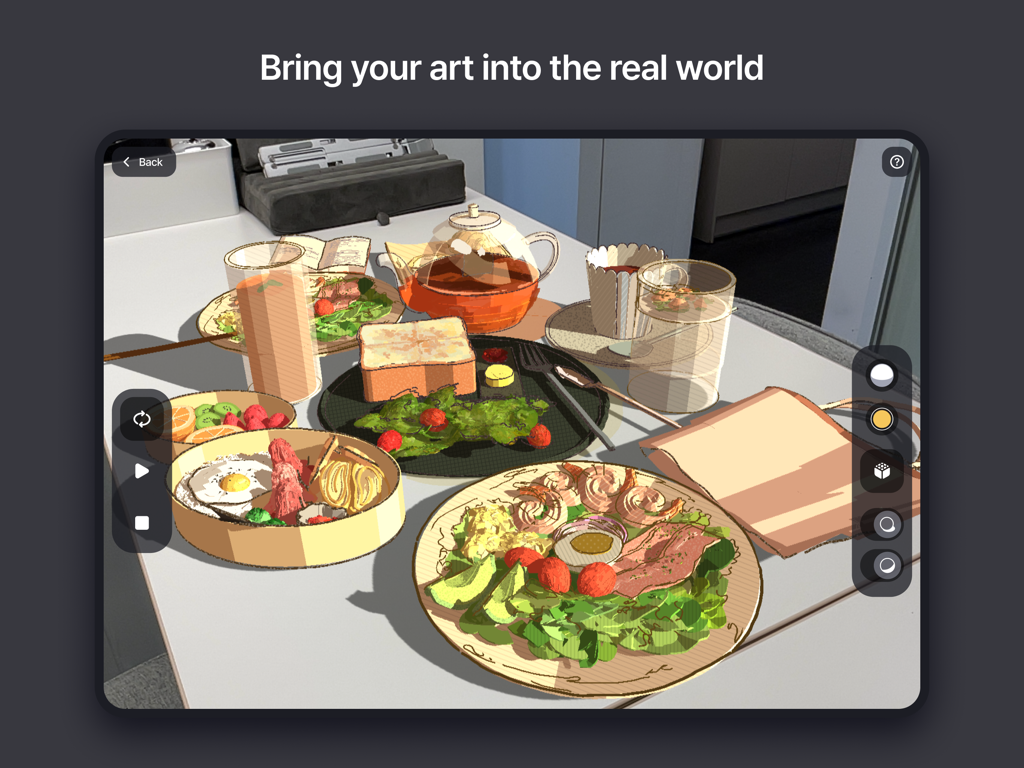
Feather: Draw in 3D - iPad上のFeatherアプリを使用して、テーブル上の拡張現実で表示されている3D描画の朝食シーン。
iPad上のFeatherアプリを使用して、テーブル上の拡張現実で表示されている3D描画の朝食シーン。

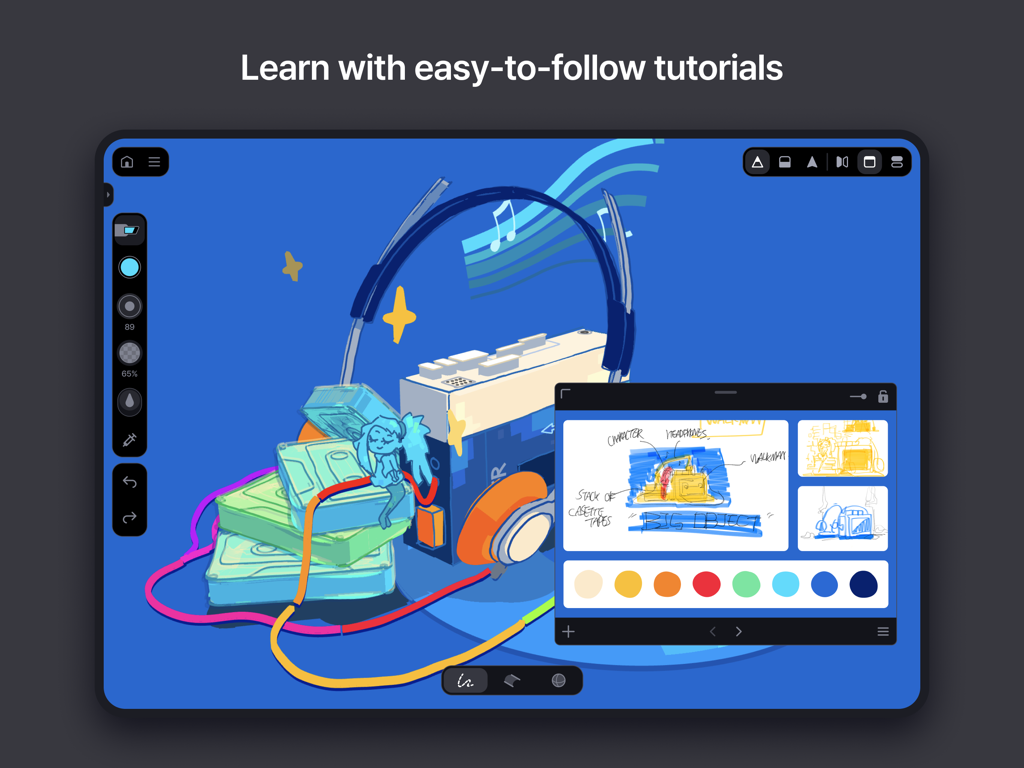
Feather: Draw in 3D - ウォークマンとヘッドホンのスケッチをフィーチャーしたFeather 3D描画アプリのチュートリアルインターフェース
ウォークマンとヘッドホンのスケッチをフィーチャーしたFeather 3D描画アプリのチュートリアルインターフェース

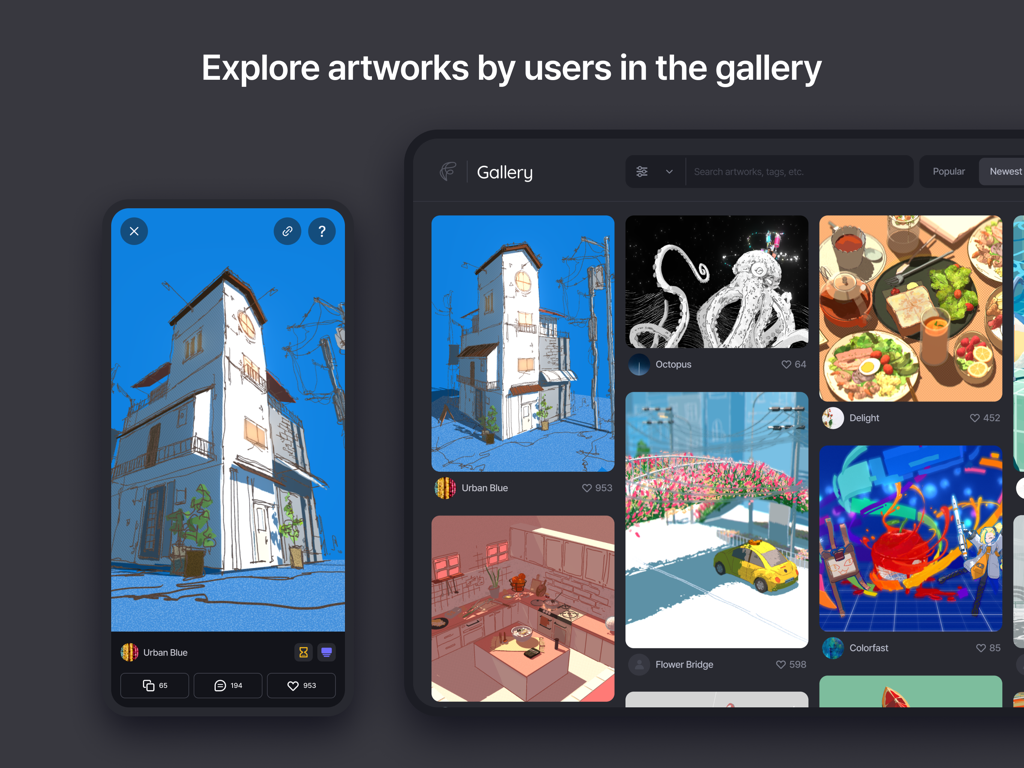
Feather: Draw in 3D - Featherユーザーによって作成された様々な3D描画とアートワークを展示するギャラリー

Featherユーザーによって作成された様々な3D描画とアートワークを展示するギャラリー

説明

Feather is a next-generation 3D drawing application built for professional designers, visionary artists, and you. Bring your imagination to life with versatile 3D brushes redesigned for space, seamless and intuitive navigation, and a delicate interplay of light and shadow powered by the Airbreath rendering engine. Feather is the ultimate creative space to unleash your ideas without limits. Draw. Rotate. Create. • All you need is a pen and touch. Freely navigate 3D space, draw from any perspective, and turn your ideas into reality. Editing feels like gaming. • Move, rotate, and scale using the joystick. Tedious 3D editing has never been easier. Liquify the space. • Masterpieces arise from many trials. Use "3D Liquify" to push and pull every detail, letting your imagination roam free. Brushes reimagined in 3D. • Enjoy the classic feel of drawing with pressure-sensitive 3D brushes, featuring styles and patterns for enhanced expression. Every angle tells a story. • 3D artworks are meant to be viewed from various angles. Capture and sequence shots to weave your own story. A creative toolkit for artists, designers, architects, and everyone. • Tools unleash your boundless imagination. Feather is for creators who embrace diverse themes, styles, techniques, and dimensions. Polish it up. • Make your creations vibrant with shading and special effects. • Lighting: Illuminate and cast shadows with a single tap. • Post-processing: Add a finishing touch with grain, depth of field, glow, pixelation, or toon shading. Export to 3D formats. • Your 3D creations have no limits. Export your work from Feather, use it in other tools, and explore new workflows. Features you need. Indeed. • Fully Offline: Use anywhere without an internet connection. • Shapes: Draw straight lines, circles, ellipses, and smooth curves. • Eraser: Works just as you expect. • Live Mirror: Draw symmetrical lines with a virtual mirror. • Import Reference: Insert images or 3D models into your workspace. • Clipboard: Display reference images in a separate window. • Background Image: Add colors or images behind your 3D artwork. • AR View: View 3D creations in real-world settings. • Share: Generate a 3D viewer link to share your artwork. • Folders: Organize drawings into folders for easy access. • Geometric Primitives: Draw on spheres, cylinders, cones, or rings. • Data Backup: Back up your files and keep them secure. ... what if you don’t have a pen? • Turn on "Finger-pen" mode to sketch, paint, and edit using just your fingers. Showcase your work. • Feather Gallery is the best place to view and share 3D artworks. Discover what’s possible and find inspiration. Your journey starts here. • From detailed guides to hands-on tutorials, everything you need is at your fingertips. • Documentation: Learn all of Feather's interfaces, gestures, and features. • Basic tutorial: Follow our videos to draw and learn how to use Feather. • Community: Join Feather users from around the world on Discord.

Download

ダウンロード: App Store

このページはアプリまたはその開発者の公式ページではなく、情報提供および論評を目的として作成された独立した編集出版物です。明示的に別段の記載がない限り、アプリおよびその開発者は、MWM、Apple、Google Play、アプリのパブリッシャー、またはアプリの開発者と提携、承認、後援、認可、またはその他の公式的な関係はなく、このページのいかなる内容も、アプリがMWMのサービスを使用して開発されたことを意味するものではありません。すべての商標、ロゴ、スクリーンショット、その他のコンテンツはそれぞれの所有者の財産です。